
Overview
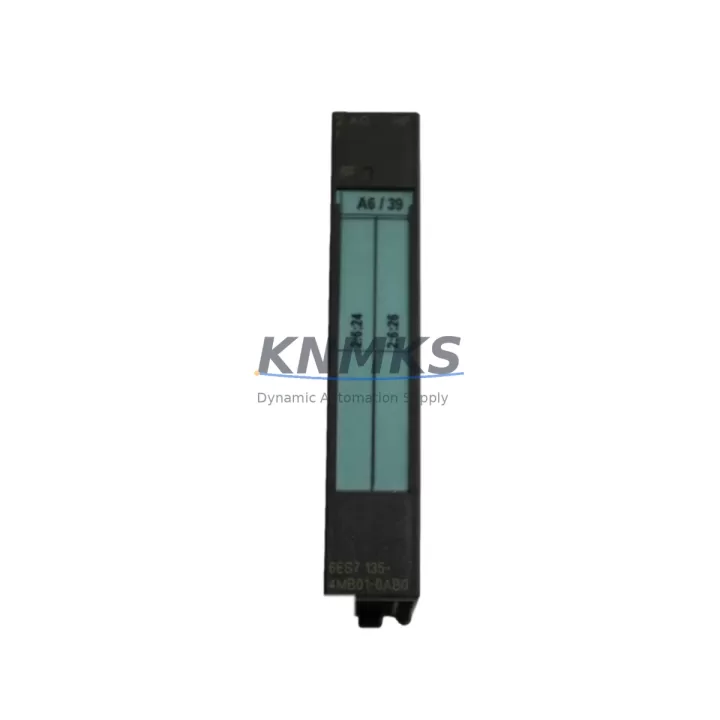
Siemens 6ES7135-4MB01-0AB0 Spare Part for ET 200S Uptime
The Siemens 6ES7135-4MB01-0AB0 is a 4-channel analog output module designed for the ET 200S distributed I/O system, widely deployed across manufacturing, petrochemical, energy, and infrastructure automation environments. As a maintenance-proven spare part, it supports continuous factory operation by enabling rapid field replacement without system reconfiguration. Every unit supplied by KNMKS is sourced as an original Siemens component, individually tested prior to dispatch, and covered by a support terms confirmed by quotation.
For maintenance engineers managing aging SIMATIC S7-300 or S7-400 control architectures, keeping a verified stock of the 6ES7135-4MB01-0AB0 is a critical element of any MRO strategy. Unplanned downtime caused by a failed analog output channel can halt an entire production line. Having a pre-tested replacement on the shelf reduces mean time to repair (MTTR) and eliminates the lead-time risk associated with emergency procurement.
Spare Maintenance Table
| Part Number | 6ES7135-4MB01-0AB0 |
| Brand | Siemens |
| Series | ET 200S Distributed I/O |
| Module Type | 4-Channel Analog Output |
| Output Signal | ±10 V / 0–20 mA / 4–20 mA (configurable per channel) |
| Resolution | 13-bit + sign |
| Supply Voltage | 24 V DC (via ET 200S power module) |
| Current Consumption | Approx. 60 mA at 5 V DC (backplane bus) |
| Isolation | Electrically isolated channels from backplane |
| Compatibility | SIMATIC ET 200S; S7-300 / S7-400 via IM 151 interface module |
| Mounting | ET 200S terminal module (e.g. TM-E15S24-A1) |
| Operating Temperature | 0 °C to +60 °C |
| Protection Class | IP20 |
| Weight | Approx. 40 g |
| Origin | Germany |
| Condition | Original, New or Tested Surplus |
| Support terms | 12 Months |
| Dispatch | Tested & inspected before shipment |
Maintenance Planning for Continuous Operation
When replacing the 6ES7135-4MB01-0AB0 in the field, a disciplined inspection of the surrounding electrical circuit is essential to prevent repeat failures and confirm system integrity. Maintenance engineers should begin by verifying the ET 200S power module (such as the PM-E 24VDC series) supplying the module rail — a degraded power supply is a common root cause of analog output faults that can be misdiagnosed as module failure.
The IM 151-1 or IM 151-3 interface module connecting the ET 200S station to the PROFIBUS DP or PROFINET network should be checked for firmware version compatibility and communication error logs. A faulty interface module can cause the entire station to drop offline, masking individual channel faults. Similarly, inspect the terminal module (TM-E) on which the 6ES7135-4MB01-0AB0 is seated — terminal modules accumulate contact wear over years of service and should be part of any scheduled replacement cycle.
On the signal side, verify the field wiring connected to the analog output channels. Corroded terminals, loose connections, or incorrect shielding on signal cables can introduce noise that degrades output accuracy. If the application involves 4–20 mA current loops driving control valves or variable frequency drives, confirm that the loop resistance is within the module’s rated load range. For voltage output applications, check for ground loops between the module and the actuator.
In control cabinets where the ET 200S rack is installed alongside 24 V DC relay modules or digital I/O modules (such as the 6ES7131 or 6ES7132 series), inspect the shared power distribution for voltage drop under full load. A signal isolator or signal conditioner between the analog output and the field device is recommended in high-noise environments such as motor control centers or variable speed drive panels. Additionally, check miniature circuit breakers or fuse terminals protecting the 24 V supply rail — a blown fuse on the power feed is a frequent cause of module non-response that is often overlooked during fault isolation.
For sites running legacy SIMATIC S7-300 CPU modules with ET 200S remote I/O, maintaining a small buffer stock of the 6ES7135-4MB01-0AB0 alongside compatible power modules and interface modules is the most effective strategy for minimizing unplanned downtime. KNMKS supports long-term supply commitments for MRO procurement teams requiring guaranteed availability over 12–36 month horizons.
Site Replacement Workflow
Step 1 — Isolation: Place the affected ET 200S station in STOP mode via the PLC CPU or engineering station (STEP 7 / TIA Portal). Confirm the analog output channels are de-energized and that field actuators are in a safe state before proceeding.
Step 2 — Documentation: Record the current channel configuration (output type, range, substitute value behavior) from the hardware configuration in STEP 7 or TIA Portal. Take a photo of the wiring on the terminal module before disconnection.
Step 3 — Module Removal: Release the locking mechanism on the terminal module and slide the 6ES7135-4MB01-0AB0 out of the TM-E slot. Inspect the terminal module contacts for wear or contamination. Replace the terminal module if contact resistance is elevated.
Step 4 — Replacement Installation: Insert the new 6ES7135-4MB01-0AB0 into the same terminal module slot. The module is keyed to prevent incorrect insertion. Reconnect field wiring per the documented configuration.
Step 5 — Configuration Verification: The 6ES7135-4MB01-0AB0 is parameter-assigned via the PLC hardware configuration — no DIP switches or manual coding are required. Confirm the hardware configuration in STEP 7 / TIA Portal matches the installed module order number. Download configuration if required.
Step 6 — Commissioning: Return the CPU to RUN mode. Monitor the analog output channels in the diagnostic buffer and confirm correct signal levels at the field actuators. Log the replacement in the site maintenance record.
This workflow supports direct replacement of earlier ET 200S analog output variants without changes to the PLC program, provided the hardware configuration is consistent. The 6ES7135-4MB01-0AB0 is backward-compatible within the ET 200S platform, reducing engineering time during emergency replacements.
Spare Parts Support FAQ
Q1: Is the 6ES7135-4MB01-0AB0 compatible with both PROFIBUS and PROFINET ET 200S stations?
Yes. The 6ES7135-4MB01-0AB0 is a slot module within the ET 200S system and is compatible with all ET 200S interface modules, including PROFIBUS DP (IM 151-1) and PROFINET (IM 151-3 PN). Compatibility is determined by the interface module and the PLC hardware configuration, not by the analog output module itself.
Q2: How is the module tested before shipment?
Each 6ES7135-4MB01-0AB0 supplied by KNMKS undergoes functional verification prior to dispatch, including power-on testing and output channel validation. Units are inspected for physical condition, connector integrity, and firmware label consistency. A test report is available on request for critical MRO applications.
Q3: Can KNMKS support long-term or blanket purchase orders for this part?
Yes. KNMKS supports long-term supply agreements for maintenance teams requiring guaranteed stock availability. We accommodate scheduled releases, consignment arrangements, and multi-site procurement programs. Contact admin@knmks.com to discuss volume pricing and supply commitment terms.
Q4: What does the support terms confirmed by quotation cover?
The support terms confirmed by quotation cover manufacturing defects and functional failure under normal operating conditions as specified in the Siemens ET 200S system manual. Support requests are supported by KNMKS directly, with replacement or credit issued upon return and inspection of the defective unit. The confirmed support period begins from the date of shipment.
© 2026 KNMKS. All rights reserved.
Original Source: https://knmks.com
Contact: admin@knmks.com | +86 18359268345
Product Identification
- Brand / Ecosystem
-
Siemens
Siemens - Model / Series
-
6ES7135-4MB01-0AB0
SIMATIC Series - Product Family
- PLCs & Controllers
- Availability Status
- Available on request after model and quantity confirmation
- Inquiry Type
- B2B RFQ, replacement inquiry and project spare-part request
- Pre-Quote Check
- Exact SKU, brand, series, quantity, nameplate photos and destination country are checked before quotation
System Path
Where this product fits in the KNMKS automation structure.
Specification & Inquiry Focus
- Control platform
- PLC, PAC and modular controllers
- Common needs
- CPU, rack, power and I/O expansion
- Project support
- Replacement, cabinet build and maintenance
Buyer Confirmation
Information KNMKS checks before replying.
- Exact model
- 6ES7135-4MB01-0AB0
- Brand / ecosystem
- Siemens
- Product family
- PLCs & Controllers
- Application note
- Replacement, maintenance, project build or spare-part list
- Useful photos
- Nameplate, installed unit, cabinet layout or connector side
- Delivery details
- Quantity, destination country and target schedule
Document Support
Files and notes can be confirmed during quotation.
- Product photos or nameplate confirmation when available
- Packing and delivery notes before quotation confirmation
- Support scope and delivery terms confirmed per inquiry
- Export document coordination for qualified B2B requests
Inquiry Support
- Model cross-checking before quotation
- CPU, power, rack and expansion module matching
- Support for replacement and project inquiry
What to Send Us
- Brand and exact model number: Siemens 6ES7135-4MB01-0AB0
- Quantity and required delivery time
- Application, replacement requirement or nameplate photo
- Destination country and shipping preference
RFQ Preparation
This is a product inquiry page built for RFQ communication.
Fast Model Check
Send this model to KNMKS for confirmation.
Include quantity, destination country and photos if this is a maintenance replacement. The inquiry will be saved with a reference number after submission.
Brand & Compatibility Note
KNMKS displays automation product information for well-known industrial brand ecosystems and compatible replacement references. Brand names are used for product identification and compatibility reference only; final availability and commercial terms are confirmed per quotation.
 Manufacturing
 Machine Tools
 Packaging
 Energy & Power



 HMI & Displays
 Servo Systems
 Variable Frequency Drives
 Sensors