
Overview
Siemens 6ES7135-4FB01-0AB0 Migration-Ready Analog Output for Legacy Control Systems
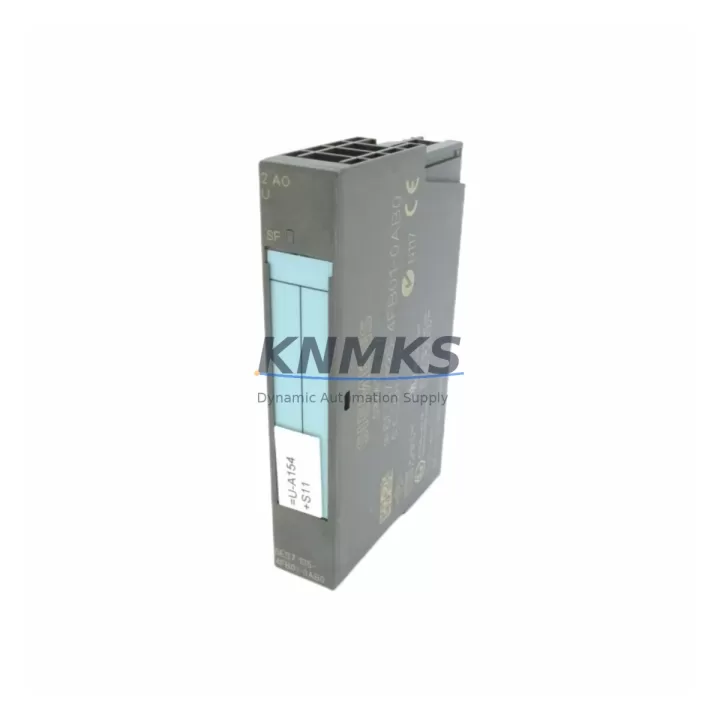
The Siemens 6ES7135-4FB01-0AB0 is a 2-channel analog output module designed for the ET 200S distributed I/O system, operating within the SIMATIC S7 automation platform. As legacy control architectures face end-of-life pressures, this module has become a critical component in retrofit projects where engineers must replace discontinued output cards without redesigning the entire control cabinet. Its compact terminal module interface, standardized 0–10 V and 4–20 mA signal ranges, and PROFIBUS DP communication compatibility make it a reliable drop-in solution for modernizing aging production lines while preserving existing wiring infrastructure and PLC program logic.
When planning a migration from an older S7-300 or ET 200M distributed I/O architecture to an ET 200S-based system, the 6ES7135-4FB01-0AB0 fits directly into the ET 200S power module and terminal module assembly. Engineers replacing discontinued analog output cards such as the 6ES7135-4GB01-0AB0 or earlier 4-channel variants must verify the terminal module type — specifically whether the existing TM-E15S24-A1 or TM-E15C24-A1 terminal modules are compatible — before installation. Mismatched terminal modules are the most common source of wiring errors during retrofit, and confirming this before shutdown significantly reduces unplanned downtime.
Power budget verification is equally important. The ET 200S backplane distributes 24 VDC across all installed modules, and adding or replacing analog output modules changes the total current draw on the power module — typically the PM-E 24 VDC or PM-E 24–48 VDC variants. Before commissioning the 6ES7135-4FB01-0AB0, calculate the aggregate current consumption of all modules on the rail to confirm the power module is not overloaded. In high-density cabinets where multiple IM 151-1 interface modules or IM 151-3 PN interface modules are installed, this step is non-negotiable.
Migration Compatibility Table
| Parameter | Details |
|---|---|
| Module SKU | 6ES7135-4FB01-0AB0 |
| Series / Platform | SIMATIC ET 200S |
| Output Channels | 2-channel analog output |
| Signal Range | 0–10 V / 4–20 mA (selectable) |
| Communication Interface | PROFIBUS DP (via IM 151-1 / IM 151-3 PN) |
| Terminal Module Compatibility | TM-E15S24-A1 / TM-E15C24-A1 |
| Power Supply | 24 VDC via ET 200S backplane |
| Installation | DIN rail, ET 200S modular rail assembly |
| Common Replacement For | 6ES7135-4GB01-0AB0, legacy 4-ch analog output variants |
| Firmware Compatibility | Compatible with STEP 7 V5.x and TIA Portal V13+ |
| Commissioning Tool | STEP 7 / TIA Portal hardware configuration |
| Support terms | 12 months from date of shipment |
| Origin | Germany |
| Stock Status | availability confirmed by RFQ — ships within 3 business days |
Retrofit Planning for Existing Automation Systems
A successful retrofit using the 6ES7135-4FB01-0AB0 requires a structured pre-migration checklist. Begin by documenting the existing analog output channel assignments in the STEP 7 hardware configuration or TIA Portal project. Each channel’s process tag, engineering unit, and scaling parameters must be recorded before the old module is removed. If the legacy system used a 6ES7135-4GB01-0AB0 with 4 output channels, the migration to a 2-channel 6ES7135-4FB01-0AB0 may require installing a second module to maintain full I/O coverage — plan the rail space accordingly.
Terminal wiring should be transferred from the old terminal module to the new one using the existing field cable labels. The ET 200S terminal module design allows the electronic module to be swapped without disturbing field wiring, which is one of the key advantages of this platform during live-system retrofits. However, always de-energize the 24 VDC supply to the affected rail segment before removing or inserting any electronic module to prevent transient voltage spikes on the analog output lines.
For systems where the ET 200S communicates via an IM 151-3 PN interface module over PROFINET rather than PROFIBUS DP, confirm that the GSD or GSDML device description file loaded in the TIA Portal project matches the firmware version of the interface module. Mismatched device descriptions can cause the CPU — whether an S7-300, S7-400, or S7-1500 — to report configuration faults on startup. In mixed-protocol cabinets where both PROFIBUS DP and PROFINET segments coexist, verify that the IM 151-1 and IM 151-3 PN modules are addressed correctly and that no duplicate PROFIBUS node addresses exist on the segment.
Signal isolation should also be evaluated during retrofit planning. In older installations, signal isolators or barriers were sometimes installed between the PLC analog output and the field device. When replacing the output module, confirm whether these isolators are still required or whether the 6ES7135-4FB01-0AB0’s built-in short-circuit protection and diagnostics are sufficient for the application. In some cases, removing redundant isolators simplifies the wiring and reduces cabinet heat load.
Downtime Control During System Migration
Minimizing production downtime during an analog output module replacement requires preparation that begins days before the scheduled maintenance window. First, export and archive the current STEP 7 or TIA Portal project, including the hardware configuration, symbol table, and all program blocks (OBs, FBs, FCs, and DBs). Store a backup on an offline medium independent of the engineering workstation. If the system uses a memory card in the CPU — common in S7-300 and S7-400 installations — create a RAM-to-ROM copy before shutdown so the program can be reloaded from the card if the CPU loses power unexpectedly during the swap.
During the maintenance window, follow a structured sequence: isolate the affected ET 200S station from the PROFIBUS or PROFINET segment if possible, remove the old electronic module from the terminal module, insert the 6ES7135-4FB01-0AB0, and restore power. The CPU should recognize the new module automatically if the hardware configuration was updated and downloaded prior to shutdown. If the CPU reports a configuration mismatch, use the online diagnostic view in STEP 7 or TIA Portal to compare the expected and actual hardware configurations and resolve any slot assignment discrepancies.
For HMI systems connected to the same control network — whether a SIMATIC HMI TP or MP panel, a WinCC Runtime station, or a third-party SCADA — verify that the analog output tags mapped to the replaced module are still communicating correctly after restart. In some configurations, HMI tag connections reference the module’s slot address directly, and a slot change during retrofit can break the tag link. Test all affected HMI screens in operator mode before returning the line to production.
Where a full system shutdown is not feasible, consider a phased migration: replace one output channel at a time using a temporary bypass, maintain the remaining channels in service, and validate each channel before proceeding. This approach extends the total migration time but eliminates the risk of a full production stop and is particularly effective in continuous-process industries where even brief interruptions carry significant cost.
Retrofit Support FAQ
Q: Is the 6ES7135-4FB01-0AB0 a direct replacement for the 6ES7135-4GB01-0AB0?
A: The 6ES7135-4FB01-0AB0 (2-channel) and 6ES7135-4GB01-0AB0 (4-channel) share the same ET 200S platform and terminal module interface, but differ in channel count. If your application requires 4 analog output channels, two 6ES7135-4FB01-0AB0 modules can be installed side by side on the same rail, provided sufficient rail space and power budget are available. Update the TIA Portal or STEP 7 hardware configuration to reflect the new slot assignments before downloading to the CPU.
Q: What commissioning steps are required after installation?
A: After physical installation, download the updated hardware configuration to the CPU, perform an online comparison to confirm no configuration faults, and run a channel-by-channel output test using the STEP 7 or TIA Portal variable table. Verify the analog output signal at the field device using a calibrated process meter. Confirm that the HMI setpoint tags are writing correctly to the output channels and that the process response matches the expected engineering unit scaling.
Q: Does this module ship pre-tested and what support terms is included?
A: Yes. Every 6ES7135-4FB01-0AB0 unit is function-tested prior to shipment, including power-on verification and output channel continuity checks. All units are covered by a support terms confirmed by quotation from the date of shipment. In the event of a support terms claim, contact admin@knmks.com with the order reference and a description of the fault. Replacement or repair will be coordinated within 5 business days.
Q: What is the typical lead time and stock availability?
A: Units are held availability confirmed by RFQ and typically ship within 3 business days of order confirmation. For urgent retrofit projects requiring same-week delivery, contact the sales team directly to confirm current inventory levels and expedited shipping options. Bulk orders for system integrators and OEMs are accommodated with volume pricing on request.
© 2026 KNMKS. All rights reserved.
Original Source: https://knmks.com
Contact: admin@knmks.com | +86 18359268345
Product Identification
- Brand / Ecosystem
-
Siemens
Siemens - Model / Series
-
6ES7135-4FB01-0AB0
SIMATIC Series - Product Family
- PLCs & Controllers
- Availability Status
- Available on request after model and quantity confirmation
- Inquiry Type
- B2B RFQ, replacement inquiry and project spare-part request
- Pre-Quote Check
- Exact SKU, brand, series, quantity, nameplate photos and destination country are checked before quotation
System Path
Where this product fits in the KNMKS automation structure.
Specification & Inquiry Focus
- Control platform
- PLC, PAC and modular controllers
- Common needs
- CPU, rack, power and I/O expansion
- Project support
- Replacement, cabinet build and maintenance
Buyer Confirmation
Information KNMKS checks before replying.
- Exact model
- 6ES7135-4FB01-0AB0
- Brand / ecosystem
- Siemens
- Product family
- PLCs & Controllers
- Application note
- Replacement, maintenance, project build or spare-part list
- Useful photos
- Nameplate, installed unit, cabinet layout or connector side
- Delivery details
- Quantity, destination country and target schedule
Document Support
Files and notes can be confirmed during quotation.
- Product photos or nameplate confirmation when available
- Packing and delivery notes before quotation confirmation
- Support scope and delivery terms confirmed per inquiry
- Export document coordination for qualified B2B requests
Inquiry Support
- Model cross-checking before quotation
- CPU, power, rack and expansion module matching
- Support for replacement and project inquiry
What to Send Us
- Brand and exact model number: Siemens 6ES7135-4FB01-0AB0
- Quantity and required delivery time
- Application, replacement requirement or nameplate photo
- Destination country and shipping preference
RFQ Preparation
This is a product inquiry page built for RFQ communication.
Fast Model Check
Send this model to KNMKS for confirmation.
Include quantity, destination country and photos if this is a maintenance replacement. The inquiry will be saved with a reference number after submission.
Brand & Compatibility Note
KNMKS displays automation product information for well-known industrial brand ecosystems and compatible replacement references. Brand names are used for product identification and compatibility reference only; final availability and commercial terms are confirmed per quotation.
 Manufacturing
 Machine Tools
 Packaging
 Energy & Power



 HMI & Displays
 Servo Systems
 Variable Frequency Drives
 Sensors