
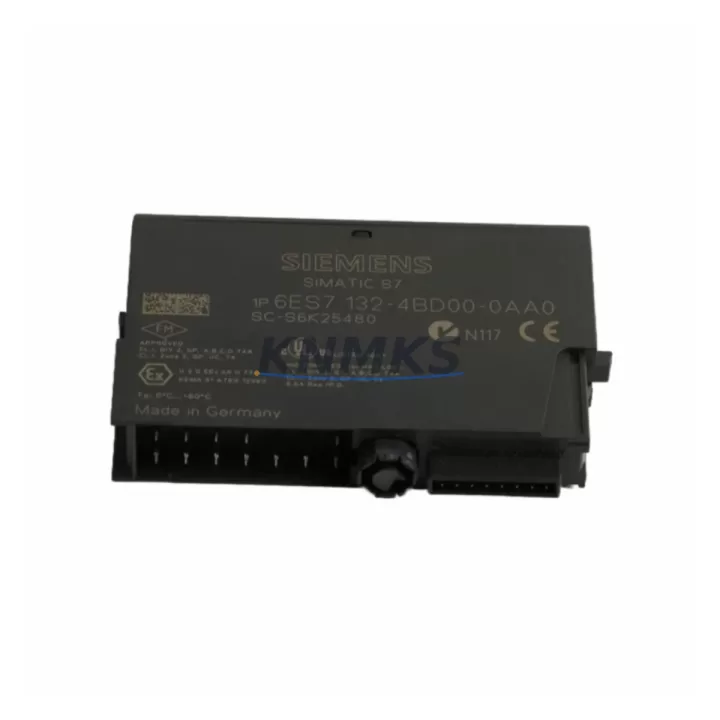
Overview
Siemens 6ES7135-4FB00-0AB0 Maintenance-Proven Spare Part for Factory Uptime
The Siemens 6ES7135-4FB00-0AB0 is a 2-channel analog voltage output module designed for the ET 200S distributed I/O system, fully integrated into the SIMATIC S7-300 and S7-400 automation architecture. For maintenance engineers managing aging production lines, this module represents a critical spare that directly governs analog signal output to field actuators, control valves, and variable-speed drives. When this module fails or degrades, the consequences are immediate: process loops lose their setpoint signals, actuators freeze in last-known position, and production throughput drops to zero until the fault is isolated and the module replaced.
Sourced as an original Siemens component, each 6ES7135-4FB00-0AB0 unit stocked by KNMKS undergoes pre-shipment functional verification to confirm output channel integrity, terminal block seating, and module ID recognition within the ET 200S backplane. This is not a refurbished or grey-market substitute — it is a genuine spare backed by a support terms confirmed by quotation, ensuring your maintenance team can install with confidence and your procurement team can justify the purchase against long-term uptime targets.
Spare Maintenance Table
| Parameter | Specification |
|---|---|
| SKU / Part Number | 6ES7135-4FB00-0AB0 |
| Brand | Siemens |
| Series | ET 200S / SIMATIC S7 |
| Module Type | 2-Channel Analog Voltage Output |
| Output Range | ±10 V / 0–10 V (configurable per channel) |
| Resolution | 13-bit + sign |
| Load Impedance | ≥ 1 kΩ |
| Supply Voltage | 24 V DC (via ET 200S power module) |
| Backplane Interface | ET 200S terminal module (e.g. TM-E15S24-01) |
| Compatibility | SIMATIC S7-300, S7-400, ET 200S IM 151-1 / IM 151-3 |
| Ambient Temperature | 0 °C to +60 °C (operating) |
| Protection Class | IP20 |
| Weight | Approx. 80 g |
| Origin | Germany |
| Condition | Original, New / Tested Surplus |
| Support terms | 12 Months |
| Pre-shipment Test | Channel output verification, backplane ID check |
Maintenance Planning for Continuous Operation
Replacing the 6ES7135-4FB00-0AB0 in a live ET 200S rack is rarely an isolated task. Experienced maintenance engineers know that an analog output fault often signals stress across adjacent components in the same control loop. Before declaring the module as the sole root cause, the following checks should be part of your fault isolation workflow.
Start at the power supply level. The ET 200S analog output modules draw their 24 V DC supply through the rack’s power module — typically a PM-E 24 V DC (6ES7138-4CA01-0AA0) or equivalent. A sagging or noisy 24 V rail can cause intermittent output errors that mimic module failure. Verify rail voltage under load before condemning the output module itself.
Next, inspect the terminal module. The 6ES7135-4FB00-0AB0 seats into a dedicated terminal module such as the TM-E15S24-01 (6ES7193-4CA40-0AA0). Corroded or loose terminal contacts are a common cause of signal dropout in high-vibration environments. If the terminal module shows signs of arcing or mechanical wear, replace it alongside the output module to avoid repeat failures.
Check the interface module as well. The ET 200S IM 151-1 (6ES7151-1AA05-0AB0) or IM 151-3 PN (6ES7151-3BA23-0AB0) manages PROFIBUS or PROFINET communication for the entire ET 200S station. A degraded IM can cause the CPU to report the analog output module as faulty even when the module itself is functional. Confirm IM firmware version and communication diagnostics before replacing field modules.
For the control loop downstream, verify the signal cable integrity between the ET 200S rack and the field actuator. Shielded twisted-pair cable with proper grounding at one end is essential for ±10 V analog signals. Unshielded runs or ground loops introduce noise that can cause the receiving device — a variable frequency drive (VFD) or electro-pneumatic positioner — to hunt or oscillate even with a perfectly functional output module installed.
Finally, if your plant uses a SIMATIC HMI panel (e.g., TP700 Comfort or KTP900 Basic) to display analog setpoints and process values, confirm that the HMI tag database reflects the correct module slot address after replacement. Slot renumbering after a hardware swap is a frequently overlooked step that causes operators to see stale or incorrect process values post-maintenance.
For plants running mixed analog and digital I/O in the same ET 200S station, also inspect adjacent digital output modules (e.g., 6ES7132-4BF00-0AA0) and signal isolators in the same 24 V segment. A short on a digital output channel can pull down the shared 24 V supply and affect analog output accuracy across the entire rack.
Site Replacement Workflow
The 6ES7135-4FB00-0AB0 is a hot-swap-capable module within the ET 200S system, provided the terminal module remains in place and the station is configured for module replacement without CPU STOP. Follow this sequence to minimize downtime:
Step 1 — Isolate the loop: Place the affected control loop in manual mode at the DCS or SCADA level. Confirm the field actuator is in a safe fallback position before removing the module.
Step 2 — Remove the faulty module: Press the release lever on the ET 200S module and slide it out of the terminal module. Do not remove the terminal module from the rail — this preserves field wiring continuity.
Step 3 — Insert the replacement 6ES7135-4FB00-0AB0: Align the module with the terminal module guide rails and press firmly until the latch clicks. The module draws its configuration from the CPU’s hardware configuration automatically upon power-up in systems using GSD-based or TIA Portal-based configuration.
Step 4 — Verify module recognition: Check the CPU diagnostic buffer or STEP 7 / TIA Portal online view to confirm the new module is recognized without fault codes. LED indicators on the module should show steady green on the SF and MAINT indicators.
Step 5 — Restore the loop and validate output: Return the control loop to automatic mode. Use the HMI or engineering station to command a known setpoint and verify the field actuator responds correctly. Log the replacement in your CMMS with the module serial number and installation date to support support terms tracking and future maintenance planning.
This workflow applies equally to planned annual overhauls and emergency breakdown recovery. Keeping one or two 6ES7135-4FB00-0AB0 units in your on-site spare parts cabinet eliminates the lead-time risk associated with emergency procurement and ensures your maintenance team can execute the replacement within a single shift.
Spare Parts Support FAQ
Q1: Is the 6ES7135-4FB00-0AB0 still available as a new original part, or only as refurbished stock?
KNMKS stocks this module as original Siemens product — new or tested surplus in original packaging where available. Each unit is functionally verified before shipment. We do not supply unchecked or cosmetically refurbished modules represented as new.
Q2: How do I confirm compatibility with my existing ET 200S station before ordering?
Compatibility depends on your interface module firmware version and the STEP 7 or TIA Portal hardware configuration version in use. The 6ES7135-4FB00-0AB0 is compatible with IM 151-1 and IM 151-3 PN interface modules. If you share your existing hardware configuration file or IM firmware version with our technical team, we can confirm compatibility before shipment.
Q3: What does the support terms confirmed by quotation cover, and how is a support terms claim handled?
The support terms confirmed by quotation cover manufacturing defects and functional failure under normal operating conditions. If a module fails within the confirmed support period, KNMKS will arrange replacement or repair at no additional cost. Support requests require the original invoice and a brief fault description. Contact admin@knmks.com to initiate a claim.
Q4: Can KNMKS support long-term supply for this module as part of an annual maintenance contract?
Yes. KNMKS maintains buffer stock for high-demand Siemens ET 200S modules and can support scheduled annual procurement, blanket orders, and emergency call-off arrangements. For plants with multiple ET 200S stations, we recommend establishing a standing spare parts agreement to eliminate procurement lead-time risk during unplanned outages.
© 2026 KNMKS. All rights reserved.
Original Source: https://knmks.com
Contact: admin@knmks.com | +86 18359268345
Product Identification
- Brand / Ecosystem
-
Siemens
Siemens - Model / Series
-
6ES7135-4FB00-0AB0
SIMATIC Series - Product Family
- PLCs & Controllers
- Availability Status
- Available on request after model and quantity confirmation
- Inquiry Type
- B2B RFQ, replacement inquiry and project spare-part request
- Pre-Quote Check
- Exact SKU, brand, series, quantity, nameplate photos and destination country are checked before quotation
System Path
Where this product fits in the KNMKS automation structure.
Specification & Inquiry Focus
- Control platform
- PLC, PAC and modular controllers
- Common needs
- CPU, rack, power and I/O expansion
- Project support
- Replacement, cabinet build and maintenance
Buyer Confirmation
Information KNMKS checks before replying.
- Exact model
- 6ES7135-4FB00-0AB0
- Brand / ecosystem
- Siemens
- Product family
- PLCs & Controllers
- Application note
- Replacement, maintenance, project build or spare-part list
- Useful photos
- Nameplate, installed unit, cabinet layout or connector side
- Delivery details
- Quantity, destination country and target schedule
Document Support
Files and notes can be confirmed during quotation.
- Product photos or nameplate confirmation when available
- Packing and delivery notes before quotation confirmation
- Support scope and delivery terms confirmed per inquiry
- Export document coordination for qualified B2B requests
Inquiry Support
- Model cross-checking before quotation
- CPU, power, rack and expansion module matching
- Support for replacement and project inquiry
What to Send Us
- Brand and exact model number: Siemens 6ES7135-4FB00-0AB0
- Quantity and required delivery time
- Application, replacement requirement or nameplate photo
- Destination country and shipping preference
RFQ Preparation
This is a product inquiry page built for RFQ communication.
Fast Model Check
Send this model to KNMKS for confirmation.
Include quantity, destination country and photos if this is a maintenance replacement. The inquiry will be saved with a reference number after submission.
Brand & Compatibility Note
KNMKS displays automation product information for well-known industrial brand ecosystems and compatible replacement references. Brand names are used for product identification and compatibility reference only; final availability and commercial terms are confirmed per quotation.
 Manufacturing
 Machine Tools
 Packaging
 Energy & Power



 HMI & Displays
 Servo Systems
 Variable Frequency Drives
 Sensors