
Overview
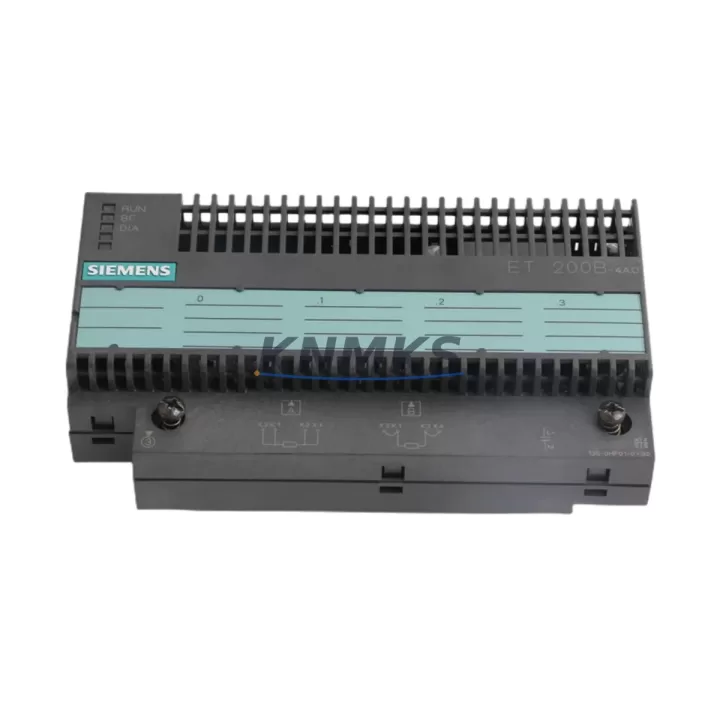
Siemens 6ES7135-0HF01-0XB0 Maintenance-Proven Spare Part for Factory Uptime
The Siemens 6ES7135-0HF01-0XB0 is a 2-channel analog output module designed for the SIMATIC ET 200S distributed I/O system. Engineered for continuous industrial operation, this module delivers precision 4–20 mA current and 0–10 V voltage output signals to field devices including control valves, variable frequency drives, and proportional actuators. As a maintenance-proven spare part, the 6ES7135-0HF01-0XB0 is a critical component in process automation lines, packaging machinery, material handling systems, and any facility relying on SIMATIC S7-300 or S7-400 controllers with ET 200S remote I/O stations.
Sourced directly from authorized supply channels and 100% factory-tested before shipment, every unit supplied by KNMKS undergoes functional verification to confirm output accuracy, channel isolation integrity, and bus interface compliance. Our support terms confirmed by quotation cover all original spare parts against manufacturing defects, giving maintenance engineers and procurement teams the confidence to stock critical spares without risk.
Whether you are responding to an unplanned shutdown, executing a scheduled annual overhaul, or building a strategic spare parts inventory for aging SIMATIC infrastructure, the 6ES7135-0HF01-0XB0 is available for immediate dispatch with full documentation support.
Spare Maintenance Table
| Part Number | 6ES7135-0HF01-0XB0 |
| Brand / Series | Siemens SIMATIC ET 200S |
| Module Type | 2-Channel Analog Output Module (2AO) |
| Output Signal | 4–20 mA (current) / 0–10 V (voltage), selectable per channel |
| Resolution | 12-bit |
| Supply Voltage | 24 V DC (via ET 200S power module) |
| Compatible Controllers | SIMATIC S7-300, S7-400 via ET 200S IM 151-x interface module |
| Mounting | DIN rail, ET 200S terminal module (TM-E series required) |
| Operating Temperature | 0 °C to +60 °C |
| Protection Class | IP20 |
| Country of Origin | Germany |
| Certification | CE, UL, cULus |
| Support terms | 12 Months — All units tested before shipment |
| Maintenance Recommendation | Inspect terminal module seating, verify output calibration annually, check bus connector for oxidation |
Maintenance Planning for Continuous Operation
When replacing the 6ES7135-0HF01-0XB0 in an ET 200S station, a disciplined maintenance engineer will not stop at the analog output module alone. The ET 200S architecture distributes power, communication, and I/O functions across tightly coupled modules — a fault in one component often masks or accelerates wear in adjacent units.
Begin by inspecting the ET 200S Power Module (e.g., PM-E 24VDC) that supplies bus voltage to the station. Degraded capacitors or loose terminal connections on the power module can cause intermittent output errors that are incorrectly attributed to the analog output module itself. Confirm supply voltage is stable within ±5% before commissioning the replacement 6ES7135-0HF01-0XB0.
Next, verify the IM 151 Interface Module — the communication backbone of the ET 200S station. A worn or contaminated PROFIBUS DP or PROFINET connector on the IM 151 will cause cyclic data errors that affect all downstream I/O modules including the 2AO. Clean the bus connector pins and confirm GSD/GSDML configuration matches the replacement module’s firmware revision.
The TM-E Terminal Module on which the 6ES7135-0HF01-0XB0 seats must also be inspected. Terminal modules accumulate mechanical stress from repeated insertions and vibration in cabinet environments. Check for cracked housing, bent contacts, and secure DIN rail locking. A faulty terminal module will cause poor electrical contact even with a brand-new output module installed.
For field wiring connected to the analog outputs, inspect shielded signal cables running to control valves or VFDs. Damaged cable shielding introduces noise into the 4–20 mA loop, causing erratic actuator behavior that can be misdiagnosed as a module fault. Verify shield grounding at the cabinet entry point using a dedicated cable shield clamp or EMC grounding rail.
If the ET 200S station includes digital output modules such as the 6ES7132-4BB01-0AB0 (4DO 24VDC/0.5A) or digital input modules like the 6ES7131-4BB01-0AB0 (4DI 24VDC), inspect these during the same maintenance window. Coordinated I/O module inspection during a planned outage is far more cost-effective than responding to cascading failures during production.
Finally, review the 24 VDC industrial power supply feeding the ET 200S cabinet. Aging SITOP or equivalent PSUs with reduced output capacity under load are a common root cause of distributed I/O instability. A replacement 6ES7135-0HF01-0XB0 will not resolve system-level issues caused by an undersized or failing power supply.
Site Replacement Workflow
Step 1 — Isolate and document. Before removing the 6ES7135-0HF01-0XB0, place the PLC in STOP mode or switch the ET 200S station to safe state via the controller. Record the current output values and channel configuration from the engineering station (STEP 7 or TIA Portal) to ensure exact parameter restoration after replacement.
Step 2 — Remove the module. The 6ES7135-0HF01-0XB0 is hot-swap capable within the ET 200S system when the station is configured for module replacement without PLC STOP. Confirm your system configuration supports this before proceeding. Slide the module out of the terminal module by pressing the release lever. Do not pull on field wiring.
Step 3 — Inspect the terminal module. Before inserting the replacement module, visually inspect the TM-E terminal module contacts. Clean with isopropyl alcohol if oxidation is present. Confirm all field wiring terminals are tight and correctly labeled.
Step 4 — Insert and configure. Slide the new 6ES7135-0HF01-0XB0 into the terminal module until it clicks into place. Power up the station and confirm the module’s RUN LED illuminates green. In TIA Portal or STEP 7, perform a hardware comparison to verify the replacement module is recognized with the correct order number and firmware version.
Step 5 — Verify outputs. Using the PLC’s force table or a calibrated loop tester, verify each channel outputs the correct 4–20 mA or 0–10 V signal across the full range. Document the test results for your maintenance record.
Step 6 — Return to production. Switch the PLC back to RUN mode. Monitor the first production cycle for any alarm conditions. Update your spare parts inventory log to reflect the consumed unit and initiate a replenishment order to maintain minimum stock levels.
Spare Parts Support FAQ
Q1: Is the 6ES7135-0HF01-0XB0 still available as a new original spare?
Yes. KNMKS maintains stock of original Siemens 6ES7135-0HF01-0XB0 modules sourced through authorized supply channels. Each unit is supplied with original packaging and documentation. While Siemens has introduced successor products in the ET 200SP series, the 6ES7135-0HF01-0XB0 remains available for facilities maintaining existing ET 200S infrastructure. Contact admin@knmks.com to confirm current stock and lead time.
Q2: What is covered under the support terms confirmed by quotation?
All 6ES7135-0HF01-0XB0 units supplied by KNMKS carry a support terms confirmed by quotation from the date of shipment. Coverage includes manufacturing defects, output accuracy failures, and bus communication faults confirmed through functional testing. Physical damage caused by incorrect installation, overvoltage, or improper handling is excluded. Our technical team provides pre-shipment test reports on request.
Q3: Can the 6ES7135-0HF01-0XB0 be replaced without stopping the entire PLC system?
The ET 200S system supports module replacement during operation (hot-swap) when the station is configured accordingly in STEP 7 or TIA Portal. However, this requires that the specific slot is configured for “Module replacement without PLC STOP” and that the replacement module matches the configured order number exactly. Always verify your system configuration before attempting hot-swap replacement in a live production environment.
Q4: How should I manage long-term spare parts inventory for aging ET 200S systems?
For facilities committed to maintaining ET 200S-based control systems beyond Siemens’ standard product lifecycle, we recommend holding a minimum of 2–3 units of the 6ES7135-0HF01-0XB0 per production line as strategic spares. KNMKS supports long-term supply agreements with guaranteed pricing and reserved stock allocation. This approach eliminates emergency procurement risk and ensures rapid response to unplanned failures. Contact our team to discuss a tailored spare parts support contract.
© 2026 KNMKS. All rights reserved.
Original Source: https://knmks.com
Contact: admin@knmks.com | +86 18359268345
Product Identification
- Brand / Ecosystem
-
SIEMENS
Siemens - Model / Series
-
6ES7135-0HF01-0XB0
SIMATIC Series - Product Family
- PLCs & Controllers
- Availability Status
- Available on request after model and quantity confirmation
- Inquiry Type
- B2B RFQ, replacement inquiry and project spare-part request
- Pre-Quote Check
- Exact SKU, brand, series, quantity, nameplate photos and destination country are checked before quotation
System Path
Where this product fits in the KNMKS automation structure.
Specification & Inquiry Focus
- Control platform
- PLC, PAC and modular controllers
- Common needs
- CPU, rack, power and I/O expansion
- Project support
- Replacement, cabinet build and maintenance
Buyer Confirmation
Information KNMKS checks before replying.
- Exact model
- 6ES7135-0HF01-0XB0
- Brand / ecosystem
- SIEMENS
- Product family
- PLCs & Controllers
- Application note
- Replacement, maintenance, project build or spare-part list
- Useful photos
- Nameplate, installed unit, cabinet layout or connector side
- Delivery details
- Quantity, destination country and target schedule
Document Support
Files and notes can be confirmed during quotation.
- Product photos or nameplate confirmation when available
- Packing and delivery notes before quotation confirmation
- Support scope and delivery terms confirmed per inquiry
- Export document coordination for qualified B2B requests
Inquiry Support
- Model cross-checking before quotation
- CPU, power, rack and expansion module matching
- Support for replacement and project inquiry
What to Send Us
- Brand and exact model number: SIEMENS 6ES7135-0HF01-0XB0
- Quantity and required delivery time
- Application, replacement requirement or nameplate photo
- Destination country and shipping preference
RFQ Preparation
This is a product inquiry page built for RFQ communication.
Fast Model Check
Send this model to KNMKS for confirmation.
Include quantity, destination country and photos if this is a maintenance replacement. The inquiry will be saved with a reference number after submission.
Brand & Compatibility Note
KNMKS displays automation product information for well-known industrial brand ecosystems and compatible replacement references. Brand names are used for product identification and compatibility reference only; final availability and commercial terms are confirmed per quotation.
 Manufacturing
 Machine Tools
 Packaging
 Energy & Power



 HMI & Displays
 Servo Systems
 Variable Frequency Drives
 Sensors