
Overview
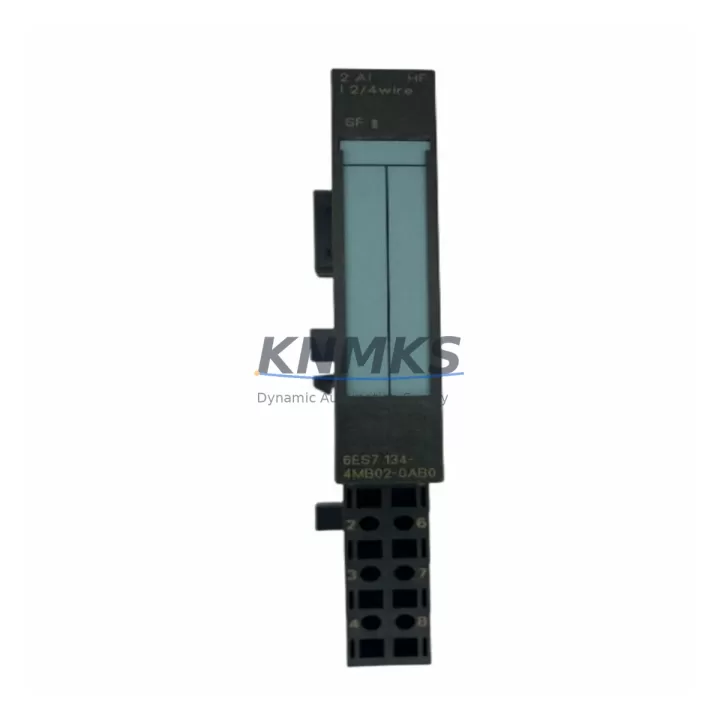
Siemens 6ES7134-4MB02-0AB0 Spare ET 200S Analog Input: Maintenance-Proven for Factory Uptime
The Siemens 6ES7134-4MB02-0AB0 is a 2-channel analog input module designed for the ET 200S distributed I/O system, operating over PROFIBUS DP and PROFINET architectures. This module accepts standard 4–20 mA current signals and ±10 V voltage inputs, making it a critical measurement interface in process control, machine automation, and legacy PLC/DCS retrofit environments. For maintenance engineers managing aging SIMATIC S7-300 or S7-400 infrastructure, holding a verified spare of the 6ES7134-4MB02-0AB0 in the cabinet is a direct investment in production continuity and reduced mean time to repair (MTTR).
Each unit supplied is sourced from authorized channels, subjected to pre-shipment functional testing under rated signal conditions, and backed by a support terms confirmed by quotation covering manufacturing defects and operational failure. Long-term supply commitment ensures availability for multi-year maintenance contracts and scheduled overhaul programs.
Spare Maintenance Table
| SKU / Part Number | 6ES7134-4MB02-0AB0 |
| Brand | Siemens |
| Series | ET 200S / SIMATIC S7 |
| Module Type | Analog Input Module (2-channel) |
| Input Signal Types | 4–20 mA (current), ±10 V (voltage) |
| Resolution | 13-bit + sign |
| Supply Voltage | 24 V DC (via ET 200S power module) |
| Communication Interface | PROFIBUS DP / PROFINET (via IM 151 interface module) |
| Mounting | ET 200S terminal module (TM-E series) |
| Operating Temperature | 0 °C to +60 °C |
| Protection Class | IP20 |
| Origin | Germany |
| Compatibility | ET 200S station with IM 151-1, IM 151-3 PN, IM 151-7 CPU |
| Typical Applications | Process signal acquisition, PID loop feedback, sensor interfacing, legacy S7 retrofit |
| Pre-Shipment Testing | Functional test under rated signal conditions |
| Support terms | 12 Months |
Maintenance Planning for Continuous Operation
When a 6ES7134-4MB02-0AB0 analog input module fails or degrades in signal accuracy, the fault rarely exists in isolation. A thorough site inspection should extend to the surrounding ET 200S station components to prevent repeat failures and confirm system integrity before returning the line to production.
Begin with the ET 200S power module (PM-E 24 VDC) — voltage ripple or transient spikes on the 24 V rail are a leading cause of analog module measurement drift and premature failure. Verify rail voltage under load with a calibrated meter. Next, inspect the terminal module (TM-E15S24-01) on which the 6ES7134-4MB02-0AB0 is seated; worn or corroded spring contacts cause intermittent signal loss that mimics module failure. Replace the terminal module if contact resistance is elevated.
Check the IM 151-1 or IM 151-3 PN interface module for firmware currency and PROFIBUS/PROFINET diagnostic alarms. A degraded interface module can cause the entire ET 200S station to report analog channel faults even when individual input modules are functional. If the station uses PROFIBUS DP, inspect the bus connector (6ES7972-0BA52-0XA0 or equivalent) for termination resistor status and cable shielding continuity — ground loops on the PROFIBUS segment are a known source of analog noise in mixed-signal cabinets.
For installations where the 6ES7134-4MB02-0AB0 interfaces with field transmitters (pressure, flow, temperature), verify the signal isolator or barrier in the loop — particularly in hazardous area installations where Zener barriers or galvanic isolators protect the intrinsically safe boundary. A failed isolator will present as an open-circuit or saturated analog input at the module. Also confirm the fuse or circuit breaker protecting the 24 V supply to the ET 200S station; a slow-blow fuse rated at 2 A is standard for most ET 200S power configurations.
In cabinets running mixed digital and analog I/O, check adjacent digital output modules (6ES7132-4BB series) for inductive load suppression — unsuppressed relay or solenoid switching on shared power rails introduces noise that degrades analog measurement accuracy. Finally, if the station includes an IM 151-7 CPU for local processing, confirm that the CPU’s analog channel configuration in STEP 7 or TIA Portal matches the physical module type and address assignment after replacement.
Procurement engineers should consider stocking one spare 6ES7134-4MB02-0AB0 per ET 200S station in critical process lines, alongside a spare IM 151 interface module and at least two terminal modules, to cover the most common failure modes without waiting on lead times.
Site Replacement Workflow
1. Preparation: Download the current hardware configuration from the S7 CPU using STEP 7 (Simatic Manager) or TIA Portal before any physical work. Note the module slot address, channel configuration (current/voltage mode), and any active diagnostics. Place the ET 200S station in STOP mode via the CPU or engineering station.
2. Safe Isolation: De-energize the 24 V supply to the ET 200S station at the PM-E power module. Confirm absence of voltage with a calibrated tester. Disconnect field wiring from the terminal module, labeling each conductor by channel and polarity.
3. Module Removal: Press the release lever on the 6ES7134-4MB02-0AB0 and slide the module upward out of the terminal module. The terminal module remains in place — this is the key advantage of the ET 200S modular design, as field wiring does not need to be disturbed at the terminal level.
4. Replacement Installation: Insert the new 6ES7134-4MB02-0AB0 into the same terminal module slot. Confirm the module clicks into the locked position. Reconnect field wiring per the original labeling. Restore 24 V supply.
5. Configuration Verification: Bring the CPU online and perform a hardware comparison. If the replacement module matches the original order number, no configuration download is required. Confirm analog channel values are within expected engineering unit ranges before releasing the station to production.
6. Documentation: Record the replacement date, new module serial number, and post-replacement signal readings in the maintenance log. Update the spare parts inventory to trigger reorder of the consumed spare.
Spare Parts Support FAQ
Q1: Is the 6ES7134-4MB02-0AB0 compatible with both PROFIBUS DP and PROFINET ET 200S stations?
Yes. The 6ES7134-4MB02-0AB0 analog input module is compatible with all ET 200S interface modules, including the IM 151-1 (PROFIBUS DP), IM 151-3 PN (PROFINET), and IM 151-7 CPU variants. The module itself is bus-agnostic — communication protocol is determined by the interface module, not the I/O module.
Q2: What pre-shipment testing is performed on each unit?
Each 6ES7134-4MB02-0AB0 is functionally tested under rated 4–20 mA and ±10 V input conditions prior to dispatch. Test results confirm channel accuracy, signal linearity, and correct diagnostic response. Units that do not meet Siemens specification are rejected. A support terms confirmed by quotation cover all supplied units against manufacturing defects and operational failure from the date of delivery.
Q3: Can this module replace older ET 200S analog input variants in the same terminal module?
The 6ES7134-4MB02-0AB0 is mechanically and electrically compatible with the standard ET 200S TM-E terminal module family. When replacing an earlier analog input variant (such as the 6ES7134-4FB01-0AB0 or 6ES7134-4GB01-0AB0), verify that the channel configuration in STEP 7 or TIA Portal is updated to match the new module’s parameter set, particularly measurement range and filter settings.
Q4: What is the long-term supply commitment for this part?
Long-term supply is maintained for this SKU to support multi-year maintenance contracts and scheduled overhaul programs. Customers with annual or blanket purchase requirements are encouraged to contact the sales team to discuss volume pricing, reserved stock arrangements, and guaranteed lead times. Contact: admin@knmks.com | +86 18359268345.
© 2026 KNMKS. All rights reserved.
Original Source: https://knmks.com
Contact: admin@knmks.com | +86 18359268345
Product Identification
- Brand / Ecosystem
-
Siemens
Siemens - Model / Series
-
6ES7134-4MB02-0AB0
SIMATIC Series - Product Family
- PLCs & Controllers
- Availability Status
- Available on request after model and quantity confirmation
- Inquiry Type
- B2B RFQ, replacement inquiry and project spare-part request
- Pre-Quote Check
- Exact SKU, brand, series, quantity, nameplate photos and destination country are checked before quotation
System Path
Where this product fits in the KNMKS automation structure.
Specification & Inquiry Focus
- Control platform
- PLC, PAC and modular controllers
- Common needs
- CPU, rack, power and I/O expansion
- Project support
- Replacement, cabinet build and maintenance
Buyer Confirmation
Information KNMKS checks before replying.
- Exact model
- 6ES7134-4MB02-0AB0
- Brand / ecosystem
- Siemens
- Product family
- PLCs & Controllers
- Application note
- Replacement, maintenance, project build or spare-part list
- Useful photos
- Nameplate, installed unit, cabinet layout or connector side
- Delivery details
- Quantity, destination country and target schedule
Document Support
Files and notes can be confirmed during quotation.
- Product photos or nameplate confirmation when available
- Packing and delivery notes before quotation confirmation
- Support scope and delivery terms confirmed per inquiry
- Export document coordination for qualified B2B requests
Inquiry Support
- Model cross-checking before quotation
- CPU, power, rack and expansion module matching
- Support for replacement and project inquiry
What to Send Us
- Brand and exact model number: Siemens 6ES7134-4MB02-0AB0
- Quantity and required delivery time
- Application, replacement requirement or nameplate photo
- Destination country and shipping preference
RFQ Preparation
This is a product inquiry page built for RFQ communication.
Fast Model Check
Send this model to KNMKS for confirmation.
Include quantity, destination country and photos if this is a maintenance replacement. The inquiry will be saved with a reference number after submission.
Brand & Compatibility Note
KNMKS displays automation product information for well-known industrial brand ecosystems and compatible replacement references. Brand names are used for product identification and compatibility reference only; final availability and commercial terms are confirmed per quotation.
 Manufacturing
 Machine Tools
 Packaging
 Energy & Power



 HMI & Displays
 Servo Systems
 Variable Frequency Drives
 Sensors