
Overview
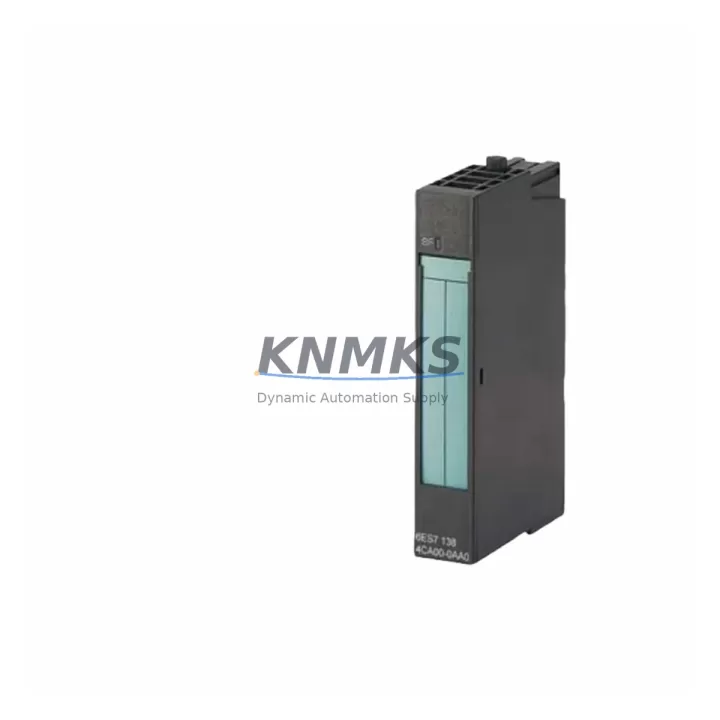
Siemens 6ES7134-4FB00-0AB0 Maintenance-Proven Spare Part for Factory Uptime
The Siemens 6ES7134-4FB00-0AB0 is a 2-channel analog input module designed for the ET 200S distributed I/O system, fully compatible with SIMATIC S7-300 and S7-400 controller architectures. As a maintenance-proven spare part, it supports continuous factory uptime by enabling fast, like-for-like replacement of failed or degraded analog input channels in process control, machine automation, and distributed field I/O applications. Each unit is sourced as an original Siemens component, pre-tested before shipment, and backed by a support terms confirmed by quotation — making it a reliable choice for both emergency replacements and planned maintenance stock.
Spare Maintenance Table
| Parameter | Specification |
|---|---|
| Part Number / SKU | 6ES7134-4FB00-0AB0 |
| Brand | Siemens |
| Series | SIMATIC ET 200S |
| Module Type | 2-Channel Analog Input Module |
| Input Signal Range | ±10 V / 0–10 V / 0–20 mA / 4–20 mA (configurable) |
| Resolution | 12-bit + sign |
| Supply Voltage | 24 V DC (via ET 200S power module) |
| Compatible Controllers | SIMATIC S7-300, S7-400, ET 200S IM 151 interface modules |
| Backplane Interface | ET 200S terminal module (e.g., TM-E15S24-01) |
| Isolation | Electrically isolated channel-to-backplane |
| Operating Temperature | 0 °C to +60 °C |
| Protection Rating | IP20 |
| Origin | Germany |
| Condition | Original, Pre-Tested |
| Support terms | 12 Months |
| Shipping | Global Dispatch, Multi-Region Stock |
Maintenance Planning for Continuous Operation
When replacing the 6ES7134-4FB00-0AB0 during a scheduled outage or emergency callout, maintenance engineers should treat the swap as an opportunity to inspect the surrounding control cabinet components that share the same electrical loop and backplane segment. The ET 200S architecture distributes I/O across terminal modules and power segments, meaning a single degraded analog input channel can mask upstream signal integrity issues that affect adjacent modules.
Begin by verifying the ET 200S power module (6ES7138-4CA01-0AA0 or equivalent) supplying the affected segment — voltage sag or ripple on the 24 V DC rail is a common root cause of intermittent analog input errors that are misdiagnosed as module failure. Check the IM 151 interface module (e.g., 6ES7151-1AA05-0AB0) for firmware currency and PROFIBUS/PROFINET communication health, as a degraded interface module can cause the entire ET 200S station to report faults even when individual I/O modules are functional.
Inspect the terminal module (TM-E15S24-01) on which the 6ES7134-4FB00-0AB0 is seated — terminal modules accumulate contact resistance over time and should be replaced if discoloration, corrosion, or mechanical wear is observed. While the cabinet is open, audit the signal cables and shielded twisted-pair wiring connected to the analog input terminals; damaged cable insulation or improper shield grounding introduces noise that degrades measurement accuracy and can cause nuisance alarms in the SCADA or DCS layer.
For sites running mixed analog and digital I/O in the same ET 200S station, also verify the adjacent 2-channel digital input modules (e.g., 6ES7131-4BB01-0AB0) and any relay output modules in the same power segment — these share the backplane bus and a failing neighbor module can corrupt the station’s I/O image. If the process loop includes signal isolators or loop-powered transmitters, confirm that isolator output ranges match the 6ES7134-4FB00-0AB0’s configured input range before commissioning the replacement module.
Procurement engineers building annual maintenance kits for ET 200S-based lines should consider stocking the 6ES7134-4FB00-0AB0 alongside the interface module, at least one power module, and a selection of terminal modules to cover the most common failure modes without requiring emergency sourcing during an unplanned outage.
Site Replacement Workflow
Step 1 — Isolation: Place the affected ET 200S station in STOP mode via the S7-300/S7-400 CPU or engineering station (STEP 7 / TIA Portal). Confirm the station’s RUN/STOP LED status and de-energize the 24 V DC supply to the affected power segment before touching any terminal module.
Step 2 — Module Removal: The 6ES7134-4FB00-0AB0 snaps onto its terminal module without tools. Slide the module upward to release the locking tab, then pull it clear of the terminal module. Label the wiring positions before disconnecting signal cables from the terminal module if the terminal module itself is also being replaced.
Step 3 — Compatibility Verification: Confirm the replacement 6ES7134-4FB00-0AB0 carries the same order number and firmware revision as the removed unit. Check the GSD/GSDML file in your STEP 7 or TIA Portal project to ensure the module slot assignment matches. No re-parameterization is required for a like-for-like swap if the hardware configuration is unchanged.
Step 4 — Installation and Test: Seat the replacement module onto the terminal module until the locking tab clicks. Re-energize the power segment and set the CPU to RUN. Monitor the diagnostic buffer in STEP 7 or TIA Portal for any SF (system fault) or BF (bus fault) LEDs. Verify analog input values against a known reference signal (e.g., a calibrated loop calibrator at 4 mA and 20 mA) before returning the line to production.
Step 5 — Documentation: Log the replacement in your CMMS with the module serial number, date, and technician ID. Update the spare parts inventory to trigger a reorder for the consumed unit, maintaining minimum stock levels for continuous coverage.
Spare Parts Support FAQ
Q1: Is the 6ES7134-4FB00-0AB0 still available as a new original part, or only as a refurbished unit?
We supply original Siemens 6ES7134-4FB00-0AB0 modules sourced from authorized distribution channels and verified manufacturer stock. Each unit undergoes pre-shipment functional testing. Condition and batch details are confirmed at the time of order. We do not supply uncertified refurbished or counterfeit parts.
Q2: What is the lead time, and do you hold stock for emergency dispatch?
We maintain multi-region stock specifically to support emergency replacement scenarios. In-stock units are typically dispatched within 24–48 hours of order confirmation. For planned maintenance or annual procurement, we recommend placing orders 2–4 weeks in advance to guarantee allocation from the same production batch.
Q3: How do I verify compatibility with my existing ET 200S station before ordering?
Provide your IM 151 interface module order number, your STEP 7 or TIA Portal hardware configuration export, and the terminal module type currently installed. Our technical team will confirm compatibility and flag any firmware or GSD file considerations before shipment. The 6ES7134-4FB00-0AB0 is compatible with all standard ET 200S terminal modules in the TM-E series.
Q4: What does the support terms confirmed by quotation cover, and what is the claims process?
The support terms confirmed by quotation cover manufacturing defects and functional failure under normal operating conditions as specified in the Siemens datasheet. It does not cover damage caused by incorrect installation, overvoltage, or environmental conditions outside the rated operating range. To initiate a support terms claim, contact our support team with the order number, module serial number, and a description of the fault. Replacement or credit is processed within 5 business days of fault confirmation.
© 2026 KNMKS. All rights reserved.
Original Source: https://knmks.com
Contact: admin@knmks.com | +86 18359268345
Product Identification
- Brand / Ecosystem
-
Siemens
Siemens - Model / Series
-
6ES7134-4FB00-0AB0
SIMATIC Series - Product Family
- PLCs & Controllers
- Availability Status
- Available on request after model and quantity confirmation
- Inquiry Type
- B2B RFQ, replacement inquiry and project spare-part request
- Pre-Quote Check
- Exact SKU, brand, series, quantity, nameplate photos and destination country are checked before quotation
System Path
Where this product fits in the KNMKS automation structure.
Specification & Inquiry Focus
- Control platform
- PLC, PAC and modular controllers
- Common needs
- CPU, rack, power and I/O expansion
- Project support
- Replacement, cabinet build and maintenance
Buyer Confirmation
Information KNMKS checks before replying.
- Exact model
- 6ES7134-4FB00-0AB0
- Brand / ecosystem
- Siemens
- Product family
- PLCs & Controllers
- Application note
- Replacement, maintenance, project build or spare-part list
- Useful photos
- Nameplate, installed unit, cabinet layout or connector side
- Delivery details
- Quantity, destination country and target schedule
Document Support
Files and notes can be confirmed during quotation.
- Product photos or nameplate confirmation when available
- Packing and delivery notes before quotation confirmation
- Support scope and delivery terms confirmed per inquiry
- Export document coordination for qualified B2B requests
Inquiry Support
- Model cross-checking before quotation
- CPU, power, rack and expansion module matching
- Support for replacement and project inquiry
What to Send Us
- Brand and exact model number: Siemens 6ES7134-4FB00-0AB0
- Quantity and required delivery time
- Application, replacement requirement or nameplate photo
- Destination country and shipping preference
RFQ Preparation
This is a product inquiry page built for RFQ communication.
Fast Model Check
Send this model to KNMKS for confirmation.
Include quantity, destination country and photos if this is a maintenance replacement. The inquiry will be saved with a reference number after submission.
Brand & Compatibility Note
KNMKS displays automation product information for well-known industrial brand ecosystems and compatible replacement references. Brand names are used for product identification and compatibility reference only; final availability and commercial terms are confirmed per quotation.
 Manufacturing
 Machine Tools
 Packaging
 Energy & Power



 HMI & Displays
 Servo Systems
 Variable Frequency Drives
 Sensors