
Overview
Siemens 6ES7132-4BD32-0AA0 Maintenance-Proven Spare Part for Factory Uptime
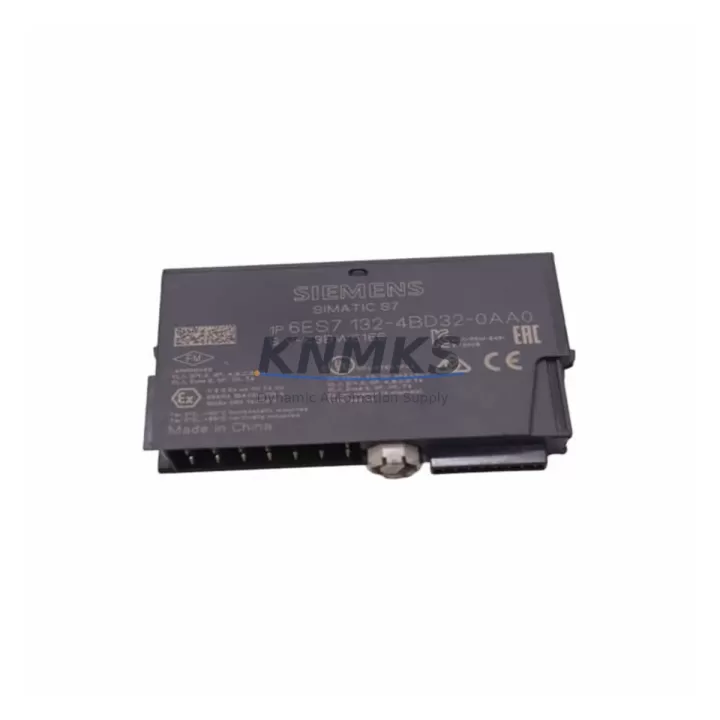
The Siemens 6ES7132-4BD32-0AA0 is a 2-channel digital output module designed for the ET 200S distributed I/O system, operating at 24 VDC with a 0.5 A per channel PNP output. As a core field-level component in SIMATIC S7-300 and S7-400 control architectures, this module is routinely found in production lines, conveyor systems, packaging machinery, and process automation cabinets across automotive, food & beverage, chemical, and discrete manufacturing sectors. Maintaining a verified spare of the 6ES7132-4BD32-0AA0 in your parts inventory is a proven strategy for reducing unplanned downtime and accelerating fault recovery during both scheduled and emergency maintenance events.
For maintenance engineers managing aging ET 200S stations, the 6ES7132-4BD32-0AA0 represents a direct, plug-compatible replacement that requires no firmware reconfiguration when swapped within the same ET 200S rail assembly. Its compact terminal module design allows hot-swap capability in supported configurations, enabling technicians to restore output channel functionality within minutes rather than hours. Procurement engineers sourcing this module should verify the terminal module variant (TM-E series) already installed on the rail, as the electronic module and terminal module must be matched for correct mechanical and electrical engagement.
Every unit shipped by KNMKS undergoes pre-dispatch functional verification, is packaged in anti-static protective materials, and is accompanied by a support terms confirmed by quotation covering manufacturing defects and operational failures under normal industrial service conditions. Long-term supply continuity is supported through established sourcing channels, making KNMKS a reliable partner for both single-unit emergency replacements and bulk annual maintenance stock orders.
Spare Maintenance Table
| Parameter | Specification |
|---|---|
| SKU / Part Number | 6ES7132-4BD32-0AA0 |
| Series | ET 200S |
| Brand | Siemens |
| Module Type | 2-Channel Digital Output |
| Output Voltage | 24 VDC |
| Output Current (per channel) | 0.5 A |
| Output Type | PNP (sourcing) |
| Compatible Systems | SIMATIC S7-300, S7-400, ET 200S IM 151 interface modules |
| Terminal Module | TM-E series (must match installed variant) |
| Mounting | ET 200S rail, plug-in electronic module |
| Protection Class | IP20 |
| Operating Temperature | 0 °C to +60 °C |
| Origin | Germany |
| Support terms | 12 Months |
| Pre-shipment Testing | Yes — functional verification before dispatch |
| Packaging | Anti-static, industrial protective packaging |
Maintenance Planning for Continuous Operation
When replacing the 6ES7132-4BD32-0AA0 during a planned or corrective maintenance event, a thorough inspection of the surrounding electrical environment is essential to prevent repeat failures and ensure system integrity. Begin by verifying the 24 VDC supply rail feeding the ET 200S station — a degraded or undersized power supply module such as the Siemens 6ES7138-4CA01-0AA0 PM-E power module can cause intermittent output faults that are incorrectly attributed to the digital output module itself.
Check the ET 200S interface module (IM 151 series) for firmware currency and communication health. A faulty or outdated IM 151 can mask downstream module errors and complicate fault isolation. Inspect the PROFIBUS DP or PROFINET connection at the interface module — damaged connectors, incorrect termination resistors, or cable degradation are common root causes of ET 200S station dropouts in high-vibration environments.
Review the terminal module (TM-E) for contact wear, especially in applications with frequent module swaps. Worn TM-E contacts can cause high-resistance connections that degrade output signal quality. In cabinets with mixed I/O, also inspect adjacent digital input modules (e.g., 6ES7131-4BF00-0AA0) and analog output modules for signs of thermal stress or insulation breakdown.
For control cabinets with relay-driven loads, verify the condition of interposing relays and check for coil voltage compatibility with the 0.5 A output rating of the 6ES7132-4BD32-0AA0. Overloaded output channels are a leading cause of premature module failure. Where inductive loads are present, confirm that flyback diodes or RC snubber circuits are correctly installed across relay coils. Additionally, inspect 24 VDC fuse protection on the output supply lines — blown or degraded fuses are frequently overlooked during fault isolation and can simulate module failure symptoms.
For sites running extended maintenance cycles, consider stocking one spare 6ES7132-4BD32-0AA0 per ET 200S station cluster, alongside a matched TM-E terminal module, to enable zero-delay swap-out during annual shutdowns or emergency callouts.
Site Replacement Workflow
Step 1 — Isolate and de-energize: Switch the ET 200S station to safe state via the PLC program or hardware enable switch. Confirm 24 VDC output supply is de-energized before handling the module.
Step 2 — Remove the electronic module: Press the release lever on the TM-E terminal module and slide the 6ES7132-4BD32-0AA0 electronic module upward and out. The terminal module remains on the rail — field wiring does not need to be disturbed.
Step 3 — Inspect the terminal module: Before inserting the replacement module, visually inspect the TM-E contacts for oxidation, deformation, or debris. Clean with isopropyl alcohol if necessary.
Step 4 — Insert the replacement module: Align the new 6ES7132-4BD32-0AA0 with the TM-E guide rails and press firmly until the locking lever clicks. Confirm the module is fully seated.
Step 5 — Re-energize and verify: Restore 24 VDC supply and bring the PLC station online. Monitor the DIAG LED on the IM 151 interface module and confirm all output channels report correctly in the SIMATIC hardware configuration. Perform a functional output test by forcing each channel from the PLC engineering station.
Step 6 — Document and update maintenance records: Record the replacement date, module serial number, and any observations about the failed unit. Update the spare parts inventory log and reorder a replacement spare to maintain buffer stock.
This workflow is compatible with both hot-swap and cold-swap procedures depending on the IM 151 variant and system configuration. Consult the ET 200S system manual for station-specific hot-swap eligibility before performing live replacements.
Spare Parts Support FAQ
Q1: Is the 6ES7132-4BD32-0AA0 a direct replacement for earlier ET 200S 2DO 24VDC/0.5A variants?
Yes. The 6ES7132-4BD32-0AA0 is the current production variant of the ET 200S 2-channel 24VDC/0.5A PNP digital output module and is mechanically and electrically compatible with the same TM-E terminal module family used by predecessor variants. No hardware configuration changes are required in STEP 7 or TIA Portal when replacing like-for-like within the same ET 200S station.
Q2: What pre-shipment testing does KNMKS perform on this module?
Each 6ES7132-4BD32-0AA0 unit undergoes functional verification prior to dispatch, confirming output channel switching, LED status indication, and connector integrity. Units are packaged in anti-static bags with protective foam inserts to prevent transit damage. A support terms confirmed by quotation is included covering manufacturing defects and operational failures under normal industrial service conditions.
Q3: Can KNMKS support long-term or repeat supply of this module?
Yes. KNMKS maintains sourcing continuity for Siemens ET 200S components including the 6ES7132-4BD32-0AA0, supporting both single-unit emergency orders and scheduled bulk procurement for annual maintenance budgets. Lead times and availability can be confirmed by contacting admin@knmks.com or calling +86 18359268345.
Q4: How should this module be stored as a spare part?
Store the 6ES7132-4BD32-0AA0 in its original anti-static packaging in a dry, temperature-controlled environment (recommended: 0 °C to +40 °C storage temperature, relative humidity below 75% non-condensing). Avoid storing near strong magnetic fields or in environments with corrosive gases. Inspect packaging integrity annually and rotate stock on a first-in, first-out basis to maintain spare part readiness.
© 2026 KNMKS. All rights reserved.
Original Source: https://knmks.com
Contact: admin@knmks.com | +86 18359268345
Product Identification
- Brand / Ecosystem
-
Siemens
Siemens - Model / Series
-
6ES7132-4BD32-0AA0
SIMATIC Series - Product Family
- PLCs & Controllers
- Availability Status
- Available on request after model and quantity confirmation
- Inquiry Type
- B2B RFQ, replacement inquiry and project spare-part request
- Pre-Quote Check
- Exact SKU, brand, series, quantity, nameplate photos and destination country are checked before quotation
System Path
Where this product fits in the KNMKS automation structure.
Specification & Inquiry Focus
- Control platform
- PLC, PAC and modular controllers
- Common needs
- CPU, rack, power and I/O expansion
- Project support
- Replacement, cabinet build and maintenance
Buyer Confirmation
Information KNMKS checks before replying.
- Exact model
- 6ES7132-4BD32-0AA0
- Brand / ecosystem
- Siemens
- Product family
- PLCs & Controllers
- Application note
- Replacement, maintenance, project build or spare-part list
- Useful photos
- Nameplate, installed unit, cabinet layout or connector side
- Delivery details
- Quantity, destination country and target schedule
Document Support
Files and notes can be confirmed during quotation.
- Product photos or nameplate confirmation when available
- Packing and delivery notes before quotation confirmation
- Support scope and delivery terms confirmed per inquiry
- Export document coordination for qualified B2B requests
Inquiry Support
- Model cross-checking before quotation
- CPU, power, rack and expansion module matching
- Support for replacement and project inquiry
What to Send Us
- Brand and exact model number: Siemens 6ES7132-4BD32-0AA0
- Quantity and required delivery time
- Application, replacement requirement or nameplate photo
- Destination country and shipping preference
RFQ Preparation
This is a product inquiry page built for RFQ communication.
Fast Model Check
Send this model to KNMKS for confirmation.
Include quantity, destination country and photos if this is a maintenance replacement. The inquiry will be saved with a reference number after submission.
Brand & Compatibility Note
KNMKS displays automation product information for well-known industrial brand ecosystems and compatible replacement references. Brand names are used for product identification and compatibility reference only; final availability and commercial terms are confirmed per quotation.
 Manufacturing
 Machine Tools
 Packaging
 Energy & Power



 HMI & Displays
 Servo Systems
 Variable Frequency Drives
 Sensors