
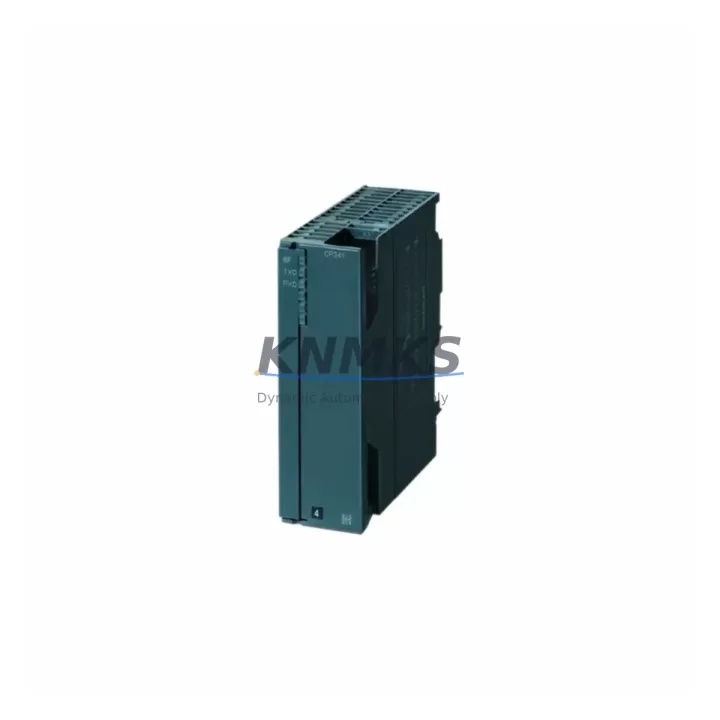
Overview
Siemens 6AG4104-1AA02-1BX0 Migration-Ready IPC for Legacy Control Systems
The Siemens 6AG4104-1AA02-1BX0 is a rack-mount Industrial PC engineered for seamless migration from end-of-life SIMATIC IPC platforms. As automation facilities face the retirement of legacy SIMATIC IPC547C, IPC427C, and IPC477C units, this replacement IPC delivers a validated upgrade path that preserves existing program logic, HMI screen layouts, and communication link configurations — minimizing engineering rework and unplanned downtime during the transition.
Designed for demanding 24/7 industrial environments, the 6AG4104-1AA02-1BX0 supports PROFINET, PROFIBUS, and standard Ethernet communication protocols, ensuring compatibility with existing SIMATIC S7-300, S7-400, and S7-1500 controller networks. Its rack-mount form factor aligns with standard 19-inch control cabinet installations, allowing direct chassis reuse in most retrofit scenarios. Before installation, engineers should verify power supply capacity — the unit requires a stable 24 VDC input — and confirm that the existing UPS or power module (such as the SITOP PSU300S series) can sustain the load during switchover.
Terminal wiring compatibility is a critical checkpoint in any IPC migration. The 6AG4104-1AA02-1BX0 uses standard D-Sub and RJ45 interface connectors consistent with the IPC547C generation, reducing the need for custom cable adapters. However, field teams should audit existing I/O wiring harnesses and confirm signal isolation requirements, particularly where analog input modules or signal isolators are used in conjunction with the IPC’s serial ports.
Migration Compatibility Table
| Parameter | 6AG4104-1AA02-1BX0 (Replacement) | Legacy IPC547C / IPC427C |
|---|---|---|
| Form Factor | 19″ Rack-Mount | 19″ Rack-Mount |
| Power Supply Input | 24 VDC (SITOP compatible) | 24 VDC |
| Communication Interfaces | PROFINET, PROFIBUS, Ethernet (RJ45) | PROFINET, PROFIBUS, Ethernet |
| OS Compatibility | Windows 10 IoT / Windows 7 (legacy image) | Windows XP / Windows 7 |
| Expansion Slots | PCIe / PCI (verify slot count per variant) | PCI |
| HMI Screen Compatibility | Compatible via SIMATIC WinCC / WinCC flexible | SIMATIC WinCC / WinCC flexible |
| Backplane / Rack Interface | Standard 19″ rack rails — direct reuse | Standard 19″ rack rails |
| Firmware Version | Verify BIOS version before commissioning | Legacy BIOS |
| Replacement Recommendation | Direct replacement for IPC547C / IPC427C / IPC477C | — |
| Commissioning Focus | IP address, COM port mapping, driver reinstall | — |
| Support terms | support terms confirmed by quotation Included | EOL — No support terms |
Retrofit Planning for Existing Automation Systems
A successful retrofit of the 6AG4104-1AA02-1BX0 into an existing control cabinet requires a structured pre-migration audit. Begin by documenting the current rack layout, including the positions of the SIMATIC S7-300 or S7-400 CPU modules, CP 343-1 or CP 443-1 communication processors, and any ET 200M distributed I/O racks connected via PROFIBUS DP. These components remain in place during the IPC swap, but their network addresses and GSD device files must be re-imported into the replacement IPC’s STEP 7 or TIA Portal project.
Power distribution within the control cabinet should be re-evaluated. If the existing SITOP PSU300S or SITOP modular power supply is already operating near capacity, the addition of the 6AG4104-1AA02-1BX0 — with its higher processing load — may require a power budget review. In parallel, verify that the 24 VDC rail feeding the IPC is free of voltage drops caused by aging terminal blocks or undersized cable cross-sections.
For facilities running SIMATIC WinCC or WinCC flexible HMI projects, the migration process includes exporting the existing project archive from the legacy IPC, transferring it to the replacement unit, and performing a full screen-by-screen validation against the live process. Any custom ActiveX controls, OPC server connections, or third-party driver integrations must be reinstalled and re-licensed on the new hardware. Where SIMATIC NET CP 5611 or CP 5613 PROFIBUS adapter cards were used in the legacy IPC, confirm whether equivalent PCIe-compatible cards are available for the 6AG4104-1AA02-1BX0’s expansion slots.
Signal isolation requirements should not be overlooked. In mixed-signal environments where the IPC interfaces with analog I/O modules or legacy serial devices via RS-232/RS-485, signal isolators or protocol converters may be required to maintain data integrity across the new hardware boundary. Programming cables such as the PC Adapter USB A2 remain compatible for direct MPI/PROFIBUS connections during commissioning and initial program upload verification.
Downtime Control During System Migration
Minimizing production downtime during an IPC migration requires a parallel preparation strategy. Before the scheduled maintenance window, pre-configure the 6AG4104-1AA02-1BX0 offline: install the operating system image, apply all required Windows patches, reinstall STEP 7 or TIA Portal, and restore the backed-up project archive. Assign the correct IP addresses, PROFIBUS node addresses, and COM port mappings to match the legacy system configuration exactly.
During the cutover window, the sequence should follow: power down the control cabinet, remove the legacy IPC, install the 6AG4104-1AA02-1BX0 into the existing rack rails, reconnect all interface cables, and power up. The first boot should be performed with the PLC in STOP mode to allow the IPC to establish all communication links before resuming process control. Verify PROFINET device recognition, OPC server connectivity, and HMI screen data refresh before releasing the system to RUN mode.
Where a cold standby strategy is not feasible, consider staging the migration during a planned production break or shift changeover. All field I/O signals, safety relay outputs, and interlock circuits should remain connected to the existing S7 CPU throughout the IPC swap — the controller logic continues to execute independently of the IPC during the transition, preserving process safety and control continuity. Post-migration, conduct a full functional test covering all HMI alarm pages, trend displays, and operator control sequences before signing off on the retrofit.
Retrofit Support FAQ
Q1: Is the 6AG4104-1AA02-1BX0 a direct drop-in replacement for the SIMATIC IPC547C?
A: Yes. The 6AG4104-1AA02-1BX0 shares the same 19-inch rack-mount form factor and 24 VDC power input as the IPC547C, making it a validated hardware replacement. Software migration — including OS image, WinCC project, and STEP 7/TIA Portal installation — must be completed as part of the retrofit process.
Q2: What commissioning steps are required after installation?
A: After physical installation, configure the network interfaces (IP address, subnet, gateway), remap COM ports to match legacy assignments, reinstall all required drivers and runtime software, and perform a full HMI project validation. Verify PROFINET and PROFIBUS communication links before switching the S7 CPU to RUN mode.
Q3: Are the existing terminal wiring and interface cables reusable?
A: In most cases, yes. The 6AG4104-1AA02-1BX0 uses standard D-Sub and RJ45 connectors consistent with the IPC547C generation. Inspect all cable connectors and terminal blocks for wear before reuse, and confirm signal isolation requirements for any analog or serial interface connections.
Q4: What support terms and supply assurance does KNMKS provide?
A: Every 6AG4104-1AA02-1BX0 unit supplied by KNMKS includes a support terms confirmed by quotation covering hardware defects under normal operating conditions. Units are pre-tested prior to shipment. In-stock inventory is maintained to support urgent retrofit and spare parts requirements. Contact our team for lead time confirmation and volume availability.
© 2026 KNMKS. All rights reserved.
Original Source: https://knmks.com
Contact: admin@knmks.com | +86 18359268345
Product Identification
- Brand / Ecosystem
-
Siemens
Siemens - Model / Series
-
6AG4104-1AA02-1BX0
Legacy Series - Product Family
- Other Components
- Availability Status
- Available on request after model and quantity confirmation
- Inquiry Type
- B2B RFQ, replacement inquiry and project spare-part request
- Pre-Quote Check
- Exact SKU, brand, series, quantity, nameplate photos and destination country are checked before quotation
System Path
Where this product fits in the KNMKS automation structure.
Specification & Inquiry Focus
- Component range
- Breakers, terminals and cabinet accessories
- Common needs
- Model, photo and installation requirement
- Project support
- Maintenance and mixed spare-part inquiry
Buyer Confirmation
Information KNMKS checks before replying.
- Exact model
- 6AG4104-1AA02-1BX0
- Brand / ecosystem
- Siemens
- Product family
- Other Components
- Application note
- Replacement, maintenance, project build or spare-part list
- Useful photos
- Nameplate, installed unit, cabinet layout or connector side
- Delivery details
- Quantity, destination country and target schedule
Document Support
Files and notes can be confirmed during quotation.
- Product photos or nameplate confirmation when available
- Packing and delivery notes before quotation confirmation
- Support scope and delivery terms confirmed per inquiry
- Export document coordination for qualified B2B requests
Inquiry Support
- Mixed automation spare parts inquiry
- Cabinet component and accessory support
- Model identification from photos or labels
What to Send Us
- Brand and exact model number: Siemens 6AG4104-1AA02-1BX0
- Quantity and required delivery time
- Application, replacement requirement or nameplate photo
- Destination country and shipping preference
RFQ Preparation
This is a product inquiry page built for RFQ communication.
Fast Model Check
Send this model to KNMKS for confirmation.
Include quantity, destination country and photos if this is a maintenance replacement. The inquiry will be saved with a reference number after submission.
Brand & Compatibility Note
KNMKS displays automation product information for well-known industrial brand ecosystems and compatible replacement references. Brand names are used for product identification and compatibility reference only; final availability and commercial terms are confirmed per quotation.
 Manufacturing
 Machine Tools
 Packaging
 Energy & Power
 PLCs & Controllers
 HMI & Displays
 Servo Systems
 Variable Frequency Drives