
Overview
Siemens 505-6208 Migration-Ready Analog Output for Legacy Control Systems
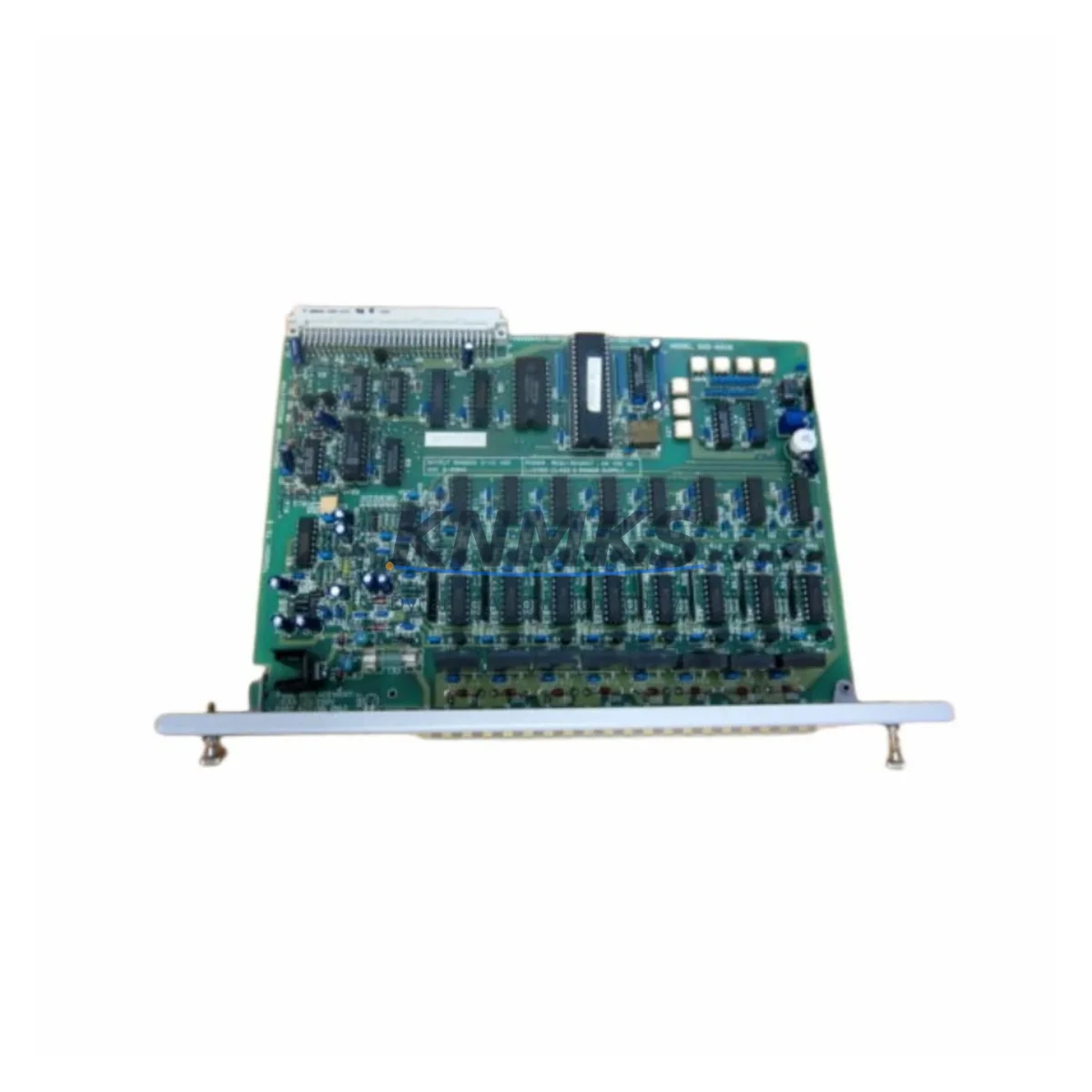
The Siemens 505-6208 is an 8-channel analog output module designed for the SIMATIC 505 programmable controller platform. As legacy SIMATIC 505 systems approach end-of-support milestones, plant engineers and system integrators increasingly rely on verified replacement stock to extend operational life, bridge migration timelines, and avoid unplanned downtime. The 505-6208 delivers 4–20 mA or 0–10 V DC analog output signals across eight independently configurable channels, making it a direct drop-in replacement for failed or end-of-life units installed in existing 505-series racks.
When planning a retrofit or spare-parts replenishment for a SIMATIC 505 installation, the 505-6208 is typically evaluated alongside the 505-6306 analog input module, the 505-4032 discrete output module, and the 505-CP1434 TF communications processor. These modules share the same backplane bus architecture and rack form factor, which simplifies mixed-module replacement without requiring rack or wiring changes. For installations that include a TI 545 or TI 565 CPU, the 505-6208 is fully address-compatible and requires no firmware modification to the host controller when used as a like-for-like swap.
Before installing a replacement 505-6208, engineers should verify the following during pre-commissioning: confirm rack slot addressing matches the original module position; review the TISOFT or STEP ladder logic program to confirm analog output block references (WX/WY) are mapped correctly; check terminal block wiring against the original I/O drawing, paying particular attention to channel polarity and shield grounding; and validate that the power supply module — commonly the 505-6860 or equivalent — provides sufficient current capacity for the full rack load after the new module is seated. Output loop resistance and field device input impedance should also be confirmed to remain within the module’s rated drive capability.
For sites undergoing a broader migration from SIMATIC 505 to a modern platform such as Siemens S7-300, S7-400, or a third-party DCS, the 505-6208 serves as a critical bridging component. It allows the analog output subsystem to remain operational while other sections of the control cabinet are upgraded in phases. This phased approach — retaining proven I/O hardware while upgrading the CPU and communications layer — significantly reduces migration risk, preserves existing HMI screen tag mappings, and limits the scope of program re-validation required at each stage. Where the migration path includes a CP 5431 FMS/DP or IM 308-C interface module for PROFIBUS connectivity, the 505-6208 can continue to serve field devices on the legacy side of the transition boundary until full cutover is complete.
All units supplied by KNMKS are sourced from verified industrial channels, functionally tested prior to dispatch, and shipped with original or equivalent protective packaging. Each module is covered by a support terms confirmed by quotation against manufacturing defects and functional failure. Stock availability is confirmed at time of order, and lead times are communicated transparently. For urgent breakdown requirements, expedited dispatch is available upon request.
Migration Compatibility Table
| Parameter | Details |
|---|---|
| Module SKU | 505-6208 |
| Platform Compatibility | Siemens SIMATIC 505 (TI 505, TI 545, TI 565 CPUs) |
| Output Channels | 8 channels, independently configurable |
| Signal Type | 4–20 mA / 0–10 V DC analog output |
| Backplane Interface | SIMATIC 505 standard rack bus — direct slot replacement |
| Installation Requirement | Standard 505-series rack; no mechanical modification required |
| Address Configuration | Slot-based WX/WY addressing; matches original module position |
| Communications Compatibility | Compatible with TISOFT, Series 505 ladder logic; no CPU firmware change required |
| Replacement Recommendation | Direct like-for-like replacement; verify terminal wiring and output loop resistance before power-up |
| Commissioning Notes | Confirm power supply capacity; validate analog output block references in program; check HMI tag mapping |
| Support terms | 12 months from date of dispatch |
Retrofit Planning for Existing Automation Systems
A successful retrofit of the 505-6208 into an existing SIMATIC 505 installation begins with a thorough audit of the control cabinet. Engineers should document the current rack layout, noting which slots are occupied by analog input modules such as the 505-6306, discrete I/O modules such as the 505-4032, and any communications modules including the 505-CP1434 TF. This audit establishes the baseline for slot addressing and confirms that the replacement module will occupy the correct logical address without requiring program changes.
Power budget verification is a critical pre-installation step. The rack power supply — typically a 505-6860 or equivalent — must be confirmed to have sufficient headroom to support the 505-6208’s current draw alongside all other installed modules. Undersized power supplies are a common cause of intermittent faults following module replacement and should be ruled out before commissioning begins.
Terminal block wiring should be transferred from the failed module to the replacement unit using the original I/O drawing as the reference. Channel polarity, shield grounding, and field device loop resistance must all be verified. Where the installation includes signal isolators between the module and field instruments, the isolator output range should be confirmed to match the 505-6208’s input specifications. Following wiring completion, a channel-by-channel output verification using a calibrated loop calibrator is recommended before returning the system to automatic control.
Downtime Control During System Migration
Minimizing downtime during a SIMATIC 505 analog output module replacement requires preparation before the maintenance window begins. The existing ladder logic program should be backed up from the CPU using TISOFT or an equivalent programming tool, and the backup verified against the current installed version. Analog output block references (WX/WY addresses) should be documented and cross-checked against the replacement module’s slot position to confirm address continuity.
Where the 505-6208 is being replaced as part of a broader phased migration — for example, while a new S7-300 or S7-400 CPU is being integrated into the same cabinet — the analog output subsystem can remain in service on the legacy rack during the CPU transition. This approach preserves field control continuity, keeps HMI screen tag mappings intact, and limits the scope of functional testing required at each migration phase. The communications link between the legacy rack and any upstream SCADA or DCS should be monitored throughout the transition to confirm signal integrity is maintained.
On-site commissioning following module replacement should include a full analog output loop test across all eight channels, confirmation of correct engineering unit scaling in the program, and a review of any alarm setpoints associated with the affected outputs. Where possible, the first power-up should be performed with field devices in manual or safe-state mode to allow output verification without risk to the process.
Retrofit Support FAQ
Q: Is the 505-6208 a direct replacement for the original Siemens SIMATIC 505 analog output module?
A: Yes. The 505-6208 is a direct like-for-like replacement for the original module. It uses the same rack slot, backplane bus interface, and WX/WY address structure. No changes to the ladder logic program or CPU configuration are required when replacing a failed unit in the same slot position.
Q: What wiring checks are required before powering up the replacement module?
A: Verify terminal block wiring against the original I/O drawing, confirm channel polarity and shield grounding, check field device loop resistance against the module’s rated output drive capability, and confirm the rack power supply has sufficient current capacity for the full module complement.
Q: Has the module been tested before dispatch?
A: Yes. All 505-6208 units supplied by KNMKS are functionally tested prior to dispatch. Testing covers analog output signal accuracy across all eight channels, backplane communication, and module self-diagnostics. Each unit is covered by a support terms confirmed by quotation from the date of dispatch.
Q: What is the typical lead time and is stock available?
A: Stock availability is confirmed at time of order. Standard lead times and expedited dispatch options are communicated at the time of enquiry. Contact admin@knmks.com or call +86 18359268345 for current availability and pricing.
© 2026 KNMKS. All rights reserved. Original Source: https://knmks.com | Contact: admin@knmks.com | +86 18359268345
Product Identification
- Brand / Ecosystem
-
Siemens
Siemens - Model / Series
-
505-6208
Legacy Series - Product Family
- PLCs & Controllers
- Availability Status
- Available on request after model and quantity confirmation
- Inquiry Type
- B2B RFQ, replacement inquiry and project spare-part request
- Pre-Quote Check
- Exact SKU, brand, series, quantity, nameplate photos and destination country are checked before quotation
System Path
Where this product fits in the KNMKS automation structure.
Specification & Inquiry Focus
- Control platform
- PLC, PAC and modular controllers
- Common needs
- CPU, rack, power and I/O expansion
- Project support
- Replacement, cabinet build and maintenance
Buyer Confirmation
Information KNMKS checks before replying.
- Exact model
- 505-6208
- Brand / ecosystem
- Siemens
- Product family
- PLCs & Controllers
- Application note
- Replacement, maintenance, project build or spare-part list
- Useful photos
- Nameplate, installed unit, cabinet layout or connector side
- Delivery details
- Quantity, destination country and target schedule
Document Support
Files and notes can be confirmed during quotation.
- Product photos or nameplate confirmation when available
- Packing and delivery notes before quotation confirmation
- Support scope and delivery terms confirmed per inquiry
- Export document coordination for qualified B2B requests
Inquiry Support
- Model cross-checking before quotation
- CPU, power, rack and expansion module matching
- Support for replacement and project inquiry
What to Send Us
- Brand and exact model number: Siemens 505-6208
- Quantity and required delivery time
- Application, replacement requirement or nameplate photo
- Destination country and shipping preference
RFQ Preparation
This is a product inquiry page built for RFQ communication.
Fast Model Check
Send this model to KNMKS for confirmation.
Include quantity, destination country and photos if this is a maintenance replacement. The inquiry will be saved with a reference number after submission.
Brand & Compatibility Note
KNMKS displays automation product information for well-known industrial brand ecosystems and compatible replacement references. Brand names are used for product identification and compatibility reference only; final availability and commercial terms are confirmed per quotation.
 Manufacturing
 Machine Tools
 Packaging
 Energy & Power



 HMI & Displays
 Servo Systems
 Variable Frequency Drives
 Sensors