
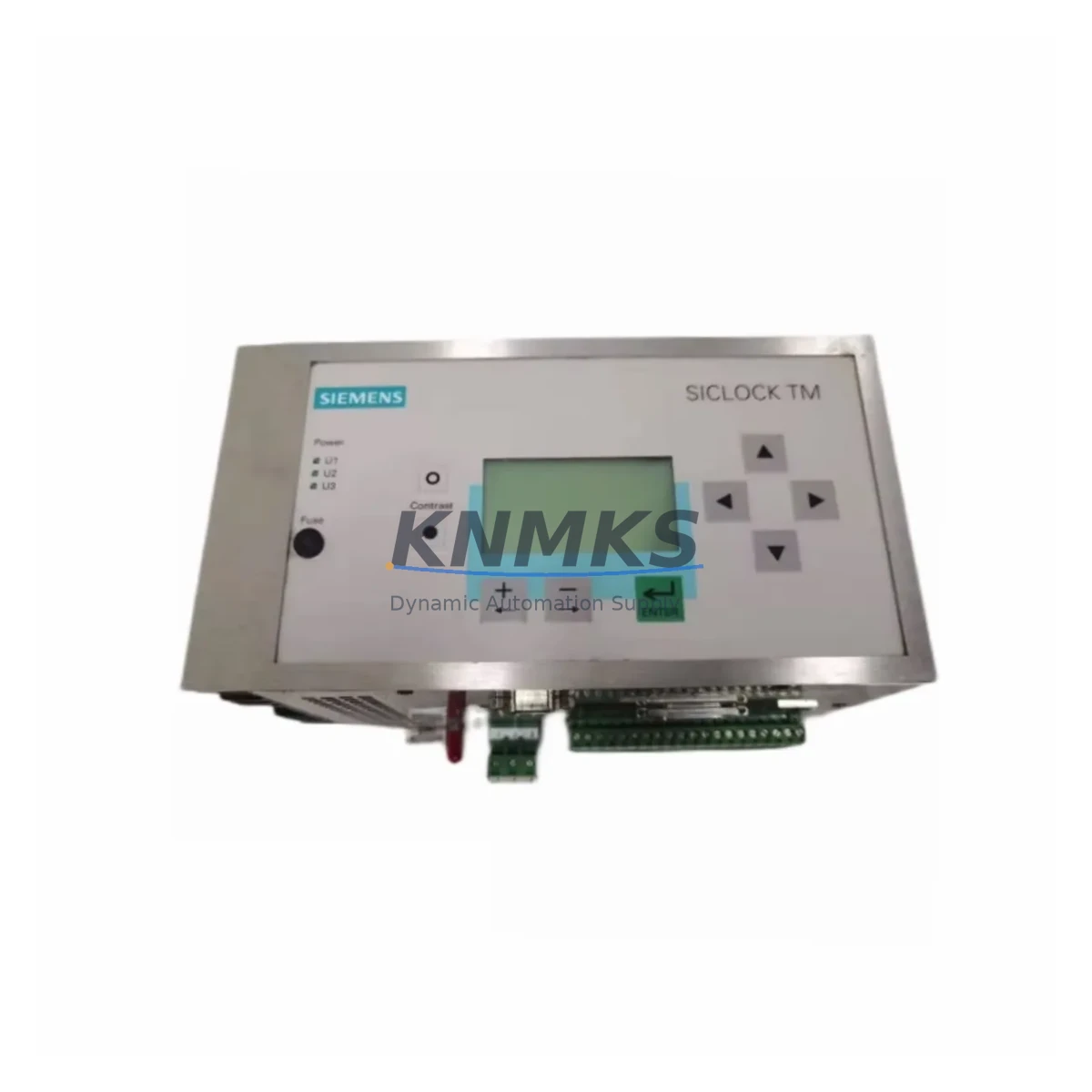
Overview
Siemens 2XV9450-1AR23 Migration-Ready Time Sync for Legacy Systems
The Siemens 2XV9450-1AR23 is a time synchronization module designed for the SICLOCK TM series, widely deployed across legacy SIMATIC S5, early SIMATIC S7-300, and distributed control architectures where precise clock synchronization is critical to process integrity. As Siemens progressively phases out SICLOCK TM hardware, plant engineers and maintenance teams face the challenge of sourcing verified replacement units that maintain backward compatibility with existing backplane wiring, terminal assignments, and communication protocols — without triggering a full control system overhaul.
This unit is stocked as a migration-ready replacement, pre-shipment tested, and supplied with a support terms confirmed by quotation. It is suitable for emergency spare deployment, planned maintenance cycles, and phased retrofit programs where minimizing downtime and preserving existing program logic are the primary constraints.
Migration Compatibility Table
| Parameter | Details |
|---|---|
| SKU / Part Number | 2XV9450-1AR23 |
| Series | SICLOCK TM |
| Manufacturer | Siemens AG |
| Origin | Germany |
| Function | Time Synchronization Module |
| Compatible Platforms | SIMATIC S5, SIMATIC S7-300, SICLOCK TM series racks |
| Communication Interface | SICLOCK bus / serial time signal (DCF77 / GPS input compatible) |
| Backplane / Rack Fit | Direct drop-in for SICLOCK TM rack slots; verify slot addressing before installation |
| Terminal Wiring | Retain existing terminal block assignments; confirm signal polarity on DCF77 input lines |
| Power Supply Requirement | 24 V DC nominal; verify rack PSU capacity before hot-swap |
| Firmware Compatibility | Compatible with SICLOCK TM firmware revisions; confirm CPU firmware version on S7-300 host |
| Installation Space | Standard SICLOCK TM module footprint; no mechanical modification required |
| Replacement Recommendation | Direct replacement for discontinued 2XV9450-1AR23 variants; cross-check E-number suffix |
| Commissioning Notes | Re-synchronize time master after module swap; validate HMI clock display and alarm timestamps |
| Pre-Shipment Testing | Yes — functional and signal output verified |
| Support terms | 12 Months |
Retrofit Planning for Existing Automation Systems
Replacing the 2XV9450-1AR23 in an operating plant requires a structured approach that accounts for the interdependencies between the time synchronization module and the broader control architecture. In SIMATIC S7-300 installations, the SICLOCK TM module typically feeds a synchronized time signal to the CPU 315-2 DP or CPU 317-2 PN/DP, which in turn timestamps fault logs, batch records, and alarm events. Before swapping the module, engineers should confirm that the SIMATIC S7-300 rack’s PS 307 power supply module has sufficient reserve capacity to support the replacement unit under full load — particularly in racks where additional SM 321 digital input modules or SM 331 analog input modules have been added since the original commissioning.
Terminal wiring on the SICLOCK TM rack should be documented and photographed prior to removal. The DCF77 antenna cable connection and any serial time signal outputs routed to secondary receivers must be labeled and verified against the original wiring diagram. In installations where the time signal is distributed to a CP 343-1 Ethernet communication processor for NTP broadcast across the plant network, the CP module’s NTP server configuration will need to be re-validated after the replacement module is installed and synchronized.
For plants running WinCC SCADA or SIMATIC PCS 7 DCS, the HMI time display and historian timestamp alignment should be checked immediately after commissioning the replacement module. Discrepancies in clock synchronization can propagate through the OPC DA/UA data layer and affect batch reporting, regulatory compliance records, and SIL-rated safety function logs. Where the SICLOCK TM feeds time to a DP/PA coupler or PROFIBUS DP segment, the segment master’s cycle time and GSD file configuration should be reviewed to confirm no timing conflicts arise post-swap.
In multi-rack SIMATIC S5 installations, the 2XV9450-1AR23 may serve as the master clock for several slave racks connected via the SICLOCK bus. In this topology, replacing the master module requires temporarily designating an alternate time source — such as a GPS receiver module or an external NTP server via a CP 1613 network card — to maintain time continuity across the plant during the changeover window.
Downtime Control During System Migration
Effective downtime management during a SICLOCK TM module replacement begins with pre-staging the replacement 2XV9450-1AR23 and verifying its output signal against a reference clock before the maintenance window opens. A cold-swap procedure — powering down the affected rack section, replacing the module, and restoring power — typically takes under 30 minutes when the replacement unit has been pre-tested and all terminal documentation is current.
To protect existing program logic, the SIMATIC S7-300 CPU’s retentive memory areas (M, DB, T, C) should be backed up to a memory card (MMC) before the swap. This ensures that in the event of an unexpected CPU restart triggered by the time synchronization loss, the program restarts from a known-good state without requiring manual re-entry of setpoints or recipe parameters. For safety-instrumented systems, the SIL validation record should note the module replacement event and confirm that the safety function remained in a safe state throughout the changeover.
Post-installation, the commissioning checklist should include: confirming the SICLOCK TM module’s LED status indicators show normal synchronization lock, verifying that the S7-300 CPU system time matches the reference clock within the specified tolerance, checking that WinCC or PCS 7 historian timestamps resume correctly, and confirming that any PROFIBUS DP slaves dependent on synchronized timing have re-established normal communication. Logging the replacement event in the plant’s maintenance management system (CMMS) with the new module’s serial number and E-number suffix closes the audit trail.
Retrofit Support FAQ
Q1: Is the 2XV9450-1AR23 a direct drop-in replacement for all SICLOCK TM variants?
The 2XV9450-1AR23 is a direct mechanical and electrical replacement for units sharing the same E-number base. However, SICLOCK TM modules were produced across multiple hardware revisions. Before installation, cross-check the E-number suffix on the original unit against the replacement to confirm full compatibility. Our technical team can assist with cross-reference verification prior to shipment.
Q2: What commissioning steps are required after replacing the module?
After installation, power up the rack and allow the SICLOCK TM module to acquire its time reference signal (DCF77 or GPS). Confirm synchronization lock via the module’s status LEDs. Re-validate the S7-300 CPU system clock, check HMI timestamp displays in WinCC or PCS 7, and verify that any CP 343-1 NTP broadcast is functioning correctly. Document the commissioning result in your plant maintenance log.
Q3: Can this module be used in a SIMATIC S5 rack alongside legacy I/O modules?
Yes. The 2XV9450-1AR23 is compatible with SICLOCK TM rack installations that include legacy SIMATIC S5 I/O. Confirm rack slot addressing and ensure the SICLOCK bus termination resistors are correctly positioned if the module is installed at the end of the bus segment. No firmware changes to the S5 CPU are required for a like-for-like replacement.
Q4: What support terms and testing coverage is included?
Every 2XV9450-1AR23 unit is pre-shipment tested for functional operation and time signal output before dispatch. A support terms confirmed by quotation is included, covering manufacturing defects and functional failures under normal operating conditions. Stock is maintained for immediate dispatch to support emergency replacement and planned maintenance schedules globally.
© 2026 KNMKS. All rights reserved.
Original Source: https://knmks.com
Contact: admin@knmks.com | +86 18359268345
Product Identification
- Brand / Ecosystem
-
Siemens
Siemens - Model / Series
-
2XV9450-1AR23 E10433-E9600-H110
Legacy Series - Product Family
- PLCs & Controllers
- Availability Status
- Available on request after model and quantity confirmation
- Inquiry Type
- B2B RFQ, replacement inquiry and project spare-part request
- Pre-Quote Check
- Exact SKU, brand, series, quantity, nameplate photos and destination country are checked before quotation
System Path
Where this product fits in the KNMKS automation structure.
Specification & Inquiry Focus
- Control platform
- PLC, PAC and modular controllers
- Common needs
- CPU, rack, power and I/O expansion
- Project support
- Replacement, cabinet build and maintenance
Buyer Confirmation
Information KNMKS checks before replying.
- Exact model
- 2XV9450-1AR23 E10433-E9600-H110
- Brand / ecosystem
- Siemens
- Product family
- PLCs & Controllers
- Application note
- Replacement, maintenance, project build or spare-part list
- Useful photos
- Nameplate, installed unit, cabinet layout or connector side
- Delivery details
- Quantity, destination country and target schedule
Document Support
Files and notes can be confirmed during quotation.
- Product photos or nameplate confirmation when available
- Packing and delivery notes before quotation confirmation
- Support scope and delivery terms confirmed per inquiry
- Export document coordination for qualified B2B requests
Inquiry Support
- Model cross-checking before quotation
- CPU, power, rack and expansion module matching
- Support for replacement and project inquiry
What to Send Us
- Brand and exact model number: Siemens 2XV9450-1AR23 E10433-E9600-H110
- Quantity and required delivery time
- Application, replacement requirement or nameplate photo
- Destination country and shipping preference
RFQ Preparation
This is a product inquiry page built for RFQ communication.
Fast Model Check
Send this model to KNMKS for confirmation.
Include quantity, destination country and photos if this is a maintenance replacement. The inquiry will be saved with a reference number after submission.
Brand & Compatibility Note
KNMKS displays automation product information for well-known industrial brand ecosystems and compatible replacement references. Brand names are used for product identification and compatibility reference only; final availability and commercial terms are confirmed per quotation.
 Manufacturing
 Machine Tools
 Packaging
 Energy & Power



 HMI & Displays
 Servo Systems
 Variable Frequency Drives
 Sensors