
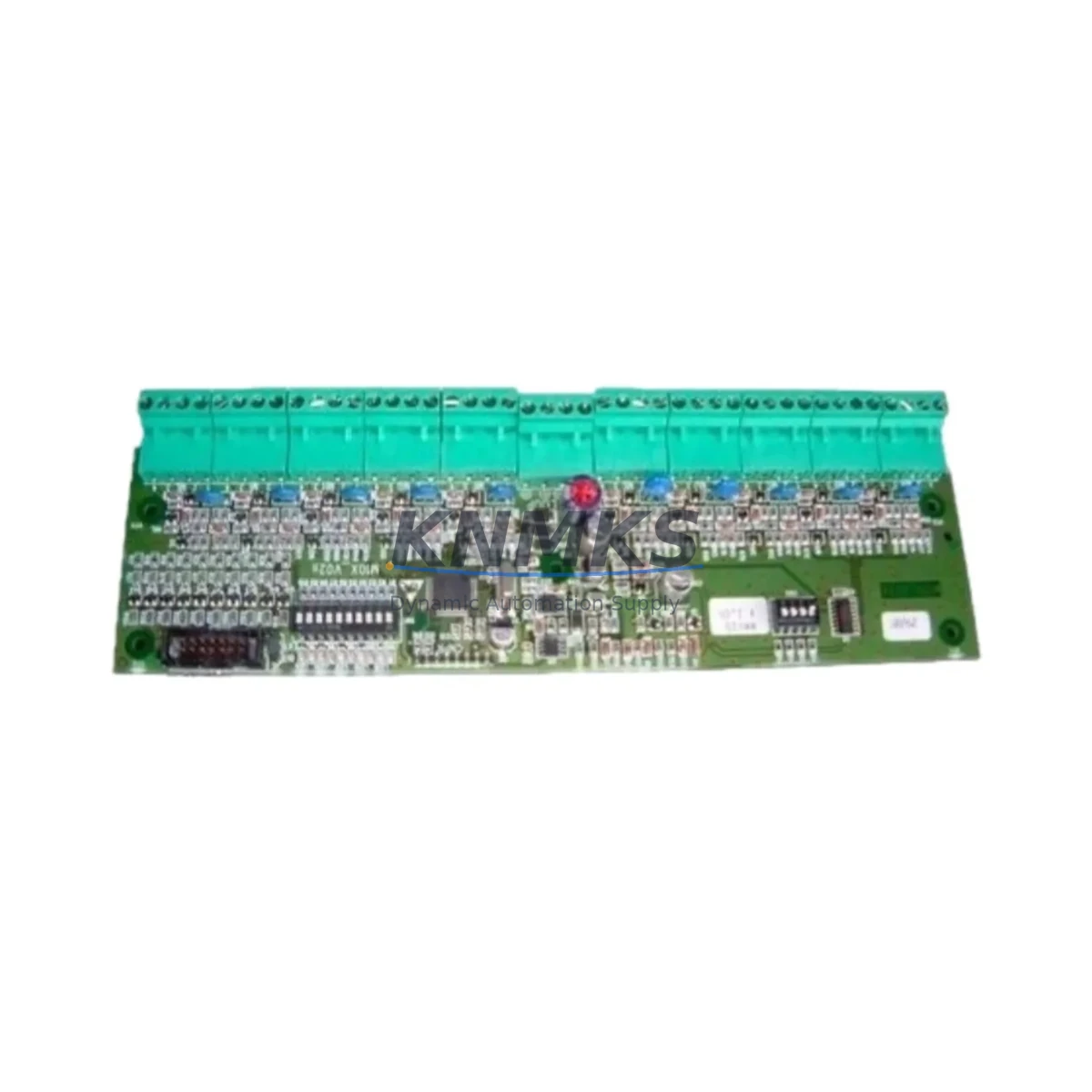
Overview
Honeywell MMX-10M Migration-Ready Digital Input for Legacy Control Systems
The Honeywell MMX-10M is a 10-channel digital input module engineered for the Honeywell Micro PLC MMX Series platform. Designed with legacy system migration in mind, this module serves as a direct drop-in replacement for aging or discontinued digital input hardware within MMX-series control cabinets. Whether your facility is managing a phased retrofit of an older DCS backbone, upgrading a legacy relay-logic panel to a modern PLC architecture, or simply restoring a critical spare to maintain production continuity, the MMX-10M delivers the wiring compatibility, signal integrity, and firmware alignment required for a low-risk, minimum-downtime transition.
Industrial facilities operating Honeywell Micro PLC platforms often face the challenge of sourcing discontinued modules for systems that remain in active service. The MMX-10M addresses this directly: it maintains full electrical compatibility with the MMX Series backplane, preserving existing terminal wiring layouts and eliminating the need for panel rewiring during replacement. Engineers can slot the module into the existing rack position, verify the module address assignment in the PLC configuration software, and restore I/O mapping without modifying the original ladder logic program. This is particularly valuable in petrochemical, energy, and manufacturing environments where control system downtime carries significant operational and safety consequences.
When planning a retrofit around the MMX-10M, system integrators should confirm several key parameters before installation. Power budget verification is essential: the MMX Series power supply module — such as the MMX-PSU — must have sufficient residual capacity to support the digital input module’s current draw alongside any co-installed analog input modules, communication modules, or output modules already occupying the rack. Terminal block wiring should be documented and cross-referenced against the original I/O schedule to ensure field signal polarity and common references are preserved. Backplane slot addressing must be confirmed in the PLC programming environment to prevent address conflicts with adjacent modules, including any MMX analog output modules or specialty function modules sharing the same rack.
For systems that also involve communication protocol migration — for example, transitioning from legacy serial RS-485 Modbus RTU links to Ethernet-based Modbus TCP or PROFINET — the MMX-10M integrates cleanly into upgraded communication architectures when paired with the appropriate MMX Series communication module. HMI screen tag bindings referencing the digital input channels should be reviewed and updated in the SCADA or HMI project file to reflect any slot or address changes introduced during the retrofit. Firmware version compatibility between the MMX-10M and the host CPU module should be verified prior to commissioning; Honeywell’s MMX Series CPU modules may require a firmware update to fully support later-revision I/O modules.
Installation space confirmation is a practical step that is frequently overlooked in retrofit planning. The MMX-10M occupies a standard MMX Series module slot width; however, integrators working with densely populated control cabinets should verify available rail space and cable management clearance before scheduling the cutover window. Where the retrofit involves replacing multiple I/O modules simultaneously — for instance, swapping out both digital input and digital output modules alongside a new MMX Series analog input module — a staged replacement sequence reduces the risk of extended unplanned downtime and allows partial system validation at each step.
Pre-shipment functional testing is performed on every MMX-10M unit dispatched from our inventory. Each module is verified for channel continuity, input threshold response, and backplane connector integrity before packaging. Units are supplied with a support terms confirmed by quotation covering manufacturing defects and functional failures under normal operating conditions. Global shipping is available with lead times confirmed at order placement.
Migration Compatibility Table
| Parameter | MMX-10M Specification | Retrofit / Migration Notes |
|---|---|---|
| Module Type | 10-Channel Digital Input | Direct replacement for legacy MMX Series DI modules |
| Backplane Interface | MMX Series standard backplane connector | Compatible with existing MMX rack; no backplane modification required |
| Terminal Wiring | Screw-terminal, field-wiring compatible | Existing field wiring can be retained; verify polarity and common reference |
| Communication Compatibility | Modbus RTU / Modbus TCP (via MMX CPU) | Supports protocol migration when paired with MMX communication module |
| Module Address | Configurable via PLC software | Confirm slot address in programming environment before power-up |
| Firmware Compatibility | MMX Series CPU firmware v2.x and above | Verify CPU firmware version; update if required before commissioning |
| Installation Space | Standard MMX module slot width | Confirm available rack slots and cabinet clearance prior to retrofit |
| Commissioning | I/O force test, channel scan, HMI tag verification | Validate all 10 channels; update HMI tag bindings if slot address changed |
| Support terms | 12 Months | Covers manufacturing defects and functional failures under normal use |
Retrofit Planning for Existing Automation Systems
A successful MMX-10M retrofit begins with a complete audit of the existing control cabinet. Integrators should document the current rack layout, identifying the position of every installed module — including the MMX Series CPU module, MMX power supply module, any installed MMX analog input modules, MMX digital output modules, and MMX communication modules. This inventory establishes the baseline for slot addressing and power budget calculations.
Signal isolation requirements should be assessed for each of the 10 digital input channels. In environments with high electrical noise — common in motor control centers, variable frequency drive panels, and high-voltage switchgear rooms — the addition of signal isolators or interposing relays between field devices and the MMX-10M input terminals is recommended to protect module longevity and ensure reliable signal discrimination. Where the retrofit also involves upgrading the HMI layer, engineers should cross-reference the existing HMI screen tag database against the new I/O address map to prevent orphaned tags or incorrect status displays after cutover.
Programming cable access is another practical consideration. Connecting a laptop running Honeywell’s MMX Series programming software to the CPU module for online monitoring during the retrofit allows engineers to verify real-time I/O status as field wiring is reconnected, reducing the risk of miswired channels going undetected until system startup. Where the retrofit is part of a broader control system upgrade that includes replacing the MMX Series CPU module itself, the original program file should be backed up and validated in the new CPU before any field I/O is connected.
Downtime Control During System Migration
Minimizing production downtime during a digital input module replacement requires a structured cutover plan. The recommended approach is to schedule the physical module swap during a planned maintenance window, with all field signals documented and tagged before disconnection. The original PLC program should be exported and archived before any hardware changes are made, preserving the baseline logic for rollback if required.
Where a hot-swap or partial-power approach is not feasible, the cutover sequence should proceed as follows: de-energize the affected I/O section, remove the legacy module, install the MMX-10M, verify backplane seating, restore power, confirm module recognition in the PLC programming environment, perform a forced I/O test on all 10 channels, and then release the system to normal operation. HMI alarm suppression should be activated during the cutover window to prevent nuisance alarms from propagating to the control room. Communication link continuity — particularly for any Modbus or PROFINET segments passing through the MMX rack — should be verified immediately after power restoration.
For facilities with redundant control architectures, the MMX-10M replacement can often be executed with the redundant controller maintaining process control, further reducing operational risk. Post-retrofit, a 24-hour monitoring period is recommended to confirm stable channel performance before closing the maintenance work order.
Retrofit Support FAQ
Q: Is the MMX-10M a direct replacement for the original Honeywell MMX Series digital input module?
A: Yes. The MMX-10M is designed as a drop-in replacement for the standard 10-channel digital input position in the MMX Series rack. Backplane connector, slot width, and terminal wiring layout are compatible with the original module design. No panel rewiring or rack modification is required in standard retrofit scenarios.
Q: What commissioning steps are required after installing the MMX-10M?
A: After physical installation, confirm the module address in the PLC programming software, perform a forced I/O test on all 10 input channels, verify HMI tag bindings for each channel, and check firmware compatibility between the MMX-10M and the host CPU module. A full channel scan under live field signal conditions is recommended before returning the system to automatic operation.
Q: Can the MMX-10M be used in systems that are migrating from serial Modbus RTU to Ethernet-based communication?
A: Yes. The MMX-10M operates as a standard I/O module under the MMX Series CPU and is communication-protocol agnostic at the module level. Protocol migration is managed at the CPU and communication module layer. Pairing the MMX-10M with an upgraded MMX Series Ethernet communication module allows the digital input data to be accessed via Modbus TCP or other supported Ethernet protocols without any modification to the I/O module itself.
Q: What does the support terms confirmed by quotation cover, and what is the typical stock availability?
A: The support terms confirmed by quotation cover manufacturing defects and functional failures arising under normal operating conditions from the date of shipment. Units are pre-tested before dispatch. Stock availability is confirmed at order placement, and global shipping lead times are provided at the time of order. For urgent replacement requirements, contact our sales team directly to confirm available inventory and expedited shipping options.
© 2026 KNMKS. All rights reserved. Original Source: https://knmks.com | Contact: admin@knmks.com | +86 18359268345
Product Identification
- Brand / Ecosystem
-
Honeywell
Honeywell - Model / Series
-
MMX-10M
Legacy Control Series - Product Family
- PLCs & Controllers
- Availability Status
- Available on request after model and quantity confirmation
- Inquiry Type
- B2B RFQ, replacement inquiry and project spare-part request
- Pre-Quote Check
- Exact SKU, brand, series, quantity, nameplate photos and destination country are checked before quotation
System Path
Where this product fits in the KNMKS automation structure.
Specification & Inquiry Focus
- Control platform
- PLC, PAC and modular controllers
- Common needs
- CPU, rack, power and I/O expansion
- Project support
- Replacement, cabinet build and maintenance
Buyer Confirmation
Information KNMKS checks before replying.
- Exact model
- MMX-10M
- Brand / ecosystem
- Honeywell
- Product family
- PLCs & Controllers
- Application note
- Replacement, maintenance, project build or spare-part list
- Useful photos
- Nameplate, installed unit, cabinet layout or connector side
- Delivery details
- Quantity, destination country and target schedule
Document Support
Files and notes can be confirmed during quotation.
- Product photos or nameplate confirmation when available
- Packing and delivery notes before quotation confirmation
- Support scope and delivery terms confirmed per inquiry
- Export document coordination for qualified B2B requests
Inquiry Support
- Model cross-checking before quotation
- CPU, power, rack and expansion module matching
- Support for replacement and project inquiry
What to Send Us
- Brand and exact model number: Honeywell MMX-10M
- Quantity and required delivery time
- Application, replacement requirement or nameplate photo
- Destination country and shipping preference
RFQ Preparation
This is a product inquiry page built for RFQ communication.
Fast Model Check
Send this model to KNMKS for confirmation.
Include quantity, destination country and photos if this is a maintenance replacement. The inquiry will be saved with a reference number after submission.
Brand & Compatibility Note
KNMKS displays automation product information for well-known industrial brand ecosystems and compatible replacement references. Brand names are used for product identification and compatibility reference only; final availability and commercial terms are confirmed per quotation.
 Manufacturing
 Machine Tools
 Packaging
 Energy & Power
 HMI & Displays
 Servo Systems
 Variable Frequency Drives
 Sensors