
Overview
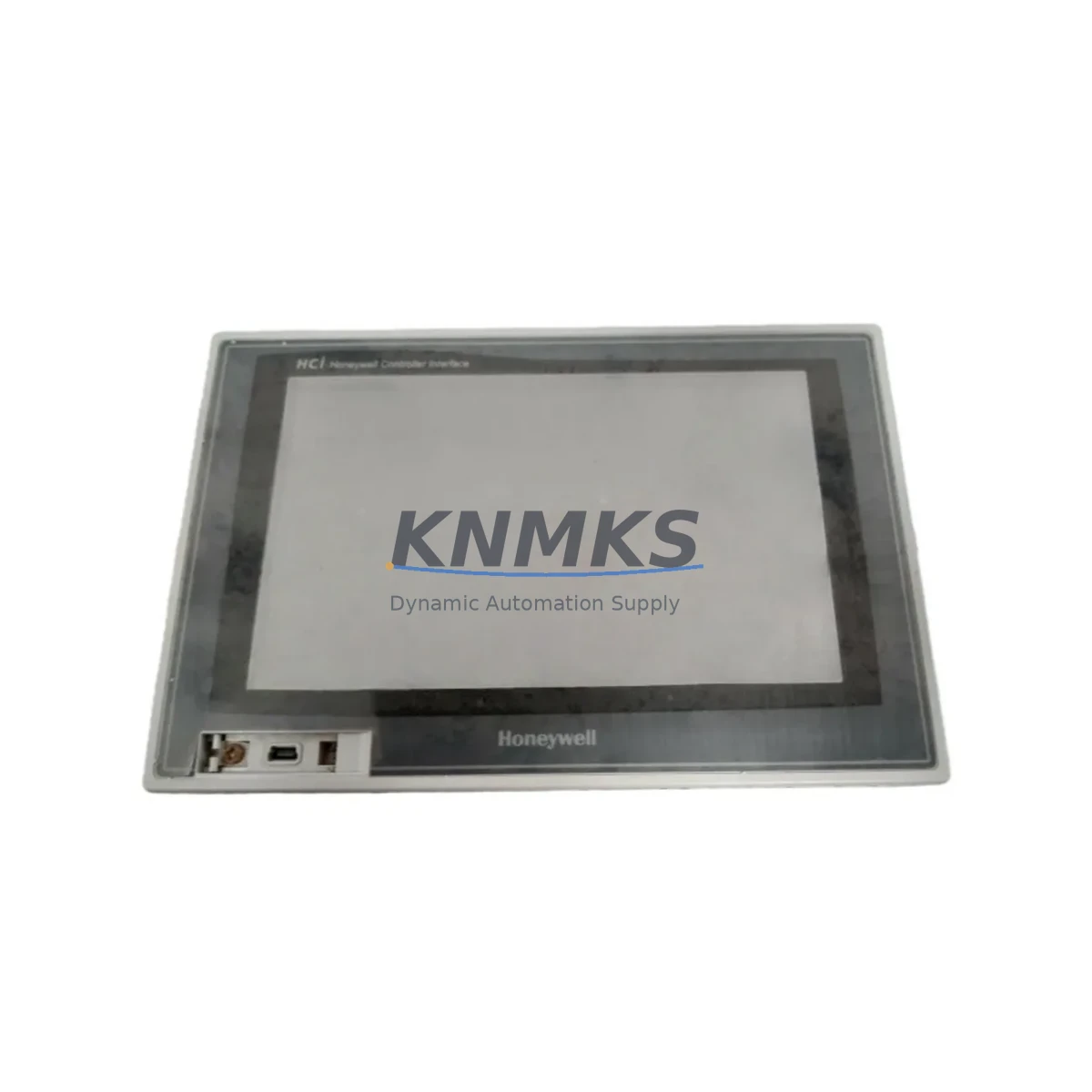
Honeywell HCiW07-TV-FD-NC-C Maintenance-Proven Spare Part for Factory Uptime
The Honeywell HCiW07-TV-FD-NC-C is a 7-inch industrial HMI panel from the HCiW Series, engineered for continuous operation in demanding process control environments including petrochemical plants, power generation facilities, manufacturing lines, and infrastructure control rooms. As a direct OEM-equivalent spare, this unit supports rapid site replacement with full compatibility across Honeywell’s HCiW platform, enabling maintenance teams to restore operator visibility and control loop supervision without extended downtime.
For maintenance engineers managing aging DCS or SCADA architectures, the HCiW07-TV-FD-NC-C represents a critical node in the operator interface layer. Its failure — whether from display degradation, touchscreen unresponsiveness, backlight failure, or communication dropout — directly impacts process visibility and safe operation. Stocking a verified spare eliminates the lead-time risk associated with emergency procurement and ensures that planned annual shutdowns or unplanned fault events can be resolved within a single maintenance window.
Procurement engineers sourcing this unit should confirm compatibility with the existing HCiW Series backplane and communication configuration. The NC-C suffix indicates a non-coated, standard-temperature variant suitable for climate-controlled control rooms and enclosed cabinets. Units are tested prior to shipment, covered by a support terms confirmed by quotation, and supported by long-term supply commitments to protect multi-year maintenance contracts.
Spare Maintenance Table
| Parameter | Specification |
|---|---|
| Part Number / SKU | HCiW07-TV-FD-NC-C |
| Brand | Honeywell |
| Series | HCiW Series |
| Product Type | Industrial HMI Panel |
| Display Size | 7 inch TFT LCD |
| Interface Type | Touchscreen (TV = Touch, VGA-class) |
| Coating | Non-coated (NC-C variant) |
| Mounting | Panel-mount, front-door installation |
| Communication | Compatible with Honeywell HCiW Series backplane and DCS/SCADA integration |
| Power Supply | 24 VDC nominal (verify with cabinet power rail) |
| Operating Temperature | 0°C to +50°C (standard indoor control room) |
| Application Environment | Enclosed control cabinets, DCS operator stations, SCADA HMI panels |
| Origin | United States |
| Compatibility | Direct replacement for HCiW07 series HMI panels; verify FD (front door) mounting configuration |
| Maintenance Recommendation | Inspect backlight condition, touchscreen calibration, and communication link at each annual shutdown |
| Support terms | 12 Months — covers manufacturing defects; units tested before shipment |
Maintenance Planning for Continuous Operation
When replacing the HCiW07-TV-FD-NC-C in the field, a disciplined maintenance workflow extends beyond the HMI panel itself. The surrounding electrical and communication infrastructure must be inspected concurrently to prevent repeat failures and ensure the replacement unit operates within specification from day one.
Begin with the 24 VDC power supply module feeding the HMI panel. Verify output voltage stability under load and check for ripple or voltage sag that could cause display flickering or unexpected reboots. If the cabinet uses a Honeywell or third-party DIN-rail power supply, confirm its rated output current is sufficient for the HCiW07 panel’s inrush and steady-state draw.
Inspect the communication cable and connector between the HMI and the DCS or PLC backplane. Degraded shielding, loose terminal connections, or corroded D-sub or RJ45 connectors are common root causes of HMI communication faults that are misdiagnosed as panel failures. Replace any suspect cabling during the same maintenance window.
Check the I/O module or signal conditioning card that feeds process data to the HMI. If the HCiW07 was displaying erratic values prior to failure, the fault may originate upstream in the analog input module or signal isolator rather than in the HMI itself. Honeywell HC900 series I/O modules or equivalent process I/O cards should be verified for correct channel mapping and signal integrity.
Review the backplane and rack assembly for physical damage, oxidation on card-edge connectors, and proper seating of all modules. A loose backplane connection can cause intermittent HMI dropouts that are difficult to reproduce during bench testing but recur under vibration or thermal cycling in the field.
Inspect fuse and circuit protection components on the HMI power rail. A blown fuse or tripped miniature circuit breaker (MCB) upstream of the panel is a common cause of HMI blackout. Replace fuses with the correct rated type and document the event in the maintenance log to identify recurring overcurrent conditions.
Finally, if the control system includes a Honeywell HC900 controller, Experion PKS node, or equivalent DCS communication module, verify that the HMI’s node address and communication parameters are correctly configured after replacement. Incorrect node addressing is a frequent commissioning error that prevents the new HMI from establishing a live data connection.
Site Replacement Workflow
Step 1 — Pre-replacement verification: Confirm the replacement unit SKU (HCiW07-TV-FD-NC-C) matches the installed panel’s label. Verify the FD (front door) mounting configuration and NC-C coating variant are correct for the installation environment. Cross-reference with the original engineering drawing or cabinet BOM.
Step 2 — Safe isolation: De-energize the HMI panel via the dedicated MCB or isolation switch. Do not rely on software shutdown alone. Confirm zero voltage at the panel power terminals with a calibrated multimeter before proceeding.
Step 3 — Disconnection and removal: Disconnect the communication cable, power connector, and any grounding straps. Label all connectors before removal to prevent miswiring during reinstallation. Remove the panel from the front-door cutout using the appropriate tool for the retention clips or mounting screws.
Step 4 — Installation of replacement unit: Seat the new HCiW07-TV-FD-NC-C into the cutout, secure all mounting hardware, and reconnect all cables in the reverse order of removal. Verify connector seating and locking.
Step 5 — Power-up and commissioning: Re-energize the panel and observe the boot sequence. Confirm the HMI establishes communication with the DCS or PLC within the expected timeout period. Verify all process tags are displaying correctly and touchscreen calibration is within tolerance.
Step 6 — Documentation: Record the replacement in the site maintenance log, including the date, technician name, old unit serial number, and new unit serial number. Update the spare parts inventory to trigger reorder of a replacement stock unit.
Spare Parts Support FAQ
Q1: Is the HCiW07-TV-FD-NC-C a direct drop-in replacement for the existing installed panel?
Yes, provided the installed panel is also an HCiW07-TV-FD-NC-C or a functionally equivalent HCiW Series 7-inch front-door panel. Always verify the full part number on the installed unit’s label before ordering. If the installed unit has a different suffix (e.g., coated variant or different communication option), contact our technical team to confirm compatibility before shipment.
Q2: How is the unit tested before shipment?
Each HCiW07-TV-FD-NC-C unit undergoes functional testing prior to dispatch, including power-on verification, display and touchscreen function check, and communication port integrity test. Units are shipped with a test report and are covered by a support terms confirmed by quotation against manufacturing defects from the date of delivery.
Q3: Can you support long-term supply for multi-year maintenance contracts?
Yes. We maintain stock commitments for HCiW Series HMI panels and can support blanket purchase orders, annual supply agreements, and scheduled delivery programs. Long-term supply arrangements are available for customers managing large installed bases or multi-site maintenance programs. Contact admin@knmks.com to discuss volume and scheduling requirements.
Q4: What is the recommended spare parts strategy for HCiW Series HMI panels?
For critical process control applications, we recommend maintaining at least one HCiW07-TV-FD-NC-C spare per five installed units, with a maximum replenishment lead time of 30 days. For sites with extended shutdown intervals or remote locations, a two-unit buffer stock is advisable. Annual inspection of installed panels — including backlight hours, touchscreen response, and communication link quality — helps predict replacement intervals and supports proactive procurement before failure occurs.
© 2026 KNMKS. All rights reserved.
Original Source: https://knmks.com
Contact: admin@knmks.com | +86 18359268345
Product Identification
- Brand / Ecosystem
-
Honeywell
Honeywell - Model / Series
- HCiW07-TV-FD-NC-C
- Product Family
- HMI & Displays
- Availability Status
- Available on request after model and quantity confirmation
- Inquiry Type
- B2B RFQ, replacement inquiry and project spare-part request
- Pre-Quote Check
- Exact SKU, brand, series, quantity, nameplate photos and destination country are checked before quotation
System Path
Where this product fits in the KNMKS automation structure.
Specification & Inquiry Focus
- Display range
- Operator panels and touch screens
- Common needs
- Screen size, interface and version matching
- Project support
- Retrofit, spare unit and panel replacement
Buyer Confirmation
Information KNMKS checks before replying.
- Exact model
- HCiW07-TV-FD-NC-C
- Brand / ecosystem
- Honeywell
- Product family
- HMI & Displays
- Application note
- Replacement, maintenance, project build or spare-part list
- Useful photos
- Nameplate, installed unit, cabinet layout or connector side
- Delivery details
- Quantity, destination country and target schedule
Document Support
Files and notes can be confirmed during quotation.
- Product photos or nameplate confirmation when available
- Packing and delivery notes before quotation confirmation
- Support scope and delivery terms confirmed per inquiry
- Export document coordination for qualified B2B requests
Inquiry Support
- Panel size and interface confirmation
- Replacement unit inquiry for discontinued HMIs
- Protective packaging for display shipment
What to Send Us
- Brand and exact model number: Honeywell HCiW07-TV-FD-NC-C
- Quantity and required delivery time
- Application, replacement requirement or nameplate photo
- Destination country and shipping preference
RFQ Preparation
This is a product inquiry page built for RFQ communication.
Fast Model Check
Send this model to KNMKS for confirmation.
Include quantity, destination country and photos if this is a maintenance replacement. The inquiry will be saved with a reference number after submission.
Brand & Compatibility Note
KNMKS displays automation product information for well-known industrial brand ecosystems and compatible replacement references. Brand names are used for product identification and compatibility reference only; final availability and commercial terms are confirmed per quotation.
 Manufacturing
 Machine Tools
 Packaging
 Energy & Power
 PLCs & Controllers
 Servo Systems
 Variable Frequency Drives
 Sensors