
Overview
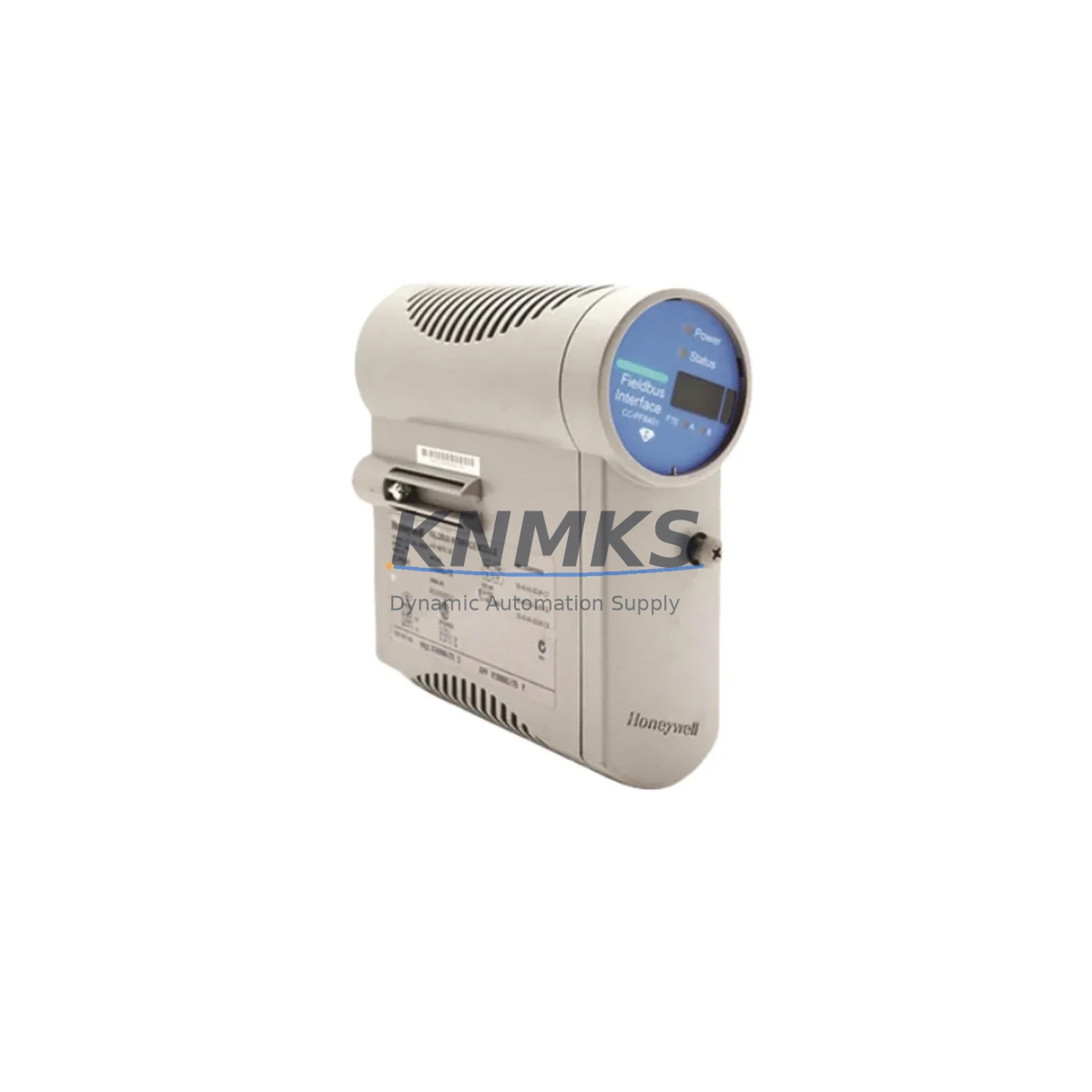
Honeywell FC-PUI001 Migration-Ready Universal I/O for Legacy DCS: Retrofit and Compatibility Upgrade
The Honeywell FC-PUI001 Universal I/O Module is engineered for engineers and maintenance teams executing control system modernization on Experion PKS Series C platforms. As legacy Honeywell Series C I/O infrastructure reaches end-of-life and OEM support windows close, the FC-PUI001 provides a validated, drop-in migration path that preserves existing wiring infrastructure, minimizes rack reconfiguration, and protects the integrity of the original control logic. Whether you are replacing a discontinued analog input card, consolidating scattered I/O points across an aging control cabinet, or preparing a phased DCS upgrade, the FC-PUI001 is the module that anchors the retrofit plan.
The FC-PUI001 supports universal channel configuration — each channel can be independently assigned as AI, AO, DI, or DO — eliminating the need to pre-order separate typed I/O cards during a retrofit. This flexibility is critical when the original system used a mix of signal types across a single rack slot, a common scenario in older Experion C300 controller installations where I/O was densely packed to reduce cabinet footprint. During migration planning, engineers must verify the channel count against the existing I/O schedule, confirm that the CHARM (Channel Addressable Remote Module) architecture is compatible with the target firmware version on the C300 controller, and validate that the FTA (Field Termination Assembly) wiring map aligns with the FC-PUI001 terminal layout before any physical swap is initiated.
Migration Compatibility Table
| Parameter | Detail |
|---|---|
| SKU | FC-PUI001 |
| Brand / Series | Honeywell / Experion PKS Series C |
| Module Type | Universal I/O (CHARM-based) |
| Channel Configuration | AI / AO / DI / DO — independently assignable per channel |
| Backplane Interface | Series C CHARM I/O Carrier (CIOC) — verify carrier revision before installation |
| Power Supply Requirement | Supplied via CIOC backplane; confirm 24 VDC rail capacity at cabinet level |
| Communication Protocol | Experion PKS proprietary FTE (Fault Tolerant Ethernet) — no standalone Modbus or PROFIBUS |
| Firmware Compatibility | Verify Experion PKS R400 or later; confirm C300 controller firmware revision matches CHARM library version |
| Terminal / Wiring | FTA (Field Termination Assembly) wiring preserved; confirm FTA model matches FC-PUI001 channel type assignments |
| Installation Space | Standard Series C CIOC slot; no additional rail or DIN adapter required |
| Replacement Target | Discontinued Honeywell Series C typed I/O cards (AI, AO, DI, DO variants) |
| Commissioning Requirement | CHARM assignment via Experion Configuration Studio; HMI display tag re-mapping may be required |
| Pre-Shipment Testing | Function-tested prior to dispatch; burn-in verified |
| Support terms | 12 Months from date of shipment |
| Stock Status | availability confirmed by RFQ — global dispatch within 24–48 hours |
Retrofit Planning for Existing Automation Systems
A successful FC-PUI001 retrofit begins well before the module arrives on site. The first step is a full I/O audit of the existing Series C rack: document every channel’s signal type, engineering unit range, alarm setpoint, and associated FTA terminal block. This audit forms the basis for the CHARM assignment map that will be loaded into Experion Configuration Studio during commissioning. If the legacy system used dedicated typed cards — for example, a fixed 16-channel analog input card or a discrete output card — the FC-PUI001 consolidates those functions into a single universal slot, which can reduce the total module count in the cabinet and free up rack positions for future I/O expansion.
Power budget verification is a non-negotiable step. The CIOC backplane distributes 24 VDC to all installed CHARM modules, and adding the FC-PUI001 to a fully populated carrier requires confirming that the existing Honeywell PS-CIOC power supply — or its equivalent replacement — can sustain the additional load without triggering an undervoltage fault on the C300 controller. In cabinets where the power supply is already near capacity, a parallel PS-CIOC unit may need to be added before the FC-PUI001 is commissioned.
Communication link integrity must also be validated. The FC-PUI001 communicates exclusively over the Experion FTE network, so the FTE switch configuration, port assignments, and redundancy settings on the C300 controller must be confirmed before the module is brought online. In plants where the control network also carries historian data to the Experion server, network load during the cutover window should be assessed to avoid packet loss that could trigger spurious alarms or controller faults. If the retrofit scope includes migrating from an older Honeywell TDC 3000 or PlantScape system, a protocol gateway or a dedicated migration controller may be required to bridge legacy LCN (Local Control Network) traffic to the FTE backbone before the FC-PUI001 can be fully integrated.
For sites performing a phased migration — where some legacy I/O cards remain in service while new FC-PUI001 modules are commissioned in parallel — the C300 controller’s redundancy configuration must be reviewed to ensure that the mixed I/O environment does not create address conflicts on the CIOC backplane. Module slot addressing is assigned during CHARM configuration and must be unique across the carrier. Engineers should also verify that the Experion PKS server’s control module database has been updated to reflect the new CHARM assignments before the HMI operator displays are switched over, as stale tag references can cause display blanking or incorrect engineering unit scaling on the operator workstation.
Related components commonly required during an FC-PUI001 retrofit include the CIOC carrier itself (if the existing carrier is damaged or at end-of-life), the FTA terminal assembly matched to the new channel type assignments, the PS-CIOC power supply module, the C300 controller (if the retrofit is part of a broader controller upgrade), and the Experion Configuration Studio programming cable and laptop interface kit. In larger projects, a Honeywell FTE network switch and redundant FTE cabling are also part of the bill of materials.
Downtime Control During System Migration
Minimizing unplanned downtime is the primary operational constraint in any DCS retrofit. For FC-PUI001 installations, the recommended approach is a hot-standby swap sequence: the replacement module is pre-configured offline in Configuration Studio, CHARM assignments are loaded and verified in simulation mode, and the physical swap is executed during a planned maintenance window — typically a scheduled turnaround or a low-production shift. The original control logic in the C300 controller does not need to be rewritten; the FC-PUI001 inherits the existing tag structure as long as the CHARM assignments match the original I/O schedule.
To protect program logic continuity, a full backup of the C300 controller database and the Experion server control module files should be taken immediately before the swap. This backup serves as the rollback point if the commissioning sequence encounters an unexpected firmware incompatibility or a wiring discrepancy that cannot be resolved within the maintenance window. The backup should be stored on a local engineering workstation — not only on the Experion server — to ensure it is accessible even if the server is taken offline during the cutover.
Field wiring continuity is maintained by preserving the existing FTA terminal blocks. Because the FC-PUI001 connects to the field through the same FTA interface as the legacy typed cards, no field cable re-termination is required in most retrofit scenarios. This is the single largest contributor to downtime reduction: eliminating field re-wiring removes the primary source of commissioning errors and allows the cutover to be completed within a single shift rather than across multiple days. After the module is installed and powered, the CHARM assignment is confirmed in Configuration Studio, the HMI tag database is refreshed, and a loop check is performed on each channel before the process is returned to automatic control.
For critical control loops — such as reactor temperature control or compressor surge protection — a temporary bypass or manual control strategy should be in place before the swap begins. This ensures that the process remains stable even if the commissioning sequence takes longer than planned. Once the FC-PUI001 is confirmed in service and all loop checks are complete, the bypass is removed and the loop is returned to automatic mode under operator supervision.
Retrofit Support FAQ
Q1: Is the FC-PUI001 a direct replacement for legacy Honeywell Series C typed I/O cards?
Yes. The FC-PUI001 is designed to replace discontinued Honeywell Series C AI, AO, DI, and DO typed cards within the same CIOC backplane slot. Channel type is assigned in software via Experion Configuration Studio, so a single FC-PUI001 can replicate the function of multiple legacy typed cards. Confirm the CIOC carrier revision and FTA wiring map before installation.
Q2: What firmware version is required on the C300 controller for FC-PUI001 compatibility?
Experion PKS R400 or later is the baseline requirement. The CHARM library version embedded in the C300 firmware must match the FC-PUI001 hardware revision. If the controller is running an earlier release, a firmware upgrade should be planned as part of the retrofit scope. Contact your Experion system administrator to confirm the current release level before ordering.
Q3: Does the FC-PUI001 require field re-wiring during installation?
In most retrofit scenarios, no field re-wiring is required. The FC-PUI001 connects to the field through the existing FTA terminal assembly, which is preserved during the swap. The only wiring change required is if the FTA model does not match the new CHARM channel type assignments — in that case, the FTA must be replaced before the FC-PUI001 is commissioned. All units are pre-shipment tested and function-verified before dispatch.
Q4: What support terms and stock availability does KNMKS provide for the FC-PUI001?
All FC-PUI001 units supplied by KNMKS carry a support terms confirmed by quotation from the date of shipment, covering manufacturing defects and functional failures under normal operating conditions. Stock is maintained for immediate dispatch, with global shipping within 24–48 hours of order confirmation. For volume orders or long-term supply agreements, contact the sales team directly.
© 2026 KNMKS. All rights reserved.
Original Source: https://knmks.com
Contact: admin@knmks.com | +86 18359268345
Product Identification
- Brand / Ecosystem
-
Honeywell
Honeywell - Model / Series
-
FC-PUI001
Legacy Series - Product Family
- PLCs & Controllers
- Availability Status
- Available on request after model and quantity confirmation
- Inquiry Type
- B2B RFQ, replacement inquiry and project spare-part request
- Pre-Quote Check
- Exact SKU, brand, series, quantity, nameplate photos and destination country are checked before quotation
System Path
Where this product fits in the KNMKS automation structure.
Specification & Inquiry Focus
- Control platform
- PLC, PAC and modular controllers
- Common needs
- CPU, rack, power and I/O expansion
- Project support
- Replacement, cabinet build and maintenance
Buyer Confirmation
Information KNMKS checks before replying.
- Exact model
- FC-PUI001
- Brand / ecosystem
- Honeywell
- Product family
- PLCs & Controllers
- Application note
- Replacement, maintenance, project build or spare-part list
- Useful photos
- Nameplate, installed unit, cabinet layout or connector side
- Delivery details
- Quantity, destination country and target schedule
Document Support
Files and notes can be confirmed during quotation.
- Product photos or nameplate confirmation when available
- Packing and delivery notes before quotation confirmation
- Support scope and delivery terms confirmed per inquiry
- Export document coordination for qualified B2B requests
Inquiry Support
- Model cross-checking before quotation
- CPU, power, rack and expansion module matching
- Support for replacement and project inquiry
What to Send Us
- Brand and exact model number: Honeywell FC-PUI001
- Quantity and required delivery time
- Application, replacement requirement or nameplate photo
- Destination country and shipping preference
RFQ Preparation
This is a product inquiry page built for RFQ communication.
Fast Model Check
Send this model to KNMKS for confirmation.
Include quantity, destination country and photos if this is a maintenance replacement. The inquiry will be saved with a reference number after submission.
Brand & Compatibility Note
KNMKS displays automation product information for well-known industrial brand ecosystems and compatible replacement references. Brand names are used for product identification and compatibility reference only; final availability and commercial terms are confirmed per quotation.
 Manufacturing
 Machine Tools
 Packaging
 Energy & Power



 HMI & Displays
 Servo Systems
 Variable Frequency Drives
 Sensors