
Overview
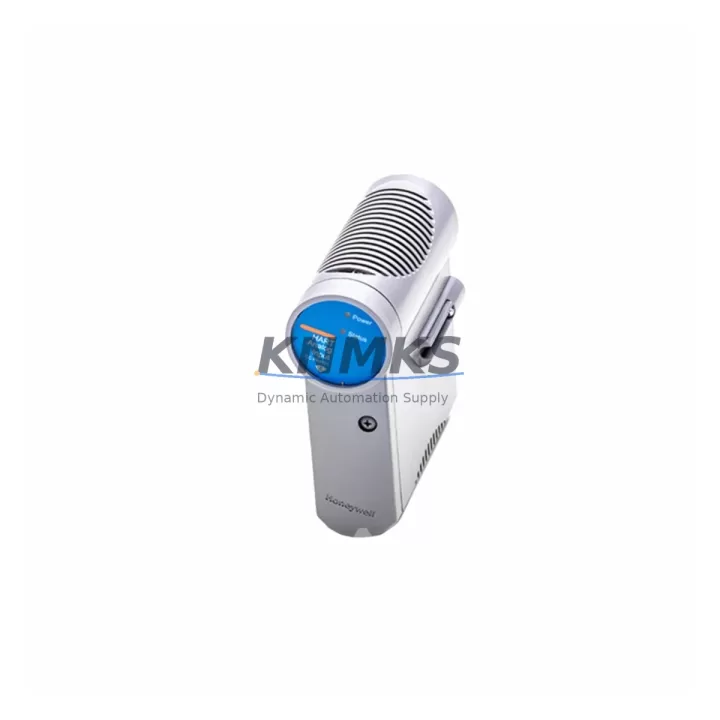
Honeywell CC-PWRB01 Migration-Ready Power Backplane for Legacy C300 DCS Systems
The Honeywell CC-PWRB01 is a power backplane module designed for the Experion PKS C300 controller platform. As legacy Honeywell TDC 3000, PlantScape, and early Experion R100–R310 installations approach end-of-support milestones, the CC-PWRB01 has become a critical spare and retrofit component for engineering teams managing phased DCS modernization projects. This module provides the power distribution backbone for C300 controller nodes, supporting stable 24 VDC rail delivery across the backplane bus and enabling direct integration with existing cabinet wiring, terminal blocks, and field I/O marshalling panels without structural modification to the control cabinet.
KNMKS maintains verified stock of the CC-PWRB01 with pre-shipment functional testing, a support terms confirmed by quotation, and multi-region dispatch capability to support both emergency replacement scenarios and scheduled outage windows. Each unit is inspected against Honeywell hardware revision documentation prior to release.
Migration Compatibility Table
| Parameter | CC-PWRB01 Specification | Retrofit Notes |
|---|---|---|
| Compatible Controller | Honeywell C300 (Experion PKS) | Verify controller firmware R310–R520 before installation |
| Input Voltage | 24 VDC nominal | Confirm cabinet PSU output tolerance (±5%); replace CC-PWRS01 if degraded |
| Backplane Bus Interface | C300 EUCN backplane connector | Inspect backplane connector pins for oxidation before seating module |
| Mounting | Standard C300 chassis rail mount | No DIN rail adapter required; confirm chassis slot clearance |
| Communication Compatibility | EUCN (Ethernet Universal Control Network) | No protocol reconfiguration required; EUCN switch port assignment unchanged |
| I/O Module Compatibility | CC-PAIH01, CC-PAOH01, CC-PDIL01, CC-PDOB01 series | I/O module addresses retained after backplane swap; no re-addressing required |
| Replacement Scope | Drop-in for failed or degraded CC-PWRB01 units | No controller logic modification; controller program integrity preserved |
| Firmware Dependency | None (passive power distribution component) | Confirm C300 controller firmware version post-installation via Experion Station |
| Installation Space | Standard C300 chassis slot | Verify no adjacent module overhang; maintain 25 mm ventilation clearance |
| Support terms | 12 Months | Covers manufacturing defects; pre-shipment tested by KNMKS |
Retrofit Planning for Existing Automation Systems
When planning a CC-PWRB01 replacement within an active Experion PKS installation, the retrofit scope extends beyond the backplane module itself. Engineering teams should begin by auditing the C300 chassis assembly, confirming that the CC-PWRS01 power supply module is delivering stable 24 VDC within tolerance, as a degraded power supply is frequently the root cause of backplane failures rather than the backplane itself. If the power supply shows voltage ripple or thermal stress indicators, replacing both the CC-PWRS01 and CC-PWRB01 simultaneously during the same outage window eliminates the risk of a secondary failure shortly after the primary repair.
The C300 chassis typically houses a combination of analog input modules such as the CC-PAIH01, analog output modules such as the CC-PAOH01, and digital I/O modules including the CC-PDIL01 and CC-PDOB01. During backplane replacement, all seated I/O modules must be carefully extracted and catalogued by slot position. Module addresses in Experion PKS are slot-dependent, and re-seating modules in incorrect positions will cause I/O mapping mismatches in the controller database. A slot map photograph or printed rack layout drawing should be prepared before any module is removed.
Communication continuity is maintained through the EUCN (Ethernet Universal Control Network) infrastructure. The CC-PWRB01 does not carry EUCN traffic directly, but the C300 controller module seated on the backplane maintains its EUCN IP address and node identity throughout the swap, provided the controller is not powered down for longer than the EUCN timeout threshold. Coordination with the control room operator is essential to confirm that the EUCN switch port assignment and FTE (Fault Tolerant Ethernet) redundancy path remain active on the secondary controller node during the primary node outage.
For sites running Experion PKS R310 or earlier, the retrofit window should also include a review of the CC-SCMB01 system cabinet module bus connector condition. Aged connector housings on early-generation C300 chassis can cause intermittent backplane communication faults that mimic power backplane failures. Replacing the CC-PWRB01 without addressing connector degradation may result in recurring fault codes post-installation. KNMKS recommends requesting a full chassis inspection report from the site maintenance team before finalizing the bill of materials for the retrofit.
Downtime Control During System Migration
Minimizing unplanned downtime during a CC-PWRB01 replacement requires a structured pre-outage preparation protocol. The controller program logic stored in the C300 is non-volatile and is retained in the controller module memory independent of the backplane power state, meaning that a controlled power-down sequence will not result in program loss. However, the outage window must be coordinated with the DCS historian and alarm management system to suppress nuisance alarms and prevent false trip signals from propagating to safety instrumented systems or interlock circuits.
Before initiating the physical swap, the engineering team should export a current controller checkpoint from Experion Station and verify that the backup C300 controller node (if redundancy is configured) has assumed primary control responsibility. The faulty backplane node should be placed in a controlled shutdown state via the Experion Control Builder environment rather than through a hard power removal, which reduces the risk of corrupting the controller’s internal state machine.
Post-installation, the replacement CC-PWRB01 should be powered up with all I/O modules seated and the C300 controller module inserted last. The controller will perform a self-diagnostic sequence and re-establish EUCN communication within approximately 90 seconds under normal conditions. The operator should monitor the Experion Station system status display for controller health indicators and confirm that all I/O points return to their pre-outage scan states before releasing the process back to automatic control. Total planned outage time for a single C300 node backplane replacement, with an experienced team and pre-staged spare, is typically 45–90 minutes.
Retrofit Support FAQ
Q1: Is the CC-PWRB01 a direct drop-in replacement for all C300 chassis generations?
The CC-PWRB01 is compatible with standard C300 chassis assemblies across Experion PKS R310 through R520. Early TDC 3000 and PlantScape chassis use a different backplane form factor and are not compatible. Confirm the chassis part number and Experion release version before ordering.
Q2: Will replacing the CC-PWRB01 require re-downloading the controller program?
No. The C300 controller module retains its program in non-volatile memory independent of the backplane. A controlled replacement procedure preserves the controller database, I/O configuration, and loop tuning parameters. A checkpoint verification via Experion Control Builder is recommended post-installation to confirm program integrity.
Q3: Does KNMKS provide pre-shipment testing for the CC-PWRB01?
Yes. Every CC-PWRB01 unit shipped by KNMKS undergoes functional verification against Honeywell hardware specifications prior to dispatch. Units are covered by a support terms confirmed by quotation from the date of shipment. Test records are available upon request for quality documentation purposes.
Q4: What is the typical lead time and stock availability for the CC-PWRB01?
KNMKS maintains multi-region stock of the CC-PWRB01 to support both emergency replacement and scheduled outage requirements. Standard dispatch is within 1–3 business days from confirmed order. For urgent requirements, same-day or next-day air freight options are available. Contact admin@knmks.com or +86 18359268345 to confirm current stock levels and shipping options.
© 2026 KNMKS. All rights reserved.
Original Source: https://knmks.com
Contact: admin@knmks.com | +86 18359268345
Product Identification
- Brand / Ecosystem
-
Honeywell
Honeywell - Model / Series
-
CC-PWRB01
Experion PKS Series - Product Family
- Other Components
- Availability Status
- Available on request after model and quantity confirmation
- Inquiry Type
- B2B RFQ, replacement inquiry and project spare-part request
- Pre-Quote Check
- Exact SKU, brand, series, quantity, nameplate photos and destination country are checked before quotation
System Path
Where this product fits in the KNMKS automation structure.
Specification & Inquiry Focus
- Component range
- Breakers, terminals and cabinet accessories
- Common needs
- Model, photo and installation requirement
- Project support
- Maintenance and mixed spare-part inquiry
Buyer Confirmation
Information KNMKS checks before replying.
- Exact model
- CC-PWRB01
- Brand / ecosystem
- Honeywell
- Product family
- Other Components
- Application note
- Replacement, maintenance, project build or spare-part list
- Useful photos
- Nameplate, installed unit, cabinet layout or connector side
- Delivery details
- Quantity, destination country and target schedule
Document Support
Files and notes can be confirmed during quotation.
- Product photos or nameplate confirmation when available
- Packing and delivery notes before quotation confirmation
- Support scope and delivery terms confirmed per inquiry
- Export document coordination for qualified B2B requests
Inquiry Support
- Mixed automation spare parts inquiry
- Cabinet component and accessory support
- Model identification from photos or labels
What to Send Us
- Brand and exact model number: Honeywell CC-PWRB01
- Quantity and required delivery time
- Application, replacement requirement or nameplate photo
- Destination country and shipping preference
RFQ Preparation
This is a product inquiry page built for RFQ communication.
Fast Model Check
Send this model to KNMKS for confirmation.
Include quantity, destination country and photos if this is a maintenance replacement. The inquiry will be saved with a reference number after submission.
Brand & Compatibility Note
KNMKS displays automation product information for well-known industrial brand ecosystems and compatible replacement references. Brand names are used for product identification and compatibility reference only; final availability and commercial terms are confirmed per quotation.
 Manufacturing
 Machine Tools
 Packaging
 Energy & Power
 PLCs & Controllers
 HMI & Displays
 Servo Systems
 Variable Frequency Drives