
Overview
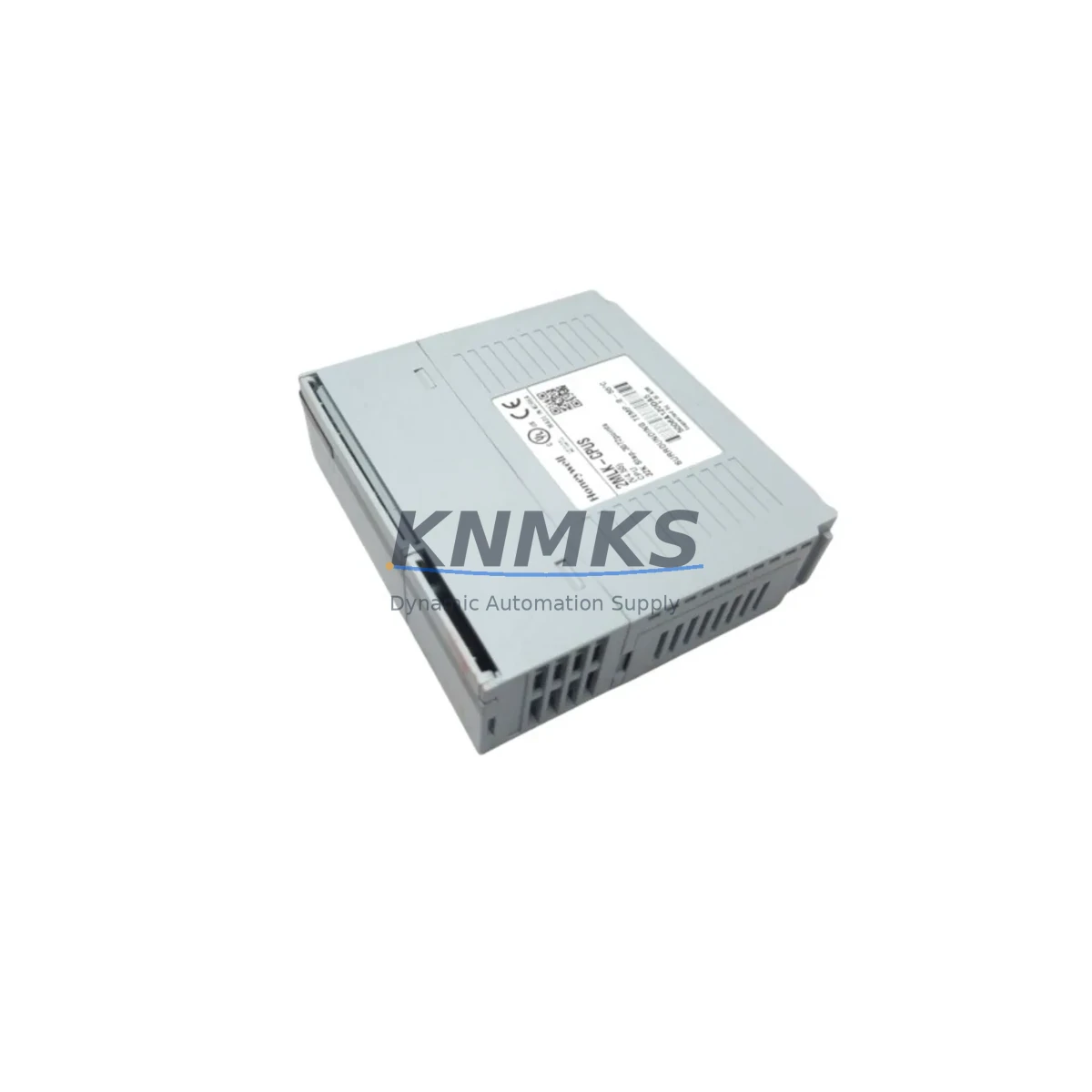
Honeywell 2MLK-CPUS-CC Migration-Ready CPU for Legacy DCS Systems
The Honeywell 2MLK-CPUS-CC is a migration-ready central processing unit engineered for the Honeywell POINTS Distributed Control System (DCS) platform. As legacy POINTS installations approach end-of-support milestones, plant engineers and automation integrators increasingly rely on verified replacement units like the 2MLK-CPUS-CC to extend operational life, bridge the gap to full platform migration, and maintain process continuity without unplanned shutdowns. This module is sourced from authorized channels, subjected to pre-shipment functional testing, and backed by a support terms confirmed by quotation covering manufacturing defects and operational failures under normal industrial use conditions.
Whether your facility is executing a phased DCS migration, recovering from an unplanned CPU failure, or building a strategic spare buffer ahead of a scheduled turnaround, the 2MLK-CPUS-CC provides a reliable, drop-in compatible solution that minimizes engineering rework and commissioning time. Stock is maintained across multiple regional warehouses to support rapid dispatch to North America, Europe, and Asia-Pacific destinations.
Migration Compatibility Table
| Parameter | Details |
|---|---|
| SKU / Part Number | 2MLK-CPUS-CC |
| Brand / OEM | Honeywell |
| Platform | Honeywell POINTS DCS |
| Module Type | Central Processing Unit (CPU) |
| Rack / Backplane Interface | POINTS standard backplane — direct slot-compatible |
| Communication Protocol | Proprietary POINTS network; verify firmware revision matches existing network nodes |
| Power Supply Compatibility | Confirm rack power supply (e.g., 2MLK-PS series) capacity before hot-swap; verify load budget |
| Terminal / Wiring | No field wiring on CPU module; I/O wiring remains on existing I/O modules |
| Module Address | Set via DIP switch or firmware configuration; match original node address before power-on |
| Program Compatibility | Verify control database version and firmware revision compatibility with engineering workstation |
| HMI Screen Impact | No HMI screen changes required if tag database is preserved; validate alarm and faceplate links post-swap |
| Installation Space | Standard POINTS rack slot; confirm slot position matches original CPU slot assignment |
| Firmware Version | Confirm target firmware version with Honeywell engineering documentation before loading |
| Replacement Scope | Direct replacement for failed or end-of-life 2MLK-CPUS-CC units; no rack modification required |
| Pre-Shipment Testing | Functional power-on and communication loop test performed before dispatch |
| Support terms | 12 months from date of shipment — manufacturing defects and operational failures covered |
Retrofit Planning for Existing Automation Systems
Successful integration of the 2MLK-CPUS-CC into an existing POINTS DCS installation requires a structured retrofit plan that accounts for the full control architecture — not just the CPU slot. Before initiating the swap, engineers should audit the rack assembly to confirm that the POINTS power supply module (typically a 2MLK-PS series unit) delivers sufficient current headroom for the replacement CPU, particularly if additional I/O modules have been added to the rack since the original commissioning.
On the I/O side, existing POINTS analog input and digital output modules remain in place during a CPU swap, but their module addresses and channel assignments must be verified against the current control database before the new CPU is brought online. Any mismatch between the stored configuration and the physical rack layout will trigger fault conditions that can delay restart. Engineers should export a full rack configuration backup from the engineering workstation prior to removing the original CPU.
Communication continuity is another critical planning element. The POINTS network relies on a defined node topology, and the replacement 2MLK-CPUS-CC must be configured with the correct node address and communication parameters before it is inserted into the live rack. If the facility also operates Honeywell Data Hiway or peer-to-peer communication links between POINTS controllers and upstream supervisory systems, those link parameters should be documented and verified as part of the pre-migration checklist.
For facilities that are simultaneously upgrading their operator interface, the CPU replacement phase is an appropriate time to validate HMI tag bindings between the POINTS controller and the operator workstation. If the site is transitioning from a legacy Honeywell console to a modern SCADA or DCS operator station, confirming that all process variable tags, alarm setpoints, and control faceplate links remain intact after the CPU swap will prevent post-commissioning rework.
In multi-rack POINTS installations, the 2MLK-CPUS-CC replacement in one rack should be coordinated with the status of peer CPU modules in adjacent racks to avoid network arbitration conflicts. Additionally, if the site uses signal isolators or marshalling panels between field instruments and the POINTS I/O modules, those signal paths should be verified as part of the loop check sequence following CPU replacement. Programming cables and engineering workstation connectivity should be confirmed operational before the new CPU is powered on, to allow immediate firmware loading and database download if required.
Downtime Control During System Migration
Minimizing process downtime during a CPU replacement on a live POINTS DCS installation requires careful sequencing and preparation. The recommended approach is to complete all pre-migration tasks — configuration backup, firmware version confirmation, node address verification, and spare parts staging — during a planned maintenance window rather than under emergency conditions. When the 2MLK-CPUS-CC is being replaced as part of an unplanned failure response, having a pre-tested spare unit on the shelf with the correct firmware already loaded reduces mean time to recovery significantly.
Before removing the original CPU, operators should place all affected control loops in manual mode at the operator workstation to prevent process upsets during the transition. Field operators should be stationed at critical control valves and actuators to maintain manual process control during the CPU-offline interval. Once the replacement 2MLK-CPUS-CC is seated and powered, the control database download from the engineering workstation should be initiated immediately, followed by a systematic loop check to confirm that all I/O channels are reading correctly and that control outputs are responding as expected.
For facilities with redundant CPU configurations, the switchover sequence should be tested in simulation before the live migration to confirm that the standby CPU assumes control without process interruption. After the replacement CPU is confirmed online and stable, control loops should be returned to automatic mode in a staged sequence, prioritizing the most critical process variables first. A post-migration monitoring period of at least 24 hours is recommended before closing the maintenance work order, to confirm that no latent communication or firmware issues emerge under normal operating load.
Retrofit Support FAQ
Q1: Is the 2MLK-CPUS-CC a direct drop-in replacement for the original Honeywell POINTS CPU?
Yes. The 2MLK-CPUS-CC is designed as a direct slot-compatible replacement for the original POINTS CPU module. No rack modification or backplane rewiring is required. The replacement unit must be configured with the correct node address and firmware version to match the existing system before being brought online.
Q2: What firmware version should be loaded on the replacement CPU, and how is it confirmed?
The required firmware version is determined by the existing POINTS network configuration and the engineering workstation software revision. Before dispatch, confirm the target firmware version with your Honeywell system documentation or engineering workstation version history. Units can be pre-loaded with a specified firmware version upon request prior to shipment.
Q3: Has the unit been tested before shipment, and what does the support terms confirmed by quotation cover?
Yes. Every 2MLK-CPUS-CC unit undergoes a functional power-on and communication loop test before dispatch. The support terms confirmed by quotation cover manufacturing defects and operational failures under normal industrial use conditions, commencing from the date of shipment. Support requests are supported by our technical team with replacement or repair options.
Q4: What is the typical lead time, and is stock available for immediate dispatch?
Stock is maintained across regional warehouses to support same-day or next-business-day dispatch for urgent requirements. Standard lead time for in-stock units is 1–3 business days to most destinations. For bulk orders or long-term supply agreements, contact our sales team to discuss forward stock arrangements and priority allocation.
© 2026 KNMKS. All rights reserved.
Original Source: https://knmks.com
Contact: admin@knmks.com | +86 18359268345
Product Identification
- Brand / Ecosystem
-
Honeywell
Honeywell - Model / Series
-
2MLK-CPUS-CC
Legacy Series - Product Family
- PLCs & Controllers
- Availability Status
- Available on request after model and quantity confirmation
- Inquiry Type
- B2B RFQ, replacement inquiry and project spare-part request
- Pre-Quote Check
- Exact SKU, brand, series, quantity, nameplate photos and destination country are checked before quotation
System Path
Where this product fits in the KNMKS automation structure.
Specification & Inquiry Focus
- Control platform
- PLC, PAC and modular controllers
- Common needs
- CPU, rack, power and I/O expansion
- Project support
- Replacement, cabinet build and maintenance
Buyer Confirmation
Information KNMKS checks before replying.
- Exact model
- 2MLK-CPUS-CC
- Brand / ecosystem
- Honeywell
- Product family
- PLCs & Controllers
- Application note
- Replacement, maintenance, project build or spare-part list
- Useful photos
- Nameplate, installed unit, cabinet layout or connector side
- Delivery details
- Quantity, destination country and target schedule
Document Support
Files and notes can be confirmed during quotation.
- Product photos or nameplate confirmation when available
- Packing and delivery notes before quotation confirmation
- Support scope and delivery terms confirmed per inquiry
- Export document coordination for qualified B2B requests
Inquiry Support
- Model cross-checking before quotation
- CPU, power, rack and expansion module matching
- Support for replacement and project inquiry
What to Send Us
- Brand and exact model number: Honeywell 2MLK-CPUS-CC
- Quantity and required delivery time
- Application, replacement requirement or nameplate photo
- Destination country and shipping preference
RFQ Preparation
This is a product inquiry page built for RFQ communication.
Fast Model Check
Send this model to KNMKS for confirmation.
Include quantity, destination country and photos if this is a maintenance replacement. The inquiry will be saved with a reference number after submission.
Brand & Compatibility Note
KNMKS displays automation product information for well-known industrial brand ecosystems and compatible replacement references. Brand names are used for product identification and compatibility reference only; final availability and commercial terms are confirmed per quotation.
 Manufacturing
 Machine Tools
 Packaging
 Energy & Power



 HMI & Displays
 Servo Systems
 Variable Frequency Drives
 Sensors