
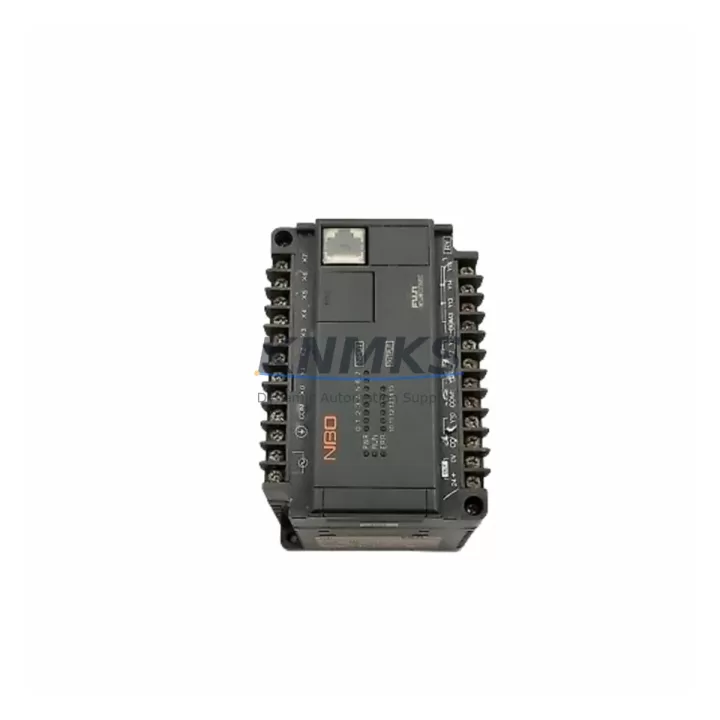
Overview
FUJI NB3-P34-AC Migration-Ready PID Controller for Legacy Control Systems
The FUJI NB3-P34-AC is a migration-ready PID process controller from FUJI Electric’s PXR Series, engineered for direct replacement of discontinued or aging single-loop controllers in legacy industrial automation environments. Designed to the 1/16 DIN panel format with AC power input and relay output, this unit delivers precise closed-loop temperature and process control with minimal reconfiguration overhead — making it a preferred choice for retrofit engineers managing aging control cabinets, phased system upgrades, and emergency spare part sourcing.
In legacy DCS and standalone PID control architectures, the NB3-P34-AC occupies a critical role: it maintains process loop integrity during panel modernization without requiring full PLC migration. Its compact 1/16 DIN footprint fits directly into existing cutouts, eliminating the need for panel rework or new enclosure fabrication. For facilities operating mixed-generation control rooms — where FUJI PXR3, PXR4, or PXR5 controllers coexist with newer SCADA-linked I/O — the NB3-P34-AC provides a stable, field-proven bridge between legacy wiring infrastructure and current process requirements.
Before installation, engineers should verify terminal block compatibility against the original controller’s wiring diagram. The NB3-P34-AC uses a standard rear-terminal configuration consistent with the PXR Series, but legacy panels may have custom shielded thermocouple or RTD wiring that requires re-termination or signal conditioning. Where input signal types differ from the original unit, a signal isolator or transmitter may be required to maintain loop accuracy. Power supply capacity at the panel rail should also be confirmed, particularly in cabinets where multiple replacement modules are being installed simultaneously.
For facilities transitioning from older FUJI controllers such as the PYX or early PXR variants, firmware parameter mapping is a key pre-commissioning step. PID tuning constants (P, I, D), setpoint limits, alarm thresholds, and output action modes must be re-entered or transferred manually, as direct parameter cloning between generations is not always supported. Where HMI screens reference legacy controller addresses or tag names, display configuration updates will be required to maintain operator visibility during and after cutover.
Migration Compatibility Table
| Parameter | NB3-P34-AC (This Unit) | Retrofit Notes |
|---|---|---|
| Form Factor | 1/16 DIN Panel Mount | Direct fit into standard 1/16 DIN cutout; no panel modification required |
| Power Input | AC (100–240 VAC) | Confirm panel rail voltage; verify breaker rating before installation |
| Output Type | Relay Output | Verify load current and contact rating against actuator or SSR specifications |
| Input Compatibility | Thermocouple / RTD / Analog | Confirm input type matches existing sensor wiring; signal isolator may be needed |
| Communication | RS-485 (optional per variant) | Check SCADA/HMI link requirements; configure Modbus address before commissioning |
| Terminal Configuration | Rear screw terminals | Cross-reference original wiring diagram; re-terminate if shielding differs |
| Replacement Target | PXR3, PXR4, PYX Series | Parameter re-entry required; PID constants and alarm settings must be reconfigured |
| Installation Space | Standard 1/16 DIN depth | Verify panel depth clearance for rear terminal access and cable routing |
| Firmware | Factory default | No field firmware update required; configure via front keypad on first power-up |
| Support terms | 12 Months | Covered from date of dispatch; pre-shipment functional test included |
Retrofit Planning for Existing Automation Systems
A successful NB3-P34-AC retrofit begins with a full audit of the existing control loop. Engineers should document the original controller’s input type, output wiring, setpoint range, alarm configuration, and any serial communication links before removal. In panels where the FUJI PXR4 or PXR5 was previously installed alongside a FUJI RY series relay output module, the NB3-P34-AC can assume the same loop position with minimal rewiring — provided the relay contact ratings are compatible with the downstream actuator or heating element.
Where the legacy system included a FUJI ZEN programmable relay or a standalone timer module for sequencing, these components typically remain in service during a single-loop PID replacement. The NB3-P34-AC does not require changes to adjacent logic controllers unless the original PID was integrated into a networked control scheme. In networked environments, the RS-485 port (where fitted) should be configured with the correct Modbus RTU address and baud rate to match the existing SCADA or HMI polling configuration.
For panels undergoing broader modernization — such as migration from a legacy FUJI MICREX-F PLC platform to a current-generation controller — the NB3-P34-AC can serve as an interim standalone loop controller while the main PLC program is being rewritten and validated. This staged approach allows process loops to remain active and monitored during the transition, reducing total plant downtime. During this phase, a FUJI V-series HMI or equivalent operator panel can be used to display loop status independently of the PLC, maintaining operator visibility throughout the cutover window.
Signal integrity should be verified at commissioning using a calibrated process signal simulator. Where thermocouple extension cables have been in service for extended periods, insulation resistance testing is recommended before reconnecting to the new controller. If the original installation used a FUJI FCX-AII series transmitter for 4–20 mA signal conditioning, confirm that the transmitter output range matches the NB3-P34-AC analog input configuration to avoid setpoint offset errors on first power-up.
Downtime Control During System Migration
Minimizing unplanned downtime during a PID controller replacement requires a structured pre-cutover checklist. Before removing the original unit, all current PID parameters — proportional band, integral time, derivative time, setpoint values, and output limits — should be recorded and stored in the project documentation. Where the original controller supported parameter export via serial communication, this data should be captured electronically as a backup reference.
The NB3-P34-AC should be bench-configured and functionally tested before installation in the live panel. This includes verifying input response with a signal simulator, confirming relay output switching at the correct setpoint, and checking alarm output behavior. Pre-shipment functional testing is performed on all units prior to dispatch, but site-level bench verification adds an additional layer of confidence before the panel is opened.
During the physical swap, the process loop should be placed in manual control mode at the SCADA or DCS level where possible, allowing the output to be held at a safe fixed value while the controller is changed. If manual override is not available at the supervisory level, a local manual station or bypass switch should be used to maintain actuator position during the changeover interval. Total controller swap time — including terminal re-connection and initial parameter entry — is typically achievable within a planned maintenance window of 30 to 60 minutes for a single loop.
After power-up, the loop should be monitored in manual mode for a short stabilization period before switching to automatic PID control. Process variable response should be observed against the expected setpoint trajectory, and alarm thresholds should be confirmed active before the loop is returned to full automatic operation. Field commissioning records should be updated to reflect the new controller model, firmware version, and parameter set for future maintenance reference.
Retrofit Support FAQ
Q1: Is the FUJI NB3-P34-AC a direct drop-in replacement for the PXR3 or PXR4?
The NB3-P34-AC shares the 1/16 DIN form factor and rear terminal layout with the PXR Series, making it physically compatible with existing panel cutouts and most standard wiring configurations. However, PID parameters, alarm settings, and communication addresses must be manually re-entered after installation, as direct parameter transfer between controller generations is not supported. Wiring diagrams should be cross-referenced before terminal reconnection.
Q2: What input types does the NB3-P34-AC support, and do I need a signal isolator?
The NB3-P34-AC supports thermocouple, RTD, and analog (4–20 mA / 0–10 V) inputs depending on the ordered configuration. If the existing installation uses a non-standard sensor type or if signal conditioning was previously provided by an external transmitter such as a FUJI FCX-AII, the transmitter should remain in the loop and its output range verified against the controller’s input specification. A signal isolator is recommended where ground loop interference or long cable runs are present.
Q3: Is pre-shipment testing performed, and what does the support terms confirmed by quotation cover?
Yes — all NB3-P34-AC units undergo functional testing prior to dispatch, including input response verification, relay output switching, and display operation checks. The support terms confirmed by quotation cover manufacturing defects and functional failures under normal operating conditions from the date of shipment. Units showing damage from incorrect wiring, overvoltage, or environmental exposure outside the rated specification are not covered under the standard support terms terms.
Q4: How quickly can the NB3-P34-AC be dispatched for emergency replacement?
Stock is maintained for rapid global dispatch. For emergency maintenance situations, expedited shipping options are available. Contact the sales team directly to confirm current stock availability, lead time, and shipping arrangements for your region. Units are dispatched with full documentation including the test record and product datasheet.
© 2026 KNMKS. All rights reserved.
Original Source: https://knmks.com
Contact: admin@knmks.com | +86 18359268345
Product Identification
- Brand / Ecosystem
-
FUJI Electric
Assorted Brands - Model / Series
-
NB3-P34-AC
Legacy Series - Product Family
- PLCs & Controllers
- Availability Status
- Available on request after model and quantity confirmation
- Inquiry Type
- B2B RFQ, replacement inquiry and project spare-part request
- Pre-Quote Check
- Exact SKU, brand, series, quantity, nameplate photos and destination country are checked before quotation
System Path
Where this product fits in the KNMKS automation structure.
Specification & Inquiry Focus
- Control platform
- PLC, PAC and modular controllers
- Common needs
- CPU, rack, power and I/O expansion
- Project support
- Replacement, cabinet build and maintenance
Buyer Confirmation
Information KNMKS checks before replying.
- Exact model
- NB3-P34-AC
- Brand / ecosystem
- FUJI Electric
- Product family
- PLCs & Controllers
- Application note
- Replacement, maintenance, project build or spare-part list
- Useful photos
- Nameplate, installed unit, cabinet layout or connector side
- Delivery details
- Quantity, destination country and target schedule
Document Support
Files and notes can be confirmed during quotation.
- Product photos or nameplate confirmation when available
- Packing and delivery notes before quotation confirmation
- Support scope and delivery terms confirmed per inquiry
- Export document coordination for qualified B2B requests
Inquiry Support
- Model cross-checking before quotation
- CPU, power, rack and expansion module matching
- Support for replacement and project inquiry
What to Send Us
- Brand and exact model number: FUJI Electric NB3-P34-AC
- Quantity and required delivery time
- Application, replacement requirement or nameplate photo
- Destination country and shipping preference
RFQ Preparation
This is a product inquiry page built for RFQ communication.
Fast Model Check
Send this model to KNMKS for confirmation.
Include quantity, destination country and photos if this is a maintenance replacement. The inquiry will be saved with a reference number after submission.
Brand & Compatibility Note
KNMKS displays automation product information for well-known industrial brand ecosystems and compatible replacement references. Brand names are used for product identification and compatibility reference only; final availability and commercial terms are confirmed per quotation.
 Manufacturing
 Machine Tools
 Packaging
 Energy & Power



 HMI & Displays
 Servo Systems
 Variable Frequency Drives
 Sensors