
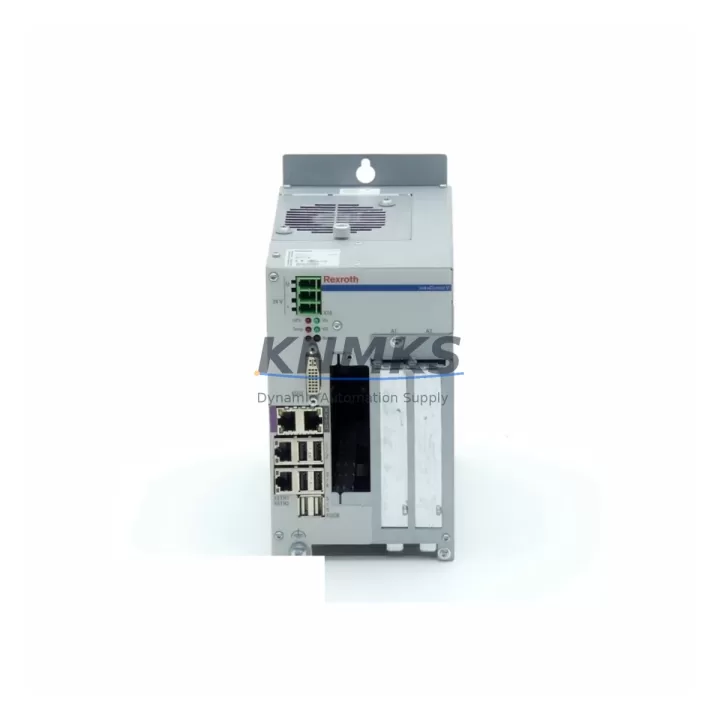
Overview
Bosch Rexroth VPB40 Migration-Ready CPU for Legacy Control Systems
The Bosch Rexroth VPB40 is a migration-ready central processing unit engineered for direct replacement of end-of-life and discontinued CPUs within the IndraControl V platform. As legacy Bosch Rexroth IndraControl V systems approach obsolescence, plant engineers and automation integrators face mounting pressure to sustain production continuity without committing to full-line PLC replacements. The VPB40 addresses this challenge by delivering a hardware-compatible, firmware-matched, and protocol-aligned CPU module that slots into existing IndraControl V racks with minimal re-engineering effort.
Designed for industrial environments where downtime is measured in production loss, the VPB40 supports the SERCOS III and PROFIBUS DP communication protocols natively, preserving existing fieldbus architectures and eliminating the need for gateway adapters or protocol converters. Its backplane interface is electrically and mechanically compatible with the IndraControl V rack system, allowing engineers to retain existing I/O modules, power supply units, and terminal wiring during the upgrade cycle.
For facilities running legacy Rexroth VCP series HMI panels, the VPB40 maintains the same variable mapping and screen tag structure, reducing HMI reprogramming to configuration-level adjustments rather than full screen rebuilds. Program logic developed in IndraWorks DS can be migrated to the VPB40 with standard project import procedures, preserving ladder, structured text, and function block diagram routines without rewriting core control sequences.
Stock is maintained in Xiamen with rapid dispatch capability. Each unit undergoes pre-shipment functional testing covering CPU boot sequence, communication port handshake, backplane signal integrity, and firmware version verification. A support terms confirmed by quotation is included with every shipment, covering manufacturing defects and functional failures under normal operating conditions.
Migration Compatibility Table
| Parameter | Detail |
|---|---|
| SKU | VPB40 |
| Brand / Series | Bosch Rexroth / IndraControl V |
| Replaces | Discontinued IndraControl V CPU variants (VPB20, VPB30 series) |
| Backplane Interface | IndraControl V rack-compatible (direct slot-in) |
| Communication Protocols | SERCOS III, PROFIBUS DP |
| Programming Environment | IndraWorks DS (project import supported) |
| HMI Compatibility | Rexroth VCP series (tag mapping retained) |
| Power Supply Compatibility | Existing IndraControl V PSU modules (no replacement required) |
| Firmware | Verify target firmware version prior to installation; update via IndraWorks |
| Installation Space | Standard IndraControl V single-slot form factor |
| Commissioning | Address assignment via rotary switch; verify I/O module addressing post-swap |
| Origin | Germany |
| Support terms | 12 Months — manufacturing defects and functional failures |
| Pre-Shipment Test | Boot sequence, comms handshake, backplane integrity, firmware check |
Retrofit Planning for Existing Automation Systems
A successful VPB40 retrofit begins with a structured audit of the existing control cabinet. Engineers should document the current CPU slot position within the IndraControl V rack, confirm available backplane slots for any supplementary I/O expansion modules, and photograph all terminal wiring before disconnection. Where the legacy system includes a Rexroth CML65 or CML75 motion logic module sharing the same rack, the VPB40 retrofit can proceed without disturbing the motion axis configuration, provided the SERCOS III ring topology remains intact.
Power budget verification is a critical pre-installation step. The IndraControl V power supply module — typically a PSB series unit — must be confirmed to supply sufficient current for the VPB40 alongside any co-installed digital input/output modules such as the RAC series I/O expansion cards. If the existing PSB module is operating near capacity, a parallel power supply or load redistribution across the rack may be required before the CPU swap.
For systems that include a Rexroth BTA series programming cable or USB-to-MPI adapter for legacy communication, engineers should verify that the VPB40’s onboard Ethernet port supports direct IndraWorks DS connectivity, which in most retrofit scenarios eliminates the need for dedicated programming cables entirely. This simplifies the commissioning workstation setup and reduces the risk of communication errors during the initial program download.
Where the control system interfaces with third-party SCADA or DCS platforms via PROFIBUS DP, the VPB40’s DP slave address must be configured to match the address previously assigned to the replaced CPU. This is typically set via the module’s rotary address switch and confirmed in the PROFIBUS master configuration tool before the system is brought back online. Signal isolators installed between the VPB40’s I/O terminals and field instruments should be verified for compatibility with the module’s input voltage range and signal type to avoid nuisance trips during the first power-up sequence.
Downtime Control During System Migration
Minimizing unplanned downtime during a VPB40 installation requires a structured pre-migration checklist executed before the maintenance window begins. The existing CPU program should be backed up to the IndraWorks DS project archive and stored on an offline engineering workstation. All current I/O force tables, retain variable values, and communication node configurations should be exported and documented prior to the physical swap.
During the physical replacement, the IndraControl V rack should be powered down in the correct sequence: first disabling field outputs, then halting the CPU, then removing rack power. The VPB40 is inserted into the vacated CPU slot, and the rack is powered up in reverse order. The CPU will initialize and attempt to load the resident program from its onboard flash memory. If the program was not pre-loaded, the IndraWorks DS download procedure should be executed immediately after the CPU reaches the STOP state.
After the program download, I/O module addressing should be verified against the original rack configuration. Any discrepancies in module slot assignments will generate diagnostic alarms that must be cleared before the system transitions to RUN mode. HMI tag connections to the VPB40 should be tested in simulation mode before live field signals are re-enabled, ensuring that operator screens reflect accurate process values and that no legacy variable references remain unmapped. A controlled, phased restart — bringing up non-critical I/O zones first — reduces the risk of cascading faults during the initial commissioning run and allows the maintenance team to isolate any wiring or addressing issues before full production load is applied.
Retrofit Support FAQ
Q: Is the VPB40 a direct drop-in replacement for earlier IndraControl V CPU modules?
A: Yes. The VPB40 is mechanically and electrically compatible with the IndraControl V rack backplane. It occupies the same single-slot form factor as predecessor CPU variants and does not require rack modification or additional adapter hardware for installation.
Q: Can existing IndraWorks DS programs be loaded onto the VPB40 without modification?
A: In most cases, yes. Programs developed for compatible IndraControl V CPUs can be imported into the VPB40 project environment via the standard IndraWorks DS project migration procedure. Engineers should verify that all function block library versions referenced in the original project are available in the target firmware release installed on the VPB40.
Q: What pre-shipment testing is performed on each VPB40 unit?
A: Every VPB40 undergoes a functional test sequence covering CPU boot and self-diagnostic completion, SERCOS III and PROFIBUS DP port handshake verification, backplane signal integrity check, and firmware version confirmation. A test report is available upon request.
Q: What does the support terms confirmed by quotation cover, and what is the stock availability?
A: The support terms confirmed by quotation cover manufacturing defects and functional failures under normal industrial operating conditions. Units are stocked in Xiamen and available for immediate dispatch. Lead time for standard orders is typically 3–5 business days to major international destinations. Contact admin@knmks.com or +86 18359268345 for volume pricing and availability confirmation.
© 2026 KNMKS. All rights reserved. | Original Source: https://knmks.com | Contact: admin@knmks.com | +86 18359268345
Product Identification
- Brand / Ecosystem
-
Bosch Rexroth
Assorted Brands - Model / Series
-
VPB40
Legacy Control Series - Product Family
- PLCs & Controllers
- Availability Status
- Available on request after model and quantity confirmation
- Inquiry Type
- B2B RFQ, replacement inquiry and project spare-part request
- Pre-Quote Check
- Exact SKU, brand, series, quantity, nameplate photos and destination country are checked before quotation
System Path
Where this product fits in the KNMKS automation structure.
Specification & Inquiry Focus
- Control platform
- PLC, PAC and modular controllers
- Common needs
- CPU, rack, power and I/O expansion
- Project support
- Replacement, cabinet build and maintenance
Buyer Confirmation
Information KNMKS checks before replying.
- Exact model
- VPB40
- Brand / ecosystem
- Bosch Rexroth
- Product family
- PLCs & Controllers
- Application note
- Replacement, maintenance, project build or spare-part list
- Useful photos
- Nameplate, installed unit, cabinet layout or connector side
- Delivery details
- Quantity, destination country and target schedule
Document Support
Files and notes can be confirmed during quotation.
- Product photos or nameplate confirmation when available
- Packing and delivery notes before quotation confirmation
- Support scope and delivery terms confirmed per inquiry
- Export document coordination for qualified B2B requests
Inquiry Support
- Model cross-checking before quotation
- CPU, power, rack and expansion module matching
- Support for replacement and project inquiry
What to Send Us
- Brand and exact model number: Bosch Rexroth VPB40
- Quantity and required delivery time
- Application, replacement requirement or nameplate photo
- Destination country and shipping preference
RFQ Preparation
This is a product inquiry page built for RFQ communication.
Fast Model Check
Send this model to KNMKS for confirmation.
Include quantity, destination country and photos if this is a maintenance replacement. The inquiry will be saved with a reference number after submission.
Brand & Compatibility Note
KNMKS displays automation product information for well-known industrial brand ecosystems and compatible replacement references. Brand names are used for product identification and compatibility reference only; final availability and commercial terms are confirmed per quotation.
 Manufacturing
 Machine Tools
 Packaging
 Energy & Power
 HMI & Displays
 Servo Systems
 Variable Frequency Drives
 Sensors