
Overview
Bently Nevada 330103-00-05-10-02-00 Proximity Probe Upgrade: Legacy System Migration and Compatible Replacement
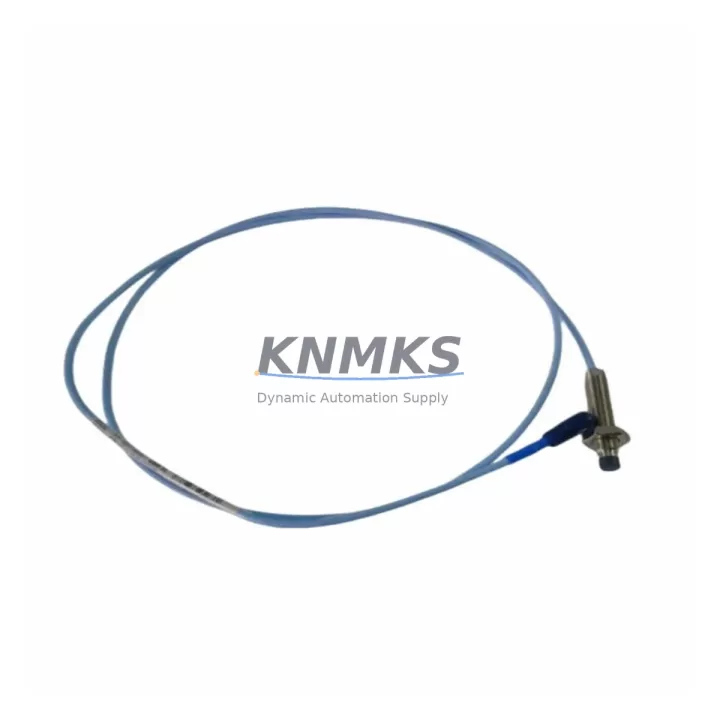
The Bently Nevada 330103-00-05-10-02-00 is an 8mm proximity probe engineered for the 3300 XL Series continuous machinery monitoring platform. As original equipment reaches end-of-life and OEM support windows close, maintenance engineers and reliability teams face increasing pressure to source verified replacement probes that maintain signal integrity, dimensional compatibility, and system certification without triggering a full platform overhaul. This unit is a direct retrofit candidate for installations where the original 330103 series probe has been discontinued, damaged, or flagged during a scheduled outage inspection.
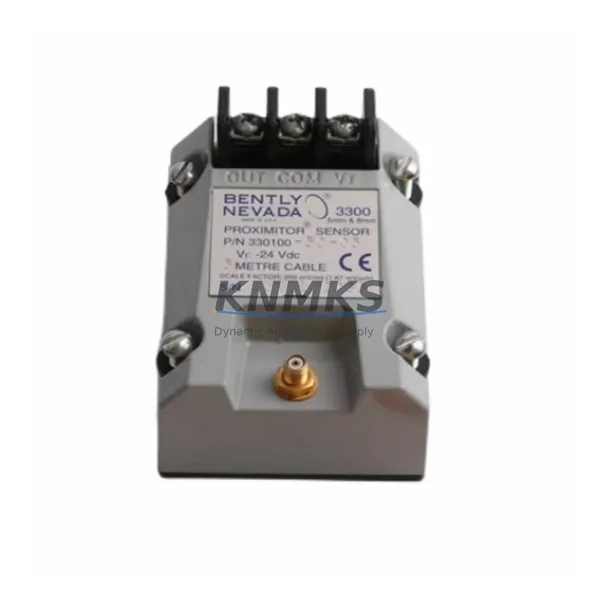
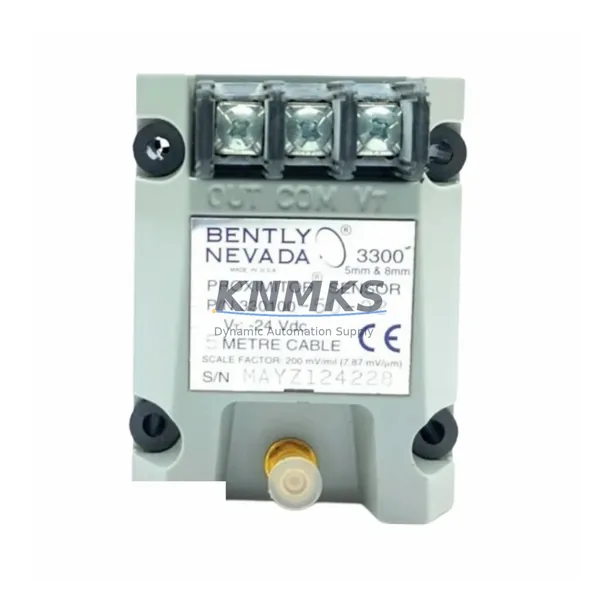
The 330103-00-05-10-02-00 variant specifies a 5-metre extension cable, 10mm tip-to-target range, standard 2-metre probe body, and a 0° connector orientation — parameters that must be confirmed against the existing installation before dispatch. When replacing a probe in a live 3300 XL rack, engineers should cross-reference the proximitor module type (typically a 3300 XL 8mm Proximitor Sensor, part number 330180 series) to ensure the driver electronics remain within the calibrated gap voltage window. Mismatched probe-driver combinations are the leading cause of false vibration alarms during post-replacement commissioning.
Before ordering, confirm the following against your existing installation records: power supply voltage at the proximitor terminal (typically −24 VDC), coaxial cable impedance and total cable length including any field-installed extensions, target material (steel or non-ferrous), and the gap voltage set point documented in the original calibration sheet. If the original calibration sheet is unavailable, a field gap calibration using a Bently Nevada 3300 XL Calibrator or equivalent millivolt meter is required before returning the machine to service.
Migration Compatibility Table
| Parameter | 330103-00-05-10-02-00 (This Unit) | Retrofit / Migration Notes |
|---|---|---|
| Probe Diameter | 8 mm | Confirm existing probe bore and mounting thread (M10 × 1.0 typical) |
| Extension Cable Length | 5 metres | Total system cable must match proximitor calibration range; do not splice |
| Linear Range | 10 mm (0.4 in) | Set initial gap to midpoint (~1.0 mm); verify gap voltage −10 to −18 VDC |
| Connector Orientation | 0° (straight) | Confirm conduit routing allows straight-exit connector; 90° variant available if required |
| Compatible Proximitor | 330180 Series (3300 XL 8mm) | Do not mix with 7200 Series or 3500 Series drivers without recalibration |
| Communication Protocol | Analogue (−24 VDC, mV/mil output) | Signal feeds directly to 3300 XL monitor rack; no protocol conversion required |
| Installation Space | Standard M10 probe boss | Verify clearance for 5 m cable routing to junction box or proximitor housing |
| Firmware Dependency | None (passive analogue sensor) | No firmware update required; monitor rack firmware version does not affect probe operation |
| Replacement Recommendation | Direct drop-in for 330103-00-05-10-02-00 | Functional equivalent; re-gap and re-calibrate after installation |
| Support terms | support terms confirmed by quotation | Covers manufacturing defects; pre-shipment electrical and dimensional inspection included |
Retrofit Planning for Existing Automation Systems
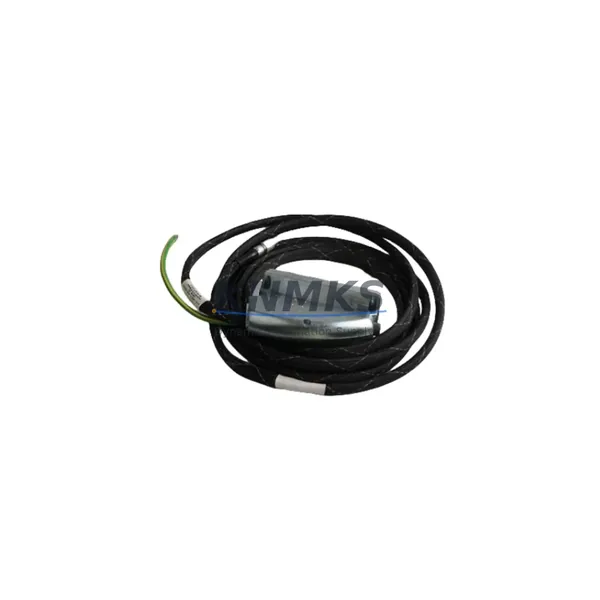
A successful 330103-00-05-10-02-00 retrofit begins well before the maintenance window opens. Start by auditing the full probe-cable-proximitor chain. In a typical 3300 XL installation, the probe connects via a coaxial extension cable (such as the 330130 series armoured extension) to a 330180 Proximitor Sensor mounted in a field housing or directly on the monitor rack. The Proximitor output feeds into a 3300 XL monitor module — commonly a 3300/16 Dual Voting or 3300/20 Radial Vibration Monitor — which in turn occupies a slot in the 3300 XL rack backplane. Each of these components must be verified as functional before the probe swap is attributed as the root cause of any alarm condition.
If the installation also includes a 3300 XL Keyphasor module (part number 3300/25 or similar), confirm that the Keyphasor probe and its dedicated extension cable are undamaged and correctly gapped, as Keyphasor signal loss will suppress vibration vector data even after a successful radial probe replacement. Similarly, if the rack communicates upstream via a 3300 XL Communication Gateway or a Modbus/TCP interface card, verify that the gateway configuration file still maps the correct channel addresses after any slot reassignment caused by module removal during the retrofit.
For installations where the 3300 XL rack is being partially decommissioned in favour of a 3500 Series platform, note that the 330103 series 8mm probes are not directly interchangeable with 3500 Series proximitor drivers without a full recalibration and driver replacement. In mixed-platform environments, maintain a clear physical and logical separation between 3300 XL and 3500 Series probe loops to prevent cross-channel interference. A 3500/42M Proximitor/Seismic Monitor paired with a 330103 probe body is not a supported configuration and will produce out-of-range gap voltages.
Where I/O expansion is part of the upgrade scope, confirm that any additional 3300 XL I/O modules added to the rack do not exceed the rack’s power budget. The 3300 XL Power Supply module (typically 3300/05 or 3300/10) has a defined maximum load current; adding proximity probe channels without verifying available headroom can cause intermittent power faults that mimic probe failures. Document the pre-retrofit power budget and post-retrofit load calculation as part of the commissioning record.
Downtime Control During System Migration
Minimising unplanned downtime during a proximity probe replacement on a running 3300 XL system requires a structured approach to bypass, isolation, and restoration. Where the monitor rack supports channel bypass (inhibit) mode, activate the bypass on the affected channel before disconnecting the probe. This prevents the monitor from generating a danger alarm or initiating a machine trip during the physical swap. Document the bypass activation time in the maintenance log and set a hard time limit for the work scope to avoid extended unmonitored operation.
Preserve the original program logic in the 3300 XL monitor by exporting the current configuration using Bently Nevada System 1 software or the rack’s front-panel configuration port before beginning work. This configuration backup captures alarm setpoints, full-scale ranges, gap voltage limits, and channel assignments. If the replacement probe requires a gap adjustment that shifts the operating point outside the original alarm window, update the configuration file in the backup copy first, review it with the process engineer, and load it only after the new probe is installed and gapped — never modify live alarm setpoints during an active bypass.
After installation, perform a staged restoration: remove the bypass, observe the gap voltage on the monitor front panel or System 1 display, confirm it falls within the −10 to −18 VDC window, then verify that the vibration reading at known low-speed conditions matches historical baseline data. Only after these checks pass should the machine be returned to full operating speed. Record the final gap voltage, probe serial number, installation date, and technician name in the equipment history file to support future support requests and audit readiness.
Retrofit Support FAQ
Q1: Is the 330103-00-05-10-02-00 a direct replacement for my existing 330103 series probe?
Yes, provided the variant suffix matches your installation requirements (cable length, linear range, connector orientation). The -00-05-10-02-00 suffix specifies a 5 m extension, 10 mm range, and 0° connector. If your existing probe has a different suffix, confirm each parameter before ordering. Functional operation with the 330180 Proximitor and 3300 XL monitor is maintained across all standard 330103 variants.
Q2: What commissioning steps are required after installation?
After mechanical installation, set the probe gap to the midpoint of the linear range (approximately 1.0 mm for a 10 mm range probe). Measure the gap voltage at the proximitor output terminals using a calibrated millivolt meter. The nominal gap voltage should fall between −10 VDC and −18 VDC. Adjust the probe position until the gap voltage reaches the value specified in the original calibration record. Confirm alarm setpoints are active, remove the channel bypass, and log the final gap voltage and probe serial number.
Q3: How do I verify compatibility with my existing 3300 XL rack before the probe arrives?
Check the proximitor model number on the field housing label — it should be a 330180 series unit for 8mm probe compatibility. Confirm the total coaxial cable length (probe body + extension) matches the proximitor’s calibrated cable length specification. Review the rack’s power budget to ensure the channel is not already at the supply limit. If the rack has been modified since original commissioning, request an updated single-line diagram from the site electrical team before proceeding.
Q4: What does the support terms confirmed by quotation cover, and what pre-shipment testing is performed?
Every 330103-00-05-10-02-00 unit undergoes pre-shipment electrical inspection covering coil impedance, insulation resistance, and connector continuity. Dimensional checks confirm probe tip geometry and thread specification. The support terms confirmed by quotation cover manufacturing defects in materials and workmanship from the date of shipment. It does not cover damage resulting from incorrect installation, gap setting outside the specified linear range, or operation with incompatible proximitor drivers. Support requests are supported with the original order reference and installation date.
© 2026 KNMKS. All rights reserved.
Original Source: https://knmks.com
Contact: admin@knmks.com | +86 18359268345
Product Identification
- Brand / Ecosystem
-
Bently Nevada
Bently Nevada - Model / Series
-
330103-00-05-10-02-00
Bently Nevada 3300 XL / 3301 Series - Product Family
- Sensors
- Availability Status
- Available on request after model and quantity confirmation
- Inquiry Type
- B2B RFQ, replacement inquiry and project spare-part request
- Pre-Quote Check
- Exact SKU, brand, series, quantity, nameplate photos and destination country are checked before quotation
System Path
Where this product fits in the KNMKS automation structure.
Specification & Inquiry Focus
- Sensor range
- Photoelectric, proximity and process sensors
- Common needs
- Output type, distance and connector
- Project support
- Machine detection and replacement inquiry
Buyer Confirmation
Information KNMKS checks before replying.
- Exact model
- 330103-00-05-10-02-00
- Brand / ecosystem
- Bently Nevada
- Product family
- Sensors
- Application note
- Replacement, maintenance, project build or spare-part list
- Useful photos
- Nameplate, installed unit, cabinet layout or connector side
- Delivery details
- Quantity, destination country and target schedule
Document Support
Files and notes can be confirmed during quotation.
- Product photos or nameplate confirmation when available
- Packing and delivery notes before quotation confirmation
- Support scope and delivery terms confirmed per inquiry
- Export document coordination for qualified B2B requests
Inquiry Support
- NPN/PNP, analog and digital output checking
- Connector and cable compatibility review
- Fast inquiry support for maintenance teams
What to Send Us
- Brand and exact model number: Bently Nevada 330103-00-05-10-02-00
- Quantity and required delivery time
- Application, replacement requirement or nameplate photo
- Destination country and shipping preference
RFQ Preparation
This is a product inquiry page built for RFQ communication.
Fast Model Check
Send this model to KNMKS for confirmation.
Include quantity, destination country and photos if this is a maintenance replacement. The inquiry will be saved with a reference number after submission.
Brand & Compatibility Note
KNMKS displays automation product information for well-known industrial brand ecosystems and compatible replacement references. Brand names are used for product identification and compatibility reference only; final availability and commercial terms are confirmed per quotation.
 Manufacturing
 Machine Tools
 Packaging
 Energy & Power
 PLCs & Controllers
 HMI & Displays
 Servo Systems
 Variable Frequency Drives