
Overview
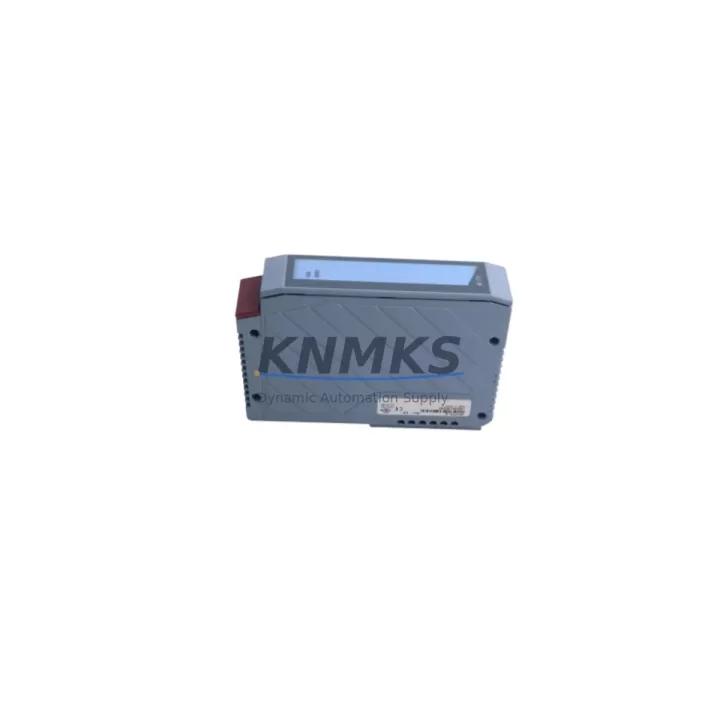
B&R 3AI775.6 Migration-Ready Analog Input for Legacy Control Systems
The B&R 3AI775.6 is a 6-channel, 16-bit analog input module engineered for the X20 modular I/O platform. As legacy B&R X20 systems approach end-of-life and OEM support windows close, the 3AI775.6 has become a critical retrofit component for automation engineers tasked with extending the operational life of existing control architectures without full system replacement. Whether you are migrating from an older X20 configuration, consolidating I/O racks, or replacing a discontinued analog front-end, this module delivers the signal resolution and backplane compatibility required to maintain process continuity.
The 3AI775.6 accepts voltage and current signals across configurable input ranges, making it suitable for temperature transmitters, pressure transducers, flow meters, and position sensors commonly found in legacy process lines. Its 16-bit resolution ensures that existing PID loops, setpoint scaling, and alarm thresholds configured in the original Automation Studio project can be preserved without recalibration, significantly reducing commissioning time during a retrofit.
Before installation, engineers should verify the X20 backplane slot assignment and confirm that the module address matches the original hardware configuration in the Automation Studio project. Mismatched slot addressing is one of the most common causes of I/O mapping errors during a retrofit, and correcting it after program download adds unnecessary downtime. The 3AI775.6 uses the standard X20 bus connector, so no additional wiring adapters are required when replacing a same-generation analog input module on the same rack.
Power budget verification is equally important. The X20 power supply module — such as the X20PS9400 or X20PS9402 — must be confirmed to have sufficient headroom to support the 3AI775.6 alongside any newly added modules in the same segment. Exceeding the segment power limit will cause intermittent faults that are difficult to diagnose in the field. Always review the power consumption table in the X20 system user manual before finalizing the retrofit BOM.
For installations where the original field wiring uses terminal blocks with legacy pin assignments, the X20TB12 terminal block or equivalent should be inspected for compatibility. In some older installations, the terminal block pitch or locking mechanism may differ from current production variants, requiring a terminal block swap as part of the retrofit kit. This is a low-cost step that prevents signal integrity issues caused by loose or mismatched connections.
When the 3AI775.6 is used as part of a broader control cabinet upgrade — for example, alongside an X20CP1586 controller replacement or an X20BC0083 POWERLINK communication module migration — the firmware version of the X20 CPU must be checked against the module’s supported firmware range. Running a newer I/O module on an older CPU firmware version can result in unrecognized module errors at startup. Updating the CPU firmware before installing new I/O modules is standard practice and should be included in the retrofit procedure checklist.
HMI screen updates are often overlooked during analog input module replacements. If the original HMI — whether a B&R Power Panel or a third-party SCADA system — references specific I/O tags mapped to the replaced module, those tag bindings must be verified after the retrofit. In most cases, if the module address and channel assignment are preserved, the HMI will continue to function without modification. However, if the retrofit involves a rack reorganization or slot reassignment, HMI tag remapping will be required before the system can be returned to production.
Communication link integrity should also be confirmed after installation. In X20 systems using POWERLINK or Modbus TCP as the fieldbus, the network topology and node addressing must remain consistent with the pre-retrofit configuration. Adding or removing modules in a POWERLINK segment changes the cycle time calculation, which may require adjustment in the Automation Studio network configuration to maintain deterministic communication performance.
All 3AI775.6 units supplied by KNMKS are pre-shipment tested under simulated load conditions to verify channel-by-channel signal accuracy, backplane communication integrity, and power consumption within specification. Units are dispatched with a support terms confirmed by quotation covering manufacturing defects and functional failures under normal operating conditions. Stock is maintained across multiple regional warehouses to support urgent retrofit and breakdown replacement requirements with short lead times.
Migration Compatibility Table
| Parameter | Detail |
|---|---|
| SKU | 3AI775.6 |
| Brand / Series | B&R / X20 |
| Module Type | Analog Input, 6-Channel, 16-Bit |
| Backplane Interface | X20 standard bus connector (compatible with X20 rack and X20 power supply segments) |
| Input Signal Types | Voltage / Current (configurable per channel) |
| Replacement Compatibility | Direct replacement for same-generation X20 analog input modules with matching slot address |
| Communication Protocol | X20 internal bus; compatible with POWERLINK and Modbus TCP via X20 CPU |
| Firmware Requirement | Verify X20 CPU firmware version supports 3AI775.6 module revision before installation |
| Terminal Block | X20TB12 or equivalent; verify pitch and locking mechanism against existing field wiring |
| Power Consumption | Confirm X20PS9400 / X20PS9402 segment headroom before adding to existing rack |
| Installation Space | Standard X20 module width; no additional DIN rail space required vs. same-generation predecessor |
| Support terms | 12 Months — covers manufacturing defects and functional failures under normal operating conditions |
| Pre-Shipment Test | Channel-by-channel signal accuracy, backplane communication, and power consumption verified |
| Origin | Germany |
Retrofit Planning for Existing Automation Systems
A successful retrofit using the 3AI775.6 typically involves coordinating several interdependent components within the same X20 control cabinet. The X20 backplane or rack must be inspected to confirm that the slot designated for the analog input module is mechanically sound and that the bus connector pins are free of corrosion or damage — a common issue in installations that have been in service for more than a decade.
The X20 power supply module must be sized correctly for the updated I/O configuration. If the retrofit also includes adding an X20DI9371 digital input module or an X20DO9322 digital output module to expand I/O capacity, the cumulative power draw of all modules in the segment must be recalculated. Exceeding the rated output of the X20PS9400 will cause the segment to fault, and in some cases, the fault will not be immediately obvious from the HMI alarm list.
For systems where the retrofit scope includes a communication protocol migration — for example, moving from a legacy serial Modbus RTU link to POWERLINK — the X20BC0083 POWERLINK communication module may need to be added to the rack alongside the 3AI775.6. In this scenario, the Automation Studio project must be updated to reflect the new network topology before the program is downloaded to the X20 CPU.
If the control system includes a B&R Power Panel HMI connected to the X20 CPU via the integrated display interface, the HMI project should be backed up before the retrofit begins. Any changes to I/O tag addresses resulting from slot reassignment must be reflected in the HMI project and re-downloaded to the panel before the system is returned to automatic mode.
For installations where signal isolation is required between the field instruments and the X20 analog input channels — particularly in environments with high electrical noise or long cable runs — a signal isolator or signal conditioner should be installed between the field transmitter and the 3AI775.6 input terminals. This is especially relevant when replacing older modules that had built-in galvanic isolation, as the retrofit module’s isolation specification must be verified against the application requirement.
Programming cable access should be confirmed before the retrofit window begins. The X20 CPU programming port — typically a USB or Ethernet interface depending on the CPU variant — must be accessible without removing other cabinet components. Having the Automation Studio project file, the correct runtime version, and a verified backup of the original program on the engineering laptop before the maintenance window starts is non-negotiable for minimizing downtime.
Downtime Control During System Migration
Downtime control during an analog input module retrofit begins with preparation, not execution. The single most effective way to reduce unplanned downtime is to complete all pre-retrofit verification steps — slot addressing, power budget, firmware version, terminal block compatibility, and program backup — before the maintenance window opens. Any one of these items, if discovered during the retrofit, can extend the outage by hours.
The original Automation Studio project should be compiled and verified on the engineering workstation before the retrofit begins. If the project requires modification to accommodate the 3AI775.6 — for example, updating the hardware configuration to reflect the new module revision — the modified project should be compiled, simulated where possible, and saved with a version label that distinguishes it from the pre-retrofit baseline. This ensures that if the retrofit encounters an unexpected issue, the original program can be restored quickly.
During the physical swap, the field wiring connected to the original analog input module should be documented with photographs or a wiring diagram before disconnection. Terminal labels in older installations are sometimes worn or missing, and relying on memory or incomplete documentation during a live retrofit is a significant risk. Labeling each wire before removal takes minutes and can prevent hours of troubleshooting.
After the 3AI775.6 is installed and the program is downloaded, a channel-by-channel signal verification should be performed before the system is returned to automatic mode. This involves confirming that each analog input channel reads the expected engineering unit value from the connected field instrument. Any channel that reads zero, out-of-range, or inverted should be investigated before production resumes. KNMKS pre-shipment testing reduces the probability of a module-level fault, but field wiring issues and address mismatches must still be verified on-site.
Maintaining control continuity during the retrofit — for example, by switching affected control loops to manual mode at the DCS or SCADA level before the module is removed — prevents process upsets caused by loss of analog feedback. Returning loops to automatic mode only after signal verification is complete is standard practice for minimizing retrofit risk.
Retrofit Support FAQ
Q: Is the B&R 3AI775.6 a direct drop-in replacement for my existing X20 analog input module?
A: In most cases, yes — provided the replacement module occupies the same backplane slot and the module address in the Automation Studio hardware configuration matches. If the original module is a different channel count or resolution variant, the program may require minor updates to the I/O mapping before download. Contact our technical team with your original module part number for a compatibility confirmation before ordering.
Q: What pre-shipment testing is performed on the 3AI775.6 before dispatch?
A: Each unit undergoes channel-by-channel signal accuracy verification, backplane communication integrity testing, and power consumption measurement under simulated load. Units that do not meet specification are quarantined and not dispatched. A test record is available on request.
Q: What is the support terms coverage and what does it include?
A: All 3AI775.6 units supplied by KNMKS carry a support terms confirmed by quotation from the date of dispatch. The support terms covers manufacturing defects and functional failures under normal operating conditions. It does not cover damage resulting from incorrect installation, overvoltage, or physical impact. Support requests are processed within 5 business days of receipt of the returned unit.
Q: What is the typical lead time and do you maintain stock?
A: KNMKS maintains forward stock of the 3AI775.6 across multiple regional warehouses to support urgent retrofit and breakdown replacement requirements. Standard orders are dispatched within 1–3 business days. For large-quantity or scheduled maintenance orders, contact admin@knmks.com to confirm availability and arrange a supply agreement.
© 2026 KNMKS. All rights reserved.
Original Source: https://knmks.com
Contact: admin@knmks.com | +86 18359268345
Product Identification
- Brand / Ecosystem
-
B&R
Assorted Brands - Model / Series
-
3AI775.6
Legacy Series - Product Family
- PLCs & Controllers
- Availability Status
- Available on request after model and quantity confirmation
- Inquiry Type
- B2B RFQ, replacement inquiry and project spare-part request
- Pre-Quote Check
- Exact SKU, brand, series, quantity, nameplate photos and destination country are checked before quotation
System Path
Where this product fits in the KNMKS automation structure.
Specification & Inquiry Focus
- Control platform
- PLC, PAC and modular controllers
- Common needs
- CPU, rack, power and I/O expansion
- Project support
- Replacement, cabinet build and maintenance
Buyer Confirmation
Information KNMKS checks before replying.
- Exact model
- 3AI775.6
- Brand / ecosystem
- B&R
- Product family
- PLCs & Controllers
- Application note
- Replacement, maintenance, project build or spare-part list
- Useful photos
- Nameplate, installed unit, cabinet layout or connector side
- Delivery details
- Quantity, destination country and target schedule
Document Support
Files and notes can be confirmed during quotation.
- Product photos or nameplate confirmation when available
- Packing and delivery notes before quotation confirmation
- Support scope and delivery terms confirmed per inquiry
- Export document coordination for qualified B2B requests
Inquiry Support
- Model cross-checking before quotation
- CPU, power, rack and expansion module matching
- Support for replacement and project inquiry
What to Send Us
- Brand and exact model number: B&R 3AI775.6
- Quantity and required delivery time
- Application, replacement requirement or nameplate photo
- Destination country and shipping preference
RFQ Preparation
This is a product inquiry page built for RFQ communication.
Fast Model Check
Send this model to KNMKS for confirmation.
Include quantity, destination country and photos if this is a maintenance replacement. The inquiry will be saved with a reference number after submission.
Brand & Compatibility Note
KNMKS displays automation product information for well-known industrial brand ecosystems and compatible replacement references. Brand names are used for product identification and compatibility reference only; final availability and commercial terms are confirmed per quotation.
 Manufacturing
 Machine Tools
 Packaging
 Energy & Power



 HMI & Displays
 Servo Systems
 Variable Frequency Drives
 Sensors