
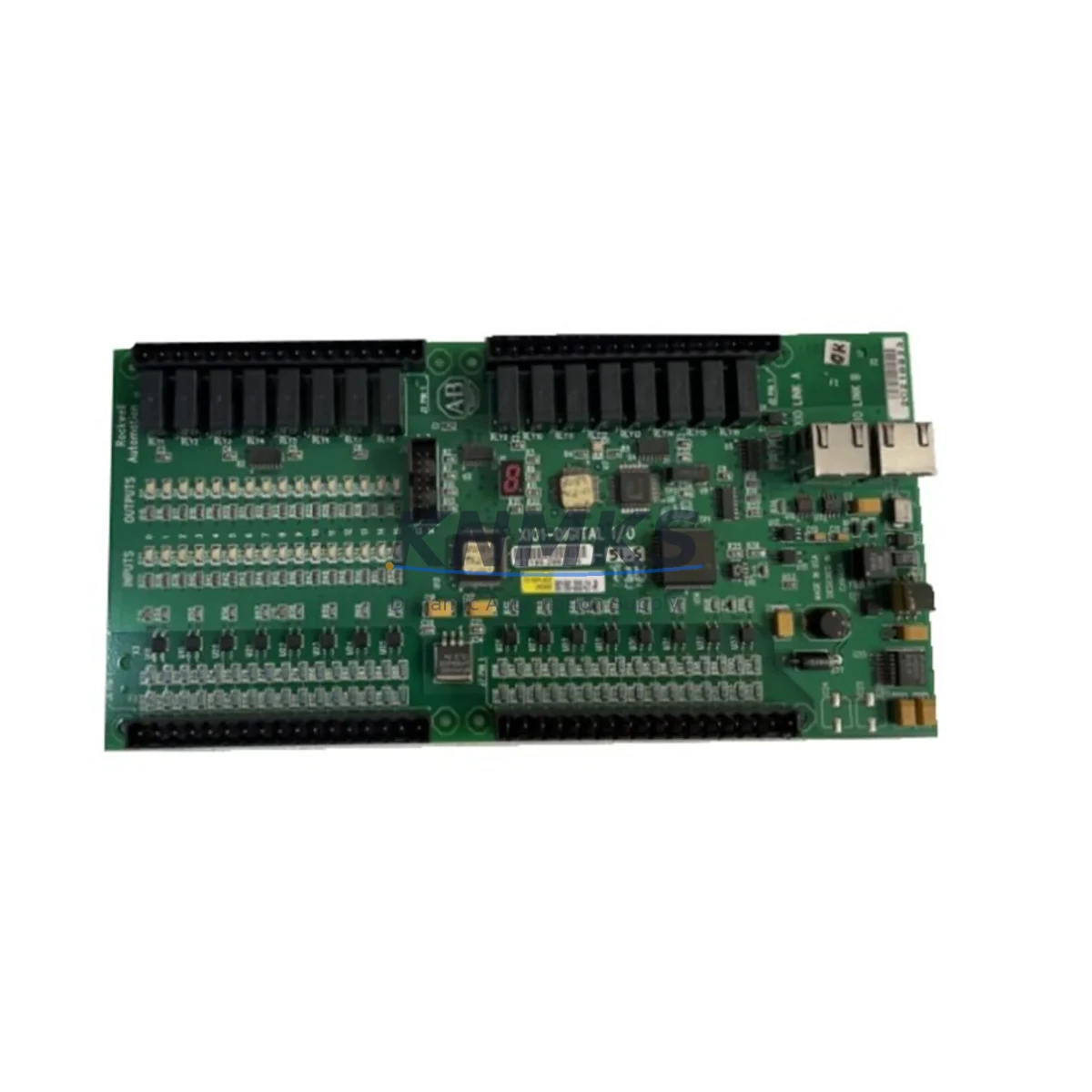
Overview
Allen-Bradley 80190-300-01-R Migration-Ready XIO Board: Legacy System Retrofit & Control Upgrade
The Allen-Bradley 80190-300-01-R XIO Board Assembly is a migration-ready I/O interface module designed for engineers and maintenance teams executing legacy control system retrofits, discontinued spare part replacements, and control cabinet modernization projects. As Rockwell Automation continues to phase out older ControlLogix and FlexLogix platform components, the 80190-300-01-R remains a critical replacement module for facilities that cannot yet commit to a full platform migration. This module supports direct backplane integration within compatible chassis configurations, preserving existing program logic, I/O addressing, and HMI screen mappings without requiring a full re-engineering cycle.
Whether you are replacing a failed board in an active production line, sourcing a verified spare to extend system life, or preparing a staged upgrade path toward a newer Logix platform, the 80190-300-01-R provides a reliable, tested solution. Each unit shipped from our inventory undergoes functional verification and is backed by a support terms confirmed by quotation, giving procurement and maintenance teams confidence in both quality and supply continuity.
Migration Compatibility Table
| Parameter | Details |
|---|---|
| SKU / Part Number | 80190-300-01-R |
| Brand / Manufacturer | Allen-Bradley (Rockwell Automation) |
| Module Type | XIO Board Assembly — PLC I/O Interface |
| Compatible Platforms | ControlLogix, FlexLogix legacy chassis configurations |
| Backplane Interface | Standard Rockwell backplane connector; verify chassis slot pitch before installation |
| Terminal / Wiring | Confirm field wiring terminal block type and torque spec against original drawing |
| Communication Protocol | ControlNet / EtherNet/IP — confirm active network path in RSLogix 5000 or Studio 5000 |
| Firmware Compatibility | Verify controller firmware revision before module insertion; update if required |
| Module Addressing | Re-confirm slot address and I/O tree mapping in existing PLC program after swap |
| Installation Space | Standard 1756 / 1794 form factor; confirm physical slot availability in control cabinet |
| Replacement Recommendation | Direct replacement for failed or end-of-life 80190-300-01-R units; no program rewrite required in most cases |
| Commissioning Notes | Power down chassis before installation; restore power and verify I/O status in controller diagnostics |
| Support terms | support terms confirmed by quotation — functional test included prior to shipment |
Retrofit Planning for Existing Automation Systems
Successful integration of the 80190-300-01-R into an existing control architecture requires a structured pre-installation review. Before removing the failed module, document the current I/O configuration, slot assignment, and any custom tag names defined in the RSLogix 5000 or Studio 5000 project file. If the control cabinet houses a 1756-L series ControlLogix controller alongside a 1756-PA72 or 1756-PB72 power supply module, confirm that the chassis power budget accommodates the replacement board without exceeding rated capacity — particularly in high-density I/O racks where multiple analog and digital modules share a single backplane.
For systems using a 1756-EN2T EtherNet/IP communication module or a 1756-CNB ControlNet bridge module, verify that the network topology and module path remain intact after the swap. In multi-rack configurations connected via 1756-RM redundancy modules, the replacement procedure must account for primary and secondary chassis synchronization to avoid unplanned failover events during commissioning.
If the retrofit involves migrating from an older SLC 500 or PLC-5 platform to a ControlLogix environment, the 80190-300-01-R may serve as an interim I/O interface while the broader migration is staged across multiple shutdowns. In such cases, a 1747-L553 SLC 5/05 controller or a 1771-OBD digital output module from the legacy rack may remain active in parallel until full cutover is confirmed. Signal isolators and terminal block adapters are commonly required to bridge legacy field wiring to the new backplane without re-pulling cables — a critical cost and time consideration in brownfield retrofit projects.
HMI screen updates should be planned in parallel with the hardware swap. If the facility uses a PanelView Plus 7 or a legacy PanelView 1000 terminal, tag remapping and screen validation must be completed before returning the system to automatic mode. Programming cables such as the 1756-USB or 1747-UIC are typically required for on-site firmware verification and program download during commissioning.
Downtime Control During System Migration
Minimizing unplanned downtime is the primary operational concern when replacing a critical I/O board in an active production environment. The 80190-300-01-R is designed as a direct replacement, which means — in most configurations — the existing PLC program, I/O tag database, and HMI screen logic do not require modification. This significantly reduces the engineering hours required per replacement event and allows maintenance teams to execute the swap within a planned maintenance window rather than an emergency shutdown.
To further protect program integrity, always export and archive the current controller project file before beginning any hardware change. Use the controller’s inhibit function in Studio 5000 to temporarily disable the affected module slot, allowing the rest of the I/O tree to remain active during the physical swap where process conditions permit. After re-enabling the slot, monitor the module status indicators and controller fault log for any configuration mismatch errors before releasing the line to production.
For facilities with strict change management requirements, a pre-tested spare — verified against the same firmware revision as the installed base — eliminates the risk of compatibility surprises during a live cutover. Our pre-shipment functional test process ensures each 80190-300-01-R unit is verified before dispatch, and the support terms confirmed by quotation provides ongoing coverage against latent defects discovered after installation.
Retrofit Support FAQ
Q1: Is the 80190-300-01-R a direct drop-in replacement for the original failed unit?
In most ControlLogix and FlexLogix chassis configurations, yes. The module occupies the same backplane slot, uses the same connector interface, and is recognized by the controller without requiring a program change. However, always verify the firmware revision of the host controller and confirm that the I/O configuration in Studio 5000 matches the replacement module’s specifications before powering up.
Q2: What commissioning steps are required after installation?
Power down the chassis before inserting the module. After restoring power, check the module status LED and review the controller’s I/O diagnostics in Studio 5000 or RSLogix 5000. Confirm all field I/O points are reporting correctly and that no inhibit or fault conditions are active. If the module was previously inhibited in software, re-enable it and verify normal operation before returning the system to automatic control.
Q3: How is wiring compatibility confirmed before installation?
Refer to the original panel drawings and the Allen-Bradley wiring diagram for the 80190-300-01-R. Confirm terminal block type, wire gauge rating, and torque specifications match the existing field wiring. In retrofit scenarios where legacy wiring uses different terminal formats, terminal block adapters or signal isolators may be required to ensure a clean, reliable connection without re-pulling field cables.
Q4: What does the support terms confirmed by quotation cover, and how is inventory availability confirmed?
The support terms confirmed by quotation cover functional defects identified under normal operating conditions from the date of shipment. Each unit is functionally tested prior to dispatch. For inventory availability and lead time confirmation, contact our sales team directly. We maintain stock of critical Allen-Bradley legacy modules to support urgent replacement and planned maintenance programs.
© 2026 KNMKS. All rights reserved.
Original Source: https://knmks.com
Contact: admin@knmks.com | +86 18359268345
Product Identification
- Brand / Ecosystem
-
Allen-Bradley
Allen-Bradley - Model / Series
-
80190-300-01-R
ControlLogix Series - Product Family
- PLCs & Controllers
- Availability Status
- Available on request after model and quantity confirmation
- Inquiry Type
- B2B RFQ, replacement inquiry and project spare-part request
- Pre-Quote Check
- Exact SKU, brand, series, quantity, nameplate photos and destination country are checked before quotation
System Path
Where this product fits in the KNMKS automation structure.
Specification & Inquiry Focus
- Control platform
- PLC, PAC and modular controllers
- Common needs
- CPU, rack, power and I/O expansion
- Project support
- Replacement, cabinet build and maintenance
Buyer Confirmation
Information KNMKS checks before replying.
- Exact model
- 80190-300-01-R
- Brand / ecosystem
- Allen-Bradley
- Product family
- PLCs & Controllers
- Application note
- Replacement, maintenance, project build or spare-part list
- Useful photos
- Nameplate, installed unit, cabinet layout or connector side
- Delivery details
- Quantity, destination country and target schedule
Document Support
Files and notes can be confirmed during quotation.
- Product photos or nameplate confirmation when available
- Packing and delivery notes before quotation confirmation
- Support scope and delivery terms confirmed per inquiry
- Export document coordination for qualified B2B requests
Inquiry Support
- Model cross-checking before quotation
- CPU, power, rack and expansion module matching
- Support for replacement and project inquiry
What to Send Us
- Brand and exact model number: Allen-Bradley 80190-300-01-R
- Quantity and required delivery time
- Application, replacement requirement or nameplate photo
- Destination country and shipping preference
RFQ Preparation
This is a product inquiry page built for RFQ communication.
Fast Model Check
Send this model to KNMKS for confirmation.
Include quantity, destination country and photos if this is a maintenance replacement. The inquiry will be saved with a reference number after submission.
Brand & Compatibility Note
KNMKS displays automation product information for well-known industrial brand ecosystems and compatible replacement references. Brand names are used for product identification and compatibility reference only; final availability and commercial terms are confirmed per quotation.
 Manufacturing
 Machine Tools
 Packaging
 Energy & Power



 HMI & Displays
 Servo Systems
 Variable Frequency Drives
 Sensors