
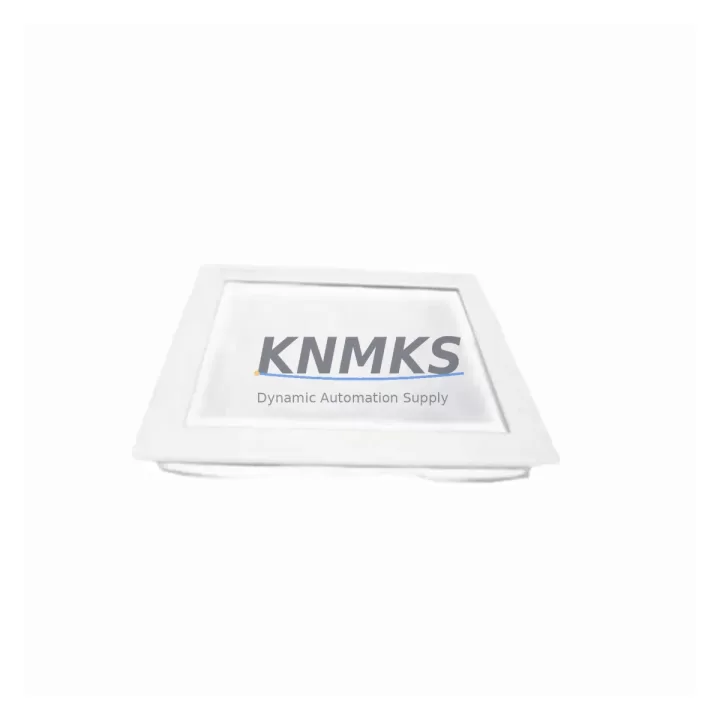
Overview
Allen-Bradley 6176M-19PT Migration-Ready Monitor for Legacy Control Systems
The Allen-Bradley 6176M-19PT is a 19-inch industrial flat-panel monitor engineered for direct integration into legacy 6176M Series control cabinet installations. Designed as a migration-ready replacement for end-of-life and discontinued HMI display hardware, this unit supports resistive touchscreen input and maintains the same panel cutout dimensions, mounting hole pattern, and video signal interface as the original 6176M Series monitors — enabling drop-in substitution without structural modification to existing control enclosures.
For maintenance engineers managing aging automation infrastructure, the 6176M-19PT addresses one of the most common failure points in legacy control systems: the industrial display. As original 6176M monitors reach end-of-life and OEM spare parts become increasingly scarce, the 6176M-19PT provides a verified compatible replacement that preserves operator interface continuity, protects existing HMI screen layouts, and eliminates the need for full panel redesign or PLC reprogramming.
This monitor is compatible with Allen-Bradley PanelView Plus 7 terminals, ControlLogix and CompactLogix controller platforms, and existing VGA or DVI signal sources commonly found in 6176M-based control cabinets. Before installation, engineers should confirm the video output resolution of the source controller or PC, verify the available panel depth and mounting clearance, and check that the existing signal cable length is sufficient for the replacement unit’s connector position.
Migration Compatibility Table
| Parameter | 6176M-19PT (This Unit) | Legacy 6176M Reference | Migration Notes |
|---|---|---|---|
| Display Size | 19″ TFT LCD | 19″ CRT / LCD | Same nominal size; verify panel cutout depth |
| Touch Technology | Resistive Touchscreen | Resistive Touchscreen | No driver change required on existing HMI software |
| Video Interface | VGA (DB-15) | VGA (DB-15) | Existing signal cable reusable; confirm pin-out |
| Power Supply | 24VDC / AC 100–240V | 24VDC | Verify cabinet power rail capacity before swap |
| Mounting | Panel-mount, VESA compatible | Panel-mount | Check existing cutout dimensions and gasket seal |
| Communication | USB (touch), VGA (video) | Serial / VGA | USB touch driver may require OS-level configuration |
| HMI Screen Compatibility | Full compatibility with PanelView Plus 7 layouts | PanelView Plus 6 / 7 | No screen redesign required for standard aspect ratio |
| Firmware Dependency | None (passive display) | None | No firmware update required on controller side |
| Replacement Recommendation | Direct drop-in for 6176M Series; confirm panel depth and power wiring before installation | ||
| Support terms | support terms confirmed by quotation — covers manufacturing defects and functional failure under normal operating conditions | ||
Retrofit Planning for Existing Automation Systems
Replacing a legacy industrial monitor in an active control cabinet requires a structured approach to avoid unplanned downtime and configuration errors. When integrating the 6176M-19PT into an existing 6176M-based system, the retrofit plan should begin with a full audit of the control cabinet layout — including available panel depth, existing cable routing, and the position of adjacent components such as the 1756-PA75 power supply module, 1756-A10 backplane chassis, and any installed 1756-EN2T EtherNet/IP communication modules.
Signal integrity is a key concern during display replacement. The existing VGA cable should be inspected for connector condition and shielding continuity. If the source is a ControlLogix-based PC workstation or a PanelView Plus 7 terminal, the video output resolution should be pre-confirmed at 1280×1024 or the native resolution of the 6176M-19PT to prevent display scaling artifacts after installation. Where the original system used a 1747-PIC or 1784-U2DHP programming cable for legacy SLC 500 or PLC-5 controller access, these communication links remain unaffected by the monitor swap and do not require reconfiguration.
For systems that include 1769-IQ16 or 1769-OB16 CompactLogix I/O modules connected to the same control network, the monitor replacement does not alter I/O addressing or program logic. However, if the HMI screen layout references specific tag addresses tied to the controller program, a pre-swap backup of the FactoryTalk View ME or SE project file is strongly recommended. This ensures that any accidental screen corruption or touch calibration reset during installation can be recovered without re-engineering the operator interface from scratch.
Where the control cabinet also houses a 1783-US5T Stratix unmanaged switch or similar EtherNet/IP network device, the network topology should be documented before the retrofit begins. Monitor replacement does not affect network configuration, but physical cable disturbance during panel work can inadvertently disconnect Ethernet links — a risk that should be mitigated by labeling all connectors before disassembly.
Downtime Control During System Migration
Minimizing production downtime during a display retrofit requires preparation that begins well before the physical swap. For the 6176M-19PT installation, the recommended approach is to pre-stage the replacement unit in a bench environment, connect it to a test signal source, and verify touch calibration and display output before bringing it to the production floor. This eliminates the most common source of extended downtime: discovering a configuration issue after the original monitor has already been removed.
On the day of the swap, the sequence should follow a controlled shutdown procedure: save and export the current HMI project, record all active I/O states, and confirm that the controller is in a safe hold state before disconnecting the display. The 6176M-19PT’s resistive touch interface requires a one-point or four-point calibration after installation, which can be completed in under five minutes using the monitor’s on-screen calibration utility — provided the touch driver is already installed on the host system.
For systems where continuous monitoring is operationally critical, a temporary bypass display can be connected via a VGA splitter to maintain operator visibility during the physical swap. Once the 6176M-19PT is mounted and connected, the original HMI project can be reloaded and the touch interface re-calibrated without any changes to the underlying PLC program or controller configuration. The entire swap process, when properly pre-staged, can typically be completed within a single planned maintenance window of two to four hours.
All units are pre-shipment tested for display uniformity, touch response, and power-on function before dispatch. Stock is maintained for immediate shipment, supporting urgent replacement scenarios where extended lead times are not acceptable.
Retrofit Support FAQ
Q: Is the 6176M-19PT a direct replacement for my existing 6176M Series monitor?
A: Yes. The 6176M-19PT is designed as a drop-in replacement for 6176M Series industrial monitors. It maintains the same panel cutout dimensions, VGA video interface, and resistive touch technology. Confirm panel depth and power wiring before installation to ensure a clean fit.
Q: Will I need to modify my FactoryTalk View HMI project after installing the 6176M-19PT?
A: In most cases, no. If your existing HMI project was designed for a 19-inch display at standard resolution, the screen layout will render correctly on the 6176M-19PT without modification. Touch calibration will need to be performed after installation, but no tag or screen redesign is required.
Q: What pre-shipment testing is performed on the 6176M-19PT?
A: Each unit undergoes functional testing covering display panel uniformity, backlight operation, touch response across the full screen surface, and power-on self-test before dispatch. Units are shipped with protective packaging to prevent transit damage.
Q: What support terms coverage is provided?
A: The 6176M-19PT is covered by a support terms confirmed by quotation from the date of shipment. The support terms covers manufacturing defects and functional failure under normal industrial operating conditions. Support requests are supported directly — contact admin@knmks.com for RMA and replacement coordination.
© 2026 KNMKS. All rights reserved.
Original Source: https://knmks.com
Contact: admin@knmks.com | +86 18359268345
Product Identification
- Brand / Ecosystem
-
Allen-Bradley
Allen-Bradley - Model / Series
-
6176M-19PT
ControlLogix Series - Product Family
- HMI & Displays
- Availability Status
- Available on request after model and quantity confirmation
- Inquiry Type
- B2B RFQ, replacement inquiry and project spare-part request
- Pre-Quote Check
- Exact SKU, brand, series, quantity, nameplate photos and destination country are checked before quotation
System Path
Where this product fits in the KNMKS automation structure.
Specification & Inquiry Focus
- Display range
- Operator panels and touch screens
- Common needs
- Screen size, interface and version matching
- Project support
- Retrofit, spare unit and panel replacement
Buyer Confirmation
Information KNMKS checks before replying.
- Exact model
- 6176M-19PT
- Brand / ecosystem
- Allen-Bradley
- Product family
- HMI & Displays
- Application note
- Replacement, maintenance, project build or spare-part list
- Useful photos
- Nameplate, installed unit, cabinet layout or connector side
- Delivery details
- Quantity, destination country and target schedule
Document Support
Files and notes can be confirmed during quotation.
- Product photos or nameplate confirmation when available
- Packing and delivery notes before quotation confirmation
- Support scope and delivery terms confirmed per inquiry
- Export document coordination for qualified B2B requests
Inquiry Support
- Panel size and interface confirmation
- Replacement unit inquiry for discontinued HMIs
- Protective packaging for display shipment
What to Send Us
- Brand and exact model number: Allen-Bradley 6176M-19PT
- Quantity and required delivery time
- Application, replacement requirement or nameplate photo
- Destination country and shipping preference
RFQ Preparation
This is a product inquiry page built for RFQ communication.
Fast Model Check
Send this model to KNMKS for confirmation.
Include quantity, destination country and photos if this is a maintenance replacement. The inquiry will be saved with a reference number after submission.
Brand & Compatibility Note
KNMKS displays automation product information for well-known industrial brand ecosystems and compatible replacement references. Brand names are used for product identification and compatibility reference only; final availability and commercial terms are confirmed per quotation.
 Manufacturing
 Machine Tools
 Packaging
 Energy & Power
 PLCs & Controllers
 Servo Systems
 Variable Frequency Drives
 Sensors