
Overview
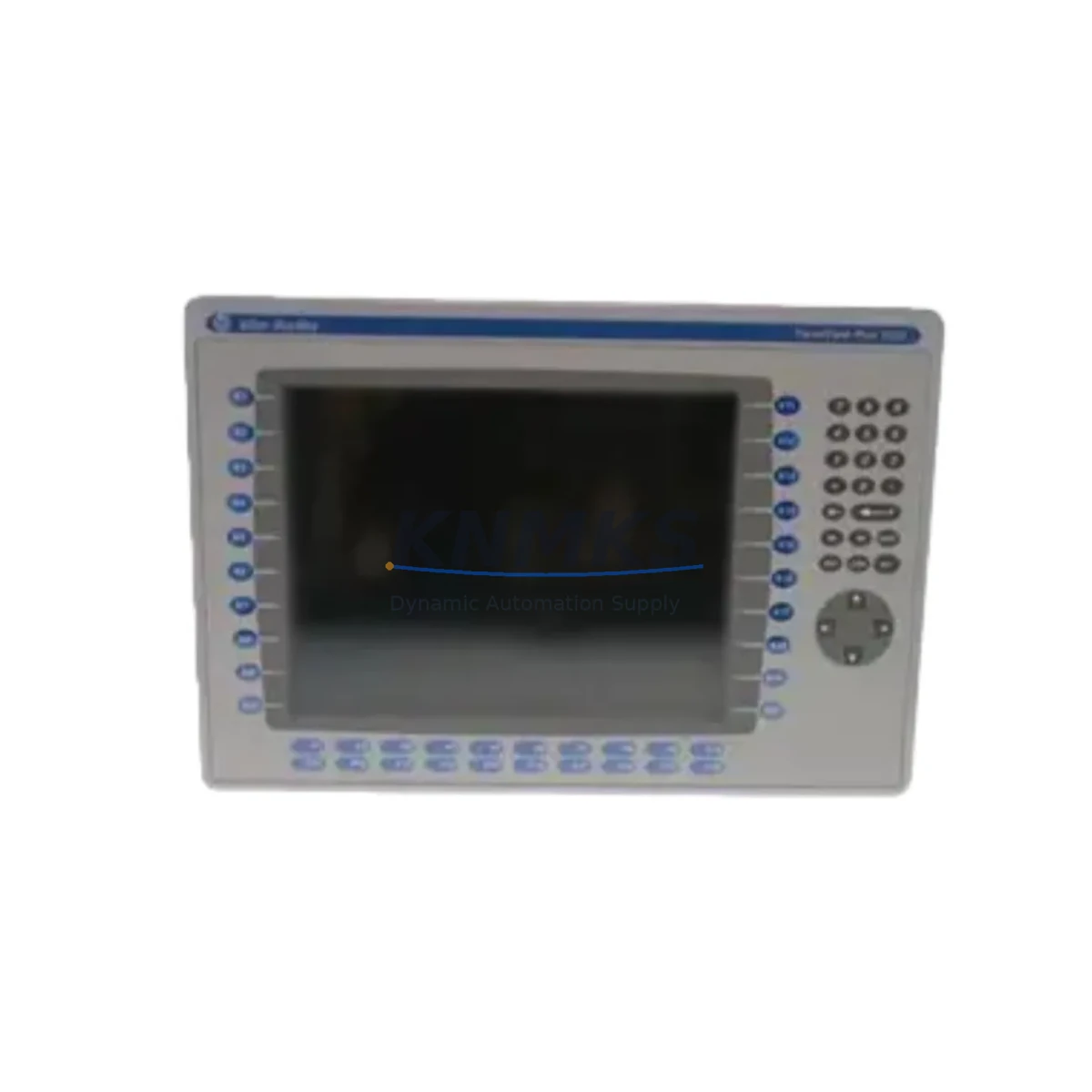
Allen-Bradley 2711P-K12C4A8 Migration-Ready HMI for Legacy Control Systems
The Allen-Bradley 2711P-K12C4A8 is a 12.1-inch color touchscreen HMI from the PanelView Plus 1250 series, engineered to serve as a direct migration solution for aging operator interface terminals across legacy Rockwell Automation control architectures. As industrial facilities face increasing pressure to retire end-of-life HMI hardware — including earlier PanelView 1000, PanelView 1200, and PanelView Plus 6 1250 units — the 2711P-K12C4A8 provides a validated, drop-in upgrade path that preserves existing application logic, communication links, and panel cutout dimensions wherever possible.
Designed for integration with ControlLogix, CompactLogix, MicroLogix, and SLC 500 controller platforms via EtherNet/IP and DF1 serial protocols, this terminal supports seamless migration from older DH+ and DH-485 network topologies through appropriate communication adapters. Facilities running legacy SCADA architectures or distributed control panels can leverage the 2711P-K12C4A8 to modernize operator interfaces without requiring full PLC replacement or rewiring of existing I/O infrastructure.
availability confirmed by RFQ. Ships with support terms confirmed by quotation. Pre-shipment functional testing completed on every unit.
Migration Compatibility Table
| Parameter | Details |
|---|---|
| SKU / Part Number | 2711P-K12C4A8 |
| Series | PanelView Plus 1250 |
| Display | 12.1″ Color TFT Touchscreen |
| Communication Ports | EtherNet/IP (RJ-45), RS-232 (DF1 / DH-485), USB |
| Compatible Controllers | ControlLogix, CompactLogix, MicroLogix 1100/1400, SLC 500 |
| Legacy Replacement Targets | PanelView 1000 (2711-K10), PanelView 1200 (2711-K12), PanelView Plus 6 1250 (2711P-T12C4D8) |
| Panel Cutout Compatibility | Compatible with PanelView Plus 1250 standard cutout; verify depth clearance for older enclosures |
| Power Supply | 24V DC (verify existing PSU capacity: minimum 24W recommended) |
| Backplane / Rack Interface | Stand-alone; no backplane required |
| Application Migration | FactoryTalk View ME projects transferable via USB or Ethernet; verify tag database and screen resolution mapping |
| Firmware Compatibility | Supports FactoryTalk View ME v6.0 and above; confirm firmware version before commissioning |
| Installation Space | Confirm panel depth ≥ 100mm; check door swing and cable routing clearance |
| Commissioning Notes | Verify IP address assignment, controller path, and tag binding post-installation |
| Support terms | 12 Months — covers hardware defects and functional failure under normal operating conditions |
Retrofit Planning for Existing Automation Systems
Successful integration of the 2711P-K12C4A8 into an existing control cabinet begins with a structured pre-retrofit assessment. Engineers should first audit the existing power distribution within the panel: the 24V DC rail supplying the legacy HMI must be confirmed to deliver sufficient current capacity for the replacement unit, particularly in cabinets where a 1606-XLP power supply module or equivalent is shared across multiple loads including I/O modules and communication adapters.
Terminal wiring from the legacy HMI — including power, ground, and any hardwired discrete signals — should be documented and mapped before removal. In systems where the original operator terminal was connected to a 1747-KE or 1761-NET-AIC communication adapter for DH-485 or DH+ bridging, the migration to EtherNet/IP via the 2711P-K12C4A8 may require installation of a 1761-NET-ENI or equivalent Ethernet-to-serial bridge module to maintain controller communication during the transition period.
For facilities operating ControlLogix or CompactLogix platforms, the EtherNet/IP port on the 2711P-K12C4A8 connects directly to the existing managed switch infrastructure. Verify that the 1756-EN2T or 1769-L33ER Ethernet module in the controller chassis is configured to accept the new HMI node address, and that the FactoryTalk Linx communication path is updated accordingly.
Where the legacy system included a 1746-NIO4I analog I/O module or 1756-IF16 input module providing process variable feedback to the HMI display, confirm that all tag references in the FactoryTalk View ME project are correctly mapped to the updated controller program. Screen resolution differences between older PanelView terminals and the 2711P-K12C4A8 may require graphic object repositioning within the ME project before final commissioning.
Signal isolators and terminal blocks within the control cabinet should be inspected during the retrofit window. Any degraded wiring, corroded terminal connections, or undersized cable runs identified during the HMI swap should be addressed concurrently to minimize future unplanned downtime.
Downtime Control During System Migration
Minimizing production interruption during HMI replacement requires a disciplined pre-outage preparation protocol. Before the maintenance window opens, the existing FactoryTalk View ME application should be backed up from the legacy terminal via USB or network export and validated on a development workstation. Any custom faceplates, alarm configurations, and trend displays must be confirmed functional in the target firmware environment of the 2711P-K12C4A8 before the physical swap begins.
During the cutover, the PLC program running on the ControlLogix or CompactLogix controller should remain in RUN mode wherever process safety permits, ensuring that field I/O, interlocks, and control loops continue to execute independently of the HMI replacement. The operator terminal is a supervisory device; the underlying control logic does not require a controller restart during a standard HMI swap.
Once the 2711P-K12C4A8 is physically mounted and powered, the communication path to the controller should be established and verified before the application is loaded. Confirm that the terminal can browse the controller’s tag database and that all critical process values — including setpoints, alarm limits, and mode selections — are displaying correctly before releasing the system back to operations.
A structured post-commissioning checklist covering alarm acknowledgment, trend history initialization, and operator sign-off reduces the risk of latent configuration errors surfacing during the first production shift following the retrofit. Planned retrofit windows of 4–8 hours are typical for a single HMI replacement of this type when pre-work is completed thoroughly.
Retrofit Support FAQ
Q: Is the 2711P-K12C4A8 a direct replacement for the PanelView Plus 6 1250 (2711P-T12C4D8)?
A: The 2711P-K12C4A8 shares the same PanelView Plus 1250 platform and is compatible with FactoryTalk View ME projects developed for the PanelView Plus 6 series. Panel cutout dimensions are consistent. Verify firmware version and USB/Ethernet port configuration before final installation.
Q: Can this unit communicate with legacy SLC 500 or MicroLogix controllers?
A: Yes. The 2711P-K12C4A8 supports DF1 serial communication via the RS-232 port, enabling direct connection to SLC 500 and MicroLogix controllers. For DH-485 networks, a 1761-NET-AIC adapter is required. EtherNet/IP is available for MicroLogix 1100/1400 and all CompactLogix/ControlLogix platforms.
Q: What pre-shipment testing is performed on each unit?
A: Every 2711P-K12C4A8 unit undergoes functional power-on testing, display verification, communication port validation, and firmware version confirmation before shipment. Units are packaged in anti-static protective materials with inspection documentation included.
Q: What does the support terms confirmed by quotation cover?
A: The support terms confirmed by quotation cover hardware defects and functional failures under normal industrial operating conditions from the date of shipment. It does not cover damage resulting from incorrect installation, overvoltage, or physical impact. Support requests are supported directly through our technical team at admin@knmks.com.
© 2026 KNMKS. All rights reserved.
Original Source: https://knmks.com
Contact: admin@knmks.com | +86 18359268345
Product Identification
- Brand / Ecosystem
-
Allen-Bradley
Allen-Bradley - Model / Series
-
2711P-K12C4A8
ControlLogix Series - Product Family
- PLCs & Controllers
- Availability Status
- Available on request after model and quantity confirmation
- Inquiry Type
- B2B RFQ, replacement inquiry and project spare-part request
- Pre-Quote Check
- Exact SKU, brand, series, quantity, nameplate photos and destination country are checked before quotation
System Path
Where this product fits in the KNMKS automation structure.
Specification & Inquiry Focus
- Control platform
- PLC, PAC and modular controllers
- Common needs
- CPU, rack, power and I/O expansion
- Project support
- Replacement, cabinet build and maintenance
Buyer Confirmation
Information KNMKS checks before replying.
- Exact model
- 2711P-K12C4A8
- Brand / ecosystem
- Allen-Bradley
- Product family
- PLCs & Controllers
- Application note
- Replacement, maintenance, project build or spare-part list
- Useful photos
- Nameplate, installed unit, cabinet layout or connector side
- Delivery details
- Quantity, destination country and target schedule
Document Support
Files and notes can be confirmed during quotation.
- Product photos or nameplate confirmation when available
- Packing and delivery notes before quotation confirmation
- Support scope and delivery terms confirmed per inquiry
- Export document coordination for qualified B2B requests
Inquiry Support
- Model cross-checking before quotation
- CPU, power, rack and expansion module matching
- Support for replacement and project inquiry
What to Send Us
- Brand and exact model number: Allen-Bradley 2711P-K12C4A8
- Quantity and required delivery time
- Application, replacement requirement or nameplate photo
- Destination country and shipping preference
RFQ Preparation
This is a product inquiry page built for RFQ communication.
Fast Model Check
Send this model to KNMKS for confirmation.
Include quantity, destination country and photos if this is a maintenance replacement. The inquiry will be saved with a reference number after submission.
Brand & Compatibility Note
KNMKS displays automation product information for well-known industrial brand ecosystems and compatible replacement references. Brand names are used for product identification and compatibility reference only; final availability and commercial terms are confirmed per quotation.
 Manufacturing
 Machine Tools
 Packaging
 Energy & Power



 HMI & Displays
 Servo Systems
 Variable Frequency Drives
 Sensors