
Overview
Allen-Bradley 1794-OE4/B Migration-Ready Analog Output Module: Legacy System Retrofit and Upgrade
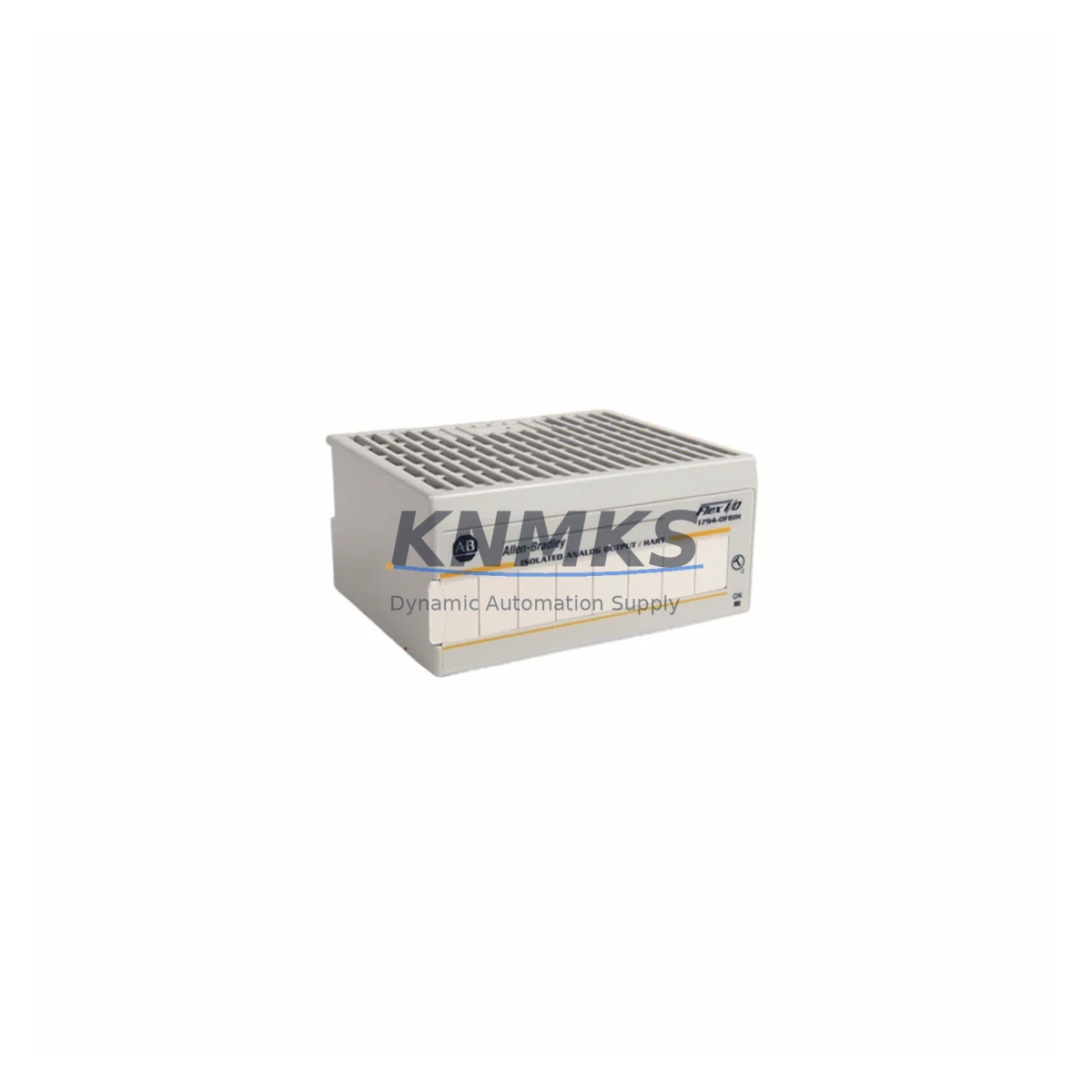
The Allen-Bradley 1794-OE4/B is a 4-channel analog output module designed for the FLEX I/O platform, widely deployed across process control, discrete manufacturing, and hybrid automation environments. As legacy Rockwell Automation systems approach end-of-support milestones, the 1794-OE4/B has become a critical retrofit component for engineering teams managing controlled migrations from older SLC 500, PLC-5, and early ControlLogix architectures to modern ControlLogix 5580 and CompactLogix 5380 platforms. Each unit supplied by KNMKS is pre-tested, ships with a support terms confirmed by quotation, and is sourced from verified multi-region stock to support both emergency replacements and scheduled outage windows.
When replacing a failed or end-of-life analog output module in an existing FLEX I/O rack, engineers must confirm the backplane slot assignment, verify that the 1794-ADN or 1794-AENT adapter addressing is preserved, and ensure the replacement module’s Series B firmware revision is compatible with the existing RSLogix 5000 or Studio 5000 project. Output channel scaling, engineering unit ranges (typically 4–20 mA or 0–10 VDC), and fault state configurations must be validated against the original program logic before the module is brought online. KNMKS supplies the 1794-OE4/B with full documentation support to accelerate this verification process.
Migration Compatibility Table
| Parameter | Detail |
|---|---|
| SKU / Part Number | 1794-OE4/B (Series B) |
| Platform | Allen-Bradley FLEX I/O |
| Output Channels | 4 Analog Output Channels |
| Output Signal Types | 4–20 mA / 0–10 VDC (software selectable per channel) |
| Backplane Interface | FLEX I/O backplane (1794-TB3, 1794-TB3S terminal base) |
| Compatible Adapters | 1794-ADN (DeviceNet), 1794-AENT (EtherNet/IP), 1794-ASB (Remote I/O) |
| Compatible Controllers | ControlLogix 5580, CompactLogix 5380, SLC 500 (via adapter), PLC-5 (via adapter) |
| Installation Requirement | Slot-specific addressing; verify module tag mapping in Studio 5000 / RSLogix 5000 |
| Communication Protocol | DeviceNet / EtherNet/IP / Remote I/O (adapter-dependent) |
| Retrofit Recommendation | Direct drop-in replacement for 1794-OE4 (Series A); confirm firmware revision compatibility |
| Commissioning Focus | Channel scaling, fault state output, engineering unit range, wiring polarity |
| Support terms | 12 Months — All units pre-tested before shipment |
Retrofit Planning for Existing Automation Systems
A successful 1794-OE4/B retrofit begins with a full audit of the existing FLEX I/O rack configuration. In most legacy installations, the analog output module shares a rack with components such as the 1794-IE8 8-channel analog input module, the 1794-OB16 digital output module, and the 1794-IB16 digital input module. The rack’s power budget must be recalculated when replacing modules, particularly if the control cabinet also houses a 1794-PS13 or 1794-PS1 power supply — these units have defined current limits per backplane segment, and adding or swapping modules without verifying the power budget can cause intermittent faults or adapter resets.
For systems communicating over EtherNet/IP via the 1794-AENT adapter, the replacement 1794-OE4/B must be re-commissioned within the existing EDS-based device configuration. The module’s I/O connection size and RPI (Requested Packet Interval) settings in Studio 5000 must match the original configuration to avoid connection faults. In DeviceNet-based installations using the 1794-ADN adapter, the module node address and output assembly instance must be verified against the DNM (DeviceNet Manager) configuration file before the system is returned to automatic mode.
Where the legacy system includes a PanelView Plus HMI displaying analog output values or setpoints, the tag database must be reviewed to confirm that the replacement module’s output tags are correctly mapped. Any faceplates or trend displays referencing the original module’s controller tags will continue to function without modification, provided the Studio 5000 module definition is updated to reflect the Series B revision. Signal isolators installed between the 1794-OE4/B output terminals and field devices — such as loop-powered 4–20 mA isolators — should also be inspected for loop impedance compatibility before the system is re-energized.
Downtime Control During System Migration
Minimizing unplanned downtime during a 1794-OE4/B replacement requires a structured pre-outage preparation protocol. Before the maintenance window opens, the engineering team should export the current Studio 5000 project, document all channel scaling parameters and fault state configurations, and photograph the existing terminal wiring on the 1794-TB3 terminal base. The replacement module should be bench-tested against a known-good adapter and power supply before it is brought to the installation site.
During the outage, the failed module is removed from the FLEX I/O rack, the terminal base is inspected for corrosion or damaged wiring, and the replacement 1794-OE4/B is seated and secured. The Studio 5000 project is then downloaded to the controller with the module definition updated to Series B. After the download, each output channel is individually verified in manual mode before the system is returned to automatic control. This structured approach — combined with KNMKS’s pre-shipment testing and same-day dispatch from multi-region stock — consistently reduces total replacement time to under four hours for experienced maintenance teams.
For facilities operating continuous processes where even a brief output interruption is unacceptable, KNMKS recommends maintaining a cold-standby 1794-OE4/B on-site as part of a broader spare parts lifecycle strategy. With a support terms confirmed by quotation on every unit and verified stock availability, KNMKS supports both emergency and planned replacement scenarios.
Retrofit Support FAQ
Q1: Is the 1794-OE4/B (Series B) a direct replacement for the 1794-OE4 (Series A)?
Yes. The Series B revision is backward-compatible with the Series A in terms of physical form factor, terminal base compatibility, and backplane interface. However, the Studio 5000 or RSLogix 5000 module definition should be updated to reflect the Series B revision to ensure accurate firmware communication and avoid minor configuration warnings during project download.
Q2: What wiring changes are required when installing the 1794-OE4/B as a replacement?
In most cases, no wiring changes are required if the original 1794-TB3 or 1794-TB3S terminal base is retained. The terminal base remains in the rack during module replacement, preserving all field wiring connections. Engineers should verify output channel polarity and loop impedance for each 4–20 mA circuit before re-energizing the outputs.
Q3: How do I verify firmware compatibility before installation?
The 1794-OE4/B Series B firmware revision is visible on the module label and can be confirmed via the adapter’s diagnostic web page (for 1794-AENT) or RSNetWorx for DeviceNet (for 1794-ADN). KNMKS provides the firmware revision on the shipping documentation for every unit, allowing pre-installation compatibility checks against the existing controller project.
Q4: Does KNMKS offer pre-shipment testing and what does the support terms confirmed by quotation cover?
Yes. Every 1794-OE4/B supplied by KNMKS undergoes functional output testing across all four channels before dispatch. The support terms confirmed by quotation cover manufacturing defects and functional failures under normal operating conditions. KNMKS maintains multi-region stock to support fast global dispatch, with same-day shipping available for in-stock units ordered before the daily cut-off time.
© 2026 KNMKS. All rights reserved.
Original Source: https://knmks.com
Contact: admin@knmks.com | +86 18359268345
Product Identification
- Brand / Ecosystem
-
Allen-Bradley
Allen-Bradley - Model / Series
-
1794-OE4/B
ControlLogix Series - Product Family
- PLCs & Controllers
- Availability Status
- Available on request after model and quantity confirmation
- Inquiry Type
- B2B RFQ, replacement inquiry and project spare-part request
- Pre-Quote Check
- Exact SKU, brand, series, quantity, nameplate photos and destination country are checked before quotation
System Path
Where this product fits in the KNMKS automation structure.
Specification & Inquiry Focus
- Control platform
- PLC, PAC and modular controllers
- Common needs
- CPU, rack, power and I/O expansion
- Project support
- Replacement, cabinet build and maintenance
Buyer Confirmation
Information KNMKS checks before replying.
- Exact model
- 1794-OE4/B
- Brand / ecosystem
- Allen-Bradley
- Product family
- PLCs & Controllers
- Application note
- Replacement, maintenance, project build or spare-part list
- Useful photos
- Nameplate, installed unit, cabinet layout or connector side
- Delivery details
- Quantity, destination country and target schedule
Document Support
Files and notes can be confirmed during quotation.
- Product photos or nameplate confirmation when available
- Packing and delivery notes before quotation confirmation
- Support scope and delivery terms confirmed per inquiry
- Export document coordination for qualified B2B requests
Inquiry Support
- Model cross-checking before quotation
- CPU, power, rack and expansion module matching
- Support for replacement and project inquiry
What to Send Us
- Brand and exact model number: Allen-Bradley 1794-OE4/B
- Quantity and required delivery time
- Application, replacement requirement or nameplate photo
- Destination country and shipping preference
RFQ Preparation
This is a product inquiry page built for RFQ communication.
Fast Model Check
Send this model to KNMKS for confirmation.
Include quantity, destination country and photos if this is a maintenance replacement. The inquiry will be saved with a reference number after submission.
Brand & Compatibility Note
KNMKS displays automation product information for well-known industrial brand ecosystems and compatible replacement references. Brand names are used for product identification and compatibility reference only; final availability and commercial terms are confirmed per quotation.
 Manufacturing
 Machine Tools
 Packaging
 Energy & Power



 HMI & Displays
 Servo Systems
 Variable Frequency Drives
 Sensors