
Overview
Allen-Bradley 1794-OB16PXT Retrofit Digital Output Module: Legacy System Migration & Compatible Upgrade
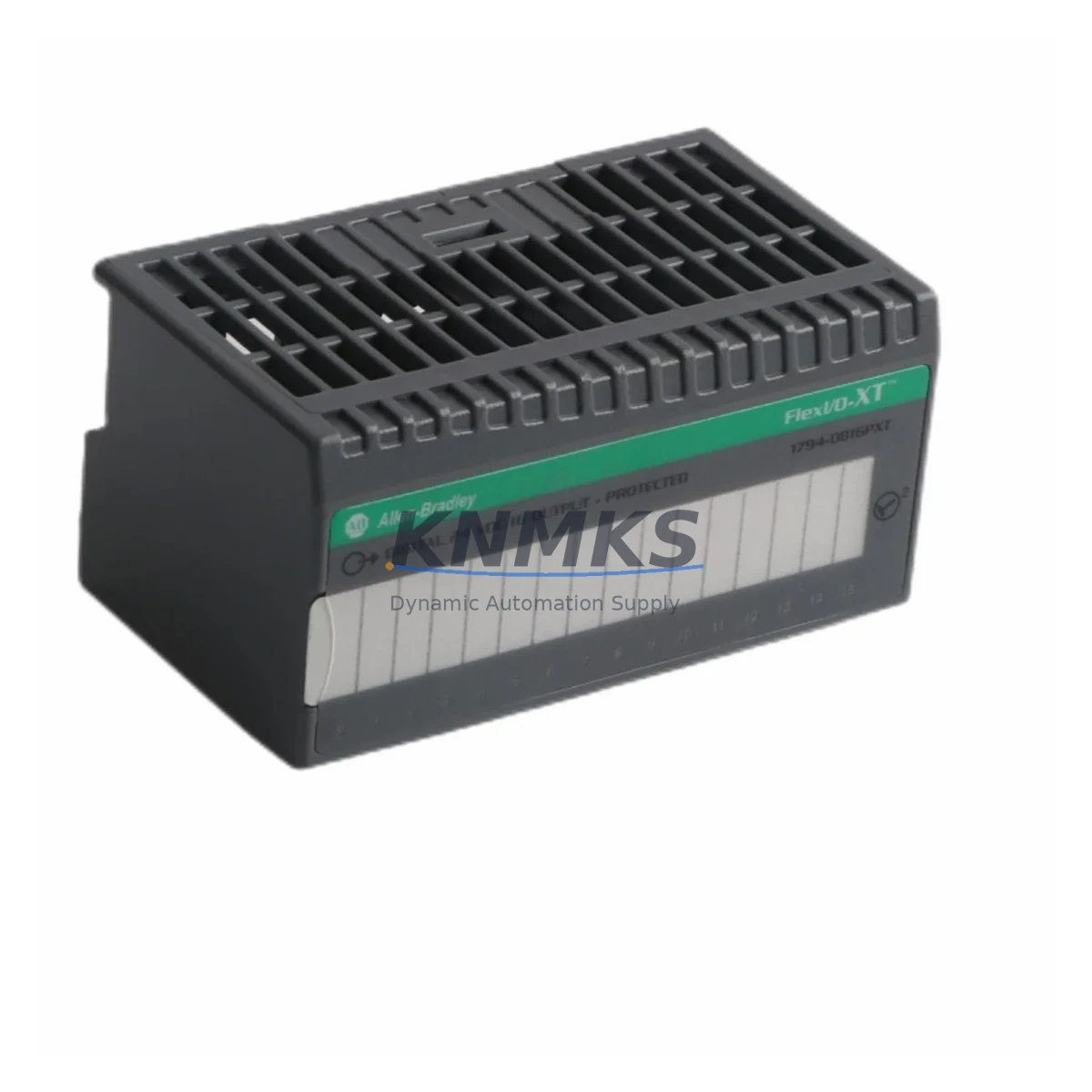
The Allen-Bradley 1794-OB16PXT is a 16-point, 24VDC sourcing digital output module designed for the FLEX I/O platform. As legacy distributed I/O systems reach end-of-life, the 1794-OB16PXT remains one of the most sought-after retrofit and replacement components for engineers managing aging control architectures. Whether you are replacing a failed module in a running production line, upgrading a discontinued I/O rack, or migrating from an older PLC-5 or SLC 500 distributed I/O network to a modern ControlLogix or CompactLogix environment, the 1794-OB16PXT provides a direct-fit, drop-in solution that minimizes engineering rework and downtime risk.
This module mounts on the standard FLEX I/O adapter and terminal base assembly. Before installation, engineers must confirm the terminal base model — typically the 1794-TB3 or 1794-TB3S — to ensure correct wiring compatibility. The 1794-OB16PXT draws its output power from the field-side supply, so verifying that the existing 24VDC field power supply has sufficient current capacity for 16 active output channels is a critical pre-installation step. Each output channel is rated at 0.5A, with a total module current draw that must be factored into the overall I/O rack power budget alongside other installed modules such as analog input cards or specialty communication adapters.
In retrofit scenarios involving older FLEX I/O adapter generations — such as the 1794-ADN DeviceNet adapter or the 1794-AENT EtherNet/IP adapter — the 1794-OB16PXT integrates without firmware modification on the module itself. However, the adapter’s configuration file (EDS or AOP) may need to be updated in RSLogix 5000 or Studio 5000 Logix Designer to correctly map the new module’s I/O data into the controller’s tag database. Engineers should back up the existing controller program and I/O configuration before swapping modules to preserve all rung logic, output forcing states, and fault routines associated with the original output module.
For facilities migrating from PLC-5 remote I/O (RIO) networks to EtherNet/IP-based FLEX I/O, the 1794-OB16PXT is commonly deployed alongside the 1794-AENT adapter as part of a phased migration strategy. This approach allows the field wiring — including terminal block connections, cable trays, and conduit runs — to remain largely unchanged while the communication backbone is modernized. The physical installation footprint of the 1794-OB16PXT matches the standard FLEX I/O form factor, so existing DIN rail mounting, enclosure cutouts, and panel layouts do not require modification.
HMI screen updates are another consideration during migration. If the original system used PanelView or PanelView Plus terminals with hardcoded I/O addresses referencing the legacy rack slot assignments, those address mappings must be reconciled with the new tag-based addressing structure in the upgraded controller program. Coordinating HMI tag updates with the I/O module swap prevents display anomalies and ensures that operators retain accurate real-time visibility of output states during and after commissioning.
Firmware compatibility between the 1794-OB16PXT and the installed adapter should be verified prior to energizing the system. Rockwell Automation’s Product Compatibility and Download Center (PCDC) provides the definitive compatibility matrix for FLEX I/O module and adapter firmware combinations. In most cases, the 1794-OB16PXT operates across a wide range of adapter firmware revisions, but confirming this before field installation eliminates a common source of unexpected module faults during initial power-up.
All units supplied by KNMKS are sourced from verified industrial channels, functionally tested prior to shipment, and covered by a support terms confirmed by quotation. In-stock inventory is maintained to support urgent replacement orders and planned retrofit projects alike. Lead times and quantity availability can be confirmed by contacting our sales team directly.
Migration Compatibility Table
| Parameter | Specification / Recommendation |
|---|---|
| Module SKU | 1794-OB16PXT |
| Platform | Allen-Bradley FLEX I/O |
| Output Points | 16-point, 24VDC sourcing |
| Output Current per Point | 0.5A max |
| Compatible Terminal Bases | 1794-TB3, 1794-TB3S, 1794-TB32 |
| Compatible Adapters | 1794-AENT (EtherNet/IP), 1794-ADN (DeviceNet), 1794-ACN15 (ControlNet) |
| Communication Protocol | EtherNet/IP, DeviceNet, ControlNet (adapter-dependent) |
| Controller Compatibility | ControlLogix, CompactLogix, SLC 500 (via adapter), PLC-5 (via adapter) |
| Installation Format | DIN rail, standard FLEX I/O rack |
| Replacement for | 1794-OB16, 1794-OB16D (verify terminal base compatibility) |
| Programming Software | RSLogix 5000 / Studio 5000 Logix Designer |
| Pre-Commissioning Checks | Field power supply capacity, terminal base model, adapter firmware, HMI tag mapping |
| Support terms | 12 months from date of shipment |
Retrofit Planning for Existing Automation Systems
A successful retrofit begins with a thorough audit of the existing I/O rack configuration. In a typical FLEX I/O installation, the 1794-OB16PXT occupies one slot on the adapter’s I/O bus. Engineers should document all adjacent modules — including analog input cards such as the 1794-IE8, digital input modules such as the 1794-IB16, and any specialty modules such as the 1794-IF4I isolated analog input — to confirm that the total bus current draw remains within the adapter’s rated capacity after the replacement module is installed.
Power distribution within the control cabinet is another key planning element. The 24VDC field power supply feeding the output module’s load terminals must be sized to handle the worst-case simultaneous output load. In high-density output applications, engineers sometimes install a dedicated 24VDC power supply for the output field side, separate from the logic supply, to prevent voltage sag from affecting other control circuits. This is particularly relevant when the 1794-OB16PXT is installed in the same cabinet as variable frequency drives, solenoid valve banks, or other inductive loads that generate transient currents on the DC bus.
For systems that include a 1794-AENT EtherNet/IP adapter, the module’s I/O data is mapped into the ControlLogix or CompactLogix controller’s tag database via an Add-On Profile (AOP) or generic profile in Studio 5000. During a module swap, the existing I/O tree entry for the output module should be deleted and re-added using the correct catalog number to ensure the data size and connection parameters are correctly defined. Failure to update the I/O tree can result in a major fault on the controller at startup, which halts all outputs and requires a manual fault clear before normal operation resumes.
In multi-rack FLEX I/O installations, module addressing is determined by the physical slot position on the adapter’s I/O bus. The 1794-OB16PXT must be installed in the same slot as the module it replaces to preserve the existing address mapping in the controller program. If the slot position changes — for example, due to rack reconfiguration or the addition of new modules — all rung logic referencing the original output addresses must be updated accordingly, which significantly increases commissioning time and the risk of wiring errors.
Signal isolation requirements should also be evaluated during retrofit planning. In environments with high electrical noise — such as those with large motor starters, welding equipment, or long cable runs — installing signal isolators or surge suppressors on the output wiring can extend the service life of the 1794-OB16PXT and reduce nuisance faults. Programming cables and laptop connections used during on-site commissioning should be properly grounded to prevent ESD damage to the module’s output driver circuitry.
Downtime Control During System Migration
Minimizing unplanned downtime is the primary operational constraint in any live system retrofit. For the 1794-OB16PXT replacement, the recommended approach is to pre-stage the new module, verify its physical condition and firmware revision, and prepare the updated controller program offline before the scheduled maintenance window begins. Using Studio 5000’s offline program comparison tools, engineers can validate that the updated I/O configuration matches the existing program logic before going online, reducing the time spent troubleshooting during the actual cutover.
During the physical swap, the FLEX I/O system allows individual modules to be removed and replaced without powering down the entire rack, provided the adapter supports partial fault recovery and the controller program is configured to handle module absence faults gracefully. Engineers should verify this behavior in the controller’s I/O fault configuration before attempting a hot-swap, as some older adapter firmware versions require a full rack power cycle to recognize a newly installed module.
Preserving the original program logic is essential. Before any hardware change, a full backup of the controller program — including all rung logic, tag databases, motion configurations, and HMI project files — should be saved to a secure location. This backup serves as the recovery baseline if the commissioning process encounters unexpected faults or if the replacement module exhibits behavior that differs from the original due to firmware revision differences.
Field wiring continuity should be verified using a loop check procedure after the new module is installed and before outputs are enabled. This confirms that all terminal connections are correctly seated, that no wires were disturbed during the module swap, and that the field devices connected to each output channel respond correctly to commanded states. A structured loop check log — documenting each output point, its connected device, and its verified response — provides a commissioning record that supports future maintenance and troubleshooting activities.
Retrofit Support FAQ
Q1: Is the 1794-OB16PXT a direct replacement for the 1794-OB16?
The 1794-OB16PXT is functionally equivalent to the 1794-OB16 in most applications, with the addition of extended temperature rating. Both modules use the same terminal base and adapter interface. Before substituting, confirm that the terminal base model installed in your rack is compatible with both catalog numbers, as some terminal base variants have wiring differences that affect field connection layouts.
Q2: What commissioning steps are required after installing the 1794-OB16PXT?
After physical installation, update the I/O tree in Studio 5000 or RSLogix 5000 to reflect the new module catalog number, download the updated program to the controller, clear any I/O faults, and perform a full loop check on all 16 output channels. Verify that the adapter firmware is compatible with the module, and confirm that HMI tag mappings correctly reflect the output states before returning the system to automatic operation.
Q3: How is field wiring connected to the 1794-OB16PXT?
Field wiring connects to the terminal base, not directly to the module. The 1794-TB3 or 1794-TB3S terminal base provides screw-type terminals for each output channel’s load wire and common return. The module slides into the terminal base and locks in place. No rewiring of field cables is required when replacing a module of the same catalog number, provided the terminal base remains in place.
Q4: What support terms and stock availability does KNMKS provide for the 1794-OB16PXT?
KNMKS maintains in-stock inventory of the 1794-OB16PXT to support both urgent replacement orders and planned retrofit projects. All units are functionally tested prior to shipment and covered by a support terms confirmed by quotation from the date of shipment. For current stock levels, lead times, and volume pricing, contact our sales team at admin@knmks.com or +86 18359268345.
© 2026 KNMKS. All rights reserved.
Original Source: https://knmks.com
Contact: admin@knmks.com | +86 18359268345
Product Identification
- Brand / Ecosystem
-
Allen-Bradley
Allen-Bradley - Model / Series
-
1794-OB16PXT
ControlLogix Series - Product Family
- PLCs & Controllers
- Availability Status
- Available on request after model and quantity confirmation
- Inquiry Type
- B2B RFQ, replacement inquiry and project spare-part request
- Pre-Quote Check
- Exact SKU, brand, series, quantity, nameplate photos and destination country are checked before quotation
System Path
Where this product fits in the KNMKS automation structure.
Specification & Inquiry Focus
- Control platform
- PLC, PAC and modular controllers
- Common needs
- CPU, rack, power and I/O expansion
- Project support
- Replacement, cabinet build and maintenance
Buyer Confirmation
Information KNMKS checks before replying.
- Exact model
- 1794-OB16PXT
- Brand / ecosystem
- Allen-Bradley
- Product family
- PLCs & Controllers
- Application note
- Replacement, maintenance, project build or spare-part list
- Useful photos
- Nameplate, installed unit, cabinet layout or connector side
- Delivery details
- Quantity, destination country and target schedule
Document Support
Files and notes can be confirmed during quotation.
- Product photos or nameplate confirmation when available
- Packing and delivery notes before quotation confirmation
- Support scope and delivery terms confirmed per inquiry
- Export document coordination for qualified B2B requests
Inquiry Support
- Model cross-checking before quotation
- CPU, power, rack and expansion module matching
- Support for replacement and project inquiry
What to Send Us
- Brand and exact model number: Allen-Bradley 1794-OB16PXT
- Quantity and required delivery time
- Application, replacement requirement or nameplate photo
- Destination country and shipping preference
RFQ Preparation
This is a product inquiry page built for RFQ communication.
Fast Model Check
Send this model to KNMKS for confirmation.
Include quantity, destination country and photos if this is a maintenance replacement. The inquiry will be saved with a reference number after submission.
Brand & Compatibility Note
KNMKS displays automation product information for well-known industrial brand ecosystems and compatible replacement references. Brand names are used for product identification and compatibility reference only; final availability and commercial terms are confirmed per quotation.
 Manufacturing
 Machine Tools
 Packaging
 Energy & Power



 HMI & Displays
 Servo Systems
 Variable Frequency Drives
 Sensors