
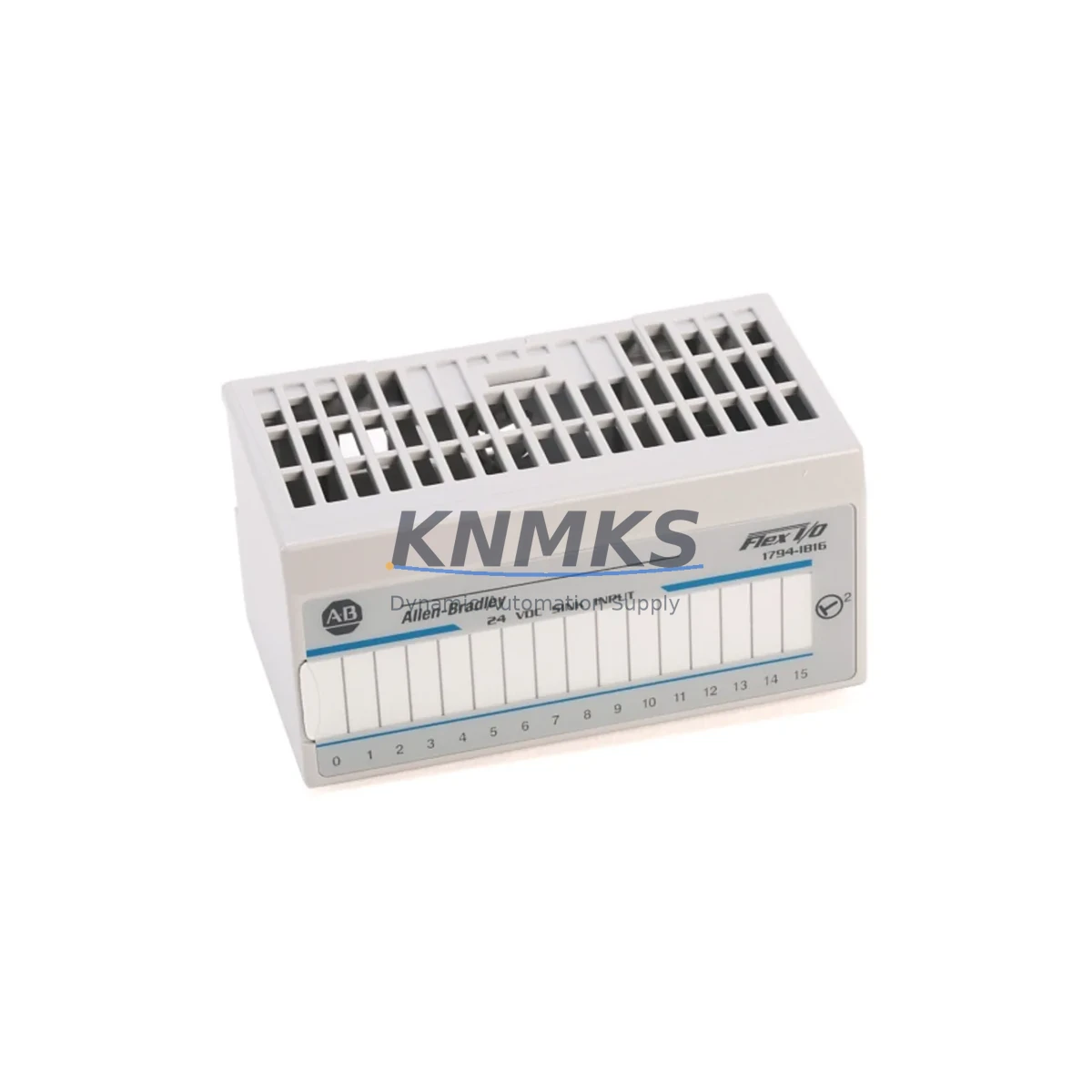
Overview
Allen-Bradley 1794-IF2XOF2I Maintenance-Proven Spare Part for Factory Uptime
The Allen-Bradley 1794-IF2XOF2I is a 2-channel analog combo input/output module designed for the Rockwell Automation FLEX I/O platform (1794 Series). As a critical node in distributed control architectures, this module handles real-time analog signal conditioning for process loops, drive feedback, and sensor interfacing across manufacturing, oil & gas, water treatment, and discrete automation environments. Sourced as an original spare and pre-shipment tested, the 1794-IF2XOF2I supports rapid field replacement and minimizes unplanned downtime in both legacy and active FLEX I/O installations.
Maintenance engineers managing 1794 Series control cabinets rely on this module for its dual-function analog capability — combining two differential current/voltage inputs with two analog outputs in a single FLEX I/O slot. This compact form factor reduces rack space consumption while maintaining full compatibility with the 1794-AENT, 1794-ADN, and 1794-ACN15 adapter modules. Procurement teams benefit from confirmed OEM lineage, serialized traceability, and a support terms confirmed by quotation covering defects in materials and workmanship from date of shipment.
Spare Maintenance Table
| Parameter | Specification |
|---|---|
| SKU / Part Number | 1794-IF2XOF2I |
| Brand | Allen-Bradley (Rockwell Automation) |
| Series | 1794 FLEX I/O |
| Module Type | 2-Ch Analog Combo Input/Output |
| Input Channels | 2 × Differential Analog Input (Current/Voltage) |
| Output Channels | 2 × Analog Output (Current/Voltage) |
| Input Range | 0–20 mA / 4–20 mA / ±10 VDC (software selectable) |
| Output Range | 0–20 mA / 4–20 mA / 0–10 VDC / ±10 VDC |
| Resolution | 12-bit (input & output) |
| Backplane Current Draw | 75 mA @ 5 VDC |
| Operating Temperature | 0 °C to 55 °C (32 °F to 131 °F) |
| Storage Temperature | -40 °C to 85 °C |
| Relative Humidity | 5–95% non-condensing |
| Compatibility | 1794-AENT, 1794-ADN, 1794-ACN15, 1794-TB3, 1794-TB3S terminal bases |
| Communication | Via FLEX I/O adapter (EtherNet/IP, DeviceNet, ControlNet) |
| Mounting | DIN rail via 1794 terminal base |
| Weight | 440 g (approx.) |
| Origin | United States |
| Condition | Original, Pre-Shipment Tested |
| Support terms | 12 Months from Date of Shipment |
Maintenance Planning for Continuous Operation
When replacing the 1794-IF2XOF2I in a live control cabinet, a structured inspection of adjacent components is essential to prevent repeat failures and ensure signal integrity across the analog loop. Begin with the 1794-TB3 or 1794-TB3S terminal base — verify that terminal screws are torqued to specification and that no corrosion or loose wiring is present on the field-side connections. Damaged terminal bases are a common root cause of analog signal drift that is incorrectly attributed to the I/O module itself.
Inspect the 1794-AENT EtherNet/IP adapter or the installed network adapter (DeviceNet 1794-ADN / ControlNet 1794-ACN15) for firmware currency and communication health. An adapter running outdated firmware may generate intermittent I/O faults that mask the true source of the analog anomaly. Confirm that the adapter’s IP address, node address, and RPI (Requested Packet Interval) settings are correctly configured after module swap.
Check the 24 VDC field power supply feeding the FLEX I/O rack. Voltage sag below 20.4 VDC or ripple exceeding 5% can cause analog output instability and input offset errors. A dedicated industrial DIN-rail power supply with active PFC is recommended for racks containing analog modules. Also verify the 1794-PS13 or equivalent FLEX I/O power supply for correct output voltage and current headroom.
For process loops using 4–20 mA transmitters, inspect signal isolators or loop-powered barriers installed between field instruments and the 1794-IF2XOF2I input channels. Degraded isolators introduce ground loops and common-mode noise that corrupt analog readings. Replace any isolator showing drift beyond ±0.1% of span. Similarly, review fuse protection on analog output circuits — a blown output fuse on a downstream actuator circuit will appear as a loss-of-output fault on the module.
If the 1794-IF2XOF2I is part of a larger ControlLogix or CompactLogix system, verify the 1756-EN2T or 1769-L3x controller I/O tree for any inhibited or faulted module entries. Re-add the module to the I/O configuration if the slot assignment changed during replacement. For annual maintenance cycles, include this module in the cabinet’s thermographic scan schedule to detect early-stage connection resistance before it causes field failures.
Site Replacement Workflow
Step 1 — Pre-Replacement Verification: Confirm the replacement 1794-IF2XOF2I matches the original catalog number, series letter, and firmware revision. Document the existing channel configuration (input/output ranges, scaling, filter settings) from the controller’s I/O configuration or from a backup RSLogix 5000 / Studio 5000 project file before powering down.
Step 2 — Safe Isolation: De-energize the FLEX I/O rack segment using the appropriate lockout/tagout procedure. Disconnect field wiring from the terminal base — do not remove the terminal base from the DIN rail unless replacement is also required. The 1794 terminal base retains field wiring, allowing the I/O module to be swapped without rewiring.
Step 3 — Module Removal and Installation: Release the module latch, slide the 1794-IF2XOF2I out of the terminal base, and insert the replacement unit until the latch clicks. No tools are required for module removal. Verify that the module is fully seated before restoring power.
Step 4 — Configuration Restore: Power up the rack and confirm the adapter recognizes the new module. In Studio 5000, verify that the module properties (channel configuration, scaling, alarm limits) match the documented pre-replacement settings. Download the configuration if required.
Step 5 — Functional Test: Apply known reference signals to each input channel and verify scaled values in the controller tag database. Command each output channel to known setpoints and confirm field actuator response. Log test results in the site maintenance record before returning the system to production.
Downtime Reduction Note: Maintaining one spare 1794-IF2XOF2I per active FLEX I/O rack reduces mean time to repair (MTTR) for analog I/O faults from hours to under 30 minutes. For facilities with multiple 1794 Series racks, a consolidated spare parts kit including the 1794-IF2XOF2I, 1794-OB16, and 1794-IB16 covers the majority of field-replaceable module types in a single cabinet inventory.
Spare Parts Support FAQ
Q1: Is the 1794-IF2XOF2I compatible with all FLEX I/O terminal bases?
The 1794-IF2XOF2I is compatible with the 1794-TB3, 1794-TB3S, 1794-TB3G, and 1794-TB3GS terminal bases. It is not compatible with the 1794-TB2 (2-position) base. Always verify the terminal base catalog number before ordering to ensure mechanical and electrical compatibility.
Q2: What is included in the support terms confirmed by quotation and how is it applied?
Each 1794-IF2XOF2I shipped from KNMKS carries a support terms confirmed by quotation from the date of shipment, covering defects in materials and workmanship under normal operating conditions. The support terms covers free replacement or repair. It does not cover damage resulting from incorrect installation, overvoltage, or environmental conditions outside the published operating range.
Q3: How is the module tested before shipment?
All units undergo pre-shipment functional testing including power-on verification, backplane communication check, and analog channel continuity validation. Test records are retained and available upon request for quality-critical procurement processes.
Q4: Can KNMKS support long-term or blanket purchase orders for the 1794-IF2XOF2I?
Yes. KNMKS supports long-term supply agreements, scheduled releases, and buffer stock programs for the 1794-IF2XOF2I and related 1794 Series modules. Contact our sales team to discuss annual volume commitments, lead-time guarantees, and consignment inventory options tailored to your maintenance planning cycle.
© 2026 KNMKS. All rights reserved.
Original Source: https://knmks.com
Contact: admin@knmks.com | +86 18359268345
Product Identification
- Brand / Ecosystem
-
Allen-Bradley
Allen-Bradley - Model / Series
-
1794-IF2XOF2I
ControlLogix Series - Product Family
- PLCs & Controllers
- Availability Status
- Available on request after model and quantity confirmation
- Inquiry Type
- B2B RFQ, replacement inquiry and project spare-part request
- Pre-Quote Check
- Exact SKU, brand, series, quantity, nameplate photos and destination country are checked before quotation
System Path
Where this product fits in the KNMKS automation structure.
Specification & Inquiry Focus
- Control platform
- PLC, PAC and modular controllers
- Common needs
- CPU, rack, power and I/O expansion
- Project support
- Replacement, cabinet build and maintenance
Buyer Confirmation
Information KNMKS checks before replying.
- Exact model
- 1794-IF2XOF2I
- Brand / ecosystem
- Allen-Bradley
- Product family
- PLCs & Controllers
- Application note
- Replacement, maintenance, project build or spare-part list
- Useful photos
- Nameplate, installed unit, cabinet layout or connector side
- Delivery details
- Quantity, destination country and target schedule
Document Support
Files and notes can be confirmed during quotation.
- Product photos or nameplate confirmation when available
- Packing and delivery notes before quotation confirmation
- Support scope and delivery terms confirmed per inquiry
- Export document coordination for qualified B2B requests
Inquiry Support
- Model cross-checking before quotation
- CPU, power, rack and expansion module matching
- Support for replacement and project inquiry
What to Send Us
- Brand and exact model number: Allen-Bradley 1794-IF2XOF2I
- Quantity and required delivery time
- Application, replacement requirement or nameplate photo
- Destination country and shipping preference
RFQ Preparation
This is a product inquiry page built for RFQ communication.
Fast Model Check
Send this model to KNMKS for confirmation.
Include quantity, destination country and photos if this is a maintenance replacement. The inquiry will be saved with a reference number after submission.
Brand & Compatibility Note
KNMKS displays automation product information for well-known industrial brand ecosystems and compatible replacement references. Brand names are used for product identification and compatibility reference only; final availability and commercial terms are confirmed per quotation.
 Manufacturing
 Machine Tools
 Packaging
 Energy & Power



 HMI & Displays
 Servo Systems
 Variable Frequency Drives
 Sensors