
Overview
Allen-Bradley 1794-IE8/B Migration-Ready Analog Input Module: Legacy System Migration and Compatible Upgrade
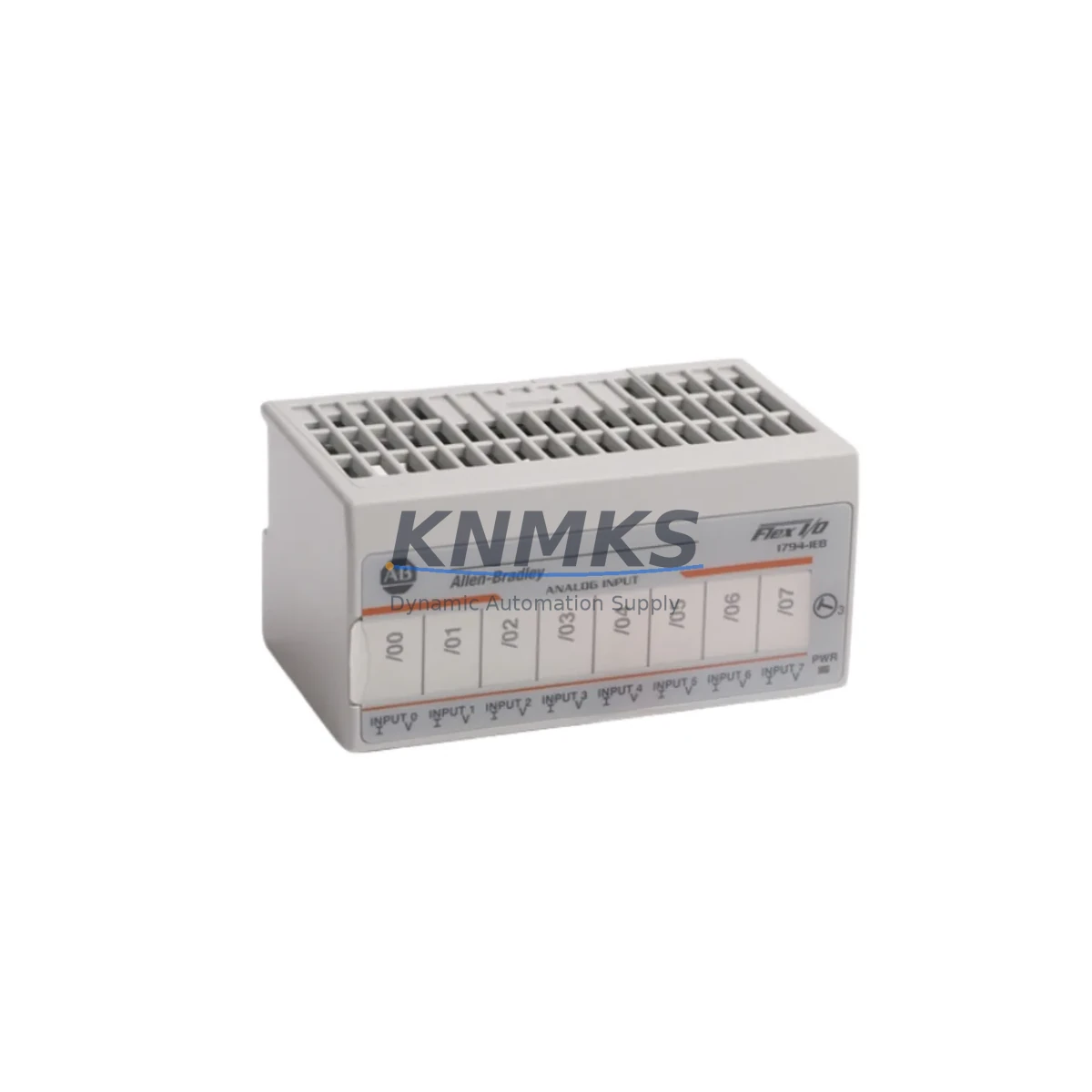
The Allen-Bradley 1794-IE8/B is an 8-channel analog input module designed for the FLEX I/O platform, widely deployed across legacy ControlLogix, CompactLogix, and SLC 500-based control architectures. As original equipment manufacturers phase out support for first-generation FLEX I/O hardware, the 1794-IE8/B has become a critical spare part for facilities managing aging distributed I/O networks. Whether you are replacing a failed module in a running production line, upgrading a control cabinet to extend its operational life, or executing a phased migration from an older PLC platform to a modern Logix-based system, the 1794-IE8/B provides a direct, wiring-compatible solution that minimizes engineering rework and reduces unplanned downtime.
This module supports 8 single-ended or 4 differential analog input channels, accepting standard voltage and current signals (0–10 V, ±10 V, 0–20 mA, 4–20 mA) configurable per channel via software. It mounts directly onto a 1794 FLEX I/O adapter — such as the 1794-ADN DeviceNet adapter or the 1794-AENT EtherNet/IP adapter — and communicates over the FLEX I/O backplane. The module’s compact DIN-rail-compatible form factor makes it suitable for retrofit installations where panel space is constrained and replacing a larger rack-based analog input assembly is not practical.
Migration Compatibility Table
| Parameter | 1794-IE8/B Specification | Retrofit / Migration Notes |
|---|---|---|
| Input Channels | 8 single-ended / 4 differential | Verify field wiring terminal assignments match legacy module pinout before power-up |
| Signal Range | 0–10 V, ±10 V, 0–20 mA, 4–20 mA (software-selectable) | Reconfigure channel ranges in RSLogix 5000 / Studio 5000 I/O tree after module swap |
| Backplane Interface | FLEX I/O 1794 backplane | Compatible with 1794-ADN, 1794-AENT, 1794-ACN15, 1794-ACNR15 adapters; confirm adapter firmware revision |
| Communication Protocol | DeviceNet / EtherNet/IP (adapter-dependent) | No protocol change required when swapping within same adapter; EtherNet/IP migration requires 1794-AENT adapter upgrade |
| Power Consumption | Refer to 1794-IE8/B datasheet (typically 75 mA @ 5 VDC backplane) | Audit total backplane current budget before adding modules; do not exceed adapter power rating |
| Module Addressing | Slot-based, auto-configured by adapter | Verify slot address in controller I/O configuration matches physical slot position after reinstallation |
| Installation Space | Standard FLEX I/O module width | No additional panel space required for direct replacement; confirm DIN rail clearance for new installations |
| Firmware Compatibility | Compatible with RSLogix 5000 v16+ / Studio 5000 v21+ | Older RSLogix 5000 versions may require AOP (Add-On Profile) update from Rockwell Automation support portal |
| Support terms | support terms confirmed by quotation — All units pre-tested before shipment; functional verification report available on request | |
Retrofit Planning for Existing Automation Systems
Successful integration of the 1794-IE8/B into an existing control system requires a structured pre-migration review. Begin by auditing the current FLEX I/O adapter — if the legacy system uses a 1794-ADN DeviceNet adapter and the migration target is EtherNet/IP, the adapter itself must be upgraded to a 1794-AENT before the new module can participate in the updated network topology. This is a common scenario in facilities transitioning from DeviceNet-based distributed I/O to EtherNet/IP as part of a broader ControlLogix or CompactLogix platform upgrade.
Terminal wiring is the most time-sensitive step in any analog input module replacement. The 1794-IE8/B uses a removable terminal block, which simplifies field wiring transfer from the failed or obsolete module. However, engineers should verify that the legacy wiring documentation reflects the actual field installation — particularly for differential versus single-ended configurations, shield grounding practices, and signal common connections. Mislabeled or undocumented wiring is a frequent source of commissioning delays during retrofit projects.
For systems where the 1794-IE8/B is being added as part of an I/O expansion rather than a direct replacement, the 1794 backplane assembly must be evaluated for available slots and total power budget. The 1794-TB3 or 1794-TB3S terminal base is required for each module position, and the adapter’s maximum module count and backplane current capacity must not be exceeded. In multi-drop DeviceNet installations, the node address of the adapter must also be confirmed to avoid address conflicts with other devices on the network segment.
Program compatibility is another critical checkpoint. When replacing a 1794-IE8 (revision A) with the 1794-IE8/B (revision B), the controller’s I/O configuration in Studio 5000 should be updated to reference the correct catalog number and revision. In most cases, the input data structure remains compatible, but scaling parameters, filter settings, and alarm limits configured in the original program should be verified against the replacement module’s datasheet to confirm identical behavior. If the system uses an HMI — such as a PanelView Plus 6 or PanelView 800 — analog input display tags linked to the 1794-IE8/B data table should be validated after the module swap to ensure correct engineering unit scaling is reflected on operator screens.
For facilities managing multiple control cabinets with FLEX I/O assemblies, it is advisable to maintain a minimum buffer stock of the 1794-IE8/B alongside related components such as the 1794-AENT EtherNet/IP adapter, 1794-OB16 digital output module, 1794-IB16 digital input module, and 1794-TB3 terminal bases. Having these components available on-site eliminates lead time risk during unplanned failures and supports rapid module-level troubleshooting without waiting for procurement cycles.
Downtime Control During System Migration
Minimizing production downtime during a FLEX I/O module replacement or system migration requires preparation that begins well before the maintenance window. The first priority is preserving the existing controller program. Before any hardware change, create a full backup of the Studio 5000 or RSLogix 5000 project file, including all I/O configuration, tag databases, and HMI application files. Store the backup on an isolated engineering workstation and verify the backup file opens correctly before proceeding with the physical swap.
For live systems where a brief controlled shutdown is unavoidable, coordinate the maintenance window with production scheduling to align with the lowest-impact period. The 1794-IE8/B module swap itself — assuming the terminal block wiring is pre-labeled and the replacement module is on hand — typically requires less than 15 minutes of physical work. The majority of migration time is consumed by post-swap verification: confirming module recognition in the controller’s I/O tree, checking analog input values against known reference signals, and validating that all HMI displays reflect correct process values.
Where the control system architecture permits, consider using the controller’s partial fault tolerance features to isolate the affected FLEX I/O adapter during the swap without taking the entire control program offline. In ControlLogix systems with redundant communication paths, the 1794-ACNR15 redundant ControlNet adapter can maintain I/O communication on the secondary path while the primary adapter is serviced. This approach is particularly valuable in continuous process environments where a full controller shutdown carries significant restart costs.
After the module is installed and the controller has recognized it, perform a structured commissioning check: verify each analog input channel reads correctly against a calibrated signal source, confirm that scaled values in the controller tag database match expected engineering units, and check that any interlock or alarm logic dependent on the analog inputs is functioning as designed. Document the commissioning results and update the site’s maintenance records with the replacement module’s serial number and installation date. All 1794-IE8/B units supplied by KNMKS are pre-tested before shipment, with a support terms confirmed by quotation covering manufacturing defects and functional failures under normal operating conditions.
Retrofit Support FAQ
Q: Is the 1794-IE8/B a direct drop-in replacement for the 1794-IE8 (revision A)?
A: Yes, in the vast majority of installations. The 1794-IE8/B is the current production revision of the 1794-IE8 and is physically and electrically compatible with the same terminal base and backplane slot. The controller I/O configuration should be updated to reference the /B revision catalog number in Studio 5000 to ensure the correct Add-On Profile is loaded. Signal ranges and channel configuration parameters are identical between revisions.
Q: What commissioning steps are required after installing the 1794-IE8/B?
A: After physical installation, go online with the controller in Studio 5000 and confirm the module appears in the I/O tree without fault indicators. Apply a known reference signal to each channel and verify the raw input counts and scaled engineering unit values match expected readings. Check that any program logic, HMI displays, or historian tags referencing the module’s input data are functioning correctly. If the module was added to an existing FLEX I/O assembly rather than replacing a failed unit, also verify that the adapter’s total backplane current budget has not been exceeded.
Q: Can the 1794-IE8/B be used with both DeviceNet and EtherNet/IP adapters?
A: Yes. The 1794-IE8/B communicates over the FLEX I/O backplane and is protocol-agnostic at the module level. The communication protocol to the controller is determined entirely by the adapter — 1794-ADN for DeviceNet or 1794-AENT for EtherNet/IP. The same 1794-IE8/B module can be used in either adapter configuration without modification.
Q: What support terms and pre-shipment testing does KNMKS provide for the 1794-IE8/B?
A: All 1794-IE8/B units supplied by KNMKS are functionally tested before shipment to verify analog input accuracy, channel configuration, and backplane communication. Each unit is covered by a support terms confirmed by quotation against manufacturing defects and functional failures under normal operating conditions. Functional verification reports are available on request. For volume orders or long-term spare parts supply agreements, contact the KNMKS sales team to discuss stocking arrangements and lead time commitments.
© 2026 KNMKS. All rights reserved.
Original Source: https://knmks.com
Contact: admin@knmks.com | +86 18359268345
Product Identification
- Brand / Ecosystem
-
Allen-Bradley
Allen-Bradley - Model / Series
-
1794-IE8/B
ControlLogix Series - Product Family
- PLCs & Controllers
- Availability Status
- Available on request after model and quantity confirmation
- Inquiry Type
- B2B RFQ, replacement inquiry and project spare-part request
- Pre-Quote Check
- Exact SKU, brand, series, quantity, nameplate photos and destination country are checked before quotation
System Path
Where this product fits in the KNMKS automation structure.
Specification & Inquiry Focus
- Control platform
- PLC, PAC and modular controllers
- Common needs
- CPU, rack, power and I/O expansion
- Project support
- Replacement, cabinet build and maintenance
Buyer Confirmation
Information KNMKS checks before replying.
- Exact model
- 1794-IE8/B
- Brand / ecosystem
- Allen-Bradley
- Product family
- PLCs & Controllers
- Application note
- Replacement, maintenance, project build or spare-part list
- Useful photos
- Nameplate, installed unit, cabinet layout or connector side
- Delivery details
- Quantity, destination country and target schedule
Document Support
Files and notes can be confirmed during quotation.
- Product photos or nameplate confirmation when available
- Packing and delivery notes before quotation confirmation
- Support scope and delivery terms confirmed per inquiry
- Export document coordination for qualified B2B requests
Inquiry Support
- Model cross-checking before quotation
- CPU, power, rack and expansion module matching
- Support for replacement and project inquiry
What to Send Us
- Brand and exact model number: Allen-Bradley 1794-IE8/B
- Quantity and required delivery time
- Application, replacement requirement or nameplate photo
- Destination country and shipping preference
RFQ Preparation
This is a product inquiry page built for RFQ communication.
Fast Model Check
Send this model to KNMKS for confirmation.
Include quantity, destination country and photos if this is a maintenance replacement. The inquiry will be saved with a reference number after submission.
Brand & Compatibility Note
KNMKS displays automation product information for well-known industrial brand ecosystems and compatible replacement references. Brand names are used for product identification and compatibility reference only; final availability and commercial terms are confirmed per quotation.
 Manufacturing
 Machine Tools
 Packaging
 Energy & Power



 HMI & Displays
 Servo Systems
 Variable Frequency Drives
 Sensors