
Overview
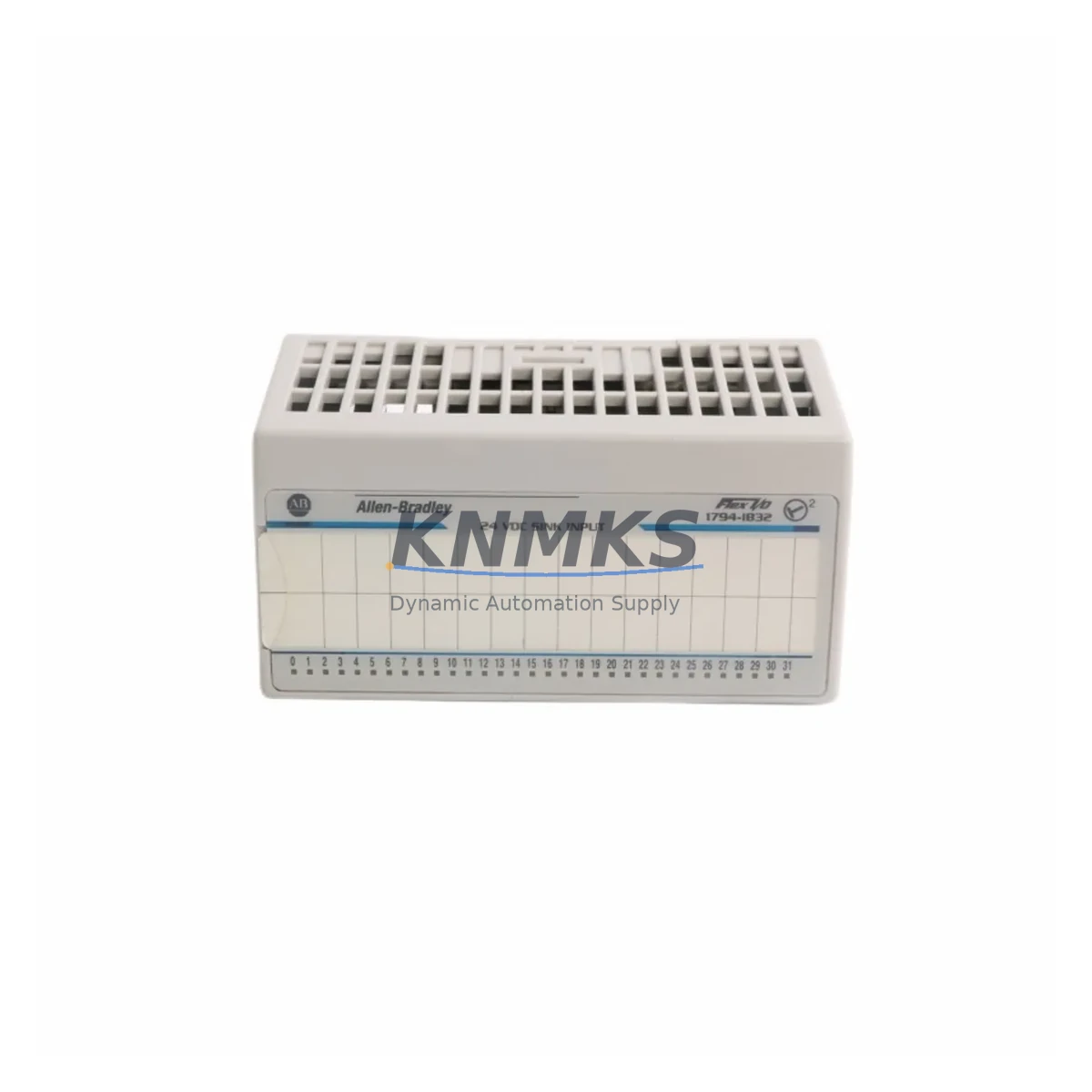
Allen-Bradley 1794-IB32 Migration-Ready Digital Input Module: Legacy System Retrofit & Upgrade Guide
The Allen-Bradley 1794-IB32 is a 32-point, 24VDC sinking digital input module designed for the FLEX I/O platform — one of Rockwell Automation’s most widely deployed distributed I/O architectures in legacy manufacturing and process control environments. As production lines age and original equipment reaches end-of-life, the 1794-IB32 remains a critical component for engineers tasked with maintaining system continuity, extending asset life, and executing phased modernization programs without full-line shutdowns.
Whether you are replacing a failed module in a running system, sourcing discontinued spare parts to extend a legacy control cabinet’s operational life, or planning a structured migration from an older PLC-5 or SLC 500 architecture to a ControlLogix or CompactLogix platform, the 1794-IB32 provides a verified, drop-in-compatible solution that minimizes re-engineering effort and downtime risk.
Migration Compatibility Table
| Parameter | Specification / Recommendation |
|---|---|
| Module Type | 32-Point Digital Input, 24VDC Sinking |
| Platform Compatibility | FLEX I/O (1794 series); compatible with ControlLogix, CompactLogix, PLC-5, SLC 500 via 1794-ADN, 1794-AENT, 1794-ACN15 adapters |
| Backplane Interface | FLEX I/O backplane; verify adapter type (DeviceNet, EtherNet/IP, ControlNet) before replacement |
| Communication Protocol | Adapter-dependent: DeviceNet / EtherNet/IP / ControlNet |
| Module Address | Set via adapter configuration; confirm slot addressing in RSLogix 5000 / Studio 5000 before commissioning |
| Terminal Wiring | RTB (Removable Terminal Block) — transfer existing RTB from failed module; verify 24VDC common wiring polarity |
| Power Consumption | Confirm backplane power budget on 1794-PS13 or equivalent FLEX I/O power supply before adding modules |
| Firmware Compatibility | No module-level firmware required; adapter firmware must support module series revision |
| Installation Space | Standard FLEX I/O single-slot; confirm DIN rail or panel-mount space in existing control cabinet |
| Replacement Recommendation | Direct drop-in replacement for 1794-IB32 (all series); RTB transfers without rewiring |
| Commissioning Focus | Verify I/O map in controller tag database; confirm input filter timing settings match original configuration |
| Support terms | support terms confirmed by quotation — covers manufacturing defects and functional failure under normal operating conditions |
Retrofit Planning for Existing Automation Systems
Successful integration of the 1794-IB32 into an existing or modernized control system requires a structured pre-replacement assessment. Before removing the failed or end-of-life module, engineers should document the current I/O map, capture the controller tag database export from Studio 5000 or RSLogix 5000, and photograph the existing terminal block wiring for reference during reinstallation.
The 1794-IB32 operates within the FLEX I/O backplane alongside a range of companion modules that are commonly present in the same control cabinet. Power delivery to the backplane is typically managed by a 1794-PS13 or 1794-PS1 power supply module — before adding or replacing I/O modules, confirm that the available backplane current budget accommodates the 1794-IB32’s draw. Overloading the power supply is a common commissioning error in retrofit projects.
Communication between the FLEX I/O backplane and the host controller is handled by an adapter module such as the 1794-AENT (EtherNet/IP), 1794-ADN (DeviceNet), or 1794-ACN15 (ControlNet). The adapter type determines the network protocol and the method by which the controller discovers and maps the 1794-IB32’s 32 input points. If the existing adapter is also at end-of-life, it is advisable to replace both the adapter and the input module simultaneously to avoid a second unplanned outage.
In systems where the 1794-IB32 is paired with output modules such as the 1794-OB32 (32-point digital output) or analog modules like the 1794-IE8 (8-channel analog input), the slot order on the backplane must be preserved exactly. The controller’s I/O configuration in Studio 5000 references each module by its slot number; changing slot positions without updating the program will cause I/O faults and may trigger safety interlocks.
For systems migrating from a PLC-5 or SLC 500 architecture, the 1794-IB32 can serve as the field-side I/O layer while the controller is upgraded to a ControlLogix 1756 or CompactLogix 5380 platform. In this scenario, the existing field wiring and RTB connections remain intact, significantly reducing migration labor and the risk of wiring errors. The primary engineering effort shifts to remapping legacy data table addresses to the new controller’s tag-based structure and validating HMI screen bindings in FactoryTalk View or equivalent SCADA software.
Signal isolation requirements should also be evaluated during retrofit planning. In environments with high electrical noise — common in motor control centers, variable frequency drive cabinets, and welding lines — installing a signal isolator or barrier module upstream of the 1794-IB32 inputs can prevent nuisance faults and extend module service life. This is particularly relevant when the original system design predates modern EMC standards.
Downtime Control During System Migration
Minimizing unplanned downtime is the primary operational constraint in any legacy system retrofit. For the 1794-IB32, the fastest path to restoration is a like-for-like module swap using the removable terminal block (RTB). Because the RTB carries all field wiring, the replacement procedure requires no rewiring: remove the RTB from the failed module, seat it on the replacement 1794-IB32, and insert the module into the backplane slot. Total mechanical swap time is typically under five minutes for a trained technician.
Before powering the system back on, verify the following in sequence: (1) the module is fully seated in the backplane and the locking tab is engaged; (2) the adapter module’s node address or IP address is unchanged; (3) the controller’s I/O configuration in Studio 5000 matches the physical slot layout; (4) input filter timing parameters in the module’s properties match the original settings, particularly for high-speed or encoder-adjacent inputs.
For planned migration projects where the 1794-IB32 is being introduced as part of a broader control system upgrade, a parallel commissioning approach is recommended: install and configure the new I/O rack alongside the existing system, validate all input signals against the original system’s readings, and perform a controlled cutover during a scheduled maintenance window. This approach preserves the original program logic and HMI screen configurations while the new hardware is verified under live field conditions.
All units supplied by KNMKS undergo pre-shipment functional testing to confirm input channel continuity, backplane communication handshake, and LED status indicator operation. This reduces on-site commissioning time and provides confidence that the replacement module is operationally verified before it reaches the field.
Retrofit Support FAQ
Q1: Is the 1794-IB32 a direct replacement for all series revisions of the same part number?
Yes. All series revisions of the 1794-IB32 share the same form factor, backplane connector, and RTB interface. The replacement module can be installed in the same slot without modifying the controller program, adapter configuration, or field wiring. Confirm the series revision in your Studio 5000 I/O configuration if your system uses revision-specific module definitions.
Q2: What pre-shipment testing is performed, and does the module come with a support terms?
Each 1794-IB32 supplied by KNMKS is functionally tested prior to shipment, including input channel verification and backplane communication validation. All modules are covered by a support terms confirmed by quotation against manufacturing defects and functional failure under normal operating conditions. Contact admin@knmks.com for support requests or technical support.
Q3: Can the 1794-IB32 be used with both EtherNet/IP and DeviceNet adapters?
Yes. The 1794-IB32 is adapter-agnostic at the module level — it communicates via the FLEX I/O backplane regardless of the network adapter installed. The adapter module (1794-AENT for EtherNet/IP, 1794-ADN for DeviceNet, 1794-ACN15 for ControlNet) determines the upstream network protocol. No changes to the 1794-IB32 itself are required when changing adapter types.
Q4: What is the lead time and stock availability?
KNMKS maintains inventory of the 1794-IB32 to support urgent replacement and planned retrofit projects. Contact admin@knmks.com or call +86 18359268345 for current stock levels, lead time confirmation, and volume pricing. Orders are processed and dispatched promptly with full documentation including test reports and support terms certificates.
© 2026 KNMKS. All rights reserved.
Original Source: https://knmks.com
Contact: admin@knmks.com | +86 18359268345
Product Identification
- Brand / Ecosystem
-
Allen-Bradley
Allen-Bradley - Model / Series
-
1794-IB32
ControlLogix Series - Product Family
- PLCs & Controllers
- Availability Status
- Available on request after model and quantity confirmation
- Inquiry Type
- B2B RFQ, replacement inquiry and project spare-part request
- Pre-Quote Check
- Exact SKU, brand, series, quantity, nameplate photos and destination country are checked before quotation
System Path
Where this product fits in the KNMKS automation structure.
Specification & Inquiry Focus
- Control platform
- PLC, PAC and modular controllers
- Common needs
- CPU, rack, power and I/O expansion
- Project support
- Replacement, cabinet build and maintenance
Buyer Confirmation
Information KNMKS checks before replying.
- Exact model
- 1794-IB32
- Brand / ecosystem
- Allen-Bradley
- Product family
- PLCs & Controllers
- Application note
- Replacement, maintenance, project build or spare-part list
- Useful photos
- Nameplate, installed unit, cabinet layout or connector side
- Delivery details
- Quantity, destination country and target schedule
Document Support
Files and notes can be confirmed during quotation.
- Product photos or nameplate confirmation when available
- Packing and delivery notes before quotation confirmation
- Support scope and delivery terms confirmed per inquiry
- Export document coordination for qualified B2B requests
Inquiry Support
- Model cross-checking before quotation
- CPU, power, rack and expansion module matching
- Support for replacement and project inquiry
What to Send Us
- Brand and exact model number: Allen-Bradley 1794-IB32
- Quantity and required delivery time
- Application, replacement requirement or nameplate photo
- Destination country and shipping preference
RFQ Preparation
This is a product inquiry page built for RFQ communication.
Fast Model Check
Send this model to KNMKS for confirmation.
Include quantity, destination country and photos if this is a maintenance replacement. The inquiry will be saved with a reference number after submission.
Brand & Compatibility Note
KNMKS displays automation product information for well-known industrial brand ecosystems and compatible replacement references. Brand names are used for product identification and compatibility reference only; final availability and commercial terms are confirmed per quotation.
 Manufacturing
 Machine Tools
 Packaging
 Energy & Power



 HMI & Displays
 Servo Systems
 Variable Frequency Drives
 Sensors