
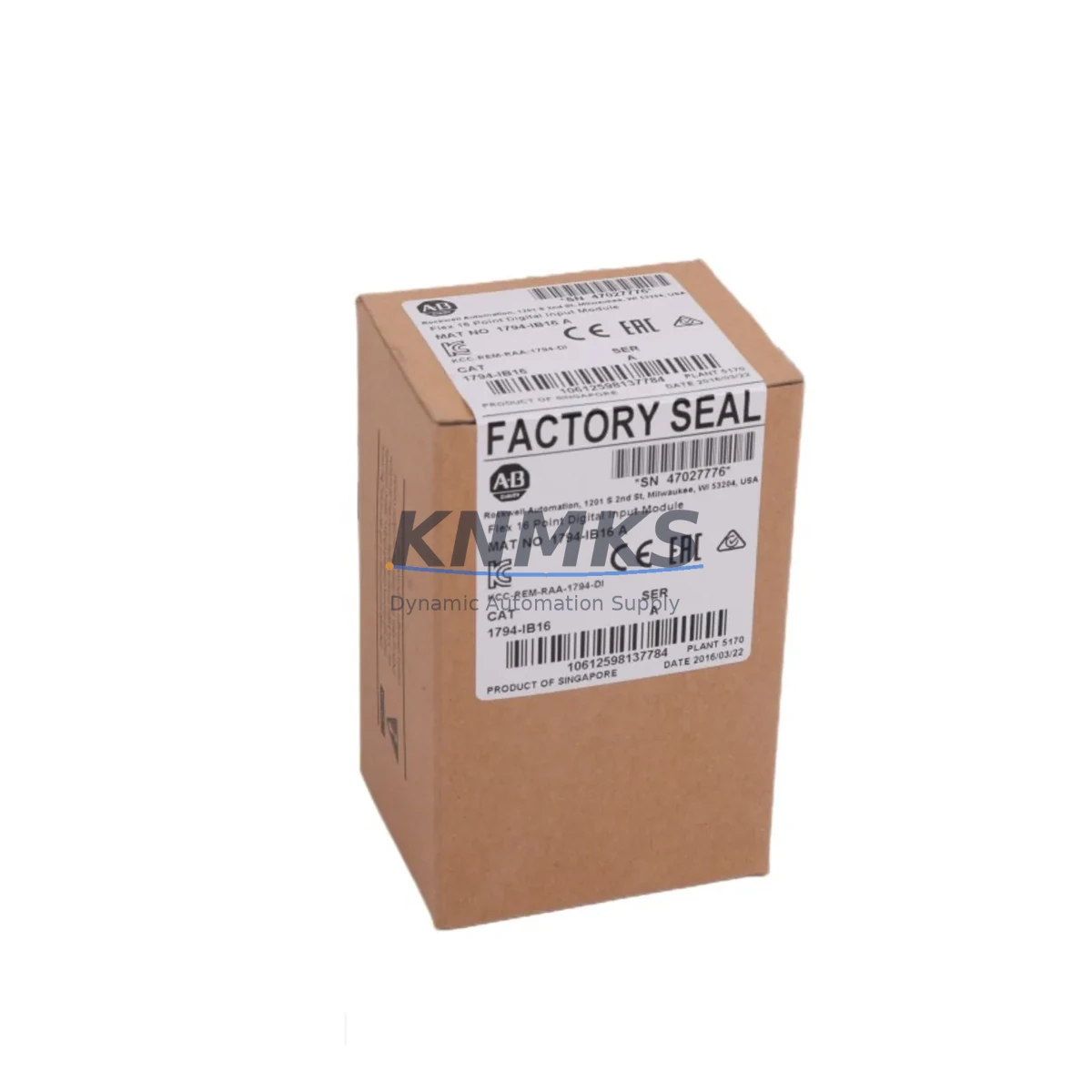
Overview
Allen-Bradley 1794-IB16 Migration-Ready Digital Input Module: Legacy System Retrofit & Compatibility Upgrade
The Allen-Bradley 1794-IB16 is a 16-point, 24VDC DC digital input module designed for the Rockwell Automation FLEX I/O platform. As legacy control systems age and original equipment manufacturers discontinue support for older I/O architectures, the 1794-IB16 has become a critical replacement component for engineers managing brownfield automation upgrades, control cabinet retrofits, and production line modernization projects.
Whether you are replacing a failed module in an existing FLEX I/O rack, migrating from an older SLC 500 or PLC-5 distributed I/O network, or expanding a ControlLogix-based system with additional discrete input capacity, the 1794-IB16 provides a wiring-compatible, firmware-verified drop-in solution. Each unit shipped from our inventory undergoes pre-shipment functional testing to confirm channel integrity, terminal block seating, and backplane communication before dispatch.
For retrofit projects, engineers must verify several critical parameters before installation. Power budget on the 1794-A2 or 1794-A4 adapter must accommodate the 1794-IB16 current draw of 30mA at 5VDC from the backplane. Terminal wiring follows the standard FLEX I/O 18-point removable terminal block layout, which is compatible across the 1794 series, simplifying like-for-like replacement without rewiring field cables. Module addressing is set automatically through the adapter and ControlLogix or CompactLogix controller configuration — no physical DIP switch changes are required on the 1794-IB16 itself.
Program compatibility is a key concern during any migration. If the replacement is within the same FLEX I/O rack and the module slot position is unchanged, the existing RSLogix 5000 or Studio 5000 program logic referencing the input tags will remain valid without modification. However, if the module is being introduced into a new rack position or a different adapter, engineers should audit all rung references and I/O tree mappings in the controller project before going live. HMI screens built in FactoryTalk View that reference discrete input status bits tied to this module will also require validation if tag paths change.
Communication link integrity between the 1794-IB16 and the host controller depends on the adapter in use. The 1794-AENT EtherNet/IP adapter and the 1794-ADN DeviceNet adapter are the most common interfaces in legacy installations. When migrating from a DeviceNet-based architecture to EtherNet/IP, the adapter swap must be planned carefully — the 1794-IB16 module itself is adapter-agnostic and will function correctly with either, but the controller’s I/O tree, connection parameters, and network topology must be reconfigured accordingly. Firmware version compatibility between the adapter and the ControlLogix or CompactLogix controller should be confirmed using Rockwell’s Product Compatibility and Download Center (PCDC) prior to commissioning.
Installation space in the control cabinet should be confirmed before ordering. The 1794-IB16 occupies one slot in a standard FLEX I/O mounting rail and requires the associated terminal base, typically the 1794-TB3 or 1794-TB3S. If the terminal base is damaged or missing from the legacy installation, it must be sourced separately. The module and terminal base together have a defined depth profile that must clear any cable management trays or adjacent equipment in the panel.
For systems where the 1794-IB16 is being used to replace a discontinued analog or specialty module as part of a broader I/O rationalization, signal isolation requirements should be reviewed. In high-noise industrial environments, a signal isolator or signal conditioner may be required upstream of the input terminals to protect the module from voltage transients on long field cable runs. This is particularly relevant in retrofit scenarios where the original wiring infrastructure is being reused.
All units are supplied with a support terms confirmed by quotation covering manufacturing defects and functional failures under normal operating conditions. Stock is maintained for immediate dispatch, supporting urgent breakdown replacement and planned maintenance schedules alike.
Migration Compatibility Table
| Parameter | Specification / Compatibility |
|---|---|
| SKU | 1794-IB16 |
| Platform | Allen-Bradley FLEX I/O (1794 Series) |
| Input Points | 16-point discrete DC input |
| Input Voltage | 24VDC nominal |
| Backplane Current Draw | 30mA @ 5VDC |
| Terminal Base Compatibility | 1794-TB3, 1794-TB3S, 1794-TB3G |
| Adapter Compatibility | 1794-AENT (EtherNet/IP), 1794-ADN (DeviceNet), 1794-ACN15 (ControlNet) |
| Controller Compatibility | ControlLogix, CompactLogix, SLC 500 (via adapter), PLC-5 (via adapter) |
| Programming Software | RSLogix 5000, Studio 5000 Logix Designer |
| Installation | 1 slot, FLEX I/O DIN rail mounting rail |
| Replacement for Discontinued Models | Direct replacement for 1794-IB16 series A/B/C revisions |
| Retrofit Recommendation | Verify adapter firmware, terminal base condition, and slot position before installation |
| Commissioning Notes | Validate I/O tree tags, HMI references, and communication link after module swap |
| Support terms | 12 months from date of shipment |
Retrofit Planning for Existing Automation Systems
Successful integration of the 1794-IB16 into a legacy or modernized control system requires a structured retrofit plan. Begin by auditing the existing FLEX I/O rack configuration — document each module’s slot position, terminal base type, and wiring schedule before removing any hardware. This baseline record is essential for restoring the system quickly if commissioning issues arise.
Power distribution within the rack must be recalculated if additional modules are being added alongside the 1794-IB16. The 1794-A2 or 1794-A4 power supply adapter has a defined total backplane current budget; exceeding this limit will cause unpredictable module behavior or adapter faults. Include the 1794-IB16’s 30mA backplane draw in the total rack power calculation alongside any co-installed modules such as the 1794-OB16 digital output module or 1794-IE8 analog input module.
For systems migrating from legacy DeviceNet or ControlNet architectures to EtherNet/IP, the adapter replacement — typically moving from a 1794-ADN to a 1794-AENT — is the most significant change in the retrofit. The 1794-IB16 modules in the rack do not need to be replaced during this adapter migration; only the adapter and the controller’s I/O configuration require updating. This significantly reduces the scope and cost of the network protocol migration.
Where the retrofit involves expanding I/O capacity rather than direct replacement, engineers should confirm that the existing mounting rail has sufficient physical slots and that the 1794-TB3 terminal bases are available for the new modules. In control cabinets with limited depth or tight cable management, the physical envelope of the expanded rack must be verified against available panel space before procurement.
For installations where the 1794-IB16 interfaces with a PanelView HMI or third-party SCADA system, all discrete input status displays and alarm triggers referencing the module’s input bits should be tested in simulation mode before the system is returned to production. This step is frequently overlooked in fast-turnaround retrofits and is a common source of post-commissioning defects.
If the retrofit includes a controller upgrade — for example, migrating from a legacy SLC 5/05 to a CompactLogix L3x — a programming cable such as the 1784-U2DHP USB-to-DH+ adapter may be required to extract the original program from the legacy controller before conversion. The converted program must then be validated against the new I/O map, including all 1794-IB16 input references, before download to the new controller.
Downtime Control During System Migration
Minimizing unplanned downtime is the primary operational constraint in any brownfield retrofit. For the 1794-IB16 replacement, the fastest path to system restoration is a pre-staged swap: configure the replacement module and its terminal base on the bench, verify the wiring schedule against the original documentation, and prepare the controller project with the updated I/O configuration before the maintenance window begins.
Where possible, perform the module swap during a scheduled production stop rather than in response to an emergency failure. Emergency replacements under time pressure increase the risk of wiring errors, incorrect slot positioning, or missed firmware compatibility checks. Pre-staging the replacement unit with the correct terminal base and a verified wiring label reduces the on-site swap time to under 30 minutes in most installations.
To protect original program logic during the migration, always back up the controller project to a secure location before making any hardware changes. If the controller is a ControlLogix or CompactLogix system, use Studio 5000 to export the full project archive, including all I/O configuration, tag databases, and routine logic. This archive is the recovery baseline if the commissioning process encounters unexpected faults.
Field control continuity during the swap can be maintained in some architectures by placing the affected controller in a safe hold state or by using the FLEX I/O adapter’s connection fault behavior settings to hold last-state outputs while the input module is replaced. Consult the system’s safety and operational procedures before relying on hold-last-state behavior in safety-critical applications.
After installation, perform a structured commissioning sequence: confirm backplane communication, verify all 16 input channels by forcing known field signals, validate HMI displays, and confirm alarm and interlock logic before releasing the system to production. Document the commissioning results and retain them with the maintenance record for the installation.
Retrofit Support FAQ
Q: Is the 1794-IB16 a direct drop-in replacement for all revisions of the original module?
A: Yes. The 1794-IB16 is backward compatible across series A, B, and C hardware revisions. The terminal base wiring, backplane interface, and I/O data format are consistent across revisions, so no program changes are required when replacing an older revision with a current-stock unit.
Q: What pre-shipment testing is performed on each unit?
A: Each 1794-IB16 unit undergoes functional channel testing, backplane connector inspection, and terminal base seating verification before dispatch. Units are shipped with a test record confirming channel integrity across all 16 input points.
Q: Can the 1794-IB16 be used with both EtherNet/IP and DeviceNet adapters without modification?
A: Yes. The 1794-IB16 is adapter-agnostic within the FLEX I/O platform. It will operate correctly with the 1794-AENT (EtherNet/IP), 1794-ADN (DeviceNet), and 1794-ACN15 (ControlNet) adapters. No hardware modification to the module is required when changing adapters.
Q: What does the support terms confirmed by quotation cover, and what is the process for a support terms claim?
A: The support terms confirmed by quotation cover manufacturing defects and functional failures under normal operating conditions from the date of shipment. To initiate a support terms claim, contact admin@knmks.com with the order reference, installation date, and a description of the fault. Replacement units are dispatched upon fault confirmation, and failed units are returned for analysis.
© 2026 KNMKS. All rights reserved.
Original Source: https://knmks.com
Contact: admin@knmks.com | +86 18359268345
Product Identification
- Brand / Ecosystem
-
Allen-Bradley
Allen-Bradley - Model / Series
-
1794-IB16
ControlLogix Series - Product Family
- PLCs & Controllers
- Availability Status
- Available on request after model and quantity confirmation
- Inquiry Type
- B2B RFQ, replacement inquiry and project spare-part request
- Pre-Quote Check
- Exact SKU, brand, series, quantity, nameplate photos and destination country are checked before quotation
System Path
Where this product fits in the KNMKS automation structure.
Specification & Inquiry Focus
- Control platform
- PLC, PAC and modular controllers
- Common needs
- CPU, rack, power and I/O expansion
- Project support
- Replacement, cabinet build and maintenance
Buyer Confirmation
Information KNMKS checks before replying.
- Exact model
- 1794-IB16
- Brand / ecosystem
- Allen-Bradley
- Product family
- PLCs & Controllers
- Application note
- Replacement, maintenance, project build or spare-part list
- Useful photos
- Nameplate, installed unit, cabinet layout or connector side
- Delivery details
- Quantity, destination country and target schedule
Document Support
Files and notes can be confirmed during quotation.
- Product photos or nameplate confirmation when available
- Packing and delivery notes before quotation confirmation
- Support scope and delivery terms confirmed per inquiry
- Export document coordination for qualified B2B requests
Inquiry Support
- Model cross-checking before quotation
- CPU, power, rack and expansion module matching
- Support for replacement and project inquiry
What to Send Us
- Brand and exact model number: Allen-Bradley 1794-IB16
- Quantity and required delivery time
- Application, replacement requirement or nameplate photo
- Destination country and shipping preference
RFQ Preparation
This is a product inquiry page built for RFQ communication.
Fast Model Check
Send this model to KNMKS for confirmation.
Include quantity, destination country and photos if this is a maintenance replacement. The inquiry will be saved with a reference number after submission.
Brand & Compatibility Note
KNMKS displays automation product information for well-known industrial brand ecosystems and compatible replacement references. Brand names are used for product identification and compatibility reference only; final availability and commercial terms are confirmed per quotation.
 Manufacturing
 Machine Tools
 Packaging
 Energy & Power



 HMI & Displays
 Servo Systems
 Variable Frequency Drives
 Sensors