
Overview
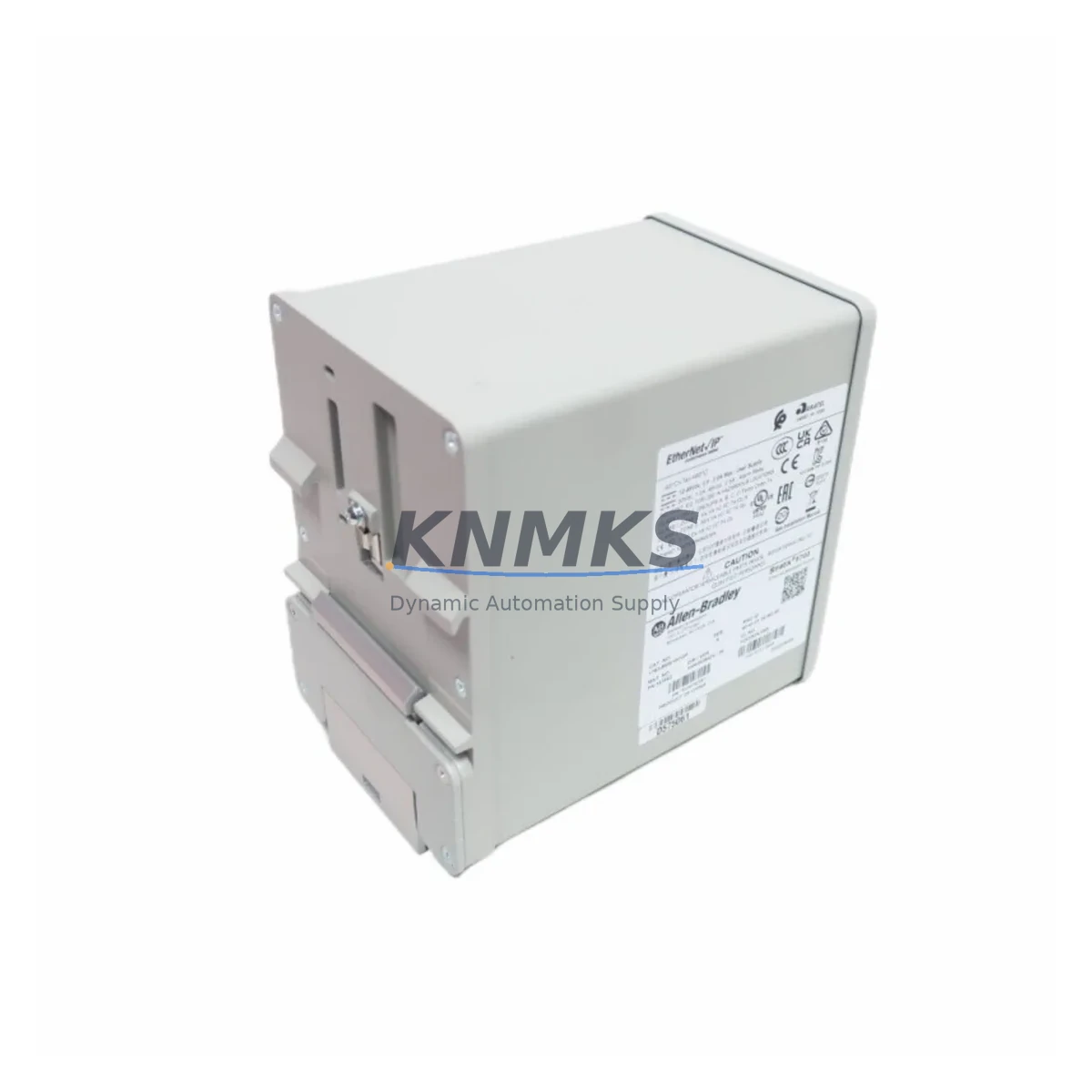
Allen-Bradley 1783-BMS10CGP Spare Part Stratix 5700: Maintenance-Proven for Factory Uptime
The Allen-Bradley 1783-BMS10CGP is a managed Ethernet switch from the Stratix 5700 series, engineered for demanding industrial automation environments. As a critical network infrastructure component in ControlLogix and CompactLogix-based control architectures, this switch supports EtherNet/IP communication across distributed I/O, HMI stations, variable frequency drives, and motion control nodes. Maintaining a verified spare of the 1783-BMS10CGP in your parts inventory is a proven strategy for minimizing unplanned downtime and protecting production continuity in facilities running Rockwell Automation platforms.
For maintenance engineers and procurement teams managing aging automation infrastructure, the 1783-BMS10CGP represents a high-priority spare. Network switch failures in EtherNet/IP topologies can cascade rapidly — isolating entire I/O segments, dropping HMI communications, and triggering safety shutdowns. Having a tested, ready-to-deploy replacement on hand eliminates the lead time risk associated with emergency procurement and reduces mean time to repair (MTTR) to the duration of a physical swap and network re-verification.
Each unit supplied by KNMKS is sourced from verified channels, functionally tested prior to shipment, and covered by a support terms confirmed by quotation. Fast B2B dispatch is available for urgent maintenance requirements.
Spare Maintenance Table
| Parameter | Specification / Detail |
|---|---|
| SKU / Part Number | 1783-BMS10CGP |
| Series | Stratix 5700 |
| Brand | Allen-Bradley / Rockwell Automation |
| Product Type | Industrial Managed Ethernet Switch |
| Port Configuration | 8 × 10/100 copper + 2 × 1G combo (copper/SFP) |
| Communication Protocol | EtherNet/IP, IEEE 802.3 |
| Mounting | DIN rail |
| Power Input | 24 VDC nominal (18–32 VDC range) |
| Operating Temperature | 0°C to 60°C |
| Compatible Controllers | ControlLogix (1756), CompactLogix (1769), GuardLogix |
| Compatible HMI / SCADA | PanelView Plus, FactoryTalk View SE/ME |
| Installation Environment | Industrial control panel, DIN rail enclosure |
| Maintenance Recommendation | Inspect port LEDs, verify EtherNet/IP device tree in Studio 5000 post-swap |
| Support terms | support terms confirmed by quotation — tested before shipment |
Maintenance Planning for Continuous Operation
Effective spare parts planning for a Stratix 5700 deployment extends beyond the switch itself. When scheduling a 1783-BMS10CGP replacement, maintenance engineers should conduct a concurrent inspection of the surrounding control cabinet infrastructure to prevent secondary failures from masking the root cause or triggering repeat downtime events.
Begin with the 24 VDC power supply feeding the switch — typically a 1606-XLP or equivalent Allen-Bradley power supply module. Verify output voltage stability under load, check terminal block torque on the power input wiring, and confirm that the power supply’s output capacity accommodates the full port load of the replacement switch. A marginal power supply that was sustaining the original unit may fail to support a new switch at full traffic load.
Inspect the DIN rail mounting hardware and adjacent terminal blocks for corrosion, loose connections, or thermal discoloration. In cabinets where the 1783-BMS10CGP is installed alongside 1756-EN2T or 1756-EN3TR EtherNet/IP communication modules in a ControlLogix chassis, confirm that the backplane communication path and module addressing are intact before restoring network traffic. A mismatch in IP addressing or VLAN configuration between the replacement switch and the existing network topology is a common source of post-maintenance communication faults.
For systems using 1783-SFP1GSX or 1783-SFP1GLX fiber SFP modules in the combo ports, verify SFP seating and fiber connector cleanliness during the swap. Dust contamination on fiber connectors is a frequent cause of intermittent link errors that are misdiagnosed as switch hardware failure. If the control system includes a 2711P PanelView Plus HMI communicating over EtherNet/IP, confirm that the HMI’s Ethernet connection is restored and that FactoryTalk View runtime re-establishes its tag server connection after the switch replacement.
Where the 1783-BMS10CGP is part of a Device Level Ring (DLR) topology, verify ring supervisor configuration and confirm that the DLR status indicator in Studio 5000 Logix Designer shows a healthy ring before returning the system to production. Signal isolators or surge protection devices installed on field wiring entering the control cabinet should also be inspected as part of the annual maintenance cycle concurrent with any switch replacement.
Site Replacement Workflow
A structured on-site replacement workflow for the 1783-BMS10CGP minimizes downtime and reduces the risk of configuration errors during the swap. Before beginning, export the switch configuration using Cisco IOS CLI or the Stratix Device Manager web interface and save the configuration file to a secure location. This backup is essential for restoring VLAN assignments, port security settings, QoS policies, and DLR parameters on the replacement unit.
Coordinate the replacement window with the production schedule to align with a planned maintenance interval or a low-production period. Notify all stakeholders — including process control, IT/OT network, and safety teams — before isolating the switch. Label all Ethernet cables connected to the existing switch before disconnection to prevent port mapping errors during reinstallation.
After physically installing the replacement 1783-BMS10CGP on the DIN rail and reconnecting power and Ethernet cables, restore the saved configuration via the Stratix Device Manager or CLI. Verify that all connected devices — including 1756-EN2T communication modules, distributed 1734 POINT I/O adapters, VFD Ethernet ports, and HMI stations — reappear in the Studio 5000 I/O tree and that no faulted modules are present. Confirm EtherNet/IP implicit messaging is active and that explicit messaging connections from FactoryTalk applications are re-established before releasing the system to production.
KNMKS supplies each 1783-BMS10CGP with a functional test report and support terms confirmed by quotation documentation, supporting your internal maintenance records and audit requirements.
Spare Parts Support FAQ
Q1: Is the 1783-BMS10CGP still in production, and can KNMKS guarantee long-term supply?
The 1783-BMS10CGP is part of the Stratix 5700 series. KNMKS maintains verified inventory sourced from authorized distribution channels and can support both immediate replacement orders and scheduled annual procurement. Contact our sales team to discuss blanket order arrangements for long-term supply assurance.
Q2: How is the 1783-BMS10CGP tested before shipment?
Each unit undergoes functional verification including power-on self-test, port link verification, and EtherNet/IP communication validation prior to dispatch. A test report is included with shipment. All units are covered by a support terms confirmed by quotation from the date of delivery.
Q3: Can the replacement 1783-BMS10CGP accept the configuration backup from the failed unit?
Yes. Configuration files exported from the Stratix Device Manager or via Cisco IOS CLI are fully compatible with replacement units of the same firmware revision. KNMKS recommends confirming the firmware version of the replacement unit matches your existing network standard before deployment, and can supply units pre-loaded with specific firmware versions upon request.
Q4: What should be checked if EtherNet/IP communication does not restore after replacing the switch?
Verify IP address assignment (static vs. DHCP), VLAN configuration, port speed/duplex settings, and DLR ring supervisor status. Confirm that the 1756-EN2T or 1756-EN3TR module in the ControlLogix chassis has re-established its connection path. Check that all SFP modules are fully seated and that fiber connectors are clean. If issues persist, use the Stratix Device Manager diagnostic tools to review port error counters and MAC address tables.
© 2026 KNMKS. All rights reserved.
Original Source: https://knmks.com
Contact: admin@knmks.com | +86 18359268345
Product Identification
- Brand / Ecosystem
-
Allen-Bradley
Allen-Bradley - Model / Series
-
1783-BMS10CGP
ControlLogix Series - Product Family
- PLCs & Controllers
- Availability Status
- Available on request after model and quantity confirmation
- Inquiry Type
- B2B RFQ, replacement inquiry and project spare-part request
- Pre-Quote Check
- Exact SKU, brand, series, quantity, nameplate photos and destination country are checked before quotation
System Path
Where this product fits in the KNMKS automation structure.
Specification & Inquiry Focus
- Control platform
- PLC, PAC and modular controllers
- Common needs
- CPU, rack, power and I/O expansion
- Project support
- Replacement, cabinet build and maintenance
Buyer Confirmation
Information KNMKS checks before replying.
- Exact model
- 1783-BMS10CGP
- Brand / ecosystem
- Allen-Bradley
- Product family
- PLCs & Controllers
- Application note
- Replacement, maintenance, project build or spare-part list
- Useful photos
- Nameplate, installed unit, cabinet layout or connector side
- Delivery details
- Quantity, destination country and target schedule
Document Support
Files and notes can be confirmed during quotation.
- Product photos or nameplate confirmation when available
- Packing and delivery notes before quotation confirmation
- Support scope and delivery terms confirmed per inquiry
- Export document coordination for qualified B2B requests
Inquiry Support
- Model cross-checking before quotation
- CPU, power, rack and expansion module matching
- Support for replacement and project inquiry
What to Send Us
- Brand and exact model number: Allen-Bradley 1783-BMS10CGP
- Quantity and required delivery time
- Application, replacement requirement or nameplate photo
- Destination country and shipping preference
RFQ Preparation
This is a product inquiry page built for RFQ communication.
Fast Model Check
Send this model to KNMKS for confirmation.
Include quantity, destination country and photos if this is a maintenance replacement. The inquiry will be saved with a reference number after submission.
Brand & Compatibility Note
KNMKS displays automation product information for well-known industrial brand ecosystems and compatible replacement references. Brand names are used for product identification and compatibility reference only; final availability and commercial terms are confirmed per quotation.
 Manufacturing
 Machine Tools
 Packaging
 Energy & Power



 HMI & Displays
 Servo Systems
 Variable Frequency Drives
 Sensors