
Overview
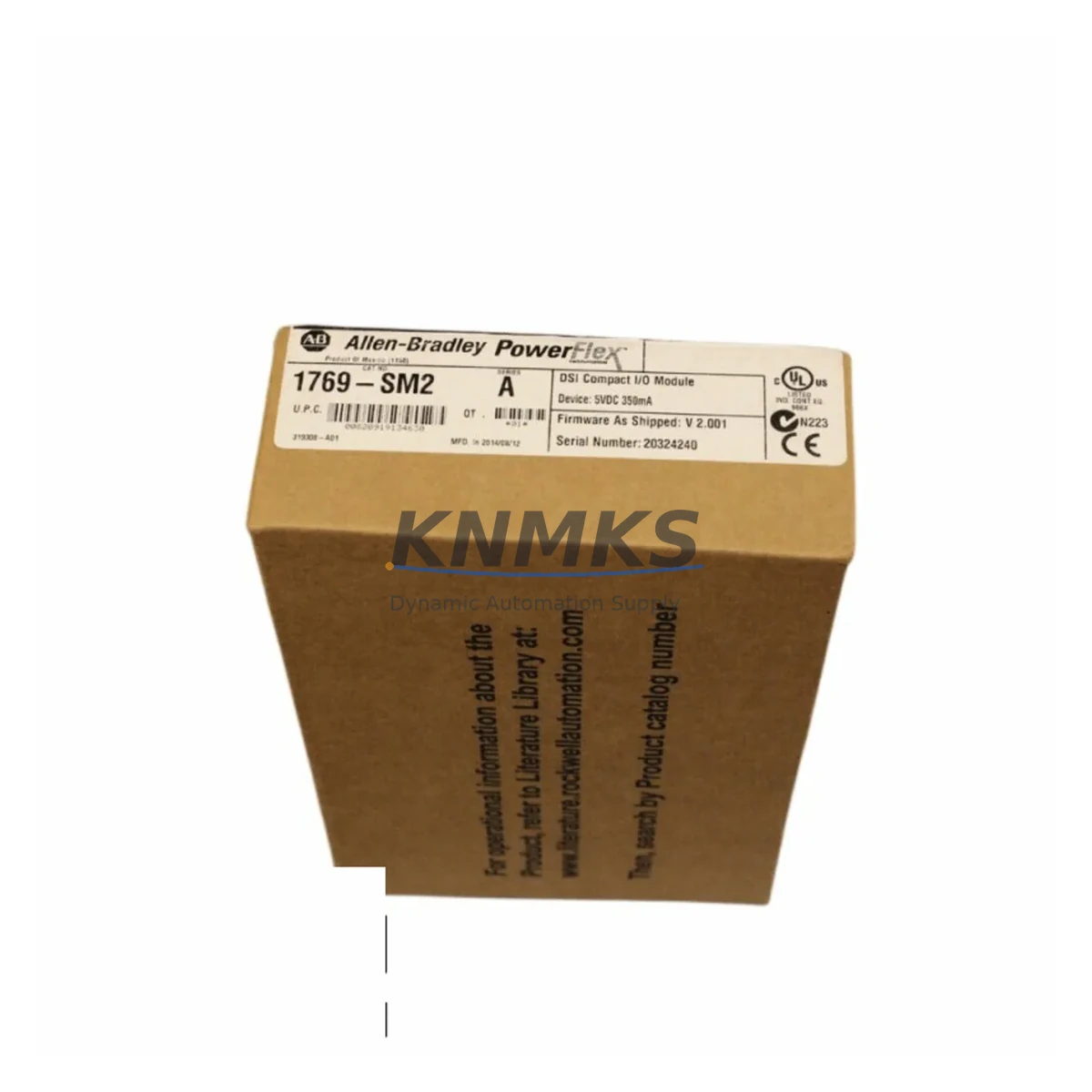
Allen-Bradley 1769-SM2 DSI/Modbus Module for Legacy Systems: Migration-Ready Retrofit Solution
The Allen-Bradley 1769-SM2 is a DSI/Modbus communication module designed for the 1769 Compact I/O platform, widely deployed in legacy MCC panels, packaging lines, conveyor systems, and process control cabinets. As original equipment reaches end-of-life and spare parts become increasingly scarce, the 1769-SM2 remains a critical component for engineers managing system continuity, brownfield upgrades, and phased migration projects.
This module provides a direct interface between a CompactLogix or MicroLogix controller and DSI-compatible drives — including PowerFlex 4, PowerFlex 40, and PowerFlex 400 series — as well as third-party Modbus RTU devices. For facilities running aging control architectures, the 1769-SM2 enables drive communication without requiring a full system overhaul, making it an essential bridge component during staged modernization programs.
Our inventory is sourced from authorized channels, fully tested prior to shipment, and backed by a support terms confirmed by quotation. Each unit is verified for firmware compatibility and physical integrity before dispatch.
Migration Compatibility Table
| Parameter | Details |
|---|---|
| Module SKU | 1769-SM2 |
| Series / Platform | Allen-Bradley 1769 Compact I/O |
| Communication Protocol | DSI (Drive Serial Interface) / Modbus RTU |
| Compatible Controllers | CompactLogix L1x/L2x/L3x, MicroLogix 1500 |
| Compatible Drives | PowerFlex 4, PowerFlex 40, PowerFlex 400, PowerFlex 70 (DSI port) |
| Backplane Interface | 1769 Compact I/O right-end or left-end bus connection |
| Installation Requirement | Adjacent to controller or within 1769 expansion bank; end cap (1769-ECR/ECL) required |
| Replacement Recommendation | Direct drop-in for existing 1769-SM2 installations; verify slot addressing in RSLogix 5000 / Studio 5000 |
| Commissioning Focus | Node address DIP switch setting, baud rate match (typically 19.2k or 38.4k), drive parameter group 09x verification |
| Firmware Compatibility | Compatible with all production firmware revisions; no field firmware update required for standard replacement |
| Support terms | support terms confirmed by quotation — covers manufacturing defects and functional failure under normal operating conditions |
Retrofit Planning for Existing Automation Systems
Replacing a 1769-SM2 in an operational system requires careful pre-work to avoid unplanned downtime. Before pulling the module, engineers should export the current RSLogix 5000 or Studio 5000 project and document the module’s slot position, I/O configuration, and any explicit module path references in the controller program. The 1769 Compact I/O bank must be powered down before removing or inserting any module — hot-swap is not supported on this platform.
In multi-axis or multi-drive installations, the 1769-SM2 often works alongside a 1769-IQ16 or 1769-OB16 for discrete I/O, a 1769-IF4 analog input module for process feedback, and a 1769-L30ER CompactLogix controller managing the overall program execution. Where the control cabinet also includes a PanelView Plus 6 or PanelView Plus 7 HMI, screen faceplates referencing drive speed, fault codes, or run/stop status should be validated post-replacement to confirm tag mapping integrity.
For systems migrating from a legacy SLC 500 or PLC-5 architecture to a CompactLogix platform, the 1769-SM2 is frequently introduced as part of the new I/O bank, replacing older 1747-SDN DeviceNet scanner or 1771-SDN modules that previously handled drive communication. In these scenarios, the Modbus RTU capability of the 1769-SM2 allows retention of third-party field devices — including Modbus-capable sensors, meters, and actuators — without requiring protocol converters or gateway hardware.
Power budget verification is essential when adding the 1769-SM2 to an existing bank. The module draws from the 1769 backplane supply; confirm that the installed 1769-PA2 or 1769-PB2 power supply has sufficient remaining capacity. If the bank is near its current limit, a supplemental power supply may be required before the new module can be commissioned safely.
Downtime Control During System Migration
Minimizing production interruption during a 1769-SM2 replacement begins with preparation, not execution. The most effective approach is to pre-configure the replacement module offline — setting the node address DIP switches and confirming baud rate — before the maintenance window opens. This reduces in-cabinet work to a physical swap and a brief online verification, typically achievable within a 15–30 minute planned outage.
Where the process cannot tolerate even a brief stop, consider staging the new Compact I/O bank on a temporary rack with a duplicate controller program running in test mode. Once the replacement bank is validated, the cutover can be executed as a single, rapid changeover rather than a live troubleshooting exercise. This approach is particularly valuable in food processing, pharmaceutical, and continuous-process environments where unplanned stops carry significant cost or compliance risk.
After the physical replacement, bring the controller online in Program mode first. Verify that the 1769-SM2 is recognized in the I/O tree, check module status indicators (green steady = normal, red flashing = configuration mismatch), and confirm drive communication by monitoring the DSI status bits in the controller tag database before switching to Run mode. Retain the original module for 30 days post-commissioning as a fallback spare.
Retrofit Support FAQ
Q: Is the 1769-SM2 a direct replacement for a failed unit in an existing Compact I/O bank?
A: Yes. The 1769-SM2 is a direct slot-for-slot replacement. No hardware modification is required. Verify that the DIP switch node address on the replacement matches the original unit’s setting before installation to avoid address conflicts on the DSI network.
Q: What commissioning steps are required after replacing the 1769-SM2?
A: After physical installation, go online with Studio 5000 or RSLogix 5000, confirm the module appears in the I/O tree without faults, and verify DSI communication by checking the drive’s status word in the controller tags. If the drive does not respond, confirm baud rate parity between the module and the drive’s parameter group 09x settings.
Q: Can the 1769-SM2 interface with non-Allen-Bradley Modbus RTU devices?
A: Yes. The Modbus RTU port supports standard function codes (FC01, FC02, FC03, FC04, FC06, FC16), allowing integration with third-party meters, drives, and field devices that support Modbus RTU at RS-485 signal levels. Confirm device register mapping and polling rate configuration in the controller’s MSG instruction setup.
Q: What does the support terms confirmed by quotation cover, and how is stock availability managed?
A: The support terms confirmed by quotation cover manufacturing defects and functional failure under normal operating conditions from the date of shipment. We maintain dedicated buffer stock of the 1769-SM2 to support urgent MRO and project requirements. Units are dispatch-tested and shipped with documentation. Contact admin@knmks.com or +86 18359268345 for lead time and volume pricing.
© 2026 KNMKS. All rights reserved.
Original Source: https://knmks.com
Contact: admin@knmks.com | +86 18359268345
Product Identification
- Brand / Ecosystem
-
Allen-Bradley
Allen-Bradley - Model / Series
-
1769-SM2
Legacy Series - Product Family
- PLCs & Controllers
- Availability Status
- Available on request after model and quantity confirmation
- Inquiry Type
- B2B RFQ, replacement inquiry and project spare-part request
- Pre-Quote Check
- Exact SKU, brand, series, quantity, nameplate photos and destination country are checked before quotation
System Path
Where this product fits in the KNMKS automation structure.
Specification & Inquiry Focus
- Control platform
- PLC, PAC and modular controllers
- Common needs
- CPU, rack, power and I/O expansion
- Project support
- Replacement, cabinet build and maintenance
Buyer Confirmation
Information KNMKS checks before replying.
- Exact model
- 1769-SM2
- Brand / ecosystem
- Allen-Bradley
- Product family
- PLCs & Controllers
- Application note
- Replacement, maintenance, project build or spare-part list
- Useful photos
- Nameplate, installed unit, cabinet layout or connector side
- Delivery details
- Quantity, destination country and target schedule
Document Support
Files and notes can be confirmed during quotation.
- Product photos or nameplate confirmation when available
- Packing and delivery notes before quotation confirmation
- Support scope and delivery terms confirmed per inquiry
- Export document coordination for qualified B2B requests
Inquiry Support
- Model cross-checking before quotation
- CPU, power, rack and expansion module matching
- Support for replacement and project inquiry
What to Send Us
- Brand and exact model number: Allen-Bradley 1769-SM2
- Quantity and required delivery time
- Application, replacement requirement or nameplate photo
- Destination country and shipping preference
RFQ Preparation
This is a product inquiry page built for RFQ communication.
Fast Model Check
Send this model to KNMKS for confirmation.
Include quantity, destination country and photos if this is a maintenance replacement. The inquiry will be saved with a reference number after submission.
Brand & Compatibility Note
KNMKS displays automation product information for well-known industrial brand ecosystems and compatible replacement references. Brand names are used for product identification and compatibility reference only; final availability and commercial terms are confirmed per quotation.
 Manufacturing
 Machine Tools
 Packaging
 Energy & Power



 HMI & Displays
 Servo Systems
 Variable Frequency Drives
 Sensors