
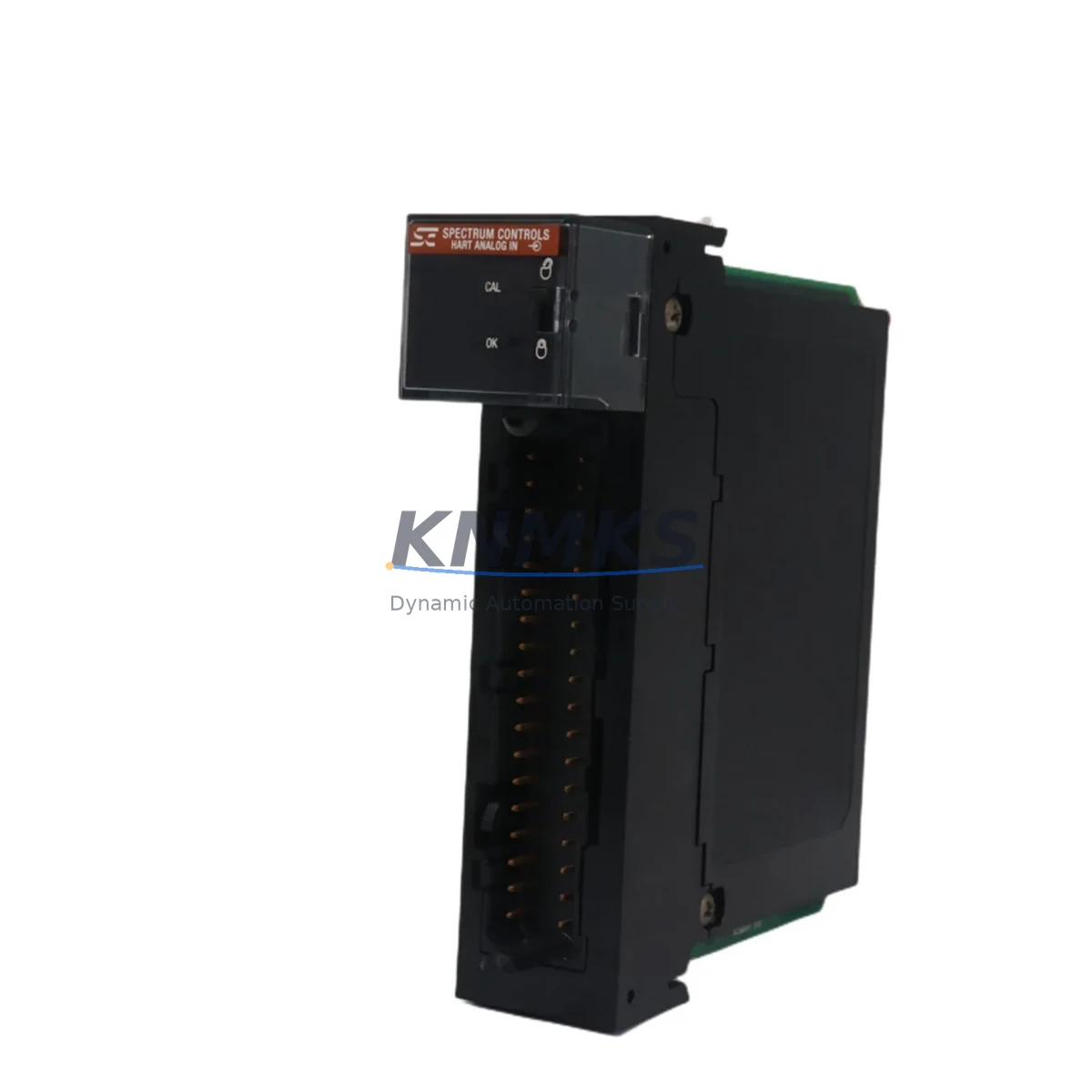
Overview
Allen-Bradley 1756SC-IF8H Analog Input for Legacy ControlLogix: Migration-Ready Retrofit Solution
The Allen-Bradley 1756SC-IF8H is an 8-channel HART-enabled analog input module designed for the ControlLogix 1756 platform. As legacy control systems age and original spare parts become increasingly difficult to source, the 1756SC-IF8H has emerged as a critical retrofit component for engineers managing aging DCS and PLC infrastructure. Whether you are replacing a discontinued 1756-IF8 or upgrading a multi-rack ControlLogix system, this module delivers the signal fidelity, HART pass-through capability, and backplane compatibility required for seamless integration into existing control architectures.
Before committing to a retrofit, engineers must verify several key parameters: the 1756 chassis slot assignment and module addressing in Studio 5000 / RSLogix 5000, terminal wiring compatibility (the 1756SC-IF8H uses a removable terminal block that must match field wiring gauge and shielding practice), power budget on the 1756-PA75 or 1756-PB75 power supply, and whether the existing I/O tree configuration in the controller project requires a module profile update. In most cases, the 1756SC-IF8H can be substituted with minimal program changes — primarily a module type update in the I/O configuration tree and a re-download of the project to the 1756-L7x or 1756-L8x controller.
For sites running older 1756-L55 or 1756-L6x processors, firmware compatibility must be confirmed before installation. Rockwell Automation’s compatibility matrix should be consulted, and in some cases a firmware upgrade to the controller may be required to recognize the module profile. This is a common step in brownfield migrations and should be planned into the commissioning schedule to avoid unplanned downtime.
Migration Compatibility Table
| Parameter | 1756SC-IF8H | Legacy 1756-IF8 / 1756-IF16 | Retrofit Notes |
|---|---|---|---|
| Channels | 8 Analog Input (HART) | 8 / 16 Analog Input | Channel-for-channel replacement on 8-ch variants |
| Signal Range | 4–20 mA, 0–10 VDC | 4–20 mA, 0–10 VDC | No field wiring changes required in most cases |
| HART Support | Yes (per channel) | No (1756-IF8) / Optional | Enables HART diagnostics without additional hardware |
| Backplane Interface | 1756 ControlLogix Backplane | 1756 ControlLogix Backplane | Direct slot-compatible; no chassis modification needed |
| Terminal Block | Removable RTB (1756-TBNH or equivalent) | Removable RTB | Verify RTB part number before ordering |
| Power Consumption | ~500 mA @ 5 VDC (backplane) | ~450–550 mA @ 5 VDC | Confirm 1756-PA75/PB75 power budget before installation |
| Controller Compatibility | 1756-L6x, L7x, L8x | 1756-L55, L6x, L7x | Firmware update may be required for L55/L6x |
| Software | Studio 5000 / RSLogix 5000 | RSLogix 5000 v16+ | Module profile update required in I/O tree |
| Commissioning | Online module add + calibration verify | Standard I/O commissioning | HART device recognition requires DTM/FDT tool or AOP |
| Support terms | support terms confirmed by quotation | Tested before shipment | Certificate available on request | ||
Retrofit Planning for Existing Automation Systems
A successful 1756SC-IF8H retrofit begins well before the module arrives on site. The engineering team should pull the existing rack layout from the ControlLogix project file and map every occupied slot — noting the 1756-A17 or 1756-A7 chassis size, the position of the 1756-EN2T or 1756-EN3TR EtherNet/IP communication module, and the location of any 1756-OB16I or 1756-OA16 digital output modules sharing the same power supply. This full-rack audit prevents surprises during the cutover window.
For systems that include a 1756-RM or 1756-RM2 redundancy module, the migration plan must account for the redundancy switchover sequence. The 1756SC-IF8H must be added to both the primary and secondary chassis, and the redundancy configuration in RSLogix 5000 must be updated before going live. Skipping this step can cause a redundancy mismatch fault that forces an unplanned switchover.
Field wiring is another critical checkpoint. The 1756SC-IF8H uses a removable terminal block — typically the 1756-TBNH (36-pin) — and field cables must be re-landed carefully, preserving shield grounding practice and maintaining loop integrity for 4–20 mA HART instruments. If the existing installation uses a 1492-AIFM8-F-5 analog interface module for marshalling, verify that the wiring adapter is compatible with the new module’s terminal assignment before the cutover.
On the software side, the Studio 5000 project must be updated to reflect the new module profile. Engineers should export the existing tag database, perform the module swap in the I/O configuration tree, and verify that all analog input tags — including scaled engineering unit (EGU) parameters and alarm limits — are preserved. If the system feeds a PanelView Plus 7 or FactoryTalk View SE HMI, the tag paths should be validated in the HMI project to ensure display faceplate values remain accurate after the module change.
Finally, for sites with a DeviceNet or ControlNet legacy backbone, confirm that the migration to EtherNet/IP (if applicable) does not affect the scan rate or determinism requirements of the analog loop. In some older installations, a 1756-DNB DeviceNet bridge or 1756-CNB ControlNet bridge may still be present in the rack — these should be documented and their continued role confirmed before the retrofit is finalized.
Downtime Control During System Migration
Minimizing downtime during a 1756SC-IF8H swap requires a structured cutover plan. The recommended approach is to perform the module replacement during a planned maintenance window, with the controller placed in Program mode rather than powered down entirely. This preserves the program in controller memory and allows a faster return to Run mode after the module is seated and the I/O configuration is downloaded.
Before entering Program mode, operators should confirm that all field devices connected to the analog input channels are in a safe hold state — particularly flow controllers, pressure transmitters, and temperature loops that feed PID blocks in the controller. Placing PID blocks in Manual mode before the cutover prevents process upsets caused by stale input values during the module swap interval.
The physical swap itself — removing the old module, seating the 1756SC-IF8H, and re-landing the terminal block — typically takes under 10 minutes for a trained technician. The longer activities are the pre-swap software preparation and the post-swap verification: confirming that all 8 channels are reading correctly, that HART communication is established on instrumented loops, and that no I/O fault bits are set in the controller’s fault log. A pre-prepared commissioning checklist covering channel-by-channel signal verification, EGU scaling confirmation, and alarm limit review will compress this phase significantly.
For critical processes where even a brief interruption is unacceptable, a hot-swap strategy using a 1756-RM redundant controller pair allows the module to be replaced in the secondary chassis first, with a controlled switchover before repeating the process on the primary. This approach extends the total migration time but eliminates process interruption entirely.
All modules supplied by KNMKS are tested and verified before shipment. A functional test report is available on request, and each unit carries a support terms confirmed by quotation covering manufacturing defects and operational failures under normal industrial use conditions.
Retrofit Support FAQ
Q1: Is the 1756SC-IF8H a direct drop-in replacement for the 1756-IF8?
In most ControlLogix installations, yes. The 1756SC-IF8H occupies the same backplane slot, uses the same removable terminal block footprint, and supports the same 4–20 mA / 0–10 VDC signal ranges. The primary difference is the addition of HART communication capability. A module profile update in Studio 5000 is required, and the controller firmware should be at a version that supports the 1756SC-IF8H AOP (Add-On Profile). No field wiring changes are typically needed.
Q2: What commissioning steps are required after installation?
After seating the module and re-landing the terminal block, download the updated Studio 5000 project to the controller and transition to Run mode. Verify each channel’s input value against a known reference signal or live field instrument. For HART-enabled loops, use FactoryTalk AssetCentre, AMS Device Manager, or a handheld HART communicator to confirm device recognition. Check the controller’s I/O fault log and clear any inhibited module states. Document the as-commissioned channel scaling values for future reference.
Q3: Do you provide stock availability and delivery details confirmed by RFQ for the 1756SC-IF8H?
Yes. KNMKS maintains inventory of the 1756SC-IF8H and can confirm stock availability upon inquiry. Standard lead time for in-stock units is 3–7 business days for international shipments, with expedited options available. Each unit is tested before shipment and ships with a support terms confirmed by quotation. Contact admin@knmks.com or call +86 18359268345 for a real-time stock check and quotation.
Q4: What if my existing controller firmware is not compatible with the 1756SC-IF8H?
If your 1756-L6x or earlier controller is running firmware below the minimum required version for the 1756SC-IF8H module profile, a firmware upgrade will be necessary. Rockwell Automation’s Product Compatibility and Download Center (PCDC) provides the compatibility matrix. The firmware upgrade can typically be performed online using ControlFLASH without a full system shutdown, though a brief controller restart is required. KNMKS technical support can advise on the minimum firmware version required for your specific controller model.
© 2026 KNMKS. All rights reserved.
Original Source: https://knmks.com
Contact: admin@knmks.com | +86 18359268345
Product Identification
- Brand / Ecosystem
-
Allen-Bradley
Allen-Bradley - Model / Series
-
1756SC-IF8H
ControlLogix Series - Product Family
- PLCs & Controllers
- Availability Status
- Available on request after model and quantity confirmation
- Inquiry Type
- B2B RFQ, replacement inquiry and project spare-part request
- Pre-Quote Check
- Exact SKU, brand, series, quantity, nameplate photos and destination country are checked before quotation
System Path
Where this product fits in the KNMKS automation structure.
Specification & Inquiry Focus
- Control platform
- PLC, PAC and modular controllers
- Common needs
- CPU, rack, power and I/O expansion
- Project support
- Replacement, cabinet build and maintenance
Buyer Confirmation
Information KNMKS checks before replying.
- Exact model
- 1756SC-IF8H
- Brand / ecosystem
- Allen-Bradley
- Product family
- PLCs & Controllers
- Application note
- Replacement, maintenance, project build or spare-part list
- Useful photos
- Nameplate, installed unit, cabinet layout or connector side
- Delivery details
- Quantity, destination country and target schedule
Document Support
Files and notes can be confirmed during quotation.
- Product photos or nameplate confirmation when available
- Packing and delivery notes before quotation confirmation
- Support scope and delivery terms confirmed per inquiry
- Export document coordination for qualified B2B requests
Inquiry Support
- Model cross-checking before quotation
- CPU, power, rack and expansion module matching
- Support for replacement and project inquiry
What to Send Us
- Brand and exact model number: Allen-Bradley 1756SC-IF8H
- Quantity and required delivery time
- Application, replacement requirement or nameplate photo
- Destination country and shipping preference
RFQ Preparation
This is a product inquiry page built for RFQ communication.
Fast Model Check
Send this model to KNMKS for confirmation.
Include quantity, destination country and photos if this is a maintenance replacement. The inquiry will be saved with a reference number after submission.
Brand & Compatibility Note
KNMKS displays automation product information for well-known industrial brand ecosystems and compatible replacement references. Brand names are used for product identification and compatibility reference only; final availability and commercial terms are confirmed per quotation.
 Manufacturing
 Machine Tools
 Packaging
 Energy & Power



 HMI & Displays
 Servo Systems
 Variable Frequency Drives
 Sensors