
Overview
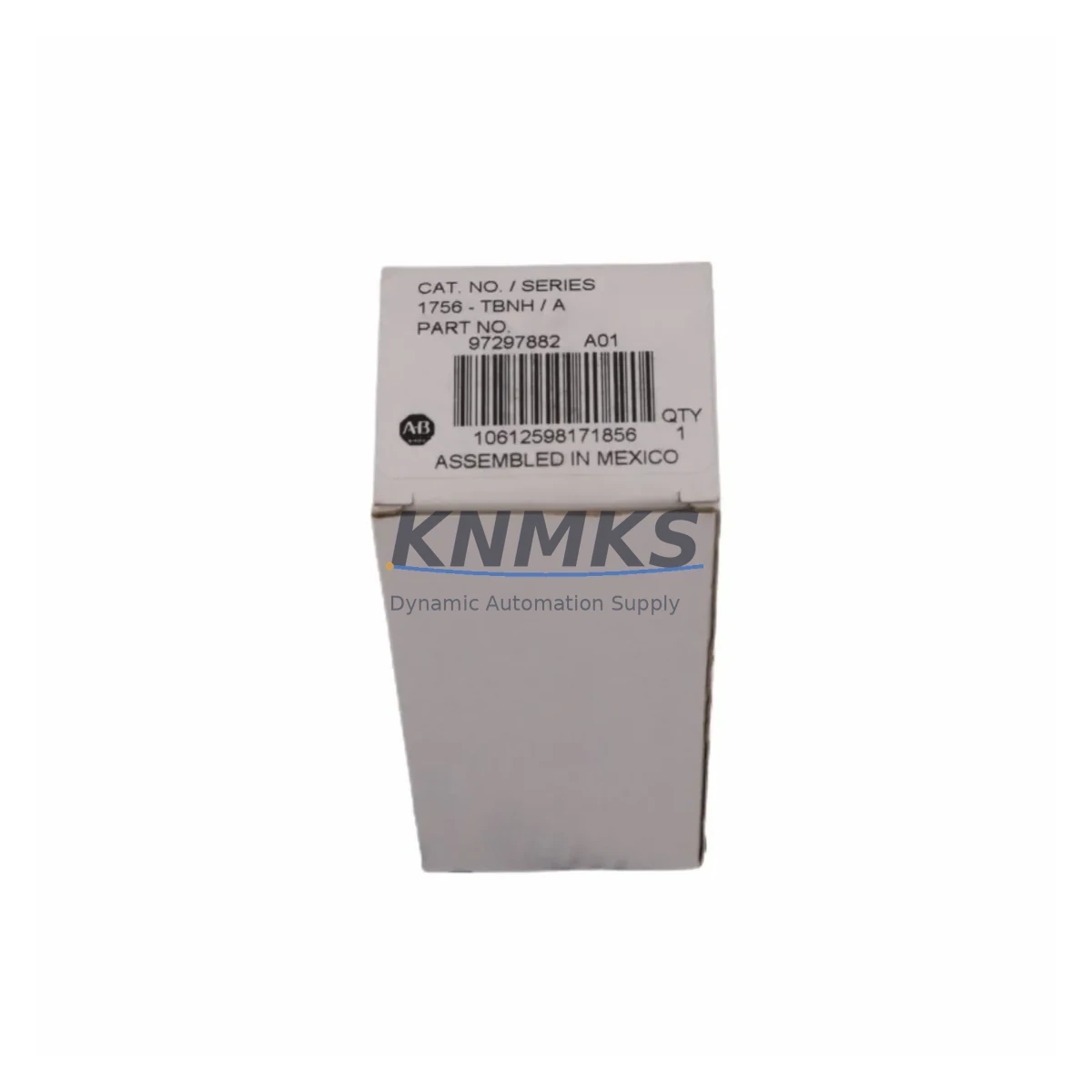
Allen-Bradley 1756-TBNH Migration-Ready Terminal Block for Legacy Control Systems
The Allen-Bradley 1756-TBNH is a 20-pin cage-clamp terminal block designed for direct use with ControlLogix 1756 series I/O modules. As legacy control panels age and OEM support windows close, the 1756-TBNH has become a critical component in planned retrofit programs — enabling engineers to preserve existing field wiring while upgrading or replacing aging I/O modules without rewiring the entire cabinet. Whether you are replacing a discontinued 1746 SLC 500 I/O rack, migrating from a PLC-5 platform, or expanding an existing ControlLogix 1756 chassis, the 1756-TBNH provides a reliable, drop-in wiring interface that reduces installation time and minimizes the risk of wiring errors during cutover.
In retrofit and modernization projects, the terminal block is often the last component confirmed before commissioning. Engineers must verify that the 1756-TBNH is correctly seated on the I/O module, that all field wiring terminations match the original loop drawings, and that the cage-clamp screws are torqued to specification. Skipping this verification step is a common source of intermittent faults after system restart. Our pre-shipment inspection process includes a physical check of the terminal block housing, locking tab integrity, and pin alignment — ensuring the unit arrives ready for immediate installation.
Migration Compatibility Table
| Parameter | Specification / Recommendation |
|---|---|
| Compatible Modules | 1756-IB16, 1756-OB16E, 1756-IA16, 1756-OA16, 1756-IF8, 1756-OF8 and other 20-pin ControlLogix I/O modules |
| Pin Count | 20-pin cage-clamp terminal block |
| Mounting Interface | Direct plug-in to ControlLogix 1756 I/O module front connector |
| Wire Gauge | 12–22 AWG (solid or stranded) |
| Communication Compatibility | No protocol dependency — passive wiring interface only |
| Backplane Interface | Not applicable — field-side wiring termination only |
| Replacement Path | Direct replacement for worn, damaged, or missing 1756-TBNH on existing ControlLogix racks |
| Legacy Migration Use | Supports PLC-5 → ControlLogix and SLC 500 → ControlLogix I/O migration projects |
| Installation Space | Fits standard ControlLogix 1756 chassis without additional clearance requirements |
| Firmware Dependency | None — hardware component only |
| Commissioning Note | Verify locking tab engagement and torque cage-clamp screws before energizing |
| Support terms | support terms confirmed by quotation — covers manufacturing defects and pin integrity |
Retrofit Planning for Existing Automation Systems
A successful ControlLogix retrofit begins well before the terminal block is installed. During the planning phase, engineers must audit the existing I/O module population in the 1756 chassis, confirm that each slot’s module type matches the terminal block variant required — the 1756-TBNH is specific to 20-pin modules, while other configurations such as the 1756-TBNF (36-pin) serve different module families. Mixing terminal block variants is a common error in multi-rack retrofits and can result in wiring mismatches that are difficult to trace after the panel is closed.
When migrating from a PLC-5 or SLC 500 platform, the I/O addressing structure changes significantly. The 1756-TBNH supports the field-wiring side of this transition, but the migration also requires attention to the 1756-L series ControlLogix controller, the 1756-EN2T or 1756-EN2TR EtherNet/IP communication module for network connectivity, and the 1756-PA75 or 1756-PB75 power supply module to ensure adequate backplane current capacity for the new I/O complement. In projects where the existing HMI is a PanelView 550 or PanelView 600, the screen tags and communication drivers must be updated to reflect the new controller path — a step that is frequently underestimated in project scheduling.
For systems that include analog I/O, the 1756-IF8 or 1756-OF8 modules paired with the 1756-TBNH provide a direct upgrade path from legacy analog cards. Signal isolators may be required where field devices operate at voltage levels outside the module’s input range, or where ground loops are present in the existing wiring infrastructure. In high-density I/O applications, the 1756-IB32 or 1756-OB32 modules with their corresponding 40-pin terminal blocks should be evaluated as an alternative to multiple 16-point modules — reducing chassis slot consumption and simplifying the wiring layout.
Programming cable access is another consideration during retrofit planning. The 1756-CP3 USB programming cable is required for direct controller connection during initial program download and online monitoring. Ensuring this cable and the corresponding RSLogix 5000 or Studio 5000 project file are available on-site before the cutover window opens is essential for controlling downtime.
Downtime Control During System Migration
Minimizing unplanned downtime during a ControlLogix I/O retrofit requires a structured cutover sequence. The recommended approach is to complete all terminal block pre-wiring on the new I/O modules before the production line is taken offline. With the 1756-TBNH, field wires can be terminated and labeled in advance using the cage-clamp mechanism, then the entire wired terminal block assembly can be transferred to the new module in a single plug-in operation — eliminating the need to re-terminate individual wires under time pressure during the cutover window.
Before the system is de-energized, a full backup of the existing controller program should be saved to both the programming workstation and an offline storage location. The RSLogix 5000 or Studio 5000 project file should be verified against the currently running program using the online compare function to confirm no unsaved edits are present. After the new I/O modules and terminal blocks are installed, the program should be downloaded and the I/O tree forced into a known safe state before enabling outputs. This sequence protects the original control logic, prevents unintended actuator movement during startup, and allows the commissioning team to verify each I/O point individually before returning the system to automatic mode.
For systems where continuous operation is required, a phased migration approach — replacing one I/O module at a time during scheduled maintenance windows — is preferable to a full cutover. The 1756-TBNH supports this approach because it can be pre-wired and staged without disrupting adjacent modules in the chassis. Each replaced module should be verified for correct I/O forcing behavior, tag mapping, and HMI display update before the next module is addressed.
Retrofit Support FAQ
Q1: Is the 1756-TBNH a direct replacement for the terminal block on my existing ControlLogix I/O module?
Yes — the 1756-TBNH is the standard 20-pin cage-clamp terminal block for ControlLogix 1756 series I/O modules including the 1756-IB16, 1756-OB16E, 1756-IA16, and 1756-OA16. It is a plug-in replacement that requires no modification to the module or the chassis. Verify the pin count on your existing terminal block before ordering to confirm the 20-pin variant is correct for your module type.
Q2: Can I pre-wire the 1756-TBNH before the cutover window?
Yes — this is the recommended practice for minimizing downtime. The cage-clamp terminals accept 12–22 AWG wire and can be fully terminated and labeled in advance. During the cutover, the pre-wired terminal block is simply plugged into the new I/O module, reducing the time the system is offline to minutes rather than hours.
Q3: What commissioning checks are required after installing the 1756-TBNH?
After installation, verify that the locking tab is fully engaged, all cage-clamp screws are torqued to specification, and the module status LED indicates normal operation. In Studio 5000, confirm that each I/O point reads correctly against the field device state before enabling outputs. For analog modules, verify the engineering unit scaling and signal range match the original configuration.
Q4: What support terms and supply assurance does KNMKS provide for the 1756-TBNH?
All 1756-TBNH units supplied by KNMKS carry a support terms confirmed by quotation covering manufacturing defects and pin integrity. Each unit undergoes pre-shipment inspection including physical housing check, locking tab function, and pin alignment verification. We maintain stock inventory to support urgent retrofit and breakdown replacement requirements, with fast dispatch available for confirmed orders. Contact admin@knmks.com or +86 18359268345 for availability and lead time confirmation.
© 2026 KNMKS. All rights reserved.
Original Source: https://knmks.com
Contact: admin@knmks.com | +86 18359268345
Product Identification
- Brand / Ecosystem
-
Allen-Bradley
Allen-Bradley - Model / Series
-
1756-TBNH
ControlLogix Series - Product Family
- PLCs & Controllers
- Availability Status
- Available on request after model and quantity confirmation
- Inquiry Type
- B2B RFQ, replacement inquiry and project spare-part request
- Pre-Quote Check
- Exact SKU, brand, series, quantity, nameplate photos and destination country are checked before quotation
System Path
Where this product fits in the KNMKS automation structure.
Specification & Inquiry Focus
- Control platform
- PLC, PAC and modular controllers
- Common needs
- CPU, rack, power and I/O expansion
- Project support
- Replacement, cabinet build and maintenance
Buyer Confirmation
Information KNMKS checks before replying.
- Exact model
- 1756-TBNH
- Brand / ecosystem
- Allen-Bradley
- Product family
- PLCs & Controllers
- Application note
- Replacement, maintenance, project build or spare-part list
- Useful photos
- Nameplate, installed unit, cabinet layout or connector side
- Delivery details
- Quantity, destination country and target schedule
Document Support
Files and notes can be confirmed during quotation.
- Product photos or nameplate confirmation when available
- Packing and delivery notes before quotation confirmation
- Support scope and delivery terms confirmed per inquiry
- Export document coordination for qualified B2B requests
Inquiry Support
- Model cross-checking before quotation
- CPU, power, rack and expansion module matching
- Support for replacement and project inquiry
What to Send Us
- Brand and exact model number: Allen-Bradley 1756-TBNH
- Quantity and required delivery time
- Application, replacement requirement or nameplate photo
- Destination country and shipping preference
RFQ Preparation
This is a product inquiry page built for RFQ communication.
Fast Model Check
Send this model to KNMKS for confirmation.
Include quantity, destination country and photos if this is a maintenance replacement. The inquiry will be saved with a reference number after submission.
Brand & Compatibility Note
KNMKS displays automation product information for well-known industrial brand ecosystems and compatible replacement references. Brand names are used for product identification and compatibility reference only; final availability and commercial terms are confirmed per quotation.
 Manufacturing
 Machine Tools
 Packaging
 Energy & Power



 HMI & Displays
 Servo Systems
 Variable Frequency Drives
 Sensors