
Overview
Allen-Bradley 1756-RM2K Migration-Ready Redundancy Module: Legacy System Upgrade & Compatibility Guide
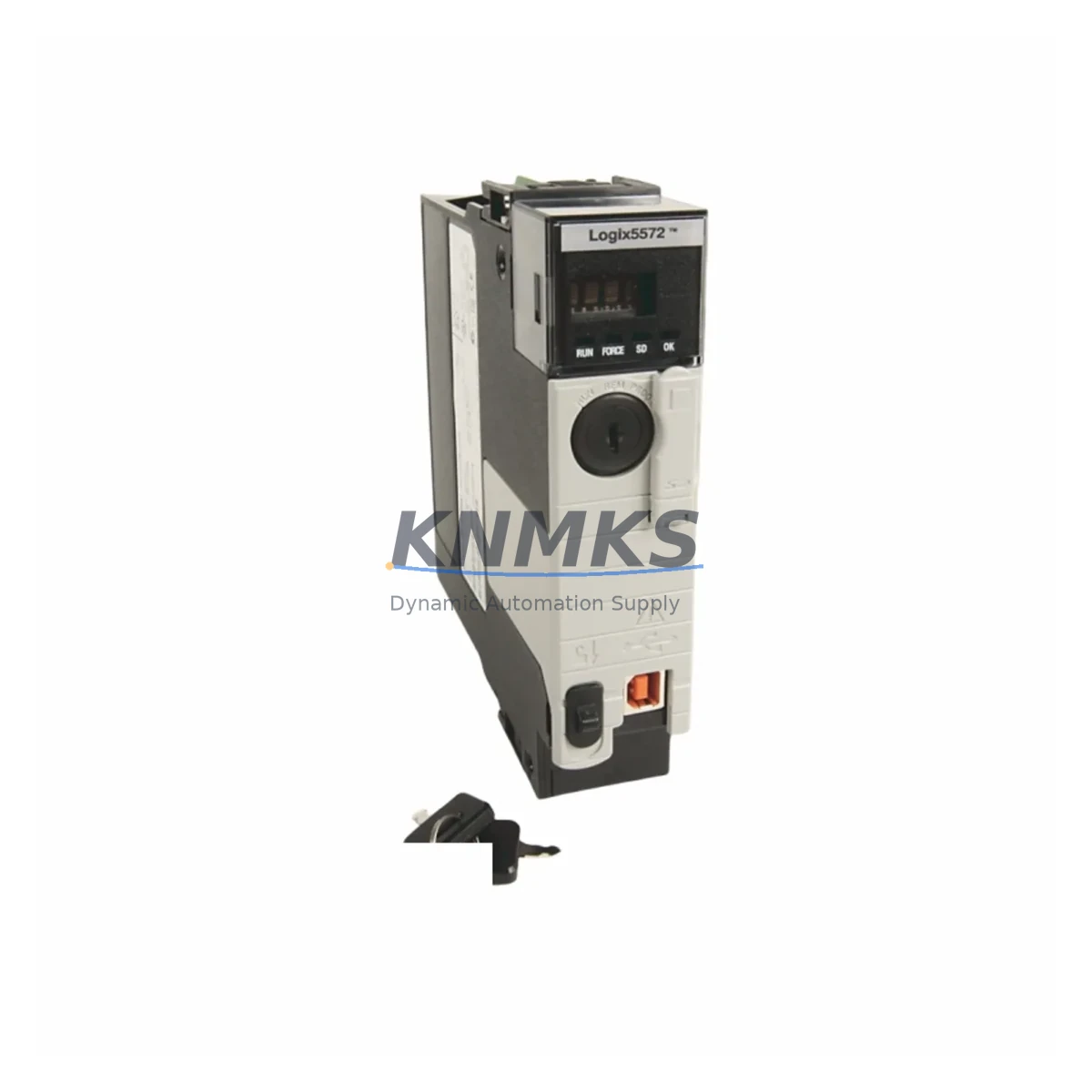
The Allen-Bradley 1756-RM2K is a ControlLogix-platform redundancy module engineered for hot-standby failover in mission-critical industrial control environments. As legacy redundancy hardware reaches end-of-life and OEM support windows close, the 1756-RM2K remains one of the most sought-after migration-ready replacements for aging 1756-RM and 1756-RM/A installations. Whether you are managing a planned system upgrade, an emergency spare replacement, or a full control cabinet retrofit, the 1756-RM2K delivers the compatibility, reliability, and lifecycle assurance that automation engineers and maintenance teams depend on.
Designed to operate within the 1756 ControlLogix chassis, the 1756-RM2K supports synchronised controller redundancy across primary and secondary chassis pairs. It enables seamless bumpless transfer between the primary and secondary controllers, protecting process continuity during hardware faults, firmware updates, and scheduled maintenance windows. For facilities running continuous processes — including oil and gas, water treatment, pharmaceutical manufacturing, and power generation — this level of fault tolerance is non-negotiable.
Migration Compatibility Table
| Parameter | Details |
|---|---|
| Replaces / Upgrades From | 1756-RM, 1756-RM/A, 1756-RM2 |
| Compatible Platform | ControlLogix 1756 Series |
| Chassis Compatibility | 1756-A4, 1756-A7, 1756-A10, 1756-A13, 1756-A17 |
| Communication Interface | Backplane (1756 ControlBus) |
| Redundancy Type | Hot-standby, bumpless switchover |
| Fiber Link Required | Yes — 1756-RMCT7 or compatible fiber cable between chassis pairs |
| Controller Compatibility | 1756-L6x, 1756-L7x, 1756-L8x series (firmware-dependent) |
| Firmware Compatibility | Verify RSLogix 5000 / Studio 5000 project firmware revision before swap |
| Installation Slot | Any available 1756 chassis slot; matched slot position recommended in both chassis |
| Power Draw | Confirm 1756-PA75R or 1756-PB75R power supply capacity before installation |
| Retrofit Complexity | Medium — requires fiber re-termination and redundancy qualification test |
| Support terms | 12 months from date of shipment |
Retrofit Planning for Existing Automation Systems
Replacing or upgrading a redundancy module in an active ControlLogix system requires careful pre-migration planning. Before removing the existing 1756-RM or 1756-RM2, engineers should audit the full chassis configuration — including the installed 1756-L71 or 1756-L73 controller, the 1756-EN2TR EtherNet/IP communication module, and any 1756-IB16 or 1756-OB16E I/O modules — to confirm that the new 1756-RM2K will not conflict with existing slot assignments or backplane addressing.
Power budget verification is a critical first step. The 1756-PA75R redundant power supply must have sufficient headroom to support the 1756-RM2K alongside the controller, communication modules, and I/O cards in the same chassis. If the existing power supply is already operating near capacity, a power supply upgrade or chassis load redistribution should be completed before the redundancy module swap.
Fiber interconnect integrity between the primary and secondary chassis must also be confirmed. The 1756-RM2K uses a dedicated fiber link — typically routed through a 1756-RMCT7 cable — to synchronise controller state between chassis pairs. Any degradation in fiber signal quality will prevent successful redundancy qualification and must be resolved before commissioning the replacement module.
For systems that include a PanelView Plus HMI communicating over EtherNet/IP, the HMI tag database and communication path configuration should be reviewed to ensure that the switchover IP address strategy remains intact after the module replacement. In many legacy installations, the HMI is configured to communicate with a fixed IP address assigned to the primary controller; confirming that this address floats correctly to the secondary chassis after switchover is essential for maintaining operator visibility during a failover event.
Where the existing system includes a 1756-DNB DeviceNet bridge or a 1756-DHRIO Data Highway Plus remote I/O module, protocol migration planning should be incorporated into the retrofit scope. These legacy communication modules may require firmware updates or reconfiguration to maintain compatibility with the upgraded redundancy pair.
Downtime Control During System Migration
Minimising unplanned downtime during a redundancy module replacement is the primary operational concern for most maintenance teams. The 1756-RM2K supports a structured hot-swap procedure that, when executed correctly, allows the secondary controller to assume primary control before the existing redundancy module is removed — preserving process continuity and protecting the active program logic stored in the 1756-L7x controller.
Before beginning the swap, a full project backup should be performed using Studio 5000 Logix Designer, with the .ACD file archived to a secure location. The redundancy qualification log should be reviewed to confirm that the secondary chassis is fully synchronised and ready to assume control. If the system has not completed a successful qualification cycle recently, a manual switchover test should be performed during a low-risk production window before the maintenance event.
During the physical replacement, the fiber interconnect should be the last connection removed from the outgoing module and the first connection made to the incoming 1756-RM2K. This sequence minimises the window during which the system operates without redundancy protection. After installation, the redundancy qualification procedure should be re-run immediately to confirm that the new module has synchronised successfully with the secondary controller and that bumpless switchover capability has been restored.
All units supplied by KNMKS are pre-tested prior to shipment, with functional verification completed under load conditions that replicate typical ControlLogix backplane environments. This pre-shipment testing reduces the risk of commissioning failures and supports faster return to full redundancy status on site.
Retrofit Support FAQ
Q: Is the 1756-RM2K a direct drop-in replacement for the 1756-RM and 1756-RM2?
A: The 1756-RM2K is mechanically and electrically compatible with the same 1756 chassis slots used by the 1756-RM and 1756-RM2. However, firmware compatibility between the redundancy module and the installed 1756-L6x or 1756-L7x controller must be verified before installation. KNMKS provides pre-shipment compatibility confirmation for all redundancy module orders.
Q: What wiring or termination changes are required during the replacement?
A: The 1756-RM2K does not use field wiring terminals — it communicates exclusively via the 1756 backplane and the fiber interconnect cable. The primary installation tasks are seating the module correctly in the chassis slot and re-terminating the fiber link between the primary and secondary chassis. No I/O terminal rewiring is required for the redundancy module itself.
Q: How do I confirm compatibility with my existing Studio 5000 project?
A: Open your .ACD project file in Studio 5000 Logix Designer and check the controller properties for the firmware revision. Cross-reference this revision against the 1756-RM2K release notes to confirm that the module firmware supports your controller revision. If a firmware update is required, KNMKS can advise on the recommended update sequence to avoid redundancy qualification failures.
Q: What does the support terms confirmed by quotation cover, and is stock available for immediate shipment?
A: All 1756-RM2K units supplied by KNMKS carry a support terms confirmed by quotation from the date of shipment, covering manufacturing defects and functional failures under normal operating conditions. KNMKS maintains regional inventory across multiple distribution hubs to support urgent spare requirements. Contact our team at admin@knmks.com or +86 18359268345 to confirm current stock availability and lead time for your location.
© 2026 KNMKS. All rights reserved.
Original Source: https://knmks.com
Contact: admin@knmks.com | +86 18359268345
Product Identification
- Brand / Ecosystem
-
Allen-Bradley
Allen-Bradley - Model / Series
-
1756-RM2K
ControlLogix Series - Product Family
- PLCs & Controllers
- Availability Status
- Available on request after model and quantity confirmation
- Inquiry Type
- B2B RFQ, replacement inquiry and project spare-part request
- Pre-Quote Check
- Exact SKU, brand, series, quantity, nameplate photos and destination country are checked before quotation
System Path
Where this product fits in the KNMKS automation structure.
Specification & Inquiry Focus
- Control platform
- PLC, PAC and modular controllers
- Common needs
- CPU, rack, power and I/O expansion
- Project support
- Replacement, cabinet build and maintenance
Buyer Confirmation
Information KNMKS checks before replying.
- Exact model
- 1756-RM2K
- Brand / ecosystem
- Allen-Bradley
- Product family
- PLCs & Controllers
- Application note
- Replacement, maintenance, project build or spare-part list
- Useful photos
- Nameplate, installed unit, cabinet layout or connector side
- Delivery details
- Quantity, destination country and target schedule
Document Support
Files and notes can be confirmed during quotation.
- Product photos or nameplate confirmation when available
- Packing and delivery notes before quotation confirmation
- Support scope and delivery terms confirmed per inquiry
- Export document coordination for qualified B2B requests
Inquiry Support
- Model cross-checking before quotation
- CPU, power, rack and expansion module matching
- Support for replacement and project inquiry
What to Send Us
- Brand and exact model number: Allen-Bradley 1756-RM2K
- Quantity and required delivery time
- Application, replacement requirement or nameplate photo
- Destination country and shipping preference
RFQ Preparation
This is a product inquiry page built for RFQ communication.
Fast Model Check
Send this model to KNMKS for confirmation.
Include quantity, destination country and photos if this is a maintenance replacement. The inquiry will be saved with a reference number after submission.
Brand & Compatibility Note
KNMKS displays automation product information for well-known industrial brand ecosystems and compatible replacement references. Brand names are used for product identification and compatibility reference only; final availability and commercial terms are confirmed per quotation.
 Manufacturing
 Machine Tools
 Packaging
 Energy & Power



 HMI & Displays
 Servo Systems
 Variable Frequency Drives
 Sensors