
Overview
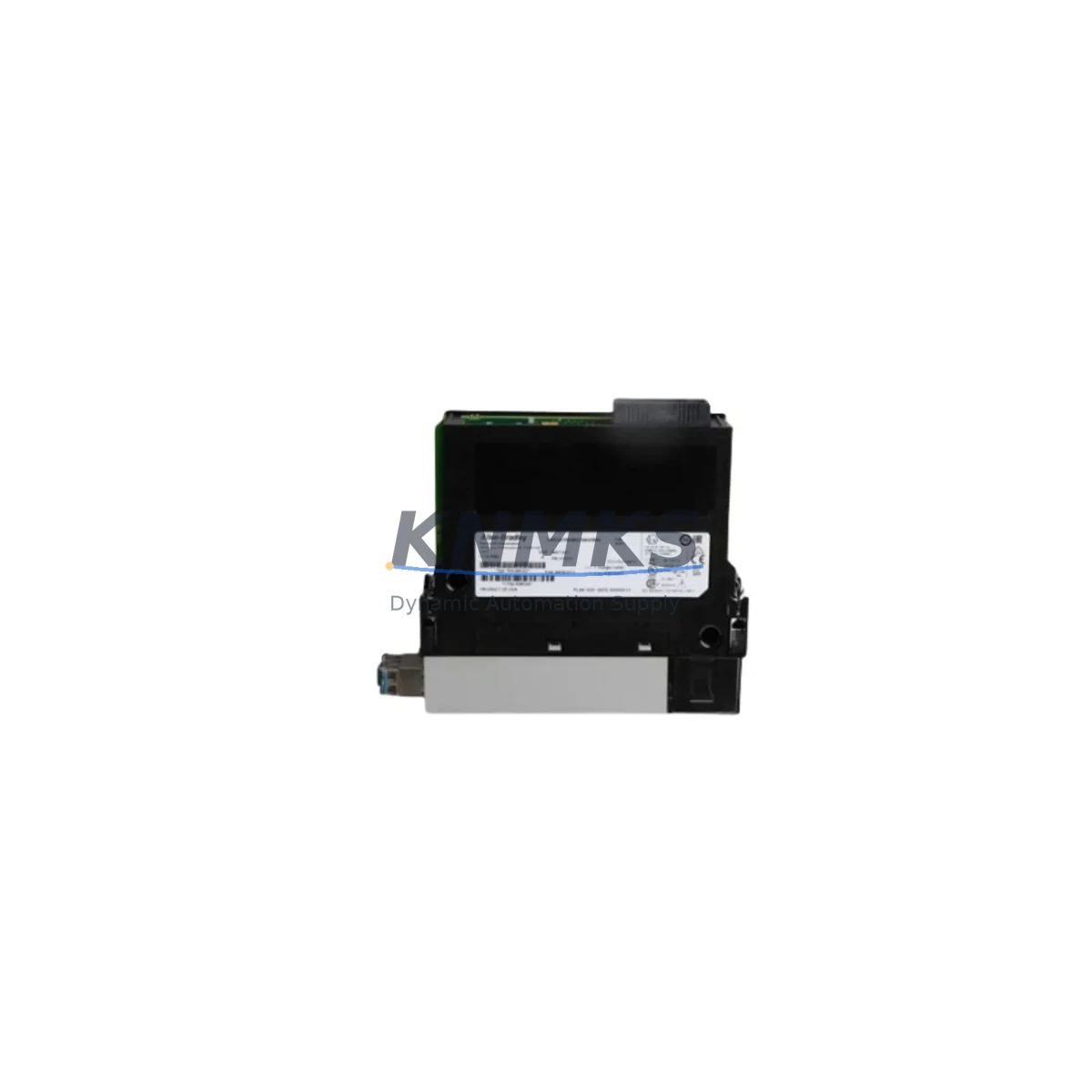
Allen-Bradley 1756-RM2 Maintenance-Proven Spare Part for Factory Uptime
The Allen-Bradley 1756-RM2 is a ControlLogix Redundancy Module designed to maintain continuous controller operation in mission-critical industrial environments. As a direct original spare, the 1756-RM2 enables seamless switchover between primary and secondary ControlLogix chassis, eliminating single points of failure in process control, power generation, oil & gas, and discrete manufacturing applications. Sourced from verified supply channels, each unit undergoes pre-shipment functional testing and ships with a support terms confirmed by quotation, giving maintenance engineers and procurement teams the confidence to stock this module as a long-term spare.
For facilities running 24/7 production lines, unplanned downtime caused by a failed redundancy module can cost tens of thousands of dollars per hour. Stocking the 1756-RM2 as a ready-to-deploy spare is one of the most cost-effective insurance policies a maintenance team can implement. Its compatibility with the 1756 ControlLogix platform — including chassis sizes from 4-slot to 17-slot — means a single spare can cover multiple redundant controller pairs across a plant.
Procurement engineers should note that the 1756-RM2 is a legacy-class module with a long installed base. Lead times from OEM channels can extend to 16–26 weeks during supply constraints. Maintaining at least one spare unit on-site, or securing a 12–36 month supply agreement, is strongly recommended for facilities where redundancy is a safety or regulatory requirement.
Spare Maintenance Table
| Parameter | Specification |
|---|---|
| Part Number / SKU | 1756-RM2 |
| Brand | Allen-Bradley (Rockwell Automation) |
| Series | ControlLogix 1756 |
| Module Type | Redundancy Communication Module |
| Redundancy Mode | Hot-standby controller redundancy |
| Fiber Optic Ports | 2 × SCRM fiber ports for chassis-to-chassis link |
| Backplane Compatibility | 1756 ControlLogix backplane (all chassis sizes) |
| Compatible Controllers | 1756-L6x, 1756-L7x, 1756-L8x series |
| Operating Temperature | 0 °C to 60 °C (32 °F to 140 °F) |
| Power Consumption | Supplied via 1756 backplane |
| Certifications | UL, CE, cUL |
| Origin | USA |
| Condition | Original / New Surplus |
| Pre-Shipment Test | Yes — functional verification before dispatch |
| Support terms | 12 Months |
| Long-Term Supply | 12–36 month supply agreements available |
Maintenance Planning for Continuous Operation
When replacing or inspecting the 1756-RM2, a thorough maintenance workflow should extend beyond the module itself. The redundancy system’s reliability depends on the health of every component in both the primary and secondary chassis. Begin by verifying the 1756-PA75 or 1756-PB75 power supply in each chassis — a degraded power supply is a leading cause of unexpected redundancy switchovers and should be treated as a co-replacement candidate during any 1756-RM2 swap.
Next, inspect the 1756-L71 or 1756-L73 ControlLogix controller firmware revision in both chassis. Mismatched firmware between primary and secondary controllers will prevent the 1756-RM2 from establishing a valid redundancy link. Confirm that both controllers are running identical firmware before commissioning the replacement module.
The fiber optic cables connecting the two 1756-RM2 modules are a frequent maintenance oversight. Inspect the 1756-RMC1 fiber optic cable for bend radius violations, connector contamination, and end-face damage. A dirty or cracked fiber connector will cause intermittent redundancy faults that are difficult to diagnose without proper optical test equipment.
For systems with 1756-EN2T or 1756-EN3TR EtherNet/IP communication modules, verify that network topology and IP addressing remain consistent across both chassis. Redundancy switchover events can expose latent network configuration errors that were masked during normal operation. Similarly, any 1756-IB16 or 1756-OB16 I/O modules installed in the redundant chassis pair should be checked for firmware compatibility and proper rack ownership configuration.
If the control cabinet includes a 1756-DHRIO Data Highway Plus / Remote I/O bridge module, confirm that its configuration is mirrored correctly in the secondary chassis. Asymmetric remote I/O configurations are a common source of post-switchover faults in legacy ControlLogix redundancy systems. Finally, review the cabinet’s fusing and surge protection — replacing the 1756-RM2 without addressing upstream power quality issues will shorten the replacement module’s service life.
Site Replacement Workflow
Step 1 — Pre-replacement verification: Confirm the system is in a stable redundant state (Primary ACTIVE, Secondary SYNCHRONIZED) before initiating any work. Use RSLogix 5000 / Studio 5000 Redundancy Module Configuration and Diagnostic Monitor (RMCD) to verify synchronization status. Do not replace the 1756-RM2 while a switchover is in progress.
Step 2 — Initiate controlled switchover: If replacing the module in the primary chassis, initiate a manual switchover via RMCD to promote the secondary chassis to ACTIVE status. This eliminates production downtime during the replacement procedure.
Step 3 — Module removal: Power down only the chassis containing the module to be replaced. Remove the 1756-RM2 by pressing the release latch and sliding the module from the backplane. Inspect the backplane connector for bent pins or contamination before installing the replacement unit.
Step 4 — Replacement installation: Insert the new 1756-RM2 into the same slot position. Reconnect the fiber optic cables, ensuring connectors are fully seated and dust caps are removed. Power up the chassis and monitor the module status indicators — the SYNC LED should transition from flashing to solid green once synchronization is established.
Step 5 — Post-replacement validation: Use RMCD to confirm the system has returned to a fully synchronized redundant state. Perform a test switchover to verify that the replacement module supports clean failover. Document the replacement in the site maintenance log and update the spare parts inventory accordingly.
This workflow is compatible with ControlLogix Enhanced Redundancy System firmware revision 19.052 and later. For systems running earlier firmware, consult Rockwell Automation publication 1756-UM535 before proceeding.
Spare Parts Support FAQ
Q1: Is the 1756-RM2 still in production, and how long can I expect spare parts availability?
The 1756-RM2 has reached end-of-life status with Rockwell Automation, meaning it is no longer manufactured but remains supported for maintenance purposes. KNMKS maintains stock of original and new-surplus units and can support 12–36 month supply agreements to protect your maintenance program against market shortages. Contact admin@knmks.com to discuss long-term supply terms.
Q2: How do I verify compatibility between the 1756-RM2 and my existing ControlLogix controllers?
The 1756-RM2 is compatible with ControlLogix controllers running Enhanced Redundancy System (ERS) firmware. Verify that both your primary and secondary controllers (e.g., 1756-L71, 1756-L73, 1756-L75) are running a supported ERS firmware revision as listed in Rockwell Automation publication 1756-RM535. If you are unsure of your current firmware revision, provide your controller catalog number and firmware version to our technical team for a compatibility confirmation before purchase.
Q3: What pre-shipment testing does KNMKS perform on the 1756-RM2?
Every 1756-RM2 unit shipped by KNMKS undergoes functional verification testing prior to dispatch. This includes backplane communication checks, fiber port integrity verification, and status LED confirmation. Units that do not pass testing are not shipped. Each unit is covered by a support terms confirmed by quotation from the date of shipment, providing assurance for both immediate installation and shelf-stock scenarios.
Q4: Can I use the 1756-RM2 as a shelf spare without installing it immediately?
Yes. The 1756-RM2 is well-suited for shelf-stock use. Store the unit in its original anti-static packaging in a climate-controlled environment (0 °C to 60 °C, <95% non-condensing humidity). KNMKS recommends inspecting shelf spares annually and rotating stock on a first-in, first-out basis. The support terms confirmed by quotation applies from the date of shipment, so procurement teams managing multi-year maintenance budgets should coordinate purchase timing with planned maintenance windows.
© 2026 KNMKS. All rights reserved.
Original Source: https://knmks.com
Contact: admin@knmks.com | +86 18359268345
Product Identification
- Brand / Ecosystem
-
Allen-Bradley
Allen-Bradley - Model / Series
-
1756-RM2
ControlLogix Series - Product Family
- PLCs & Controllers
- Availability Status
- Available on request after model and quantity confirmation
- Inquiry Type
- B2B RFQ, replacement inquiry and project spare-part request
- Pre-Quote Check
- Exact SKU, brand, series, quantity, nameplate photos and destination country are checked before quotation
System Path
Where this product fits in the KNMKS automation structure.
Specification & Inquiry Focus
- Control platform
- PLC, PAC and modular controllers
- Common needs
- CPU, rack, power and I/O expansion
- Project support
- Replacement, cabinet build and maintenance
Buyer Confirmation
Information KNMKS checks before replying.
- Exact model
- 1756-RM2
- Brand / ecosystem
- Allen-Bradley
- Product family
- PLCs & Controllers
- Application note
- Replacement, maintenance, project build or spare-part list
- Useful photos
- Nameplate, installed unit, cabinet layout or connector side
- Delivery details
- Quantity, destination country and target schedule
Document Support
Files and notes can be confirmed during quotation.
- Product photos or nameplate confirmation when available
- Packing and delivery notes before quotation confirmation
- Support scope and delivery terms confirmed per inquiry
- Export document coordination for qualified B2B requests
Inquiry Support
- Model cross-checking before quotation
- CPU, power, rack and expansion module matching
- Support for replacement and project inquiry
What to Send Us
- Brand and exact model number: Allen-Bradley 1756-RM2
- Quantity and required delivery time
- Application, replacement requirement or nameplate photo
- Destination country and shipping preference
RFQ Preparation
This is a product inquiry page built for RFQ communication.
Fast Model Check
Send this model to KNMKS for confirmation.
Include quantity, destination country and photos if this is a maintenance replacement. The inquiry will be saved with a reference number after submission.
Brand & Compatibility Note
KNMKS displays automation product information for well-known industrial brand ecosystems and compatible replacement references. Brand names are used for product identification and compatibility reference only; final availability and commercial terms are confirmed per quotation.
 Manufacturing
 Machine Tools
 Packaging
 Energy & Power



 HMI & Displays
 Servo Systems
 Variable Frequency Drives
 Sensors