
Overview
Allen-Bradley 1756-PA50 Maintenance-Proven Spare Part for Factory Uptime
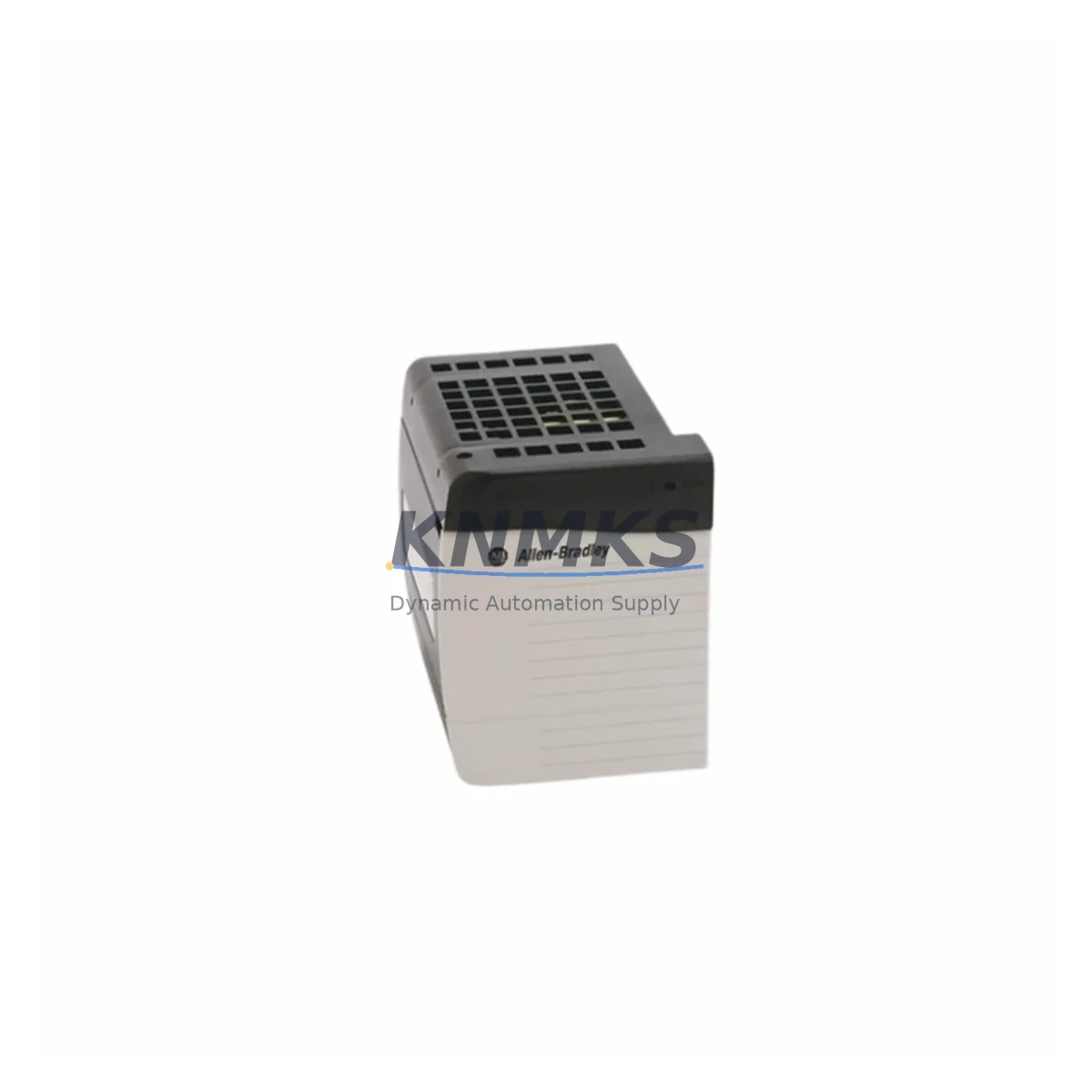
The Allen-Bradley 1756-PA50 is an AC input power supply module designed for the ControlLogix 1756 chassis platform. Rated at 50W output with a wide-range AC input of 85–265V AC (47–63 Hz), this module provides stable backplane power to ControlLogix I/O modules, communication adapters, and processor cards. As a critical infrastructure component in Rockwell Automation control architectures, the 1756-PA50 is a high-priority spare for any facility operating ControlLogix-based PLC systems.
For maintenance engineers managing aging ControlLogix installations, the 1756-PA50 represents one of the most common single-point failure risks in the control cabinet. Power supply degradation — evidenced by intermittent backplane faults, processor resets, or I/O communication dropouts — is a leading cause of unplanned downtime in continuous process and discrete manufacturing environments. Stocking a verified original 1756-PA50 spare eliminates the most critical delay in emergency restoration: sourcing lead time.
This unit is sourced as an original Allen-Bradley / Rockwell Automation component, individually inspected and pre-shipment tested prior to dispatch. Each unit ships with a support terms confirmed by quotation covering manufacturing defects and functional performance under rated operating conditions.
Spare Maintenance Table
| Parameter | Specification |
|---|---|
| SKU / Part Number | 1756-PA50 |
| Brand | Allen-Bradley (Rockwell Automation) |
| Series | ControlLogix 1756 |
| Module Type | AC Input Backplane Power Supply |
| Input Voltage | 85–265V AC, 47–63 Hz (wide range) |
| Output Power | 50W (backplane) |
| Chassis Compatibility | 1756-A4, 1756-A7, 1756-A10, 1756-A13, 1756-A17 |
| Backplane Current | 10A @ 5.1V DC (backplane bus) |
| Operating Temperature | 0–60°C (32–140°F) |
| Relative Humidity | 5–95% non-condensing |
| Mounting | Left-most slot of ControlLogix chassis |
| Certifications | UL, CE, cUL |
| Product Type | PLC Power Supply |
| Origin | USA |
| Condition | Original, Pre-Shipment Tested |
| Support terms | 12 Months |
| Maintenance Recommendation | Replace at first sign of backplane fault, processor reset, or output voltage deviation; inspect every 3–5 years in continuous-duty installations |
Maintenance Planning for Continuous Operation
When replacing the 1756-PA50 in a live ControlLogix cabinet, a disciplined maintenance workflow requires more than a direct module swap. The power supply interfaces directly with the 1756 chassis backplane, and any degradation in adjacent components can mask the root cause or accelerate failure of the replacement unit.
Begin by verifying the condition of the 1756 chassis backplane itself — inspect for corrosion, bent connector pins, or heat discoloration on the backplane PCB. A compromised backplane can cause premature failure of a new 1756-PA50. Next, audit the 1756-L series ControlLogix processor installed in the chassis: processor firmware version, battery status (1756-BA1 lithium battery), and memory module integrity should all be confirmed before restoring power.
Check all 1756-IB16 or 1756-OB16 digital I/O modules seated in the chassis for proper seating and connector integrity. Loose or oxidized module connectors increase backplane current draw and thermal stress on the power supply. If the cabinet includes 1756-EN2T or 1756-EN3TR EtherNet/IP communication modules, verify that network traffic load is within rated parameters — excessive broadcast traffic can cause processor load spikes that stress the power supply during startup.
For cabinets with mixed AC/DC power distribution, inspect the 24V DC power supply rail feeding field I/O and sensor circuits. A failing external 24V supply can generate ground loops or noise that propagates into the ControlLogix backplane through I/O module commons. Additionally, review the condition of terminal blocks and wiring ferrules on the AC input side of the 1756-PA50 — loose connections at the AC input terminals are a common cause of intermittent power supply faults that are misdiagnosed as module failure.
If the system includes a 1756-RM or 1756-RM2 redundancy module, confirm that the redundancy chassis power supply (typically a second 1756-PA50 or 1756-PB75) is also within service life. Redundancy configurations require matched power supply health to ensure seamless failover. Finally, document the replacement event in the site maintenance log, including the serial number of the removed unit and the pre-replacement fault codes from the RSLogix 5000 / Studio 5000 diagnostic buffer.
Site Replacement Workflow
Step 1 — Pre-Replacement Verification: Confirm the incoming 1756-PA50 part number matches the installed unit. Verify AC input voltage at the cabinet distribution panel before connecting. Confirm chassis slot configuration and module count to ensure the 50W rating is adequate for the installed module set.
Step 2 — Safe Isolation: De-energize the AC input to the power supply via the cabinet isolation switch. Do not remove the 1756-PA50 under live AC — the module does not support hot-swap on the AC input side. Allow 30 seconds after de-energization for internal capacitors to discharge.
Step 3 — Module Removal: Loosen the top and bottom captive screws on the 1756-PA50 faceplate. Slide the module out of the chassis left slot. Inspect the chassis backplane connector for damage before inserting the replacement.
Step 4 — Replacement Installation: Align the replacement 1756-PA50 with the chassis left slot guide rails. Slide firmly until the backplane connector is fully seated. Tighten captive screws to 0.9 N·m (8 lb·in). Reconnect AC input wiring to the terminal block, verifying correct L1, L2/N, and PE connections.
Step 5 — Power-Up and Verification: Restore AC input power. Observe the OK LED on the 1756-PA50 faceplate — solid green indicates normal operation. Confirm processor status in Studio 5000 / RSLogix 5000. Verify all I/O modules return to RUN state and communication modules re-establish network connections. Log restoration time and confirm process resumption with operations team.
This workflow supports direct replacement of legacy 1756-PA50 units without requiring chassis replacement or processor re-programming, preserving existing system configuration and minimizing total downtime to under 30 minutes in most installations.
Spare Parts Support FAQ
Q1: Is this 1756-PA50 an original Allen-Bradley unit or a compatible replacement?
This is an original Allen-Bradley / Rockwell Automation 1756-PA50 module. It is not a third-party compatible or remanufactured substitute. Each unit is individually inspected and pre-shipment tested to confirm output voltage, backplane connector integrity, and LED indicator function prior to dispatch.
Q2: What is the support terms coverage and how is it handled?
Each 1756-PA50 ships with a support terms confirmed by quotation covering manufacturing defects and functional failure under rated operating conditions. Support requests are handled directly — contact admin@knmks.com with the order reference and fault description. We support replacement or refund resolution within the confirmed support period.
Q3: Can this unit replace a 1756-PA50/B or 1756-PA50/C revision in an existing chassis?
Yes. The 1756-PA50 is form-fit-function compatible across standard chassis revisions (1756-A4 through 1756-A17). Minor revision differences (e.g., /B vs /C) do not affect electrical compatibility or backplane interface. If you require a specific firmware or hardware revision for a validated system, please confirm with our team before ordering.
Q4: Do you support long-term or recurring supply for MRO and annual maintenance programs?
Yes. We support long-term supply agreements for MRO procurement teams managing ControlLogix installed bases. For facilities with multiple 1756 chassis or annual maintenance schedules, we can reserve stock and provide staged delivery aligned to your maintenance calendar. Contact admin@knmks.com to discuss volume pricing and supply commitment terms.
© 2026 KNMKS. All rights reserved.
Original Source: https://knmks.com
Contact: admin@knmks.com | +86 18359268345
Product Identification
- Brand / Ecosystem
-
Allen-Bradley
Allen-Bradley - Model / Series
-
1756-PA50
ControlLogix Series - Product Family
- PLCs & Controllers
- Availability Status
- Available on request after model and quantity confirmation
- Inquiry Type
- B2B RFQ, replacement inquiry and project spare-part request
- Pre-Quote Check
- Exact SKU, brand, series, quantity, nameplate photos and destination country are checked before quotation
System Path
Where this product fits in the KNMKS automation structure.
Specification & Inquiry Focus
- Control platform
- PLC, PAC and modular controllers
- Common needs
- CPU, rack, power and I/O expansion
- Project support
- Replacement, cabinet build and maintenance
Buyer Confirmation
Information KNMKS checks before replying.
- Exact model
- 1756-PA50
- Brand / ecosystem
- Allen-Bradley
- Product family
- PLCs & Controllers
- Application note
- Replacement, maintenance, project build or spare-part list
- Useful photos
- Nameplate, installed unit, cabinet layout or connector side
- Delivery details
- Quantity, destination country and target schedule
Document Support
Files and notes can be confirmed during quotation.
- Product photos or nameplate confirmation when available
- Packing and delivery notes before quotation confirmation
- Support scope and delivery terms confirmed per inquiry
- Export document coordination for qualified B2B requests
Inquiry Support
- Model cross-checking before quotation
- CPU, power, rack and expansion module matching
- Support for replacement and project inquiry
What to Send Us
- Brand and exact model number: Allen-Bradley 1756-PA50
- Quantity and required delivery time
- Application, replacement requirement or nameplate photo
- Destination country and shipping preference
RFQ Preparation
This is a product inquiry page built for RFQ communication.
Fast Model Check
Send this model to KNMKS for confirmation.
Include quantity, destination country and photos if this is a maintenance replacement. The inquiry will be saved with a reference number after submission.
Brand & Compatibility Note
KNMKS displays automation product information for well-known industrial brand ecosystems and compatible replacement references. Brand names are used for product identification and compatibility reference only; final availability and commercial terms are confirmed per quotation.
 Manufacturing
 Machine Tools
 Packaging
 Energy & Power



 HMI & Displays
 Servo Systems
 Variable Frequency Drives
 Sensors