
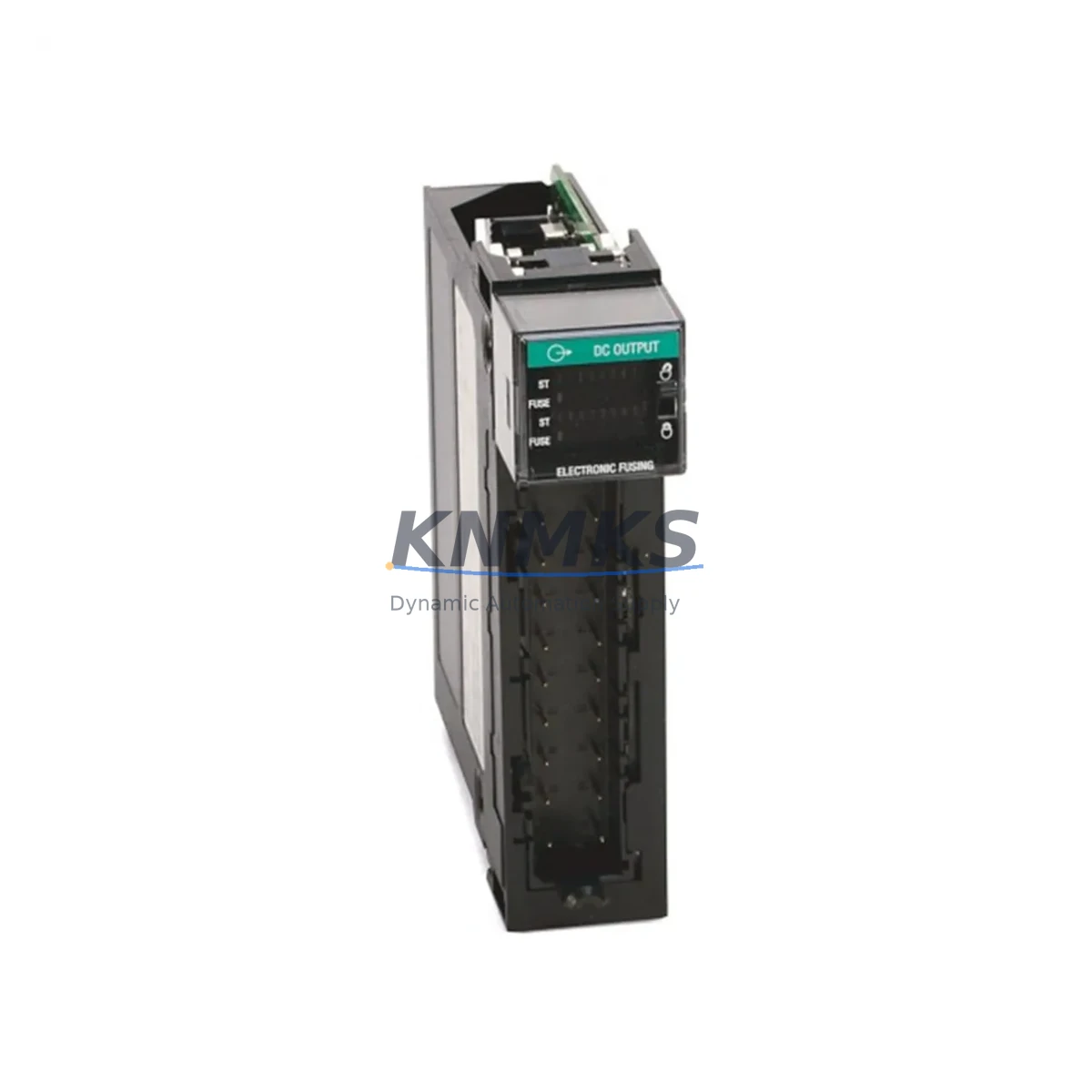
Overview
Allen-Bradley 1756-OV16E Migration-Ready DC Output Module: Legacy System Retrofit & Compatibility Upgrade
The Allen-Bradley 1756-OV16E is a 16-point DC sinking output module designed for the ControlLogix platform, widely deployed in process automation, discrete manufacturing, and legacy control cabinet upgrades. As industrial facilities transition away from discontinued PLC-5, SLC 500, and early ControlLogix hardware, the 1756-OV16E serves as a proven, migration-ready replacement that preserves existing wiring infrastructure while delivering modern I/O performance. Whether you are executing a planned system modernization or responding to an urgent spare-parts shortage, this module provides the electrical compatibility, backplane interface, and firmware alignment required for a controlled, low-risk cutover.
Migration Compatibility Table
| Parameter | Details |
|---|---|
| Module SKU | 1756-OV16E |
| Platform | Allen-Bradley ControlLogix (1756 Series) |
| Output Type | 16-point DC sinking (sourcing-compatible with external wiring adaptation) |
| Backplane Interface | 1756 ControlLogix backplane — compatible with 1756-A4, 1756-A7, 1756-A10, 1756-A13, 1756-A17 chassis |
| Installation Slot | Any I/O slot in a 1756 chassis; confirm slot addressing in RSLogix 5000 / Studio 5000 |
| Communication Compatibility | EtherNet/IP via 1756-EN2T or 1756-EN3TR bridge; ControlNet via 1756-CNB; DeviceNet via 1756-DNB |
| Legacy Replacement Path | Replaces 1756-OV16, 1746-OV16 (SLC 500 with I/O adapter), PLC-5 output racks via 1756-DHRIO bridge |
| Wiring Compatibility | RTB (Removable Terminal Block) — confirm 1756-TBCH or 1756-TBS6H terminal block type before installation |
| Firmware Requirement | Verify controller firmware revision in Studio 5000; module firmware auto-updates via backplane on most revisions |
| Commissioning Focus | Slot address, tag mapping, output forcing verification, and HMI screen I/O tag re-binding |
| Support terms | support terms confirmed by quotation — covers manufacturing defects and functional failure under normal operating conditions |
Retrofit Planning for Existing Automation Systems
A successful retrofit using the 1756-OV16E begins well before the module arrives on site. Engineers should audit the existing control cabinet to confirm available chassis slots, power budget, and terminal block compatibility. The 1756-PA72 or 1756-PB72 chassis power supply must be verified to support the additional load of the replacement module alongside existing I/O cards such as the 1756-IB16 digital input module and any installed 1756-IF8 analog input modules. If the legacy system used a 1756-OV16 (non-E variant), the physical footprint and RTB connector are identical, making the swap straightforward — however, the enhanced diagnostics of the OV16E require that the controller project be updated to recognize the new module profile in Studio 5000.
For facilities migrating from SLC 500 platforms, the integration typically involves a 1756-DHRIO communication module to bridge the existing DH+ network, allowing the new ControlLogix rack to communicate with legacy HMI panels and SCADA systems during the transition period. This approach avoids a full HMI screen rebuild on day one, preserving operational continuity while the new I/O infrastructure is validated. Similarly, if the plant network relies on ControlNet, the existing 1756-CNB module can remain in service alongside the new 1756-OV16E without protocol reconfiguration.
Terminal wiring is one of the most time-sensitive steps in any output module replacement. The 1756-OV16E uses a 20-pin RTB; confirm whether the existing field wiring harness was built for the 1756-TBCH (cage clamp) or 1756-TBS6H (screw clamp) terminal block before ordering the replacement RTB. Having the correct terminal block on hand eliminates a common source of commissioning delay. For installations where field wiring runs are long or signal isolation is required, inline signal isolators or relay output modules such as the 1756-OW16I may be evaluated as part of the upgrade bill of materials.
Downtime Control During System Migration
Minimizing unplanned downtime during a ControlLogix output module replacement requires a structured pre-cutover checklist. Before removing the legacy module, export the current controller project from Studio 5000 and archive it to a secure network location — this preserves the original ladder logic, tag database, and I/O configuration as a rollback baseline. Document all output forcing states and ensure that any active output forces are cleared or safely held by the process before the module is de-energized.
The 1756-OV16E supports hot-swap removal and insertion when the chassis power supply remains energized, provided the controller is placed in Program mode first. This capability significantly reduces the cutover window compared to legacy fixed-rack systems that required a full panel shutdown. After physical installation, the module will appear in the I/O tree within Studio 5000; verify that the module profile matches the installed firmware revision and that all 16 output tags are correctly mapped to the existing rung logic before switching the controller back to Run mode.
HMI screens that reference output status tags should be tested in simulation mode prior to live cutover. If the plant uses a PanelView Plus terminal communicating over EtherNet/IP, confirm that the tag paths in FactoryTalk View Studio still resolve correctly after the module slot address is confirmed. A brief functional test — cycling each output point individually and verifying field device response — is the final step before returning the line to production. With proper preparation, total downtime for a single-module swap can be held to under 30 minutes.
Retrofit Support FAQ
Q1: Is the 1756-OV16E a direct drop-in replacement for the 1756-OV16?
Yes. The 1756-OV16E is the current production successor to the 1756-OV16. It occupies the same chassis slot, uses the same RTB wiring interface, and is electrically compatible with existing field wiring. The primary difference is the addition of electronic fusing and enhanced diagnostics on the OV16E. You will need to update the module profile in your Studio 5000 project to reflect the OV16E designation, but no rung logic changes are required.
Q2: What pre-shipment testing is performed on this module?
Each 1756-OV16E unit is functionally tested prior to shipment, including backplane communication verification, output point actuation across all 16 channels, and power-on self-test confirmation. A test report is available upon request. The module ships with a support terms confirmed by quotation covering manufacturing defects and functional failure under normal operating conditions.
Q3: Can this module be used in a mixed-revision ControlLogix chassis alongside older 1756-series cards?
Yes. The 1756-OV16E is compatible with all standard 1756 chassis sizes (A4 through A17) and coexists with other 1756-series modules regardless of their individual firmware revisions. The controller manages module communication independently per slot. Confirm that your 1756-L6x or 1756-L7x controller firmware is at a revision that supports the OV16E module profile — Rockwell Automation’s Product Compatibility and Download Center (PCDC) provides the definitive compatibility matrix.
Q4: What is the lead time and stock availability?
We maintain in-stock inventory of the 1756-OV16E to support urgent replacement and planned retrofit projects. Orders confirmed before the daily cut-off are processed for same-day dispatch. Contact our team at admin@knmks.com or +86 18359268345 to confirm current stock levels and arrange expedited shipping if required.
© 2026 KNMKS. All rights reserved.
Original Source: https://knmks.com
Contact: admin@knmks.com | +86 18359268345
Product Identification
- Brand / Ecosystem
-
Allen-Bradley
Allen-Bradley - Model / Series
-
1756-OV16E
ControlLogix Series - Product Family
- PLCs & Controllers
- Availability Status
- Available on request after model and quantity confirmation
- Inquiry Type
- B2B RFQ, replacement inquiry and project spare-part request
- Pre-Quote Check
- Exact SKU, brand, series, quantity, nameplate photos and destination country are checked before quotation
System Path
Where this product fits in the KNMKS automation structure.
Specification & Inquiry Focus
- Control platform
- PLC, PAC and modular controllers
- Common needs
- CPU, rack, power and I/O expansion
- Project support
- Replacement, cabinet build and maintenance
Buyer Confirmation
Information KNMKS checks before replying.
- Exact model
- 1756-OV16E
- Brand / ecosystem
- Allen-Bradley
- Product family
- PLCs & Controllers
- Application note
- Replacement, maintenance, project build or spare-part list
- Useful photos
- Nameplate, installed unit, cabinet layout or connector side
- Delivery details
- Quantity, destination country and target schedule
Document Support
Files and notes can be confirmed during quotation.
- Product photos or nameplate confirmation when available
- Packing and delivery notes before quotation confirmation
- Support scope and delivery terms confirmed per inquiry
- Export document coordination for qualified B2B requests
Inquiry Support
- Model cross-checking before quotation
- CPU, power, rack and expansion module matching
- Support for replacement and project inquiry
What to Send Us
- Brand and exact model number: Allen-Bradley 1756-OV16E
- Quantity and required delivery time
- Application, replacement requirement or nameplate photo
- Destination country and shipping preference
RFQ Preparation
This is a product inquiry page built for RFQ communication.
Fast Model Check
Send this model to KNMKS for confirmation.
Include quantity, destination country and photos if this is a maintenance replacement. The inquiry will be saved with a reference number after submission.
Brand & Compatibility Note
KNMKS displays automation product information for well-known industrial brand ecosystems and compatible replacement references. Brand names are used for product identification and compatibility reference only; final availability and commercial terms are confirmed per quotation.
 Manufacturing
 Machine Tools
 Packaging
 Energy & Power



 HMI & Displays
 Servo Systems
 Variable Frequency Drives
 Sensors