
Overview
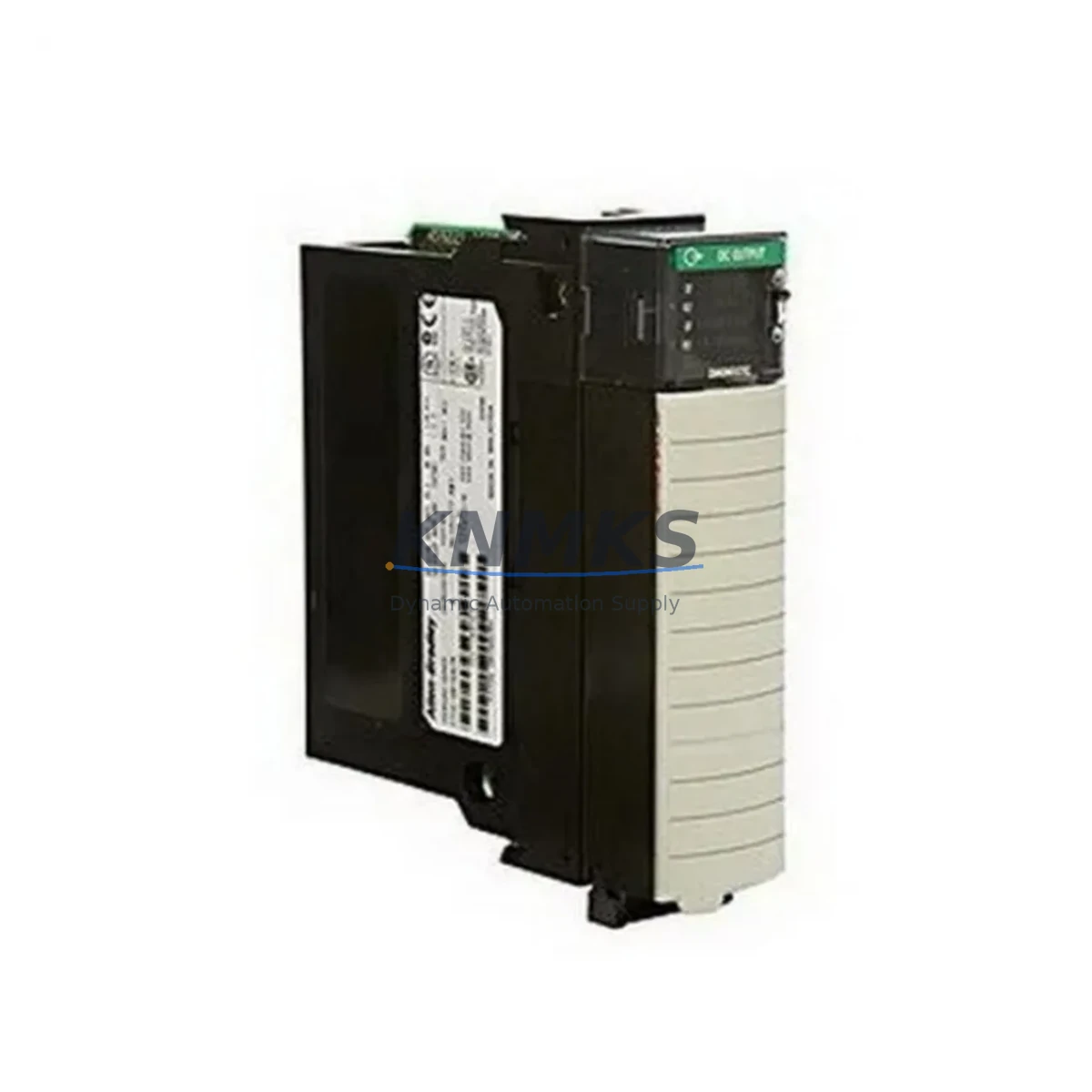
Allen-Bradley 1756-OG16 Maintenance-Proven Spare Part for Factory Uptime
The Allen-Bradley 1756-OG16 is a 16-point TTL digital output module designed for the ControlLogix 1756 series backplane. As a maintenance-proven spare, it is a critical component for facilities running Rockwell Automation control architectures where continuous production uptime is non-negotiable. Whether you are managing a scheduled annual overhaul, responding to an unplanned line stoppage, or building a strategic spare parts inventory, having a verified original 1756-OG16 on the shelf eliminates the most costly variable in industrial maintenance: wait time.
This module interfaces directly with the 1756 ControlLogix chassis and communicates over the ControlLogix backplane, delivering 16 individually isolated TTL-level output channels suitable for driving solid-state loads, relay coils, and signal-level actuators in high-speed automation environments. Its compact form factor and hot-swap capability make it a preferred choice for maintenance engineers who need to execute replacements without a full system shutdown.
Spare Maintenance Table
| Parameter | Specification |
|---|---|
| Part Number | 1756-OG16 |
| Brand | Allen-Bradley (Rockwell Automation) |
| Series | ControlLogix 1756 |
| Module Type | Digital Output — TTL (Transistor-Transistor Logic) |
| Output Points | 16 Points |
| Output Voltage | 5V DC TTL |
| Output Current (per point) | 8 mA (source), 24 mA (sink) |
| Backplane Compatibility | 1756 ControlLogix Chassis (all slot counts) |
| Hot-Swap Support | Yes — module can be replaced under power |
| Communication | ControlLogix Backplane (proprietary) |
| Operating Temperature | 0°C to 60°C (32°F to 140°F) |
| Relative Humidity | 5% to 95% non-condensing |
| Mounting | 1756 Series Chassis Slot |
| Certifications | UL, CE, cUL |
| Country of Origin | United States |
| Support terms | 12 Months from date of shipment |
| Condition | Original, tested prior to shipment |
| Availability | availability confirmed by RFQ — ready for immediate dispatch |
Maintenance Planning for Continuous Operation
Effective maintenance planning for a ControlLogix system goes well beyond replacing the 1756-OG16 output module in isolation. When a TTL output module fails or is flagged during a routine control cabinet inspection, experienced maintenance engineers treat it as a trigger to audit the surrounding electrical circuit and associated components.
Begin by verifying the integrity of the 1756-PA75 or 1756-PB75 power supply module feeding the chassis. A degraded power supply is a common upstream cause of output module faults and should be tested before the replacement module is commissioned. Next, inspect the 1756-A7 or 1756-A13 chassis backplane for physical damage, corrosion on the bus connectors, or signs of thermal stress — a faulty backplane can cause intermittent faults that mimic module failure.
On the field wiring side, check the terminal block assemblies and field wiring connectors (such as the 1756-TBCH or equivalent) for loose terminations, insulation breakdown, or oxidation on the screw terminals. TTL-level signals are particularly sensitive to wiring impedance and ground loop issues, so a thorough continuity check of the output field wiring is essential before the new module is inserted.
If the 1756-OG16 is part of a motion or high-speed I/O circuit, also inspect the 1756-IB16 or 1756-IA16 input modules in the same chassis for complementary faults. Input and output modules in the same control loop often experience correlated wear, especially in environments with high electrical noise or frequent load switching. Additionally, review the status of any 1756-EN2T or 1756-ENBT EtherNet/IP communication modules in the chassis — a communication fault can mask or misreport output module diagnostics in Studio 5000 Logix Designer.
For facilities operating legacy ControlLogix systems, it is also advisable to maintain a parallel spare for the 1756-L63 or 1756-L71 controller module. Output module replacements in aging systems sometimes reveal underlying controller firmware issues that only surface when a fresh module is inserted and the I/O tree is re-scanned. Proactive controller spare stocking prevents a secondary unplanned outage following a successful output module swap.
All replacement modules supplied by KNMKS are tested prior to shipment and covered by a support terms confirmed by quotation, giving procurement engineers a reliable, low-risk sourcing option for both emergency and planned maintenance scenarios.
Site Replacement Workflow
The 1756-OG16 is designed for in-service replacement within the ControlLogix platform, but a structured site workflow minimizes risk and reduces total downtime to the shortest possible window.
Step 1 — Pre-Replacement Verification: Before removing the suspect module, use Studio 5000 Logix Designer or RSLogix 5000 to capture the current I/O configuration, module properties, and any electronic keying settings. Export the project file as a backup. Confirm the replacement module’s catalog number and series revision match the installed module’s keying requirements.
Step 2 — Safe Isolation: Although the 1756-OG16 supports hot-swap, it is best practice to de-energize the field output loads connected to the module before extraction. This prevents transient voltage spikes on the TTL output lines during module removal. Use the inhibit function in the controller to logically disable the module outputs before physical removal.
Step 3 — Module Extraction and Inspection: Remove the module by releasing the top and bottom locking tabs. Inspect the backplane connector on the removed module for bent pins or contamination. Inspect the chassis slot connector for the same. Clean with appropriate electronics-grade contact cleaner if required.
Step 4 — Replacement Module Installation: Insert the new 1756-OG16 firmly until the locking tabs engage. The controller will automatically detect the new module and apply the stored configuration if electronic keying is set to “Compatible Module” or “Disable Keying.” Verify the module status LED transitions from red to green within 10 seconds of insertion.
Step 5 — Functional Verification: Re-enable the module outputs in the controller. Perform a point-by-point output test using the controller’s forced I/O function to confirm all 16 output channels are operating correctly before returning the system to automatic mode.
This workflow is compatible with both legacy ControlLogix V16–V20 firmware environments and current V33+ Logix Designer platforms, making the 1756-OG16 a long-term compatible replacement for aging control systems without requiring controller firmware upgrades.
Spare Parts Support FAQ
Q1: Is the 1756-OG16 supplied by KNMKS an original Allen-Bradley module?
Yes. All 1756-OG16 units are sourced as original Allen-Bradley (Rockwell Automation) components. Each module undergoes functional testing prior to shipment to verify output channel integrity, backplane communication, and LED status indication. A support terms confirmed by quotation is provided from the date of shipment.
Q2: How do I confirm compatibility with my existing ControlLogix chassis and controller firmware?
The 1756-OG16 is compatible with all 1756 series ControlLogix chassis regardless of slot count (4, 7, 10, 13, or 17 slots). Firmware compatibility spans RSLogix 5000 V16 through Studio 5000 Logix Designer V33+. If your system uses electronic keying set to “Exact Match,” confirm the series revision letter of the installed module before ordering to ensure a direct drop-in replacement.
Q3: What is the recommended spare parts stocking strategy for the 1756-OG16 in a multi-line facility?
For facilities operating three or more ControlLogix chassis containing 1756-OG16 modules, a minimum stock of two units per site is recommended. High-cycle or high-temperature environments should maintain three units. Spare modules should be stored in anti-static packaging in a climate-controlled environment and rotated into service on a first-in, first-out basis to prevent shelf degradation.
Q4: Can KNMKS support long-term or repeat procurement of the 1756-OG16?
Yes. KNMKS maintains ongoing inventory of the 1756-OG16 and related ControlLogix 1756 series components to support both emergency single-unit orders and scheduled bulk procurement for annual maintenance budgets. Contact admin@knmks.com or +86 18359268345 to discuss volume pricing, lead times, and consignment stocking arrangements for your facility.
© 2026 KNMKS. All rights reserved.
Original Source: https://knmks.com
Contact: admin@knmks.com | +86 18359268345
Product Identification
- Brand / Ecosystem
-
Allen-Bradley
Allen-Bradley - Model / Series
-
1756-OG16
ControlLogix Series - Product Family
- PLCs & Controllers
- Availability Status
- Available on request after model and quantity confirmation
- Inquiry Type
- B2B RFQ, replacement inquiry and project spare-part request
- Pre-Quote Check
- Exact SKU, brand, series, quantity, nameplate photos and destination country are checked before quotation
System Path
Where this product fits in the KNMKS automation structure.
Specification & Inquiry Focus
- Control platform
- PLC, PAC and modular controllers
- Common needs
- CPU, rack, power and I/O expansion
- Project support
- Replacement, cabinet build and maintenance
Buyer Confirmation
Information KNMKS checks before replying.
- Exact model
- 1756-OG16
- Brand / ecosystem
- Allen-Bradley
- Product family
- PLCs & Controllers
- Application note
- Replacement, maintenance, project build or spare-part list
- Useful photos
- Nameplate, installed unit, cabinet layout or connector side
- Delivery details
- Quantity, destination country and target schedule
Document Support
Files and notes can be confirmed during quotation.
- Product photos or nameplate confirmation when available
- Packing and delivery notes before quotation confirmation
- Support scope and delivery terms confirmed per inquiry
- Export document coordination for qualified B2B requests
Inquiry Support
- Model cross-checking before quotation
- CPU, power, rack and expansion module matching
- Support for replacement and project inquiry
What to Send Us
- Brand and exact model number: Allen-Bradley 1756-OG16
- Quantity and required delivery time
- Application, replacement requirement or nameplate photo
- Destination country and shipping preference
RFQ Preparation
This is a product inquiry page built for RFQ communication.
Fast Model Check
Send this model to KNMKS for confirmation.
Include quantity, destination country and photos if this is a maintenance replacement. The inquiry will be saved with a reference number after submission.
Brand & Compatibility Note
KNMKS displays automation product information for well-known industrial brand ecosystems and compatible replacement references. Brand names are used for product identification and compatibility reference only; final availability and commercial terms are confirmed per quotation.
 Manufacturing
 Machine Tools
 Packaging
 Energy & Power



 HMI & Displays
 Servo Systems
 Variable Frequency Drives
 Sensors