
Overview
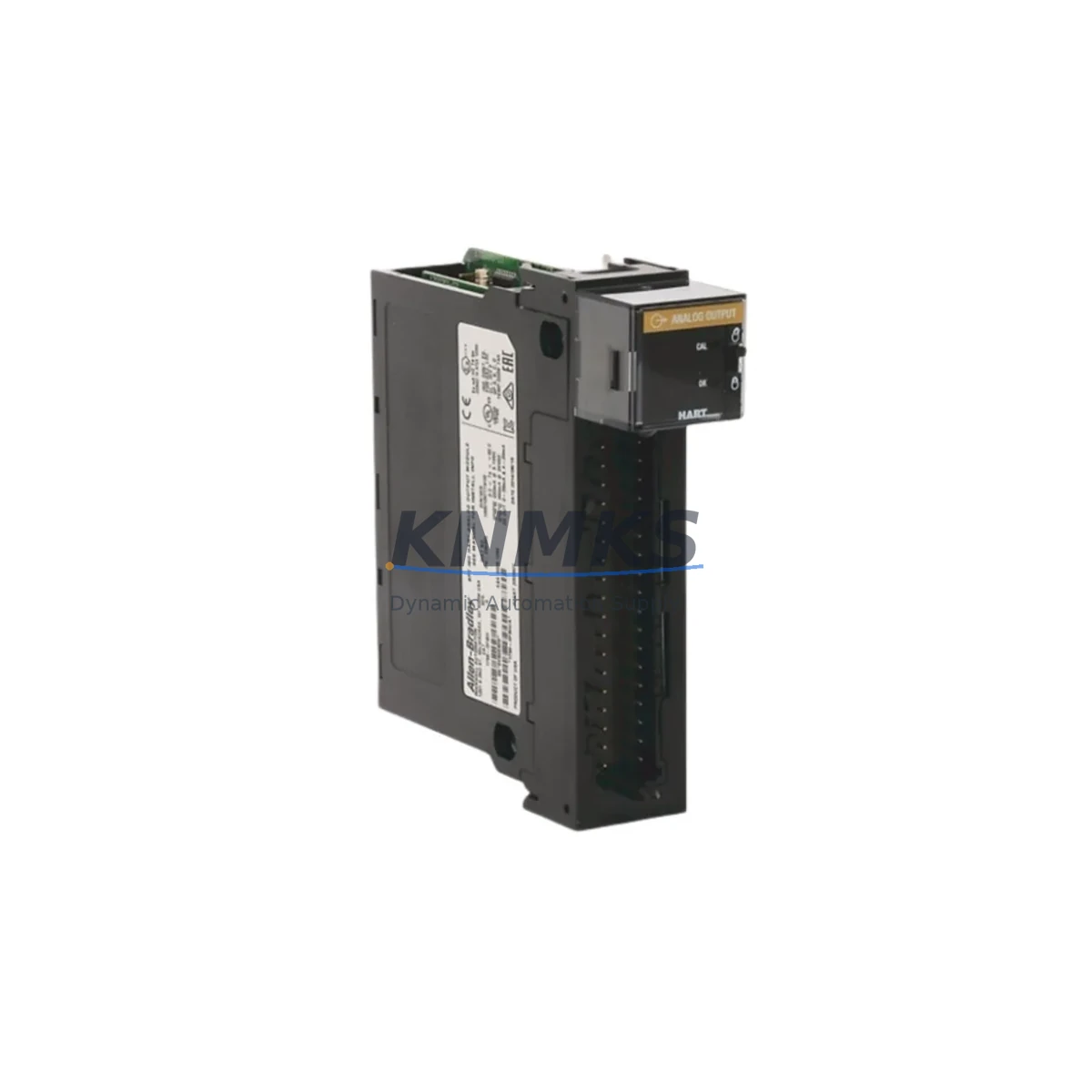
Allen-Bradley 1756-OF8I Migration-Ready Isolated Analog Output for Legacy Control Systems
The Allen-Bradley 1756-OF8I is an 8-channel isolated analog output module designed for the ControlLogix 1756 chassis platform. As legacy distributed control systems approach end-of-life and original spare parts become increasingly scarce, the 1756-OF8I remains one of the most sought-after retrofit components for plants running continuous process control, batch manufacturing, and motion-critical applications. Whether you are replacing a failed 1756-OF8 (non-isolated variant), migrating from an older PLC-5 or SLC 500 analog output rack, or expanding an existing ControlLogix 1756 backplane, the 1756-OF8I delivers the channel-to-channel isolation and output resolution required to maintain loop integrity across demanding industrial environments.
Each channel provides ±10 VDC or 0–20 mA / 4–20 mA output capability with 16-bit resolution, making it directly compatible with field instruments including control valves, variable-frequency drives, and positioners that were originally wired to older analog output cards. Before installing the 1756-OF8I as a drop-in replacement, engineers should verify the existing terminal wiring against the module’s screw-terminal block pinout, confirm that the 1756 chassis backplane slot assignment matches the original module address in the Logix Designer project, and review the I/O tree configuration to ensure the output tag data type is mapped correctly. Isolated channel architecture eliminates ground loop interference that is common in legacy non-isolated designs, reducing the need for external signal isolators in most retrofit scenarios.
Migration Compatibility Table
| Parameter | 1756-OF8I (This Module) | Legacy / Replaced Module | Retrofit Notes |
|---|---|---|---|
| Output Channels | 8 Isolated | 1756-OF8 (non-isolated, 8-ch) | Direct slot replacement; update I/O configuration in Logix Designer |
| Output Range | ±10 VDC / 0–20 mA / 4–20 mA | Same ranges on 1756-OF8 | Verify field instrument wiring; no range reconfiguration required in most cases |
| Resolution | 16-bit | 13-bit (PLC-5 AO modules) | Improved resolution; re-scale engineering unit tags in ladder or FBD if migrating from PLC-5 |
| Backplane Interface | ControlLogix 1756 backplane | PLC-5 / SLC 500 rack (incompatible) | Requires 1756 chassis; use 1756-DHRIO or 1756-ENBT bridge for legacy network integration |
| Communication Protocol | EtherNet/IP via 1756-EN2T / 1756-EN3TR | DH+, DH-485, Remote I/O | Protocol migration required; 1756-DHRIO module bridges DH+ to ControlLogix backplane |
| Terminal Wiring | Removable screw-terminal block (RTB) | Fixed terminal block (PLC-5 era) | Re-terminate field cables to 1756 RTB; label each channel before disconnecting legacy wiring |
| Power Consumption | Verify against 1756-PA75 / 1756-PB75 PSU capacity | Varies by legacy PSU | Audit total chassis backplane current draw before adding modules; upgrade PSU if margin is insufficient |
| Firmware Compatibility | Logix Designer v20 and above recommended | RSLogix 5000 v16–v19 (older projects) | Convert project to v20+ before adding 1756-OF8I; back up original ACD file before conversion |
| Installation Space | Single 1756 chassis slot | Single slot (1756-OF8) | No additional slot required for direct 1756-OF8 replacement |
| Support terms | support terms confirmed by quotation | Pre-shipment functional test on every unit | Certificate available on request | ||
Retrofit Planning for Existing Automation Systems
A successful 1756-OF8I retrofit begins well before the module arrives on site. Start by auditing the existing 1756 chassis configuration: document every occupied slot, record the current firmware revision of the 1756-L7x or 1756-L8x ControlLogix controller, and export the Logix Designer project as a backup ACD file. If the plant is migrating from a PLC-5 or SLC 500 platform, the 1756-DHRIO communication module is typically required to bridge the legacy DH+ or Remote I/O network to the new ControlLogix backplane, allowing the existing HMI screens on FactoryTalk View SE or PanelView terminals to continue communicating during the transition period without requiring an immediate HMI reprogramming effort.
For chassis power, confirm that the installed 1756-PA75 or 1756-PB75 power supply has sufficient backplane current headroom to support the 1756-OF8I alongside other modules such as the 1756-IB16 digital input module, 1756-OB16E digital output module, and any 1756-EN2T EtherNet/IP communication modules already occupying the rack. Isolated analog output modules draw slightly more backplane current than non-isolated equivalents, so this step is critical when the chassis is already near capacity.
Terminal wiring is one of the most time-sensitive tasks during a live-system retrofit. The 1756-OF8I uses a removable terminal block (RTB) that can be pre-wired on the bench before the scheduled maintenance window, dramatically reducing the time the field loops are disconnected. Photograph the existing wiring, label each conductor by channel number, and verify continuity to the field instrument before re-energizing. For applications where the original system used external signal isolators between the analog output card and the field device, the 1756-OF8I’s built-in channel isolation typically eliminates the need for those intermediate devices, simplifying the cabinet layout and reducing potential failure points.
If the retrofit involves replacing multiple analog output slots simultaneously, consider staging the migration slot by slot rather than replacing all modules at once. This approach allows the control program to remain partially active, preserving critical loop control on unaffected channels while the replaced channels are commissioned and verified. After each slot is replaced, perform a live calibration check against the field instrument’s expected output range and confirm that the Logix Designer tag values match the physical output signal measured at the terminal block.
Downtime Control During System Migration
Minimizing unplanned downtime is the primary concern for any plant engineer undertaking a ControlLogix analog output module replacement. The 1756-OF8I supports partial rack replacement without requiring a full controller shutdown in most configurations, provided the Logix Designer project is placed in Program mode rather than Run mode during the physical swap. Before entering Program mode, verify that all downstream control loops are in manual mode at the DCS or HMI level to prevent process upsets caused by the temporary loss of analog output signals.
Preserve the original program logic by maintaining a version-controlled backup of the ACD project file on a secure engineering workstation. Do not modify the I/O tree or tag database until the physical module replacement is confirmed complete and the new 1756-OF8I has been recognized by the controller. Once the module is seated and the RTB is connected, transition the controller back to Run mode and monitor each output channel individually using the Logix Designer online monitoring view before returning the loops to automatic control at the HMI.
For facilities with strict change management requirements, document the pre- and post-retrofit output signal values for each channel as part of the commissioning record. This data serves as the baseline for future preventive maintenance checks and supports support requests if any channel performance issue is identified within the support terms confirmed by quotation period. Every 1756-OF8I unit shipped by KNMKS undergoes a pre-shipment functional test covering output accuracy, channel isolation integrity, and backplane communication handshake, ensuring the module is ready for immediate installation upon arrival.
Retrofit Support FAQ
Q1: Can the 1756-OF8I directly replace a 1756-OF8 (non-isolated) in the same chassis slot?
Yes. The 1756-OF8I occupies a single ControlLogix 1756 chassis slot and uses the same backplane connector as the 1756-OF8. After the physical swap, open the Logix Designer project, delete the existing 1756-OF8 module definition from the I/O tree, and add the 1756-OF8I with the correct catalog number. Download the updated project to the controller and verify all output tags are mapped correctly before returning loops to automatic mode. No field wiring changes are required if the RTB pinout is identical.
Q2: What commissioning steps are required after installing the 1756-OF8I?
After seating the module and connecting the RTB, confirm the module status LED shows a solid green Run indicator. In Logix Designer, go online with the controller and navigate to the I/O tree to verify the module is communicating without fault codes. Use the Module Properties dialog to check the configured output range matches the field instrument requirement. Perform a channel-by-channel output verification by forcing each tag to a known engineering unit value and measuring the corresponding signal at the terminal block with a calibrated multimeter or loop calibrator.
Q3: Is the 1756-OF8I compatible with older Logix Designer / RSLogix 5000 project versions?
The 1756-OF8I is supported in RSLogix 5000 v16 and later, and in all versions of Logix Designer. For projects created in v16–v19, Rockwell Automation recommends converting to v20 or higher before adding new module definitions to ensure access to the latest module firmware features and diagnostic capabilities. Always back up the original ACD file before performing a version conversion, and test the converted project in a simulation environment if available before downloading to the live controller.
Q4: What support terms and pre-shipment testing does KNMKS provide for the 1756-OF8I?
Every 1756-OF8I unit supplied by KNMKS is covered by a support terms confirmed by quotation from the date of shipment. Prior to dispatch, each module undergoes a functional pre-shipment test that verifies output accuracy across all 8 channels, channel-to-channel isolation integrity, and backplane communication handshake with a live ControlLogix controller. A test certificate is available upon request. In-stock units are available for same-week dispatch to support urgent maintenance and unplanned breakdown scenarios. Contact admin@knmks.com or +86 18359268345 for availability confirmation and lead time.
© 2026 KNMKS. All rights reserved.
Original Source: https://knmks.com
Contact: admin@knmks.com | +86 18359268345
Product Identification
- Brand / Ecosystem
-
Allen-Bradley
Allen-Bradley - Model / Series
-
1756-OF8I
ControlLogix Series - Product Family
- PLCs & Controllers
- Availability Status
- Available on request after model and quantity confirmation
- Inquiry Type
- B2B RFQ, replacement inquiry and project spare-part request
- Pre-Quote Check
- Exact SKU, brand, series, quantity, nameplate photos and destination country are checked before quotation
System Path
Where this product fits in the KNMKS automation structure.
Specification & Inquiry Focus
- Control platform
- PLC, PAC and modular controllers
- Common needs
- CPU, rack, power and I/O expansion
- Project support
- Replacement, cabinet build and maintenance
Buyer Confirmation
Information KNMKS checks before replying.
- Exact model
- 1756-OF8I
- Brand / ecosystem
- Allen-Bradley
- Product family
- PLCs & Controllers
- Application note
- Replacement, maintenance, project build or spare-part list
- Useful photos
- Nameplate, installed unit, cabinet layout or connector side
- Delivery details
- Quantity, destination country and target schedule
Document Support
Files and notes can be confirmed during quotation.
- Product photos or nameplate confirmation when available
- Packing and delivery notes before quotation confirmation
- Support scope and delivery terms confirmed per inquiry
- Export document coordination for qualified B2B requests
Inquiry Support
- Model cross-checking before quotation
- CPU, power, rack and expansion module matching
- Support for replacement and project inquiry
What to Send Us
- Brand and exact model number: Allen-Bradley 1756-OF8I
- Quantity and required delivery time
- Application, replacement requirement or nameplate photo
- Destination country and shipping preference
RFQ Preparation
This is a product inquiry page built for RFQ communication.
Fast Model Check
Send this model to KNMKS for confirmation.
Include quantity, destination country and photos if this is a maintenance replacement. The inquiry will be saved with a reference number after submission.
Brand & Compatibility Note
KNMKS displays automation product information for well-known industrial brand ecosystems and compatible replacement references. Brand names are used for product identification and compatibility reference only; final availability and commercial terms are confirmed per quotation.
 Manufacturing
 Machine Tools
 Packaging
 Energy & Power



 HMI & Displays
 Servo Systems
 Variable Frequency Drives
 Sensors