
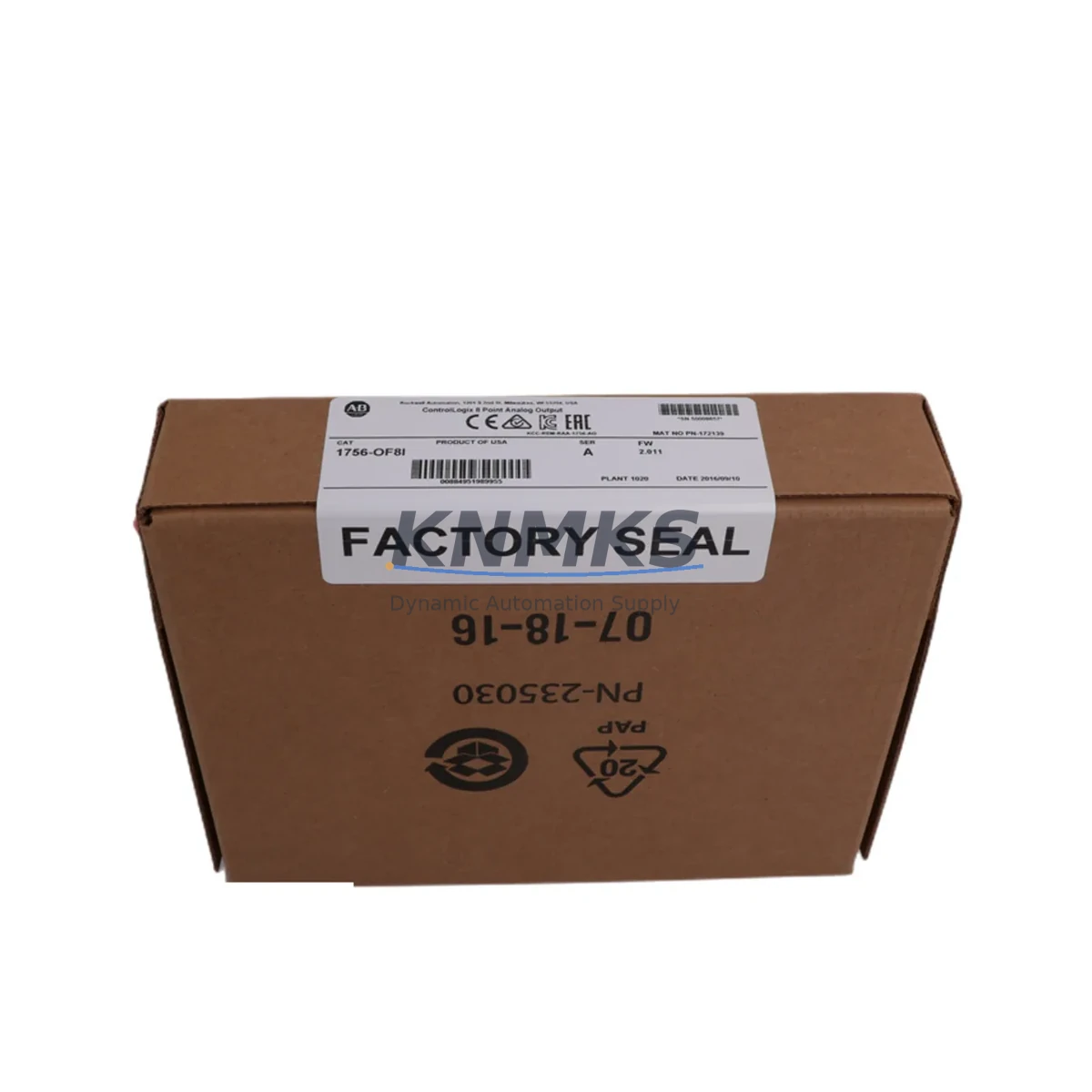
Overview
Allen-Bradley 1756-OF8 Migration-Ready Analog Output Module: Legacy System Migration and Compatible Upgrade
The Allen-Bradley 1756-OF8 is an 8-channel analog output module designed for the ControlLogix 1756 platform, delivering precision voltage and current signal control across demanding industrial automation environments. As legacy SLC 500, PLC-5, and early ControlLogix installations approach end-of-life, the 1756-OF8 has become a cornerstone component in retrofit projects, control cabinet upgrades, and phased system migrations where output signal fidelity and backplane compatibility are non-negotiable.
Whether you are replacing a discontinued 1771-OFE analog output module from a PLC-5 rack, migrating from a legacy 1746-NO4I in an SLC 500 chassis, or expanding output capacity in an existing ControlLogix system, the 1756-OF8 provides a verified migration path with minimal program rework. Its support for both ±10V voltage and 4–20 mA current output modes makes it adaptable to a wide range of field instruments, including control valves, variable frequency drives, and proportional actuators already wired in legacy panels.
Before committing to a retrofit, engineers should verify several critical parameters: the available backplane current budget on the 1756-A7, 1756-A10, or 1756-A13 chassis; terminal block wiring compatibility with existing field cables; module slot addressing in the I/O tree; and whether the existing RSLogix 5000 or Studio 5000 project file requires output scaling adjustments. In most ControlLogix-to-ControlLogix migrations, the 1756-OF8 can be swapped with minimal ladder logic changes, provided the channel configuration tags are preserved and the output data type mapping is confirmed before going online.
For projects involving communication protocol migration—such as transitioning from DH+ or Remote I/O to EtherNet/IP—the 1756-OF8 integrates seamlessly with the 1756-EN2T or 1756-EN2TR Ethernet communication modules already installed in the same chassis. This eliminates the need for protocol converters and preserves the existing HMI screen tag bindings in FactoryTalk View SE or ME, reducing commissioning time significantly.
Migration Compatibility Table
| Parameter | Details |
|---|---|
| Module SKU | 1756-OF8 |
| Platform | Allen-Bradley ControlLogix 1756 |
| Output Channels | 8 (voltage ±10V / current 4–20 mA) |
| Backplane Interface | ControlLogix 1756 backplane (1756-A7 / A10 / A13) |
| Communication | EtherNet/IP via 1756-EN2T / 1756-EN2TR |
| Legacy Replacement | 1771-OFE (PLC-5), 1746-NO4I (SLC 500) |
| Programming Software | RSLogix 5000 / Studio 5000 v20+ |
| Installation Requirement | 1756 chassis slot; verify backplane current draw |
| Wiring Compatibility | Removable terminal block (RTB); confirm field cable gauge |
| Firmware Compatibility | Compatible with ControlLogix firmware v16–v35 |
| Commissioning Focus | Output scaling, tag mapping, channel enable verification |
| Support terms | support terms confirmed by quotation included |
Retrofit Planning for Existing Automation Systems
A successful 1756-OF8 retrofit begins with a thorough audit of the existing control cabinet. In most legacy installations, the analog output wiring terminates at a removable terminal block (RTB) mounted on the front of the module. Before pulling the old module, technicians should photograph the terminal layout and verify that the replacement RTB pinout matches the field wiring scheme—particularly for installations where shielded twisted-pair cables are used for 4–20 mA loops running to remote valve positioners or VFD reference inputs.
Chassis selection is equally important. The 1756-OF8 occupies a single slot in any standard 1756 chassis. If the existing rack is a 1756-A7 and all slots are occupied, the retrofit plan may need to include a chassis expansion using a 1756-A10 or 1756-A13, along with a 1756-PA75 or 1756-PB75 power supply to support the additional backplane current load. The 1756-OF8 draws approximately 250 mA from the backplane at 5 VDC, and this must be factored into the total chassis power budget alongside other installed modules such as the 1756-IB16 digital input module, 1756-OB16E digital output module, and any 1756-L7x or 1756-L8x ControlLogix controller.
For systems that include a 1756-DNB DeviceNet bridge or a 1756-RIO Remote I/O adapter, the migration to EtherNet/IP using the 1756-EN2T module should be planned in parallel with the analog output replacement. This allows the entire I/O tree to be restructured in Studio 5000 in a single maintenance window, minimizing the number of planned shutdowns. HMI screens built in FactoryTalk View should be reviewed for any hardcoded analog output tag references that may need to be remapped after the module slot address changes.
Signal isolators or loop-powered barriers installed between the 1756-OF8 and field instruments should also be inspected during the retrofit. In older installations, DIN-rail mounted signal conditioners may introduce impedance mismatches that affect output accuracy. Replacing aging isolators with modern equivalents during the same maintenance window is a cost-effective way to improve overall loop performance without extending downtime.
Downtime Control During System Migration
Minimizing unplanned downtime during a 1756-OF8 replacement requires a structured pre-migration checklist. Before the maintenance window opens, the Studio 5000 project file should be exported and backed up, all current output values should be documented, and the replacement module should be bench-tested and pre-configured offline using the same firmware version as the target controller.
During the swap, the controller should be placed in Program mode rather than powered down entirely, where process safety permits. This preserves the program logic in the controller memory and allows the new module to be inserted and configured without a full cold restart. Once the 1756-OF8 is seated and the RTB is reconnected, the module can be brought online incrementally—enabling one channel at a time and verifying the output signal at the field instrument before enabling the next channel.
For critical loops controlling temperature, pressure, or flow, it is advisable to place the downstream control element in manual mode at the DCS or HMI level before the module swap begins. This prevents the field device from responding to undefined output states during the transition. After all channels are verified, the controller can be returned to Run mode and the process restored to automatic control. A post-commissioning loop check using a calibrated milliamp source or voltage meter confirms that each channel is delivering the correct signal within the specified ±0.1% accuracy tolerance.
Our pre-shipment testing protocol ensures that every 1756-OF8 unit is powered up, channel-verified, and inspected for backplane connector integrity before dispatch. Combined with a support terms confirmed by quotation covering manufacturing defects and functional failures, this provides the confidence needed for time-sensitive retrofit projects where a second maintenance window is not an option.
Retrofit Support FAQ
Q: Can the 1756-OF8 directly replace a 1771-OFE in a PLC-5 system?
A: Not as a direct drop-in—the 1771-OFE is a PLC-5 platform module and uses a different backplane and wiring interface. However, the 1756-OF8 is the correct replacement when migrating the entire control system from PLC-5 to ControlLogix. The migration requires a new 1756 chassis, a ControlLogix controller such as the 1756-L73 or 1756-L83, and a Studio 5000 project converted from the original RSLogix 5 program. Field wiring can typically be reused with a new RTB.
Q: What firmware version is required on the ControlLogix controller to use the 1756-OF8?
A: The 1756-OF8 is compatible with ControlLogix controller firmware from v16 onwards. For installations running Studio 5000 v30 or later, firmware v30+ on the 1756-L8x series is recommended to take advantage of enhanced diagnostics and channel-level fault reporting. Always match the module firmware to the controller firmware revision before going online.
Q: How do I verify wiring compatibility before installing the replacement module?
A: Compare the RTB pinout diagram from the 1756-OF8 installation manual (Rockwell publication 1756-IN009) against the existing field wiring termination drawing. Pay particular attention to the shield drain wire connection and the common reference terminal for each output channel. If the existing RTB is a 1756-TBCH or 1756-TBS6H, it can be reused with the replacement module without rewiring.
Q: What does the support terms confirmed by quotation cover, and is in-stock availability guaranteed?
A: The support terms confirmed by quotation cover all manufacturing defects, functional failures, and backplane interface faults identified under normal operating conditions. Units are dispatched from verified inventory with a pre-shipment functional test report. For urgent retrofit projects, expedited shipping is available. Contact admin@knmks.com or call +86 18359268345 to confirm current stock levels and lead times before placing your order.
© 2026 KNMKS. All rights reserved.
Original Source: https://knmks.com
Contact: admin@knmks.com | +86 18359268345
Product Identification
- Brand / Ecosystem
-
Allen-Bradley
Allen-Bradley - Model / Series
-
1756-OF8
ControlLogix Series - Product Family
- PLCs & Controllers
- Availability Status
- Available on request after model and quantity confirmation
- Inquiry Type
- B2B RFQ, replacement inquiry and project spare-part request
- Pre-Quote Check
- Exact SKU, brand, series, quantity, nameplate photos and destination country are checked before quotation
System Path
Where this product fits in the KNMKS automation structure.
Specification & Inquiry Focus
- Control platform
- PLC, PAC and modular controllers
- Common needs
- CPU, rack, power and I/O expansion
- Project support
- Replacement, cabinet build and maintenance
Buyer Confirmation
Information KNMKS checks before replying.
- Exact model
- 1756-OF8
- Brand / ecosystem
- Allen-Bradley
- Product family
- PLCs & Controllers
- Application note
- Replacement, maintenance, project build or spare-part list
- Useful photos
- Nameplate, installed unit, cabinet layout or connector side
- Delivery details
- Quantity, destination country and target schedule
Document Support
Files and notes can be confirmed during quotation.
- Product photos or nameplate confirmation when available
- Packing and delivery notes before quotation confirmation
- Support scope and delivery terms confirmed per inquiry
- Export document coordination for qualified B2B requests
Inquiry Support
- Model cross-checking before quotation
- CPU, power, rack and expansion module matching
- Support for replacement and project inquiry
What to Send Us
- Brand and exact model number: Allen-Bradley 1756-OF8
- Quantity and required delivery time
- Application, replacement requirement or nameplate photo
- Destination country and shipping preference
RFQ Preparation
This is a product inquiry page built for RFQ communication.
Fast Model Check
Send this model to KNMKS for confirmation.
Include quantity, destination country and photos if this is a maintenance replacement. The inquiry will be saved with a reference number after submission.
Brand & Compatibility Note
KNMKS displays automation product information for well-known industrial brand ecosystems and compatible replacement references. Brand names are used for product identification and compatibility reference only; final availability and commercial terms are confirmed per quotation.
 Manufacturing
 Machine Tools
 Packaging
 Energy & Power



 HMI & Displays
 Servo Systems
 Variable Frequency Drives
 Sensors