
Overview
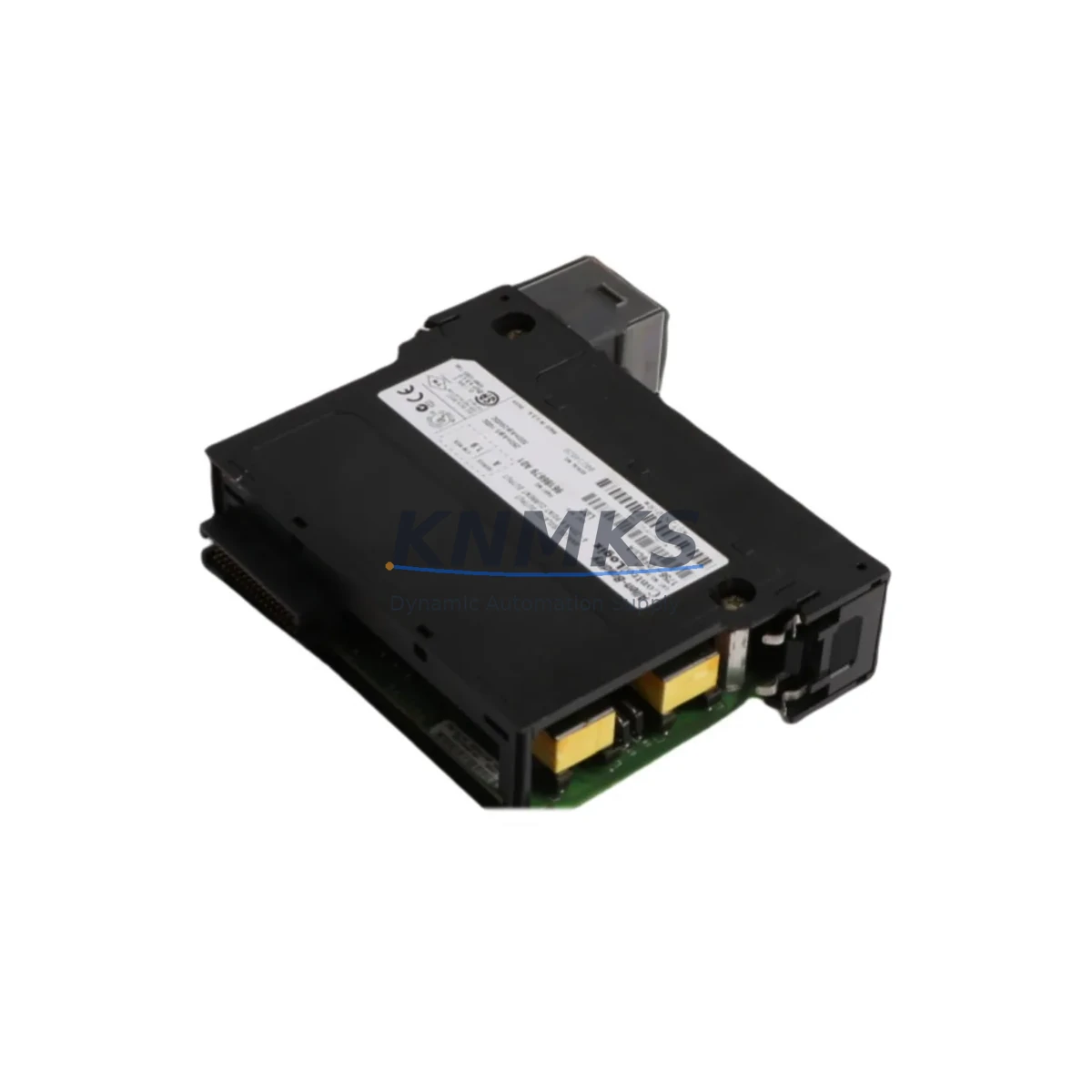
Allen-Bradley 1756-OF6CI/A Migration-Ready Isolated Analog Output for Legacy Control Systems
The Allen-Bradley 1756-OF6CI/A is a 6-channel isolated analog output module designed for the ControlLogix platform, and it remains one of the most sought-after retrofit components for engineers managing legacy process control infrastructure. As industrial facilities transition away from aging PLC-5, SLC 500, and early ControlLogix 1756 chassis configurations, the 1756-OF6CI/A provides a reliable, protocol-compatible upgrade path that minimizes engineering rework and reduces the risk of unplanned downtime during migration. Each channel delivers individually isolated 4–20 mA or 0–20 mA current output, making it directly compatible with field instruments, valve positioners, and variable frequency drives that were originally wired to discontinued analog output modules.
When planning a retrofit around the 1756-OF6CI/A, engineers must verify several critical parameters before committing to a cutover. Power budget confirmation is the first step: the 1756 backplane must have sufficient current capacity on the 5 VDC and 24 VDC rails to support the module alongside existing I/O, communication, and controller cards. In dense chassis configurations that also house modules such as the 1756-IB16 digital input module or the 1756-OB16E digital output module, backplane loading calculations should be completed before the replacement module is installed. Terminal wiring compatibility must also be confirmed — the 1756-OF6CI/A uses a 1756-TBCH or 1756-TBS6H removable terminal block, and field wiring from the legacy module should be mapped channel-by-channel before the cutover window begins.
Backplane slot addressing is another area that requires careful attention during migration. If the 1756-OF6CI/A is replacing a module in a different slot position than originally configured in the Logix Designer project, the I/O tree must be updated to reflect the new slot assignment, and all rung references to the output tag structure must be verified. In systems where the 1756-EN2T or 1756-EN2TR EtherNet/IP communication module is used for remote I/O access, the module path configuration in the controller project must also be reviewed to ensure the analog output tags are correctly mapped to the physical module location after the swap.
Migration Compatibility Table
| Parameter | Details |
|---|---|
| SKU / Part Number | 1756-OF6CI/A |
| Platform | Allen-Bradley ControlLogix 1756 |
| Output Channels | 6-channel, individually isolated |
| Output Signal | 4–20 mA / 0–20 mA current output |
| Backplane Interface | 1756 ControlLogix backplane (standard slot) |
| Terminal Block | 1756-TBCH / 1756-TBS6H (removable) |
| Communication Protocol | EtherNet/IP, ControlNet, DeviceNet (via bridge) |
| Legacy Replacement Targets | 1771-OFE, 1746-NO4I, early 1756-OF6CI revisions |
| Installation Space | Single 1756 chassis slot |
| Firmware Compatibility | Compatible with Logix Designer v20 and above |
| Commissioning Notes | Verify slot address, tag mapping, and backplane power budget before cutover |
| Support terms | support terms confirmed by quotation included |
Retrofit Planning for Existing Automation Systems
A successful retrofit involving the 1756-OF6CI/A typically requires coordination across multiple system layers. In a typical ControlLogix control cabinet, the analog output module works in conjunction with a 1756-L73 or 1756-L74 controller, and the program logic governing the analog output channels must be reviewed to confirm that the output scaling, engineering unit conversion, and fault state behavior are correctly configured for the replacement module. If the original system used a 1756-OF6CI revision that predates the /A firmware baseline, the tag data types and channel configuration parameters may differ slightly, requiring a controlled update to the Logix Designer project before the new module is brought online.
For facilities that are also upgrading their communication infrastructure, the 1756-OF6CI/A integrates cleanly into EtherNet/IP-based architectures managed through a 1756-EN2T or 1756-EN2TR communication module. In legacy installations that previously relied on ControlNet for I/O scanning, a protocol migration to EtherNet/IP may be undertaken in parallel with the analog output module replacement, and the 1756-CNB or 1756-CNBR ControlNet bridge module may need to remain in service during a phased transition to avoid disrupting other I/O on the same network segment.
I/O expansion requirements should also be assessed during the retrofit planning phase. If the control system requires additional analog output capacity beyond what the 1756-OF6CI/A provides, a second module can be added to an adjacent chassis slot, provided backplane power margins allow. In systems where the control cabinet is already at capacity, a 1756-A7 or 1756-A10 expansion chassis with a 1756-RM redundancy module may be considered to accommodate additional I/O without disrupting the primary controller chassis. Signal isolation requirements for sensitive process loops — particularly in applications involving temperature transmitters, pressure transducers, or electrochemical analyzers — should be reviewed to confirm that the per-channel isolation of the 1756-OF6CI/A meets the field instrument specifications without requiring external signal isolators.
HMI screen updates are often overlooked during analog output module replacements. If the facility uses a PanelView Plus 7 or FactoryTalk View SE display connected to the ControlLogix system, any faceplate or trend display that references the analog output tag structure should be reviewed and updated to reflect any tag name changes introduced during the migration. Programming cable access via a 1756-USB or 1747-UIC interface may be required for on-site firmware verification and final commissioning of the replacement module.
Downtime Control During System Migration
Minimizing production downtime during a 1756-OF6CI/A replacement requires a structured pre-cutover checklist and a clearly defined rollback plan. Before the maintenance window begins, the existing Logix Designer project should be archived with a timestamped backup, and all current analog output channel values should be documented so that the process can be restored to its pre-migration state if the cutover encounters unexpected issues. Where process conditions allow, analog output channels should be placed in manual mode or their field instruments set to local control before the module is removed from the chassis, reducing the risk of uncontrolled process excursions during the swap.
The physical module replacement itself is typically completed within minutes, but the commissioning phase — which includes verifying slot addressing, confirming tag mapping, checking backplane power consumption, and performing a channel-by-channel output verification against field instruments — should be allocated adequate time within the maintenance window. A structured loop check procedure, conducted with the cooperation of field technicians at the instrument end, ensures that each of the six output channels is delivering the correct signal before the process is returned to automatic control. All replacement modules supplied by KNMKS are pre-tested prior to shipment, which eliminates the risk of receiving a non-functional unit and further compresses the on-site commissioning timeline.
Post-cutover monitoring for the first 24–48 hours of operation is recommended, with particular attention to analog output stability, backplane communication health, and any controller fault codes that may indicate configuration mismatches. The support terms confirmed by quotation provided with every 1756-OF6CI/A module ensures that any latent hardware issues identified during the early operational period are covered without additional cost to the facility.
Retrofit Support FAQ
Q: Is the 1756-OF6CI/A a direct drop-in replacement for the 1756-OF6CI without the /A revision suffix?
A: The 1756-OF6CI/A is generally backward-compatible with earlier revisions of the 1756-OF6CI in terms of physical form factor and backplane interface. However, firmware and configuration parameters may differ between revisions. It is recommended to review the Logix Designer project configuration and update the module definition in the I/O tree to match the /A revision before bringing the replacement module online.
Q: What commissioning steps are required after installing the 1756-OF6CI/A?
A: After physical installation, verify the slot address in the Logix Designer I/O tree, confirm that the module definition matches the installed revision, perform a backplane power budget check, and conduct a channel-by-channel loop test to verify that each output is delivering the correct 4–20 mA signal to its associated field instrument. Update any HMI displays that reference the analog output tags if tag names were modified during the migration.
Q: Can the 1756-OF6CI/A be used in a system that still uses ControlNet for I/O scanning?
A: Yes. The 1756-OF6CI/A communicates via the ControlLogix backplane and is compatible with systems that use ControlNet bridge modules such as the 1756-CNB or 1756-CNBR for remote I/O scanning. No changes to the ControlNet network configuration are required solely as a result of replacing the analog output module, provided the slot address and module definition are correctly configured in the controller project.
Q: What support terms and pre-shipment testing does KNMKS provide for the 1756-OF6CI/A?
A: Every 1756-OF6CI/A module supplied by KNMKS is tested prior to shipment to verify basic functionality and output channel integrity. A support terms confirmed by quotation is included with each unit, covering hardware defects identified during normal operation. In-stock units are available for immediate dispatch to support urgent maintenance and unplanned downtime scenarios.
© 2026 KNMKS. All rights reserved.
Original Source: https://knmks.com
Contact: admin@knmks.com | +86 18359268345
Product Identification
- Brand / Ecosystem
-
Allen-Bradley
Allen-Bradley - Model / Series
-
1756-OF6CI/A
ControlLogix Series - Product Family
- PLCs & Controllers
- Availability Status
- Available on request after model and quantity confirmation
- Inquiry Type
- B2B RFQ, replacement inquiry and project spare-part request
- Pre-Quote Check
- Exact SKU, brand, series, quantity, nameplate photos and destination country are checked before quotation
System Path
Where this product fits in the KNMKS automation structure.
Specification & Inquiry Focus
- Control platform
- PLC, PAC and modular controllers
- Common needs
- CPU, rack, power and I/O expansion
- Project support
- Replacement, cabinet build and maintenance
Buyer Confirmation
Information KNMKS checks before replying.
- Exact model
- 1756-OF6CI/A
- Brand / ecosystem
- Allen-Bradley
- Product family
- PLCs & Controllers
- Application note
- Replacement, maintenance, project build or spare-part list
- Useful photos
- Nameplate, installed unit, cabinet layout or connector side
- Delivery details
- Quantity, destination country and target schedule
Document Support
Files and notes can be confirmed during quotation.
- Product photos or nameplate confirmation when available
- Packing and delivery notes before quotation confirmation
- Support scope and delivery terms confirmed per inquiry
- Export document coordination for qualified B2B requests
Inquiry Support
- Model cross-checking before quotation
- CPU, power, rack and expansion module matching
- Support for replacement and project inquiry
What to Send Us
- Brand and exact model number: Allen-Bradley 1756-OF6CI/A
- Quantity and required delivery time
- Application, replacement requirement or nameplate photo
- Destination country and shipping preference
RFQ Preparation
This is a product inquiry page built for RFQ communication.
Fast Model Check
Send this model to KNMKS for confirmation.
Include quantity, destination country and photos if this is a maintenance replacement. The inquiry will be saved with a reference number after submission.
Brand & Compatibility Note
KNMKS displays automation product information for well-known industrial brand ecosystems and compatible replacement references. Brand names are used for product identification and compatibility reference only; final availability and commercial terms are confirmed per quotation.
 Manufacturing
 Machine Tools
 Packaging
 Energy & Power



 HMI & Displays
 Servo Systems
 Variable Frequency Drives
 Sensors