
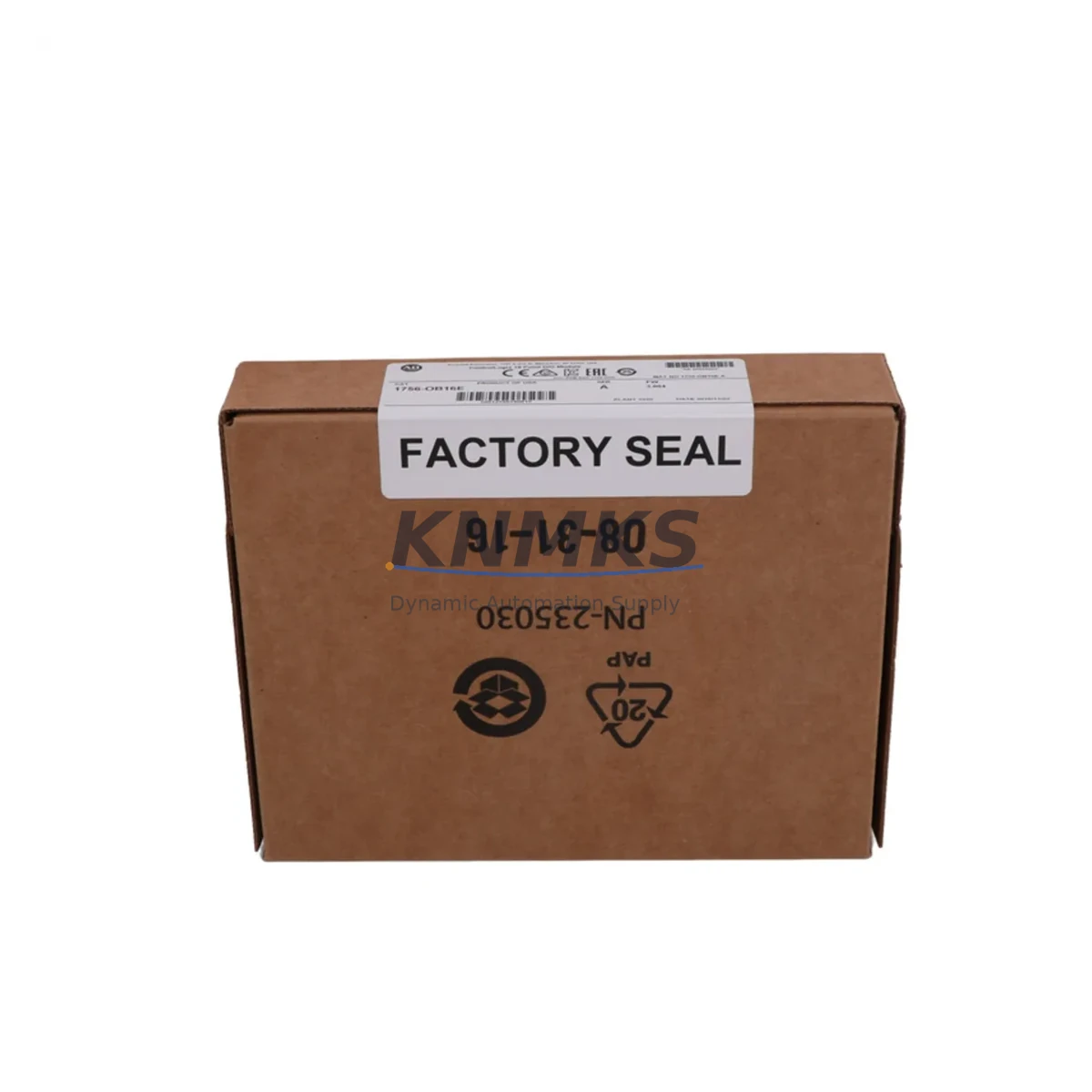
Overview
Allen-Bradley 1756-OB16E Migration-Ready Digital Output: Legacy System Retrofit & Upgrade Guide
The Allen-Bradley 1756-OB16E is a 16-point, 24VDC sourcing digital output module designed for the ControlLogix 1756 platform. As legacy control systems age and original I/O modules approach end-of-life, the 1756-OB16E has become a critical component in brownfield retrofit projects, discontinued-parts replacement programs, and control cabinet modernization initiatives across manufacturing, oil & gas, water treatment, and discrete automation industries.
Whether you are replacing a failed module on an aging production line, upgrading a legacy SLC 500 or PLC-5 system to ControlLogix architecture, or extending the service life of an existing 1756 chassis, the 1756-OB16E delivers the electrical compatibility, firmware stability, and physical form factor required for a controlled, low-risk migration.
Migration Compatibility Table
| Parameter | 1756-OB16E Specification | Migration / Retrofit Notes |
|---|---|---|
| Output Points | 16 points, sourcing (PNP) | Direct replacement for 1756-OB16 and 1756-OB16D in same chassis slot |
| Output Voltage | 10–31.2 VDC | Compatible with standard 24VDC field wiring; no rewiring required in most retrofits |
| Current per Point | 0.5 A max | Verify load current against existing actuator/solenoid specs before swap |
| Backplane Interface | 1756 ControlLogix backplane | Compatible with 1756-A4, 1756-A7, 1756-A10, 1756-A13, 1756-A17 chassis |
| Communication | ControlLogix backplane (implicit messaging) | No additional EtherNet/IP or ControlNet configuration required for slot replacement |
| Module Addressing | Slot-based, auto-configured in Studio 5000 | Existing tag database and ladder logic preserved; no program rewrite needed |
| Wiring Connector | Removable 20-pin RTB (1756-TBCH or 1756-TBS6H) | Existing RTB can be transferred directly — zero field rewiring in like-for-like swap |
| Firmware Compatibility | Compatible with RSLogix 5000 v16+ and Studio 5000 v21+ | Verify controller firmware revision before installation; update if below v16 |
| Installation Space | Single-slot 1756 module | No additional panel space required; fits all standard 1756 chassis configurations |
| Replacement Scope | Replaces: 1756-OB16, 1756-OB16D, 1756-OB16I (with wiring review) | Cross-reference wiring diagram for isolated vs. non-isolated variants |
| Support terms | support terms confirmed by quotation — covers manufacturing defects, functional failure, and DOA units. Replacement or documented resolution support within confirmed support period. | |
Retrofit Planning for Existing Automation Systems
Successful integration of the 1756-OB16E into a brownfield system requires a structured pre-migration assessment. The following planning steps reflect common field requirements encountered during ControlLogix retrofit projects.
Power Budget Verification: Before installing the 1756-OB16E, confirm that the 1756-PA72 or 1756-PB72 power supply in the existing chassis has sufficient backplane current capacity. The 1756-OB16E draws 4 mA from the backplane at 5VDC and 3 mA at 24VDC. In densely populated chassis running mixed analog and digital I/O, power budget overruns are a common cause of intermittent faults post-retrofit. Use the Rockwell Automation Chassis Power Estimator to validate before committing to the slot assignment.
Terminal Block and Field Wiring: The 1756-OB16E uses a removable terminal block (RTB). If the existing installation uses a 1756-TBCH (cage clamp) or 1756-TBS6H (screw clamp) RTB, it can be unplugged from the failed module and transferred directly to the replacement unit. This eliminates field rewiring entirely and significantly reduces downtime. Confirm wire gauge compatibility (14–22 AWG) and inspect terminal condition before transfer.
Chassis and Backplane Compatibility: The 1756-OB16E is compatible with all standard 1756 ControlLogix chassis, including the 1756-A4, 1756-A7, 1756-A10, 1756-A13, and 1756-A17. For systems running a 1756-EN2T or 1756-EN2TR EtherNet/IP communication module, no network reconfiguration is required when performing a same-slot module replacement. The controller will automatically re-establish communication with the module upon power-up.
Program Logic and Tag Preservation: In Studio 5000 or RSLogix 5000, the 1756-OB16E is recognized by its module profile. When replacing a module of the same catalog number in the same slot, the existing I/O tag structure, rung logic, and HMI faceplates referencing Local:X:O.Data output tags remain fully intact. No program download is required in most same-model swap scenarios. If upgrading from a 1756-OB16 (non-electronically fused variant) to the 1756-OB16E (electronically fused), update the module definition in the I/O tree and verify fault tag mappings.
HMI and SCADA Integration: Systems using PanelView Plus 7 or FactoryTalk View SE HMI platforms will not require screen modifications when performing a like-for-like module swap. Output status indicators, alarm triggers, and manual override displays tied to the 1756-OB16E output tags will continue to function without modification. For migrations from SLC 500 or PLC-5 platforms, HMI tag remapping will be required as part of the broader conversion project.
Signal Isolation and Noise Considerations: In high-noise environments — particularly those with variable frequency drives, servo amplifiers, or large inductive loads — consider adding signal isolators or surge suppressors on output channels driving solenoid valves or relay coils. The 1756-OB16E’s electronic fusing provides per-point overcurrent protection, but external transient suppression extends module service life in demanding field conditions.
Downtime Control During System Migration
Minimizing unplanned downtime is the primary operational constraint in any live-system retrofit. The 1756-OB16E supports several strategies for controlled, low-risk replacement.
Hot-swap capability is supported in ControlLogix systems with a 1756-L7x or later controller running in Run mode with I/O inhibit enabled. By inhibiting the target module slot in Studio 5000 before physical removal, the controller continues executing logic without generating a major fault. The replacement module can be inserted, the inhibit removed, and outputs restored — all without a controller stop or program download. This approach is widely used in 24/7 continuous process environments where a full shutdown is not acceptable.
Pre-staging and bench testing further reduce field exposure time. Before bringing the replacement 1756-OB16E to the machine, configure and verify the module on a bench chassis using a 1756-L83E controller and a copy of the production program. Confirm that all 16 output points energize correctly, electronic fuse trip thresholds behave as expected, and module status LEDs indicate healthy operation. Ship the pre-tested module to site with a documented test report.
Program backup and version control must be completed before any physical intervention. Archive the current ACD project file from Studio 5000, including all controller properties, module configurations, and produced/consumed tag definitions. Store the backup offline and confirm it can be restored to a spare controller if required. For systems using FactoryTalk AssetCentre, automated backup policies should be verified as current before the maintenance window opens.
Post-installation verification should follow a structured checklist: confirm module status LED is solid green, verify all 16 output points via forced I/O test in Studio 5000, check electronic fuse status bits in the module’s input data table, and confirm HMI output status displays match field device states. Document the completed swap with photos of the installed module, RTB connection, and chassis slot assignment for the site maintenance record.
Retrofit Support FAQ
Q1: Is the 1756-OB16E a direct drop-in replacement for the 1756-OB16?
In most applications, yes. Both modules occupy a single 1756 chassis slot, use the same RTB connector, and share the same output tag structure in Studio 5000. The primary difference is that the 1756-OB16E adds electronic fusing per output point, which provides enhanced field-device protection. If your existing program references module fault tags specific to the non-fused variant, review and update those tag mappings after replacement. No field rewiring is required when using the same RTB.
Q2: What firmware version is required on the ControlLogix controller?
The 1756-OB16E is supported from RSLogix 5000 v16.00 and Studio 5000 v21.00 onward. Controllers running firmware below v16 — including some early 1756-L55 and 1756-L61 units — must be updated before the module profile can be correctly recognized. Use ControlFLASH or Studio 5000 Logix Designer’s firmware update utility to upgrade controller firmware. Always perform a full program backup before initiating a firmware update.
Q3: How is the module tested before shipment?
Each 1756-OB16E unit supplied by KNMKS undergoes functional verification prior to dispatch. Testing includes backplane communication confirmation, per-point output energization check, electronic fuse trip and reset validation, and LED status verification. A test report is available upon request. Units are shipped in anti-static packaging with protective slot covers installed. The support terms confirmed by quotation cover manufacturing defects, functional failure on arrival, and in-service failures under normal operating conditions.
Q4: Can you supply related 1756 series components for a complete retrofit kit?
Yes. KNMKS maintains inventory of complementary 1756 ControlLogix components commonly required in retrofit projects, including digital input modules, analog I/O modules, power supplies, chassis, and communication modules. If your project requires a coordinated supply of multiple line items — for example, a full I/O complement for a new 1756-A10 chassis — contact our sales team with your BOM for a consolidated quotation and lead-time confirmation.
© 2026 KNMKS. All rights reserved.
Original Source: https://knmks.com
Contact: admin@knmks.com | +86 18359268345
Product Identification
- Brand / Ecosystem
-
Allen-Bradley
Allen-Bradley - Model / Series
-
1756-OB16E
ControlLogix Series - Product Family
- PLCs & Controllers
- Availability Status
- Available on request after model and quantity confirmation
- Inquiry Type
- B2B RFQ, replacement inquiry and project spare-part request
- Pre-Quote Check
- Exact SKU, brand, series, quantity, nameplate photos and destination country are checked before quotation
System Path
Where this product fits in the KNMKS automation structure.
Specification & Inquiry Focus
- Control platform
- PLC, PAC and modular controllers
- Common needs
- CPU, rack, power and I/O expansion
- Project support
- Replacement, cabinet build and maintenance
Buyer Confirmation
Information KNMKS checks before replying.
- Exact model
- 1756-OB16E
- Brand / ecosystem
- Allen-Bradley
- Product family
- PLCs & Controllers
- Application note
- Replacement, maintenance, project build or spare-part list
- Useful photos
- Nameplate, installed unit, cabinet layout or connector side
- Delivery details
- Quantity, destination country and target schedule
Document Support
Files and notes can be confirmed during quotation.
- Product photos or nameplate confirmation when available
- Packing and delivery notes before quotation confirmation
- Support scope and delivery terms confirmed per inquiry
- Export document coordination for qualified B2B requests
Inquiry Support
- Model cross-checking before quotation
- CPU, power, rack and expansion module matching
- Support for replacement and project inquiry
What to Send Us
- Brand and exact model number: Allen-Bradley 1756-OB16E
- Quantity and required delivery time
- Application, replacement requirement or nameplate photo
- Destination country and shipping preference
RFQ Preparation
This is a product inquiry page built for RFQ communication.
Fast Model Check
Send this model to KNMKS for confirmation.
Include quantity, destination country and photos if this is a maintenance replacement. The inquiry will be saved with a reference number after submission.
Brand & Compatibility Note
KNMKS displays automation product information for well-known industrial brand ecosystems and compatible replacement references. Brand names are used for product identification and compatibility reference only; final availability and commercial terms are confirmed per quotation.
 Manufacturing
 Machine Tools
 Packaging
 Energy & Power



 HMI & Displays
 Servo Systems
 Variable Frequency Drives
 Sensors