
Overview
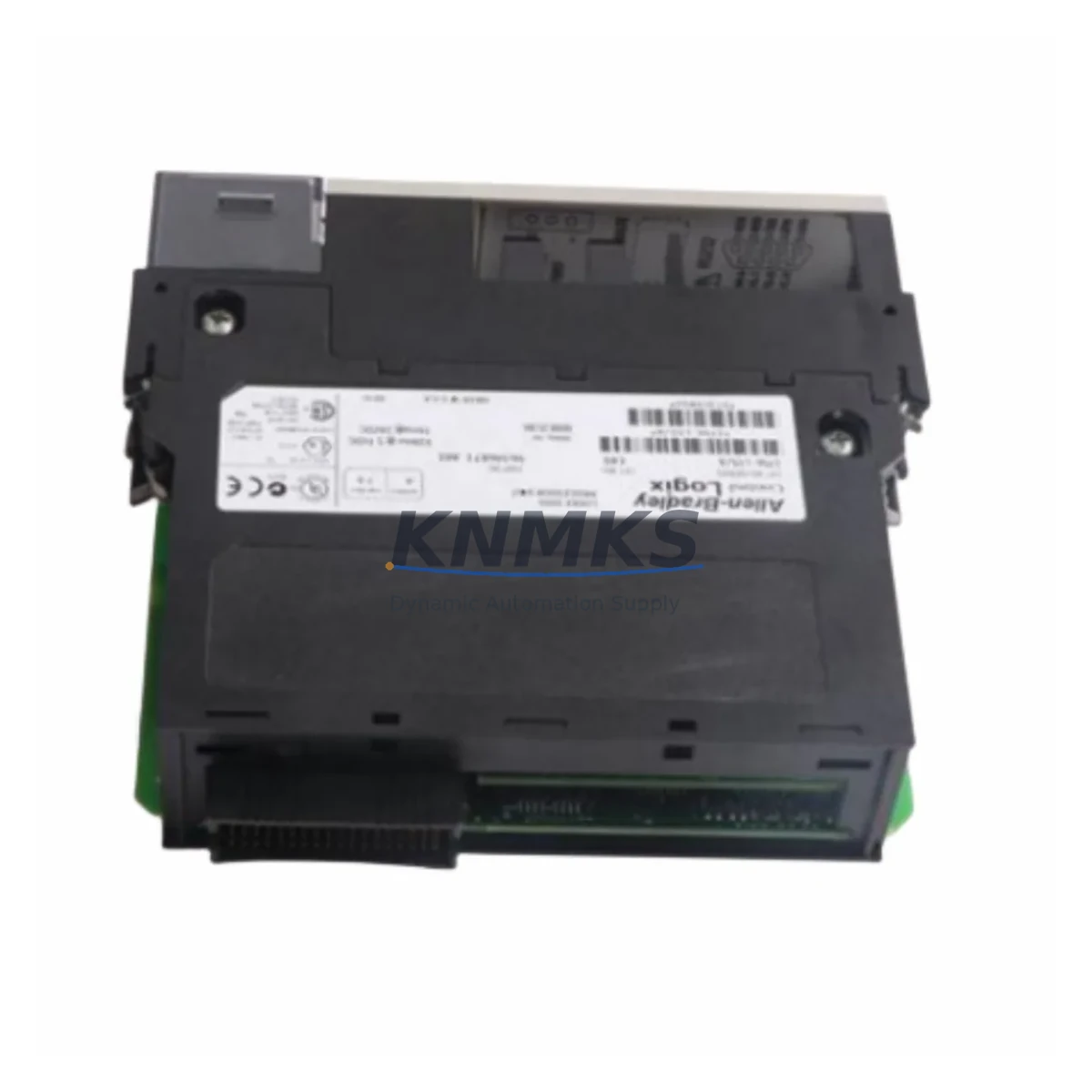
Allen-Bradley 1756-L83E Maintenance-Proven Spare Part for Factory Uptime
The Allen-Bradley 1756-L83E is a high-performance ControlLogix 5580 series programmable logic controller (PLC) CPU module, engineered for demanding continuous-process and discrete manufacturing environments. As a critical control node in Rockwell Automation’s ControlLogix platform, the 1756-L83E manages real-time I/O execution, motion coordination, and EtherNet/IP communications across complex multi-rack control architectures. When this module fails or reaches end-of-service life, the impact on production continuity is immediate and severe. Maintaining a verified, pre-tested spare on the shelf is the single most effective strategy for minimizing unplanned downtime and protecting factory uptime commitments.
This listing provides an original Allen-Bradley 1756-L83E spare part, sourced from authorized supply channels, fully tested prior to shipment, and backed by a support terms confirmed by quotation. Each unit undergoes functional verification covering firmware compatibility, memory integrity, and communication port operation before dispatch. Whether you are managing a planned annual overhaul, responding to an emergency CPU fault, or building a resilient spare parts inventory for a multi-line facility, this 1756-L83E spare is ready for immediate deployment into your ControlLogix 5580 chassis.
Spare Maintenance Table
| Parameter | Specification |
|---|---|
| Part Number | 1756-L83E |
| Series | ControlLogix 5580 |
| Brand | Allen-Bradley / Rockwell Automation |
| Module Type | PLC CPU Controller Module |
| Memory | 40 MB User Memory |
| Communication | EtherNet/IP (dual-port), USB programming port |
| Backplane Compatibility | 1756 ControlLogix Chassis (all standard rack sizes) |
| Power Supply Compatibility | 1756-PA72, 1756-PB72, 1756-PA75, 1756-PB75 series |
| Operating Voltage | Supplied via 1756 chassis backplane |
| Operating Temperature | 0°C to 60°C (32°F to 140°F) |
| Relative Humidity | 5% to 95% non-condensing |
| Firmware | Rockwell Studio 5000 Logix Designer compatible |
| Application | Discrete, process, motion, and safety control |
| Condition | Original spare, pre-shipment tested |
| Support terms | 12 Months |
| Dispatch | Global rapid dispatch, in-stock |
Maintenance Planning for Continuous Operation
Effective maintenance planning for a ControlLogix 5580 system extends well beyond the CPU module itself. When scheduling a replacement or inspection of the 1756-L83E, maintenance engineers should treat the event as a full control cabinet audit. The 1756-L83E operates in close dependency with the chassis power supply — units such as the 1756-PA72 or 1756-PB72 should be inspected for output voltage stability, capacitor aging, and thermal performance. A degraded power supply is a leading cause of intermittent CPU faults and should be replaced proactively during any planned CPU swap.
The backplane itself — the 1756-A7, 1756-A10, or 1756-A13 chassis — should be visually inspected for connector wear, slot damage, and contamination. Backplane integrity directly affects communication between the 1756-L83E and installed I/O modules. Any signs of arcing, discoloration, or mechanical deformation warrant immediate chassis replacement to prevent cascading failures.
I/O modules installed in the same rack, such as 1756-IB16 digital input modules or 1756-OF8 analog output modules, should be verified for correct addressing and signal integrity after a CPU replacement. Firmware mismatches between the new CPU and existing I/O modules can cause unexpected faults during commissioning. Procurement engineers should ensure that replacement I/O modules are sourced alongside the CPU spare to avoid extended lead times during emergency recovery scenarios.
EtherNet/IP communication infrastructure is equally critical. The 1756-EN2T or 1756-EN2TR communication modules installed in the ControlLogix rack should be checked for firmware version compatibility with the replacement 1756-L83E. Network topology, IP addressing, and device tree configurations stored in the Studio 5000 project file must be validated before going live. Additionally, the 1756-ENBT bridge module, if present in legacy hybrid architectures, should be assessed for end-of-life status and considered for proactive replacement.
For facilities running safety-rated applications, the 1756-L8SP safety partner module pairing should be reviewed. Safety task integrity and SIL rating continuity depend on correct CPU-to-safety module firmware alignment. Procurement teams should maintain a minimum of one spare 1756-L83E per critical production line, with a recommended review cycle of 12 months to account for firmware updates, obsolescence risk, and lead time variability in the global supply chain.
Site Replacement Workflow
Replacing the 1756-L83E on-site follows a structured sequence designed to minimize downtime and eliminate configuration errors. Before beginning, retrieve the current project backup from the Studio 5000 Logix Designer archive and confirm the firmware revision of the installed CPU. If the replacement unit carries a different firmware revision, use ControlFLASH or Studio 5000 to update the firmware offline before installation.
Power down the ControlLogix chassis using the correct sequence — disable outputs, place the controller in Program mode, then remove chassis power via the 1756-PA72 or equivalent power supply. Remove the faulted 1756-L83E by releasing the top and bottom locking tabs and sliding the module out of the backplane slot. Insert the replacement unit, ensuring full backplane connector engagement. Restore chassis power and observe the module status indicators: the RUN LED should cycle through initialization states before settling into normal operation.
Download the archived project file to the replacement CPU via USB or EtherNet/IP. Verify all I/O module connections, confirm tag database integrity, and perform a controlled output test before returning the system to automatic mode. Document the replacement event, including the serial number of the removed module, the firmware revision of the installed spare, and the date of replacement, for audit trail and support terms tracking purposes.
For legacy ControlLogix 5000 systems being migrated to the 5580 platform, the 1756-L83E provides a direct upgrade path with expanded memory and enhanced EtherNet/IP throughput. Migration projects should include a full I/O module compatibility audit, power supply capacity review, and Studio 5000 project conversion validation to ensure seamless transition without production interruption.
Spare Parts Support FAQ
Q1: Is this 1756-L83E an original Allen-Bradley part, and what does the support terms confirmed by quotation cover?
Yes. Each 1756-L83E supplied is an original Allen-Bradley spare part sourced from verified supply channels. The support terms confirmed by quotation cover functional defects identified under normal operating conditions, including CPU processing failures, communication port faults, and backplane interface issues. Support requests are supported with pre-shipment test documentation provided at the time of dispatch.
Q2: How do I confirm compatibility between this spare and my existing ControlLogix chassis and I/O configuration?
The 1756-L83E is compatible with all standard 1756 ControlLogix chassis sizes (1756-A4, A7, A10, A13, A17) and is supported by Studio 5000 Logix Designer V21 and above. Compatibility with specific I/O modules and communication bridges should be verified against the Rockwell Automation Product Compatibility and Download Center (PCDC) using your current firmware revision. Our technical team can assist with compatibility verification prior to order confirmation.
Q3: What is the typical lead time, and do you maintain stock for emergency same-day dispatch?
In-stock units are available for rapid global dispatch, typically within 24–48 hours of order confirmation. For emergency downtime recovery scenarios, expedited dispatch options are available. Contact our sales team directly to confirm current stock status and arrange priority shipment to your facility.
Q4: Can this spare be used as a long-term supply solution for multi-site facilities managing multiple ControlLogix 5580 systems?
Yes. We support long-term supply agreements for facilities managing multiple ControlLogix 5580 installations. Blanket purchase orders, scheduled delivery programs, and multi-unit pricing are available to procurement teams seeking to standardize spare parts inventory across sites. Each unit in a long-term supply program is individually tested and documented before shipment, maintaining consistent quality across all deliveries.
© 2026 KNMKS. All rights reserved.
Original Source: https://knmks.com
Contact: admin@knmks.com | +86 18359268345
Product Identification
- Brand / Ecosystem
-
Allen-Bradley
Allen-Bradley - Model / Series
-
1756-L83E
ControlLogix Series - Product Family
- PLCs & Controllers
- Availability Status
- Available on request after model and quantity confirmation
- Inquiry Type
- B2B RFQ, replacement inquiry and project spare-part request
- Pre-Quote Check
- Exact SKU, brand, series, quantity, nameplate photos and destination country are checked before quotation
System Path
Where this product fits in the KNMKS automation structure.
Specification & Inquiry Focus
- Control platform
- PLC, PAC and modular controllers
- Common needs
- CPU, rack, power and I/O expansion
- Project support
- Replacement, cabinet build and maintenance
Buyer Confirmation
Information KNMKS checks before replying.
- Exact model
- 1756-L83E
- Brand / ecosystem
- Allen-Bradley
- Product family
- PLCs & Controllers
- Application note
- Replacement, maintenance, project build or spare-part list
- Useful photos
- Nameplate, installed unit, cabinet layout or connector side
- Delivery details
- Quantity, destination country and target schedule
Document Support
Files and notes can be confirmed during quotation.
- Product photos or nameplate confirmation when available
- Packing and delivery notes before quotation confirmation
- Support scope and delivery terms confirmed per inquiry
- Export document coordination for qualified B2B requests
Inquiry Support
- Model cross-checking before quotation
- CPU, power, rack and expansion module matching
- Support for replacement and project inquiry
What to Send Us
- Brand and exact model number: Allen-Bradley 1756-L83E
- Quantity and required delivery time
- Application, replacement requirement or nameplate photo
- Destination country and shipping preference
RFQ Preparation
This is a product inquiry page built for RFQ communication.
Fast Model Check
Send this model to KNMKS for confirmation.
Include quantity, destination country and photos if this is a maintenance replacement. The inquiry will be saved with a reference number after submission.
Brand & Compatibility Note
KNMKS displays automation product information for well-known industrial brand ecosystems and compatible replacement references. Brand names are used for product identification and compatibility reference only; final availability and commercial terms are confirmed per quotation.
 Manufacturing
 Machine Tools
 Packaging
 Energy & Power



 HMI & Displays
 Servo Systems
 Variable Frequency Drives
 Sensors