
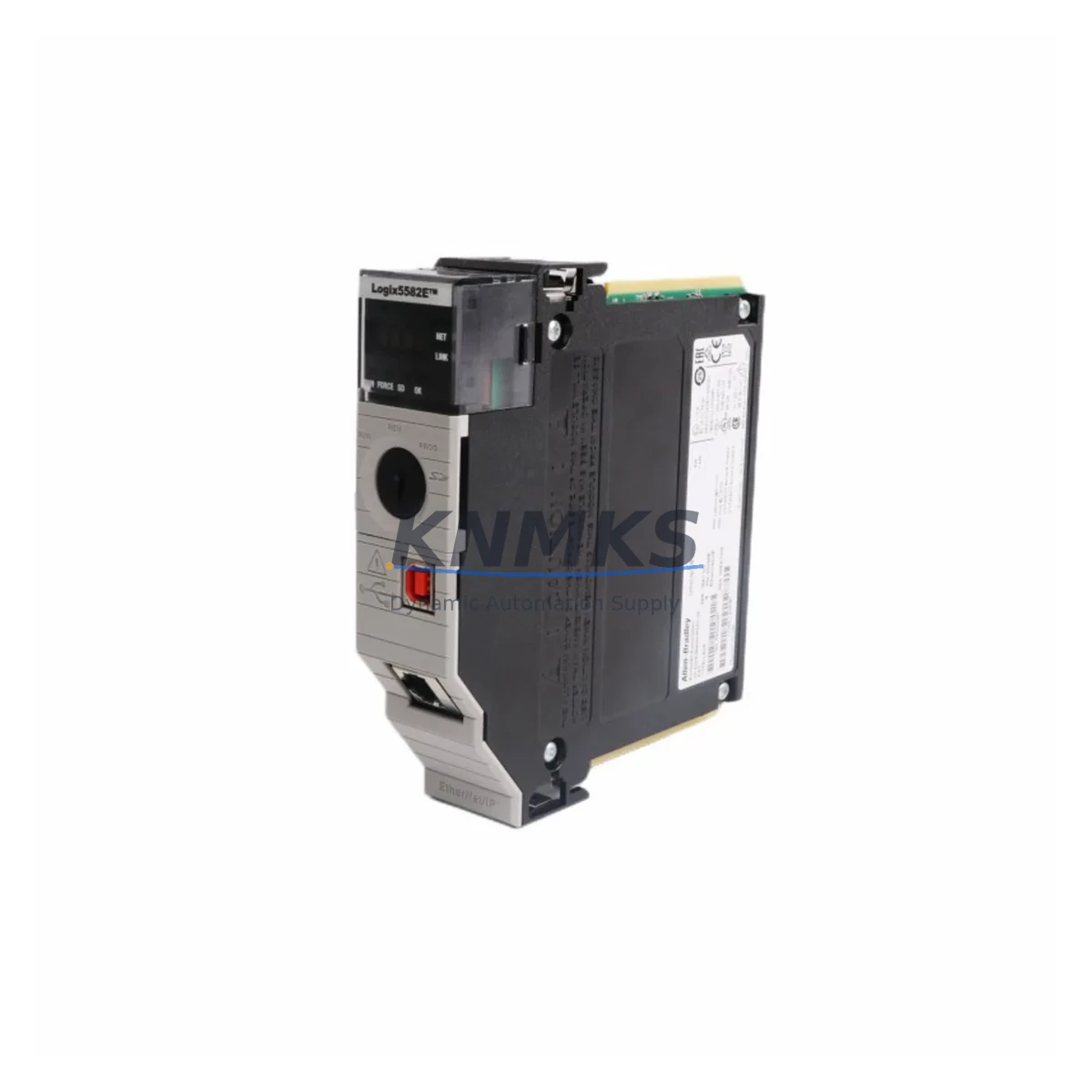
Overview
Allen-Bradley 1756-L81E Migration-Ready Controller: Legacy System Retrofit and ControlLogix Upgrade
The Allen-Bradley 1756-L81E is a high-performance ControlLogix 5580 series controller engineered to serve as a direct migration solution for aging ControlLogix 5570 and 5560 platforms. With 40MB of user memory, integrated EtherNet/IP connectivity, and full compatibility with the 1756 ControlLogix chassis, this controller is the preferred choice for engineers managing legacy PLC modernization, spare parts lifecycle extension, and control cabinet upgrades across energy, petrochemical, manufacturing, and infrastructure sectors.
Whether you are replacing an end-of-life 1756-L71 or 1756-L72 controller, expanding an existing ControlLogix rack, or migrating from an older SLC 500 or PLC-5 platform via a phased upgrade strategy, the 1756-L81E provides the processing headroom, memory capacity, and communication flexibility required to maintain production continuity while reducing long-term maintenance risk.
Migration Compatibility Table
| Parameter | 1756-L81E (This Unit) | Legacy Reference (1756-L71/L72) |
|---|---|---|
| Series | ControlLogix 5580 | ControlLogix 5570 |
| User Memory | 40MB | 2MB / 4MB |
| Communication | EtherNet/IP (dual-port) | EtherNet/IP (single-port) |
| Chassis Compatibility | 1756 ControlLogix Chassis | 1756 ControlLogix Chassis |
| Backplane Interface | Standard 1756 backplane | Standard 1756 backplane |
| Programming Software | Studio 5000 Logix Designer v21+ | RSLogix 5000 v16+ |
| Firmware Upgrade Required | Yes — verify slot addressing | N/A (source) |
| I/O Module Compatibility | All standard 1756 I/O modules | All standard 1756 I/O modules |
| Installation Footprint | Single slot, standard 1756 form factor | Single slot, standard 1756 form factor |
| Replacement Recommendation | Direct drop-in for 1756-L71/L72/L73 | — |
| Commissioning Focus | Slot address, firmware, program upload | — |
| Support terms | support terms confirmed by quotation | — |
Retrofit Planning for Existing Automation Systems
A successful retrofit of the 1756-L81E into an existing control cabinet begins with a thorough audit of the current rack configuration. Engineers should document every module installed in the 1756 chassis — including 1756-IB16 digital input modules, 1756-OB16E digital output modules, 1756-IF16 analog input modules, and any 1756-EN2T or 1756-EN2TR EtherNet/IP communication modules — before initiating the controller swap. This inventory ensures that slot addressing in the replacement program file matches the physical rack layout exactly.
Power budget verification is equally critical. The 1756-PA75 or 1756-PB75 chassis power supply must be confirmed to support the combined current draw of all installed modules plus the 1756-L81E controller. Exceeding the power supply’s rated output can cause intermittent faults or prevent the controller from completing its startup sequence. If the existing power supply is marginal, upgrading to a higher-capacity unit during the same maintenance window eliminates a potential failure point.
For facilities running HMI panels connected via EtherNet/IP — such as PanelView Plus 7 terminals — the controller’s IP address and tag database structure must be preserved or remapped carefully. Any changes to controller tags referenced in FactoryTalk View SE or ME screen files will require corresponding updates to the HMI project before go-live. Maintaining the original tag names wherever possible significantly reduces HMI re-commissioning time.
Where the legacy system used DeviceNet or ControlNet communication modules alongside EtherNet/IP, the migration plan should account for protocol bridge configuration. The 1756-DNB DeviceNet bridge module and 1756-CN2 ControlNet module can remain in the rack alongside the 1756-L81E, preserving existing field device connectivity while the controller platform is modernized. This hybrid approach allows phased migration without requiring simultaneous replacement of all field devices.
Before powering down the existing controller, a full program backup should be performed using Studio 5000 Logix Designer or RSLogix 5000, saving the .ACD project file to a secure, version-controlled location. The backup should include all controller properties, task configurations, I/O tree definitions, and produced/consumed tag relationships. This file serves as both the restore point and the baseline for the upgraded program that will run on the 1756-L81E.
Downtime Control During System Migration
Minimizing unplanned downtime during a controller migration requires a structured pre-outage preparation protocol. All configuration data — including module properties, network parameters, and safety interlocks — should be documented and verified against the backup program file before the maintenance window begins. A pre-staged 1756-L81E, pre-loaded with the correct firmware version and tested offline using a bench rack, can reduce on-site installation time to under two hours for straightforward single-rack systems.
During the physical swap, the existing 1756 chassis, I/O wiring, and field terminations remain undisturbed. Only the controller module is removed and replaced. This approach preserves all terminal block wiring, signal cable routing, and grounding connections, eliminating the risk of wiring errors that could cause process upsets on restart. After seating the 1756-L81E, the program file is downloaded via the USB port or EtherNet/IP network connection, and the controller is placed in Remote Program mode for initial verification.
Functional testing should follow a structured sequence: verify I/O module status indicators, confirm communication link establishment with all EtherNet/IP devices, check produced and consumed tag data integrity, and validate safety interlock logic before transitioning to Run mode. For critical processes, a partial restart strategy — bringing up non-critical sections first while maintaining manual control of critical loops — further reduces the risk of a full-process upset during the commissioning phase. With proper preparation, total controlled downtime for a single-controller migration using the 1756-L81E can typically be held to four hours or less.
Retrofit Support FAQ
Q: Is the 1756-L81E a direct replacement for the 1756-L71 and 1756-L72?
A: Yes. The 1756-L81E occupies the same single chassis slot as the 1756-L71 and 1756-L72 and uses the same standard 1756 backplane interface. The existing program file can be uploaded to the 1756-L81E after a firmware compatibility check. Minor revisions may be required if the source program was created in RSLogix 5000 versions prior to v21.
Q: What pre-shipment testing is performed on the 1756-L81E?
A: Each unit undergoes power-on functional verification, firmware version confirmation, and communication port integrity testing before shipment. Units are supplied with a test report and are covered by a support terms confirmed by quotation against manufacturing defects.
Q: How do I confirm terminal wiring compatibility before installation?
A: The 1756-L81E does not have direct field wiring terminals — all I/O connections are made through the installed 1756-series I/O modules, which remain in place during the controller swap. No rewiring of field terminals is required for a like-for-like controller replacement.
Q: What is the lead time and stock availability?
A: Units are available from current inventory. Standard lead time for in-stock units is 3–7 business days depending on destination. Expedited shipping is available on request. Contact admin@knmks.com or call +86 18359268345 to confirm current stock levels and delivery schedule.
© 2026 KNMKS. All rights reserved.
Original Source: https://knmks.com
Contact: admin@knmks.com | +86 18359268345
Product Identification
- Brand / Ecosystem
-
Allen-Bradley
Allen-Bradley - Model / Series
-
1756-L81E
ControlLogix Series - Product Family
- PLCs & Controllers
- Availability Status
- Available on request after model and quantity confirmation
- Inquiry Type
- B2B RFQ, replacement inquiry and project spare-part request
- Pre-Quote Check
- Exact SKU, brand, series, quantity, nameplate photos and destination country are checked before quotation
System Path
Where this product fits in the KNMKS automation structure.
Specification & Inquiry Focus
- Control platform
- PLC, PAC and modular controllers
- Common needs
- CPU, rack, power and I/O expansion
- Project support
- Replacement, cabinet build and maintenance
Buyer Confirmation
Information KNMKS checks before replying.
- Exact model
- 1756-L81E
- Brand / ecosystem
- Allen-Bradley
- Product family
- PLCs & Controllers
- Application note
- Replacement, maintenance, project build or spare-part list
- Useful photos
- Nameplate, installed unit, cabinet layout or connector side
- Delivery details
- Quantity, destination country and target schedule
Document Support
Files and notes can be confirmed during quotation.
- Product photos or nameplate confirmation when available
- Packing and delivery notes before quotation confirmation
- Support scope and delivery terms confirmed per inquiry
- Export document coordination for qualified B2B requests
Inquiry Support
- Model cross-checking before quotation
- CPU, power, rack and expansion module matching
- Support for replacement and project inquiry
What to Send Us
- Brand and exact model number: Allen-Bradley 1756-L81E
- Quantity and required delivery time
- Application, replacement requirement or nameplate photo
- Destination country and shipping preference
RFQ Preparation
This is a product inquiry page built for RFQ communication.
Fast Model Check
Send this model to KNMKS for confirmation.
Include quantity, destination country and photos if this is a maintenance replacement. The inquiry will be saved with a reference number after submission.
Brand & Compatibility Note
KNMKS displays automation product information for well-known industrial brand ecosystems and compatible replacement references. Brand names are used for product identification and compatibility reference only; final availability and commercial terms are confirmed per quotation.
 Manufacturing
 Machine Tools
 Packaging
 Energy & Power



 HMI & Displays
 Servo Systems
 Variable Frequency Drives
 Sensors