
Overview
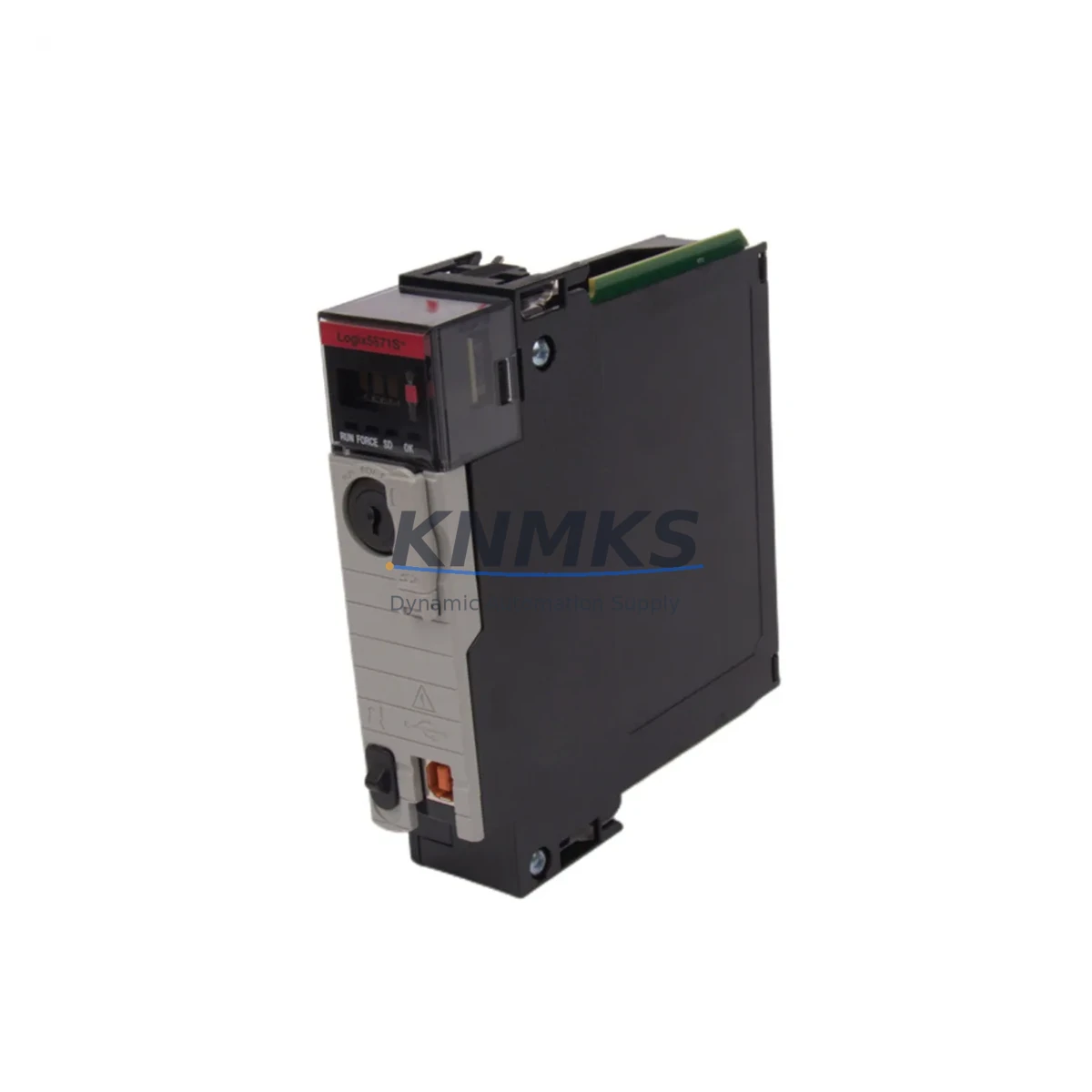
Allen-Bradley 1756-L71S Migration-Ready Safety Controller for Legacy Control Systems
The Allen-Bradley 1756-L71S is a SIL 3-rated safety controller within the ControlLogix 5570S platform, designed to serve as a direct migration solution for aging GuardLogix and legacy ControlLogix safety architectures. As industrial facilities face increasing pressure to replace discontinued safety PLCs — including the 1756-L61S, 1756-L62S, and 1756-L63S — the 1756-L71S provides a proven, backplane-compatible upgrade path that minimizes engineering rework and reduces total retrofit cost.
With 2 MB of user memory, dual-port EtherNet/IP connectivity, and full compatibility with the 1756 ControlLogix chassis family, the 1756-L71S is engineered for environments where control continuity, safety integrity, and installation space constraints are non-negotiable. Whether you are modernizing a legacy safety interlock system, extending the service life of an existing control cabinet, or executing a phased migration from an obsolete platform, the 1756-L71S delivers the performance and certification headroom required for SIL 2 and SIL 3 applications.
Available from verified stock with a support terms confirmed by quotation, each unit undergoes pre-shipment functional testing to confirm firmware integrity, communication link establishment, and I/O channel response before dispatch.
Migration Compatibility Table
| Parameter | 1756-L71S (This Unit) | Legacy Models (1756-L61S / L62S / L63S) |
|---|---|---|
| Platform | ControlLogix 5570S | ControlLogix 5560S / 5563S |
| Safety Rating | SIL 3 / PLe (IEC 61508, IEC 62061) | SIL 3 / PLe |
| User Memory | 2 MB | 0.5 MB – 1.5 MB |
| Backplane Interface | 1756 ControlLogix Backplane (compatible) | 1756 ControlLogix Backplane |
| Communication Ports | Dual EtherNet/IP (embedded) | Single or no embedded Ethernet (requires 1756-ENBT) |
| Programming Software | Studio 5000 Logix Designer v21+ | RSLogix 5000 v16–v20 |
| Chassis Compatibility | 1756-A4, A7, A10, A13, A17 | 1756-A4, A7, A10, A13, A17 |
| Installation Form Factor | Single slot, standard ControlLogix module | Single slot |
| Retrofit Recommendation | Direct slot replacement; program conversion required for v16–v20 projects | — |
| Commissioning Focus | Firmware upgrade, safety task re-validation, EtherNet/IP node address, HMI tag remapping | — |
| Support terms | 12 Months | — |
Retrofit Planning for Existing Automation Systems
A successful retrofit with the 1756-L71S begins well before the module arrives on site. Engineers must audit the existing chassis configuration — confirming available slot positions, power supply capacity, and backplane current draw — before committing to a migration schedule. The 1756-PA75 or 1756-PB75 power supply modules are commonly evaluated during this phase to ensure the chassis can support the 1756-L71S alongside existing I/O and communication modules without exceeding rated backplane current.
Terminal wiring on safety I/O modules such as the 1756-IB16I (isolated digital input) and 1756-OB16IEF (electronic fuse output) does not change during a controller swap, which significantly reduces field rewiring time. However, engineers must verify that safety I/O module firmware versions are compatible with the 1756-L71S controller firmware to avoid safety task faults at startup.
Communication architecture is a critical migration checkpoint. If the legacy system relied on a 1756-ENBT EtherNet/IP bridge module for network connectivity, the embedded dual-port Ethernet on the 1756-L71S may allow that bridge module to be removed, freeing a chassis slot for additional I/O expansion. ControlNet-based systems using the 1756-CNB module can continue to operate alongside the 1756-L71S without modification, preserving existing field device connections during the transition period.
HMI integration requires attention to tag database alignment. FactoryTalk View SE and ME applications connected to the legacy controller must have their tag paths updated to reflect the new controller name and slot address. In multi-controller architectures, the 1756-L71S can be configured as a primary safety controller while standard ControlLogix controllers handle standard process tasks, maintaining a clear separation between safety and non-safety program logic as required by IEC 62061.
For systems requiring serial communication legacy support, a 1756-MVI or equivalent communication module can be retained in the chassis to bridge Modbus RTU or PROFIBUS DP field devices into the updated ControlLogix environment, avoiding the need to replace field instrumentation during the initial migration phase.
Downtime Control During System Migration
Minimizing unplanned downtime is the primary operational constraint in any safety controller migration. The recommended approach for 1756-L71S retrofits is a staged cutover strategy: the replacement controller is pre-configured, firmware-loaded, and safety-task-validated offline before the maintenance window begins. Using Studio 5000 Logix Designer’s offline simulation and the RSLogix 5000 project conversion utility, engineers can convert legacy safety programs from v16–v20 format and perform a full logic review before the production system is touched.
During the cutover window, the original controller is removed from the chassis slot, the 1756-L71S is installed, and the pre-validated program is downloaded. Safety I/O modules automatically re-establish their safety connections to the new controller once the safety task is confirmed and the controller transitions to Run mode. The dual EtherNet/IP ports on the 1756-L71S allow the network connection to be re-established without reconfiguring managed switch port assignments, provided IP addressing is pre-configured to match the legacy controller’s network identity.
Field verification should include a point-by-point I/O force test on all safety-rated channels, confirmation of safety reaction time within the application’s required SIL response budget, and a full HMI screen walkthrough to verify tag data is populating correctly. Documenting the pre- and post-migration controller diagnostics log provides the audit trail required for functional safety management system compliance.
Each 1756-L71S unit shipped from our inventory includes a pre-shipment test report confirming power-on self-test completion, firmware version, and communication link establishment — reducing on-site commissioning risk and supporting faster return to production.
Retrofit Support FAQ
Q1: Is the 1756-L71S a direct drop-in replacement for the 1756-L61S or 1756-L62S?
The 1756-L71S occupies the same single chassis slot and uses the same 1756 backplane interface, making it physically compatible. However, because it is a newer processor generation (ControlLogix 5570S vs. 5560S), the safety program must be converted using Studio 5000 Logix Designer and re-validated per your site’s functional safety management procedure before returning the system to service.
Q2: What firmware version is pre-loaded, and can it be updated on site?
Units are shipped with the firmware version specified at order or the latest available production release. Firmware can be updated on site using ControlFLASH or ControlFLASH Plus via the EtherNet/IP port. We recommend confirming the target firmware version with your safety I/O module compatibility matrix before updating.
Q3: How is pre-shipment testing conducted, and what documentation is provided?
Each unit undergoes power-on self-test, backplane communication verification, and EtherNet/IP link establishment testing before dispatch. A test report is included with shipment. Units are sourced from verified supply channels and are not refurbished or reprogrammed without disclosure.
Q4: What does the support terms confirmed by quotation cover?
The support terms confirmed by quotation cover hardware defects and functional failures under normal operating conditions. It does not cover damage resulting from incorrect installation, overvoltage, or unauthorized modification. Support requests are processed with return authorization; replacement or repair is completed within the agreed service lead time. Contact admin@knmks.com for support terms support.
© 2026 KNMKS. All rights reserved.
Original Source: https://knmks.com
Contact: admin@knmks.com | +86 18359268345
Product Identification
- Brand / Ecosystem
-
Allen-Bradley
Allen-Bradley - Model / Series
-
1756-L71S
ControlLogix Series - Product Family
- PLCs & Controllers
- Availability Status
- Available on request after model and quantity confirmation
- Inquiry Type
- B2B RFQ, replacement inquiry and project spare-part request
- Pre-Quote Check
- Exact SKU, brand, series, quantity, nameplate photos and destination country are checked before quotation
System Path
Where this product fits in the KNMKS automation structure.
Specification & Inquiry Focus
- Control platform
- PLC, PAC and modular controllers
- Common needs
- CPU, rack, power and I/O expansion
- Project support
- Replacement, cabinet build and maintenance
Buyer Confirmation
Information KNMKS checks before replying.
- Exact model
- 1756-L71S
- Brand / ecosystem
- Allen-Bradley
- Product family
- PLCs & Controllers
- Application note
- Replacement, maintenance, project build or spare-part list
- Useful photos
- Nameplate, installed unit, cabinet layout or connector side
- Delivery details
- Quantity, destination country and target schedule
Document Support
Files and notes can be confirmed during quotation.
- Product photos or nameplate confirmation when available
- Packing and delivery notes before quotation confirmation
- Support scope and delivery terms confirmed per inquiry
- Export document coordination for qualified B2B requests
Inquiry Support
- Model cross-checking before quotation
- CPU, power, rack and expansion module matching
- Support for replacement and project inquiry
What to Send Us
- Brand and exact model number: Allen-Bradley 1756-L71S
- Quantity and required delivery time
- Application, replacement requirement or nameplate photo
- Destination country and shipping preference
RFQ Preparation
This is a product inquiry page built for RFQ communication.
Fast Model Check
Send this model to KNMKS for confirmation.
Include quantity, destination country and photos if this is a maintenance replacement. The inquiry will be saved with a reference number after submission.
Brand & Compatibility Note
KNMKS displays automation product information for well-known industrial brand ecosystems and compatible replacement references. Brand names are used for product identification and compatibility reference only; final availability and commercial terms are confirmed per quotation.
 Manufacturing
 Machine Tools
 Packaging
 Energy & Power



 HMI & Displays
 Servo Systems
 Variable Frequency Drives
 Sensors