
Overview
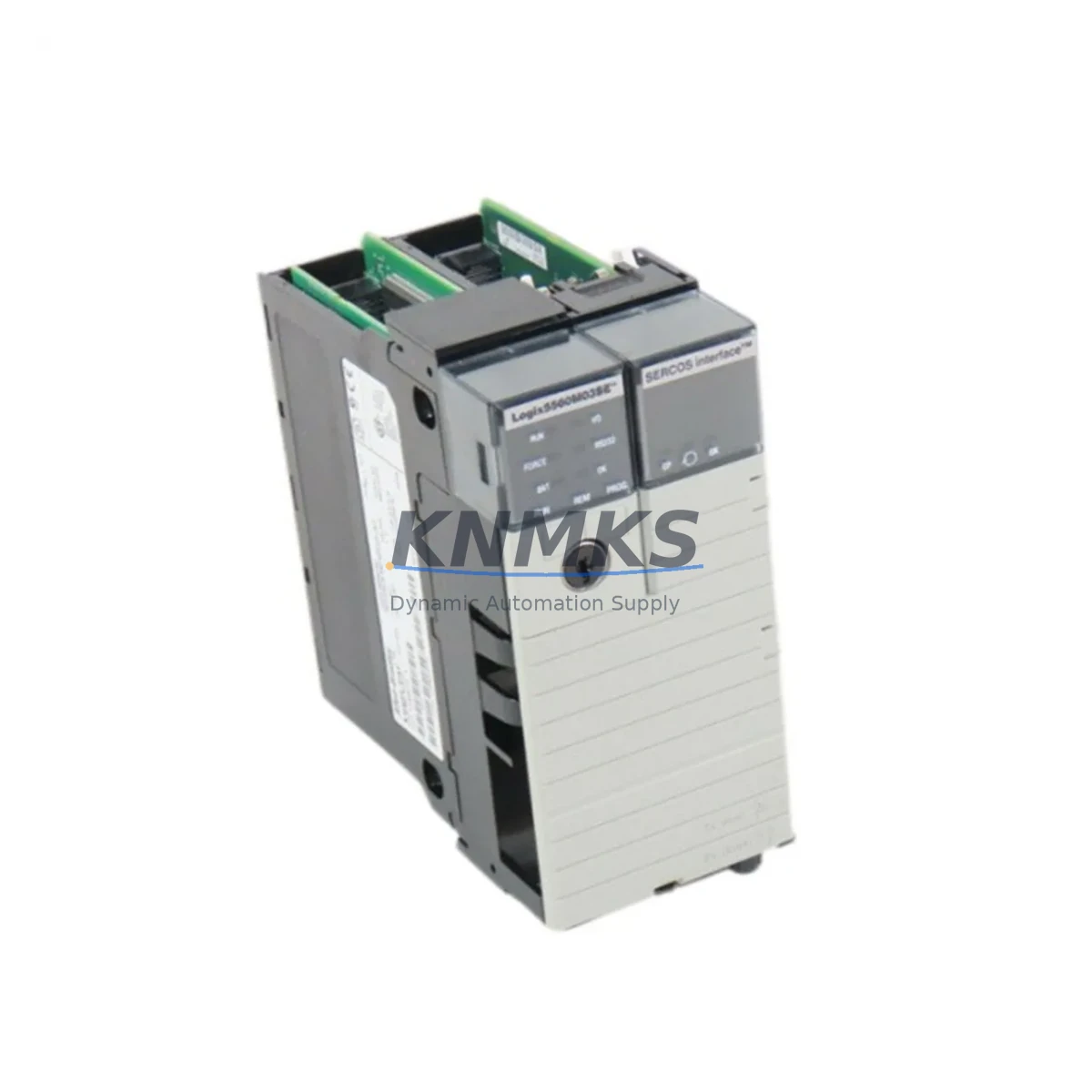
Allen-Bradley 1756-L60M03SE Migration-Ready PLC for Legacy ControlLogix Systems
The Allen-Bradley 1756-L60M03SE is a ControlLogix L6 Series processor with integrated motion and safety coordination, designed for demanding industrial control environments. As legacy ControlLogix L6 platforms approach end-of-life and spare parts become increasingly scarce, the 1756-L60M03SE remains one of the most sought-after retrofit and replacement processors for facilities that cannot yet migrate to the newer L7 or L8 architecture. Whether you are extending the operational life of an existing control cabinet, replacing a failed processor in a running production line, or executing a phased modernization program, the 1756-L60M03SE provides a proven, backplane-compatible solution that minimizes engineering rework and commissioning risk.
This processor supports the standard 1756 ControlLogix backplane and is compatible with the full range of 1756 I/O modules, communication adapters, and power supplies already installed in your control cabinet. Engineers migrating from earlier L6 variants — such as the 1756-L60M03SE’s predecessor configurations — will find that existing ladder logic, function block diagrams, and structured text programs developed in RSLogix 5000 or Studio 5000 Logix Designer can be retained with minimal modification, provided firmware version alignment is confirmed prior to download.
Migration Compatibility Table
| Parameter | Detail |
|---|---|
| SKU / Catalog Number | 1756-L60M03SE |
| Series | ControlLogix L6 |
| Backplane Interface | 1756 ControlLogix Backplane (standard slot, compatible with 1756-A4, A7, A10, A13, A17) |
| Memory | 2 MB User Memory |
| Motion Axes | Up to 16 coordinated motion axes (SERCOS interface) |
| Safety Coordination | Integrated safety task (SIL 2 capable with GuardLogix configuration) |
| Communication | EtherNet/IP via 1756-ENBT or 1756-EN2T; ControlNet via 1756-CNB; DeviceNet via 1756-DNB |
| Programming Software | RSLogix 5000 v16–v20 / Studio 5000 Logix Designer (firmware-dependent) |
| Power Supply Compatibility | 1756-PA72, 1756-PB72, 1756-PA75, 1756-PB75 (verify chassis slot draw) |
| Replacement Path | Direct drop-in for 1756-L60M03SE; phased upgrade path toward 1756-L73 / 1756-L83E |
| Installation Space | Single slot, standard 1756 chassis |
| Firmware | Confirm target firmware version before program download; use ControlFLASH utility |
| Commissioning Notes | Verify I/O tree, motion group configuration, safety task ownership, and tag database integrity |
| Support terms | support terms confirmed by quotation — functional testing completed prior to shipment |
Retrofit Planning for Existing Automation Systems
Successful integration of the 1756-L60M03SE into an existing control system requires a structured pre-installation audit. Begin by documenting the current chassis configuration: record the chassis model (e.g., 1756-A10 or 1756-A17), the slot assignment of the existing processor, and the power supply loading across all installed modules. The 1756-PA72 or 1756-PB72 power supplies are commonly paired with L6 chassis configurations, and it is essential to confirm that total backplane current draw — including any 1756-EN2T EtherNet/IP communication modules, 1756-IB16 digital input modules, and 1756-OF8 analog output modules — remains within the power supply’s rated capacity after the processor swap.
For systems using SERCOS-based motion control, verify that the 1756-M03SE motion module (if separately installed in earlier configurations) is correctly mapped within the motion group and that axis parameters, cam profiles, and electronic gearing ratios are preserved in the exported program archive. In facilities where a PanelView Plus HMI communicates with the controller over EtherNet/IP, confirm that the controller IP address and slot number references in the HMI project match the new processor’s network configuration — a mismatch here is a common source of post-swap communication faults.
If your system includes a 1756-CNB ControlNet bridge module for remote I/O communication, ensure that the ControlNet network schedule is re-validated after the processor replacement. Similarly, any 1756-DNB DeviceNet scanner modules should have their scanlist and electronic data sheet (EDS) configurations verified against the restored program. For facilities running safety-rated circuits, the GuardLogix safety task must be re-owned by the replacement processor and the safety signature re-established before the system can be returned to automatic mode.
Where the retrofit involves a broader control cabinet upgrade — for example, replacing an aging 1756-A7 chassis with a larger 1756-A13 to accommodate additional I/O expansion — plan the physical installation sequence carefully. Label all terminal wiring before disconnection, photograph the existing module layout, and use the Studio 5000 offline project as the reference for slot-by-slot module reassignment. A 1492-CABLE wiring system or pre-wired terminal block interface can significantly reduce reconnection time and wiring error risk during the cutover window.
Downtime Control During System Migration
Minimizing unplanned downtime is the primary operational concern when replacing a processor in a live production environment. The recommended approach is to perform a full offline backup of the existing program using Studio 5000 or RSLogix 5000 before any hardware is disturbed. Export the controller tags, motion configuration, safety task, and I/O configuration as a complete .ACD project file and store it on an isolated engineering workstation — not on the production network.
Where production schedules permit only a narrow maintenance window, pre-stage the 1756-L60M03SE replacement unit with the correct firmware version loaded using the ControlFLASH utility before the cutover begins. This eliminates firmware update time from the critical path. During the swap, place the system in a controlled stop state, inhibit all remote I/O connections, and document the current processor fault log before removal. After installing the replacement unit, restore the program, verify the I/O tree status, confirm motion axis homing sequences, and perform a dry-run in manual mode before returning to automatic operation.
For facilities with redundancy requirements, the 1756-L60M03SE can be paired with a 1756-RM redundancy module to support hot-standby configurations, allowing processor replacement on the secondary unit without interrupting the primary control path. This architecture is particularly valuable in continuous process industries where even brief control interruptions carry significant safety or quality risk. All units supplied by KNMKS undergo functional pre-shipment testing to confirm processor initialization, backplane communication, and basic I/O response before dispatch, reducing the risk of receiving a non-functional unit during a time-critical maintenance event.
Retrofit Support FAQ
Q1: Is the 1756-L60M03SE a direct drop-in replacement for my existing ControlLogix L6 processor?
Yes. The 1756-L60M03SE occupies a single standard slot in any 1756 ControlLogix chassis and is backplane-compatible with all 1756-series I/O, communication, and power supply modules. No chassis modification is required. You will need to confirm that your existing program’s firmware revision matches the replacement unit and use ControlFLASH to align firmware if necessary before downloading the project.
Q2: Can I reuse my existing RSLogix 5000 or Studio 5000 program without modification?
In most cases, yes — provided the firmware version on the replacement processor matches the version used to create the original project. If the firmware versions differ, Studio 5000 will prompt you to upgrade the project file. Review any motion group configurations, safety task ownership settings, and communication module path references carefully after any firmware-level change to ensure full program integrity.
Q3: What pre-shipment testing does KNMKS perform on the 1756-L60M03SE?
Every unit undergoes functional initialization testing, backplane communication verification, and basic I/O response checks before shipment. Units are supplied with a support terms confirmed by quotation covering manufacturing defects and functional failures under normal operating conditions. Detailed test records are available upon request for quality-critical procurement processes.
Q4: What is the typical lead time and do you maintain stock inventory?
KNMKS maintains ready inventory of the 1756-L60M03SE to support urgent maintenance and retrofit requirements. Standard orders ship within 1–3 business days. For large-quantity procurement or project-based supply agreements, contact our sales team directly to confirm availability and arrange priority allocation. Global shipping is supported with full export documentation.
© 2026 KNMKS. All rights reserved.
Original Source: https://knmks.com
Contact: admin@knmks.com | +86 18359268345
Product Identification
- Brand / Ecosystem
-
Allen-Bradley
Allen-Bradley - Model / Series
-
1756-L60M03SE
ControlLogix Series - Product Family
- PLCs & Controllers
- Availability Status
- Available on request after model and quantity confirmation
- Inquiry Type
- B2B RFQ, replacement inquiry and project spare-part request
- Pre-Quote Check
- Exact SKU, brand, series, quantity, nameplate photos and destination country are checked before quotation
System Path
Where this product fits in the KNMKS automation structure.
Specification & Inquiry Focus
- Control platform
- PLC, PAC and modular controllers
- Common needs
- CPU, rack, power and I/O expansion
- Project support
- Replacement, cabinet build and maintenance
Buyer Confirmation
Information KNMKS checks before replying.
- Exact model
- 1756-L60M03SE
- Brand / ecosystem
- Allen-Bradley
- Product family
- PLCs & Controllers
- Application note
- Replacement, maintenance, project build or spare-part list
- Useful photos
- Nameplate, installed unit, cabinet layout or connector side
- Delivery details
- Quantity, destination country and target schedule
Document Support
Files and notes can be confirmed during quotation.
- Product photos or nameplate confirmation when available
- Packing and delivery notes before quotation confirmation
- Support scope and delivery terms confirmed per inquiry
- Export document coordination for qualified B2B requests
Inquiry Support
- Model cross-checking before quotation
- CPU, power, rack and expansion module matching
- Support for replacement and project inquiry
What to Send Us
- Brand and exact model number: Allen-Bradley 1756-L60M03SE
- Quantity and required delivery time
- Application, replacement requirement or nameplate photo
- Destination country and shipping preference
RFQ Preparation
This is a product inquiry page built for RFQ communication.
Fast Model Check
Send this model to KNMKS for confirmation.
Include quantity, destination country and photos if this is a maintenance replacement. The inquiry will be saved with a reference number after submission.
Brand & Compatibility Note
KNMKS displays automation product information for well-known industrial brand ecosystems and compatible replacement references. Brand names are used for product identification and compatibility reference only; final availability and commercial terms are confirmed per quotation.
 Manufacturing
 Machine Tools
 Packaging
 Energy & Power



 HMI & Displays
 Servo Systems
 Variable Frequency Drives
 Sensors