
Overview
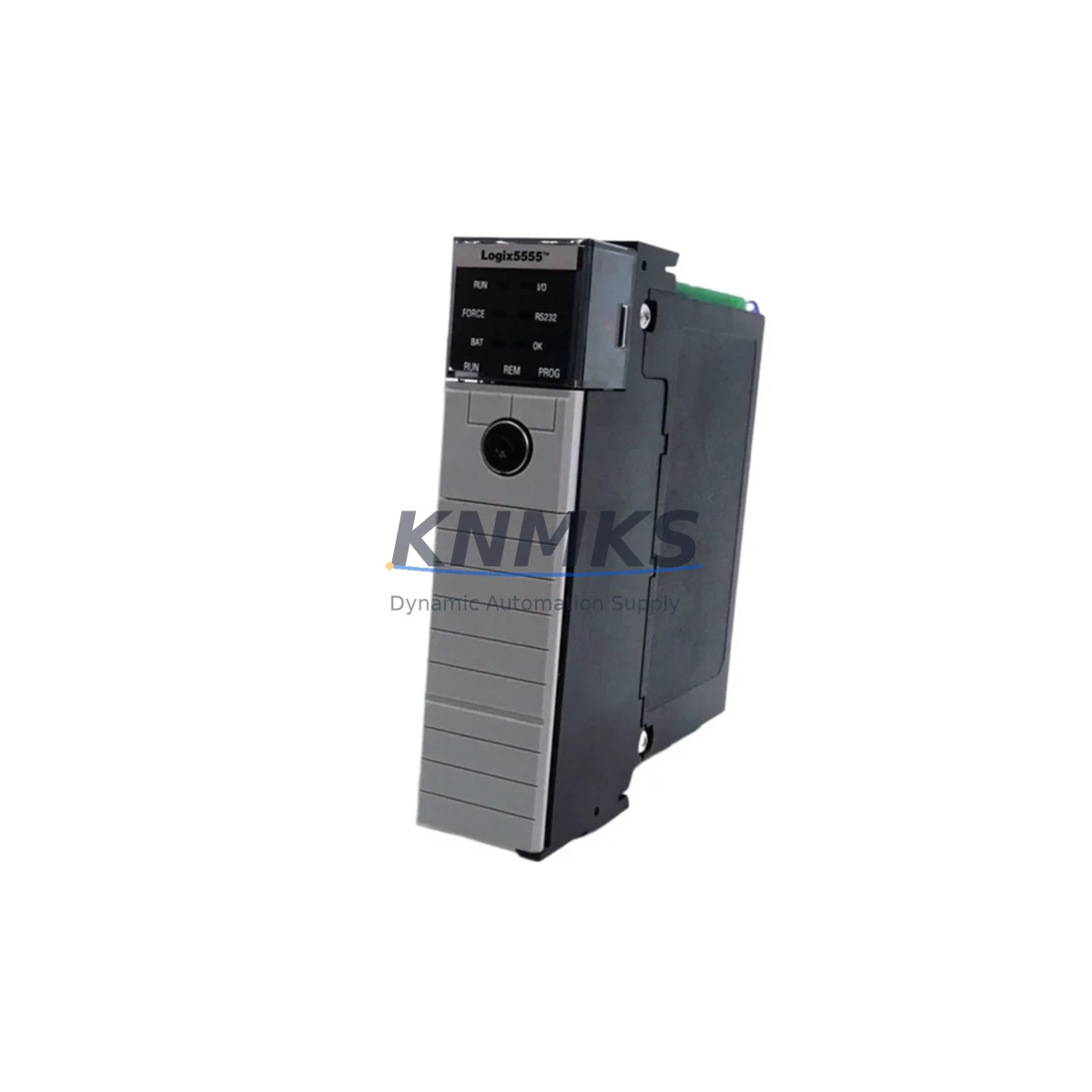
Allen-Bradley 1756-L55M13 Migration-Ready Processor for Legacy ControlLogix
The Allen-Bradley 1756-L55M13 is a ControlLogix Series B/C processor module with 1.5 MB user memory, designed for mission-critical discrete, process, and motion control applications. As legacy Logix5555-based systems approach end-of-life, the 1756-L55M13 remains one of the most sought-after retrofit and replacement components for facilities that need to extend operational continuity without committing to a full platform migration. Whether you are replacing a failed processor in an existing 1756 chassis, upgrading memory capacity from an earlier L55 variant, or restoring a mothballed line, this module provides a validated drop-in path with minimal program modification.
Before installing the 1756-L55M13 into an existing ControlLogix rack, engineers should verify several critical parameters. Power supply capacity is the first checkpoint: confirm that the 1756-PA75 or 1756-PB75 power supply in the chassis can support the additional current draw of the replacement processor alongside installed I/O modules such as the 1756-IB16 digital input or 1756-OB16E digital output cards. Terminal wiring on field-side I/O does not change, but backplane slot addressing must be confirmed in RSLogix 5000 or Studio 5000 Logix Designer — any slot reassignment will require a corresponding update to the controller project file before download.
Module address configuration is straightforward for same-slot replacements: the processor retains its slot 0 assignment, and the existing program can be downloaded directly from the programming terminal via a 1756-ENBT/A or 1756-EN2T EtherNet/IP communication module. If the original system used a 1756-DHRIO for DH+ or Remote I/O legacy network connectivity, verify that the firmware revision on the replacement 1756-L55M13 is compatible with the DHRIO module’s current firmware to avoid communication faults on startup.
HMI screen compatibility is another area requiring pre-migration validation. PanelView Plus terminals communicating over EtherNet/IP will continue to function without screen redesign, provided tag names in the controller project are preserved. If the original system used a PanelView 550 or 600 communicating over DH+, the 1756-DHRIO bridge must remain in the rack and its channel configuration must be verified post-replacement. Installation space in the 1756 chassis is identical to all other 1756-series modules — single-slot form factor — so no mechanical modification is required.
Field commissioning after module swap should follow a structured sequence: power down the chassis, seat the 1756-L55M13 in slot 0, restore power, confirm the OK LED status, connect the programming cable or Ethernet link, download the validated .ACD project file, and perform a controlled run-mode test with all I/O in a safe state. Firmware upgrades, if required, should be completed via ControlFLASH before the final program download. All units supplied by KNMKS are pre-tested for power-on self-test (POST) completion and ship with a support terms confirmed by quotation covering manufacturing defects.
Migration Compatibility Table
| Parameter | Details |
|---|---|
| Replaces / Compatible With | 1756-L55M12, 1756-L55M14, 1756-L55M16, 1756-L55M22, 1756-L55M23, 1756-L55M24 |
| Chassis Compatibility | All 1756 ControlLogix chassis (4, 7, 10, 13, 17-slot) |
| User Memory | 1.5 MB |
| Communication Interfaces | Backplane only; requires separate 1756-ENBT/A, 1756-EN2T, or 1756-DHRIO for network access |
| Programming Software | RSLogix 5000 v13–v20 / Studio 5000 Logix Designer (read-only compatible) |
| Firmware Upgrade Tool | ControlFLASH v5.x or later |
| Power Supply Requirement | Compatible with 1756-PA75, 1756-PB75, 1756-PA72, 1756-PB72 |
| Installation | Single-slot, hot-swap capable with chassis power on (follow Rockwell safety procedure) |
| Retrofit Recommendation | Direct slot-0 replacement; verify slot addressing and tag names before download |
| Commissioning Checklist | POST LED check → firmware flash → .ACD download → I/O force test → run-mode validation |
| Support terms | 12 months from shipment date, covering manufacturing defects |
Retrofit Planning for Existing Automation Systems
A successful 1756-L55M13 retrofit begins with a complete audit of the existing rack configuration. In a typical legacy ControlLogix cabinet, the processor shares the 1756 chassis with a mix of analog and digital I/O — commonly 1756-IF8 analog input modules for process variable feedback and 1756-OF8 analog output modules driving control valves or variable frequency drives. These modules do not require replacement during a processor swap, but their configuration data embedded in the .ACD project file must be preserved and re-downloaded to the new processor.
Network infrastructure connected to the rack also requires pre-migration review. If the system uses a 1756-EN2T EtherNet/IP scanner to communicate with remote I/O adapters or SCADA systems, the IP address and connection parameters configured in the module properties must match the replacement processor’s project file exactly. For systems with a 1756-CNB ControlNet bridge module, ControlNet network scheduling (via RSNetWorx for ControlNet) may need to be re-applied after the processor replacement if the network schedule is stored in the CNB module rather than the controller.
Signal isolation between field devices and the ControlLogix rack is often handled by third-party signal isolators or safety relays mounted in the same control cabinet. These devices are unaffected by the processor swap but should be functionally tested as part of the post-retrofit commissioning sequence. Similarly, any 1492-AIFM analog interface modules used for terminal block wiring to the 1756-IF8 cards remain in place and require no rewiring.
For facilities running coordinated motion control, the 1756-M02AE or 1756-M08SE servo drive interface modules in the rack must be verified for firmware compatibility with the replacement 1756-L55M13 processor firmware revision. Motion axis configuration and SERCOS or analog drive parameters are stored in the controller project and will be restored upon program download, but a controlled axis homing sequence should be performed before returning the machine to production.
Downtime Control During System Migration
Minimizing unplanned downtime during a processor replacement requires preparation before the maintenance window opens. The most effective approach is to obtain a verified backup of the current .ACD project file — including all force tables, trend configurations, and add-on instruction (AOI) definitions — and store it on an offline programming terminal before the swap begins. If the original processor is still partially functional, use RSLogix 5000 or Studio 5000 to upload the live program and compare it against the archived version to confirm no undocumented field changes have been made.
During the swap itself, field I/O remains wired and powered through the 1756 chassis backplane. Removing the processor from slot 0 places the chassis in a faulted state, but field-side wiring is not disturbed. The replacement 1756-L55M13 can be seated and powered within minutes. Once the OK LED is solid green and the processor appears in the RSLinx Classic or Studio 5000 communication tree, the validated project file can be downloaded and the controller transitioned to Run mode.
For processes that cannot tolerate even brief interruptions, a parallel commissioning strategy is recommended: configure and test the replacement processor in a bench rack using a duplicate I/O configuration before the live swap. This approach allows full program validation, HMI tag verification, and communication link testing offline, reducing live-system exposure to the physical module exchange only. KNMKS supplies units with POST verification completed, reducing the risk of receiving a non-functional module and extending unplanned downtime.
Retrofit Support FAQ
Q: Is the 1756-L55M13 a direct replacement for the 1756-L55M12 or 1756-L55M16?
A: Yes, the 1756-L55M13 is physically and electrically compatible with all 1756-L55 series processors and installs in the same chassis slot. The primary difference is user memory capacity. The existing .ACD project file can be downloaded to the 1756-L55M13 without modification, provided the program memory usage does not exceed 1.5 MB.
Q: What firmware version ships with the unit, and can it be upgraded?
A: Units are supplied with the firmware revision current at time of shipment. Firmware can be upgraded using ControlFLASH and a valid Rockwell Automation firmware kit. KNMKS recommends confirming the target firmware revision with your system integrator before flashing to ensure compatibility with all communication modules in the rack.
Q: How is the unit tested before shipment?
A: Every 1756-L55M13 supplied by KNMKS undergoes power-on self-test (POST) verification. The OK LED status, backplane communication, and memory integrity are confirmed before packaging. Units are shipped with anti-static protection and include a support terms confirmed by quotation covering manufacturing defects from the shipment date.
Q: What is the lead time and stock availability?
A: KNMKS maintains inventory of the 1756-L55M13 for immediate shipment. Contact admin@knmks.com or call +86 18359268345 to confirm current stock levels and lead time for your order quantity. Expedited shipping options are available for urgent replacement requirements.
© 2026 KNMKS. All rights reserved.
Original Source: https://knmks.com
Contact: admin@knmks.com | +86 18359268345
Product Identification
- Brand / Ecosystem
-
Allen-Bradley
Allen-Bradley - Model / Series
-
1756-L55M13
ControlLogix Series - Product Family
- PLCs & Controllers
- Availability Status
- Available on request after model and quantity confirmation
- Inquiry Type
- B2B RFQ, replacement inquiry and project spare-part request
- Pre-Quote Check
- Exact SKU, brand, series, quantity, nameplate photos and destination country are checked before quotation
System Path
Where this product fits in the KNMKS automation structure.
Specification & Inquiry Focus
- Control platform
- PLC, PAC and modular controllers
- Common needs
- CPU, rack, power and I/O expansion
- Project support
- Replacement, cabinet build and maintenance
Buyer Confirmation
Information KNMKS checks before replying.
- Exact model
- 1756-L55M13
- Brand / ecosystem
- Allen-Bradley
- Product family
- PLCs & Controllers
- Application note
- Replacement, maintenance, project build or spare-part list
- Useful photos
- Nameplate, installed unit, cabinet layout or connector side
- Delivery details
- Quantity, destination country and target schedule
Document Support
Files and notes can be confirmed during quotation.
- Product photos or nameplate confirmation when available
- Packing and delivery notes before quotation confirmation
- Support scope and delivery terms confirmed per inquiry
- Export document coordination for qualified B2B requests
Inquiry Support
- Model cross-checking before quotation
- CPU, power, rack and expansion module matching
- Support for replacement and project inquiry
What to Send Us
- Brand and exact model number: Allen-Bradley 1756-L55M13
- Quantity and required delivery time
- Application, replacement requirement or nameplate photo
- Destination country and shipping preference
RFQ Preparation
This is a product inquiry page built for RFQ communication.
Fast Model Check
Send this model to KNMKS for confirmation.
Include quantity, destination country and photos if this is a maintenance replacement. The inquiry will be saved with a reference number after submission.
Brand & Compatibility Note
KNMKS displays automation product information for well-known industrial brand ecosystems and compatible replacement references. Brand names are used for product identification and compatibility reference only; final availability and commercial terms are confirmed per quotation.
 Manufacturing
 Machine Tools
 Packaging
 Energy & Power



 HMI & Displays
 Servo Systems
 Variable Frequency Drives
 Sensors