
Overview
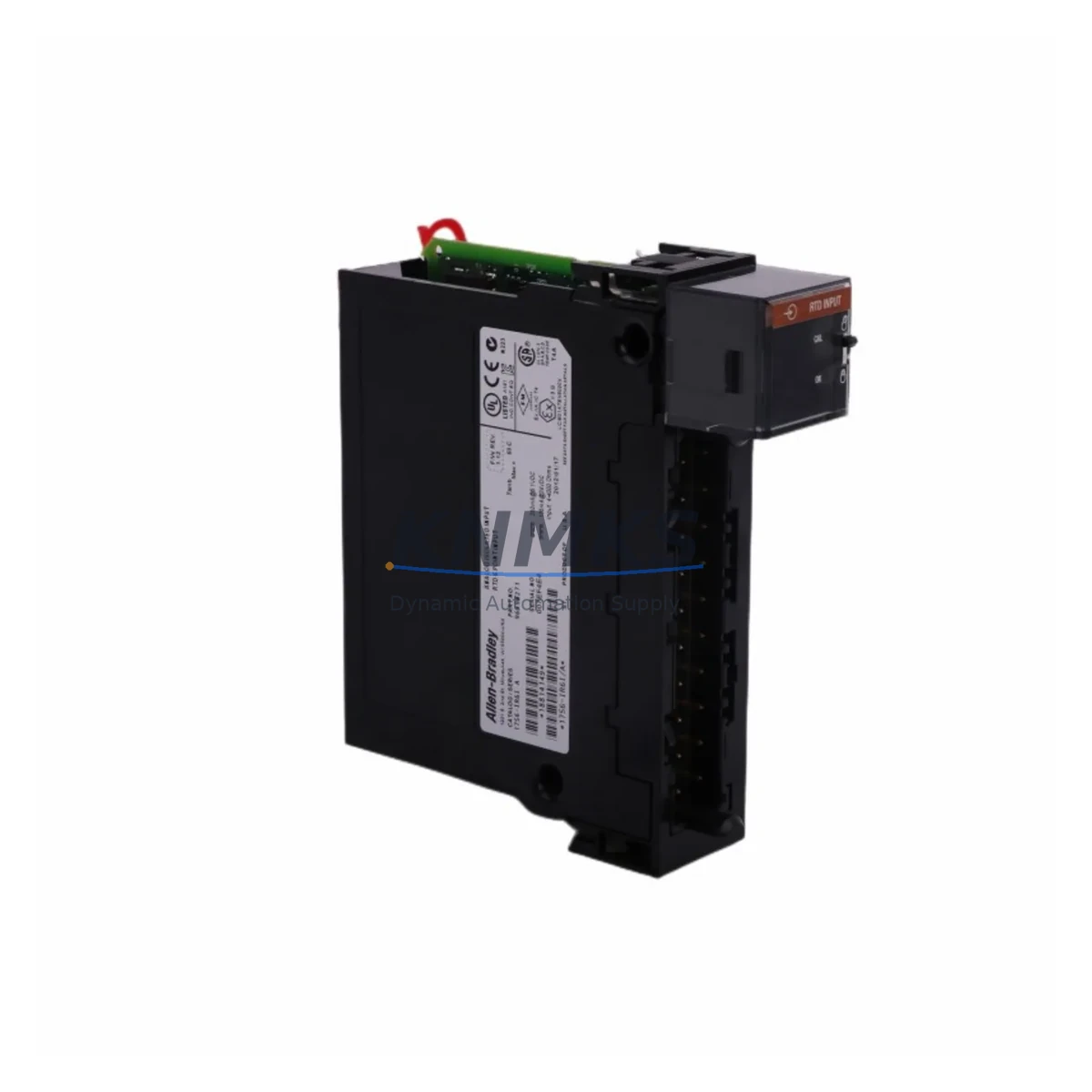
Allen-Bradley 1756-IR6I Maintenance-Proven Spare Part for Factory Uptime
The Allen-Bradley 1756-IR6I is a 6-channel isolated RTD (Resistance Temperature Detector) input module designed for the ControlLogix platform. As a critical measurement component in process control and temperature monitoring applications, this module is widely deployed in petrochemical, food & beverage, pharmaceutical, and heavy manufacturing environments. Maintaining a verified spare of the 1756-IR6I in your parts inventory is a proven strategy for minimizing unplanned downtime and protecting continuous production cycles.
At KNMKS, every 1756-IR6I unit is sourced as an original Allen-Bradley component, subjected to functional verification prior to shipment, and backed by a support terms confirmed by quotation. Our supply chain supports both emergency replacement orders and planned annual maintenance procurement, with consistent availability for long-term MRO contracts.
Spare Maintenance Table
| Parameter | Specification |
|---|---|
| Part Number | 1756-IR6I |
| Brand | Allen-Bradley (Rockwell Automation) |
| Series | ControlLogix 1756 |
| Module Type | Isolated RTD / Resistance Input Module |
| Input Channels | 6 Channels (fully isolated) |
| Supported Sensors | RTD (Pt, Ni, Cu), Resistance (0–1000 Ω) |
| Input Resolution | 16-bit |
| Backplane Current Draw | 125 mA @ 5 VDC; 2 mA @ 24 VDC |
| Operating Temperature | 0 °C to 60 °C (32 °F to 140 °F) |
| Storage Temperature | -40 °C to 85 °C |
| Isolation | Channel-to-channel and channel-to-backplane isolated |
| Compatibility | ControlLogix 1756 chassis; compatible with 1756-A4, 1756-A7, 1756-A10, 1756-A13, 1756-A17 |
| Firmware | Compatible with RSLogix 5000 / Studio 5000 Logix Designer |
| Product Category | Industrial Automation / PLC Analog Input Modules |
| Origin | USA (Allen-Bradley / Rockwell Automation) |
| Support terms | 12 Months — Tested Before Shipment |
Maintenance Planning for Continuous Operation
When a 1756-IR6I fails or is flagged during a scheduled inspection, the fault rarely exists in isolation. Maintenance engineers performing a root-cause assessment should simultaneously inspect the surrounding system components to prevent repeat failures and ensure the restored loop performs reliably.
Begin with the 1756-PA75 or 1756-PB75 power supply module — verify output voltage stability and check for ripple or thermal stress indicators, as unstable backplane power is a common upstream cause of analog module faults. Next, inspect the 1756-TBCH or 1756-TBS6H removable terminal block connected to the 1756-IR6I; corroded or loose RTD wiring connections at the terminal block are a frequent source of erratic temperature readings that are misdiagnosed as module failure.
For systems using multi-drop RTD wiring, review the 1756-A10 or 1756-A17 chassis backplane for slot integrity and connector wear. If the 1756-IR6I is part of a redundant control architecture, the 1756-RM2 or 1756-RM redundancy module should be checked to confirm synchronization health has not been affected by the I/O fault event.
In process lines where the RTD input feeds a PID loop, also verify the 1756-OF8 analog output module that drives the final control element — a corrupted process variable from a faulty RTD module can cause output saturation that stresses downstream actuators. For installations with signal conditioning between the field device and the 1756-IR6I, inspect any signal isolators or loop-powered transmitters in the circuit, as ground loops introduced by failed isolation barriers can damage RTD input channels.
Finally, confirm that the 1756-EN2T or 1756-EN3TR EtherNet/IP communication module in the same chassis is reporting clean I/O tree status in Studio 5000 — a module fault on the 1756-IR6I will generate a connection fault that may cascade into controller major fault conditions if not properly handled in the program logic.
Stocking a 1756-IR6I alongside these associated components as part of a structured spare parts kit reduces mean time to repair (MTTR) and supports a proactive maintenance posture aligned with IEC 62443 and ISA-18.2 best practices.
Site Replacement Workflow
Step 1 — Pre-replacement verification: In Studio 5000 Logix Designer, inhibit the 1756-IR6I module in the I/O tree to suppress faults before physical removal. Document the current module properties including slot number, chassis series, and firmware revision.
Step 2 — Safe removal: De-energize the field wiring at the terminal block. Remove the 1756-TBCH terminal block first, then slide the module out of the chassis slot. Do not remove the module under live backplane power unless the chassis supports hot-swap for this module series.
Step 3 — Replacement installation: Insert the new 1756-IR6I into the same slot. Reconnect the terminal block, ensuring RTD lead resistance compensation wiring (2-wire, 3-wire, or 4-wire) matches the original configuration. Restore the inhibit state in Studio 5000 and allow the controller to re-establish the I/O connection.
Step 4 — Functional validation: Compare live channel readings against reference temperature sources or known-good RTD simulators. Verify that all 6 channels report within calibration tolerance before returning the loop to automatic control.
Step 5 — Documentation update: Record the replacement in the site CMMS (Computerized Maintenance Management System), update the spare parts inventory, and flag the removed module for repair evaluation or disposal per site procedures.
This workflow is compatible with both legacy ControlLogix L6x controllers and current L8x series processors, ensuring the 1756-IR6I replacement process remains consistent across system generations without requiring program modifications.
Spare Parts Support FAQ
Q1: Is the 1756-IR6I compatible with all ControlLogix chassis sizes?
Yes. The 1756-IR6I is compatible with all standard 1756 series chassis including the 1756-A4 (4-slot), 1756-A7 (7-slot), 1756-A10 (10-slot), 1756-A13 (13-slot), and 1756-A17 (17-slot). It occupies one slot and communicates over the ControlLogix backplane. Compatibility with the controller firmware version should be confirmed in the module release notes for Studio 5000 v21 and above.
Q2: How is the 1756-IR6I tested before shipment from KNMKS?
Each unit undergoes a functional verification process that includes backplane communication check, channel continuity test, and resistance input simulation across all 6 channels. Units that do not meet original Allen-Bradley performance specifications are quarantined and not shipped. A test report is available upon request for critical infrastructure procurement.
Q3: What is the recommended inventory strategy for the 1756-IR6I in a multi-line plant?
For facilities operating 3 or more ControlLogix systems with RTD-based temperature loops, maintaining a minimum of 2 spare 1756-IR6I modules on-site is recommended. Plants with 24/7 continuous process operations or long lead-time procurement environments should consider a standing replenishment agreement with KNMKS to ensure buffer stock is automatically refreshed after each consumption event.
Q4: Does KNMKS support long-term supply for discontinued or end-of-life Allen-Bradley modules?
Yes. KNMKS specializes in sustaining supply for mature and legacy Rockwell Automation product lines. The 1756-IR6I is currently available from stock. For end-of-life planning, our team can assist with last-time-buy quantity assessments, alternative module mapping, and multi-year supply agreements to protect aging ControlLogix systems from obsolescence risk.
© 2026 KNMKS. All rights reserved.
Original Source: https://knmks.com
Contact: admin@knmks.com | +86 18359268345
Product Identification
- Brand / Ecosystem
-
Allen-Bradley
Allen-Bradley - Model / Series
-
1756-IR6I
ControlLogix Series - Product Family
- PLCs & Controllers
- Availability Status
- Available on request after model and quantity confirmation
- Inquiry Type
- B2B RFQ, replacement inquiry and project spare-part request
- Pre-Quote Check
- Exact SKU, brand, series, quantity, nameplate photos and destination country are checked before quotation
System Path
Where this product fits in the KNMKS automation structure.
Specification & Inquiry Focus
- Control platform
- PLC, PAC and modular controllers
- Common needs
- CPU, rack, power and I/O expansion
- Project support
- Replacement, cabinet build and maintenance
Buyer Confirmation
Information KNMKS checks before replying.
- Exact model
- 1756-IR6I
- Brand / ecosystem
- Allen-Bradley
- Product family
- PLCs & Controllers
- Application note
- Replacement, maintenance, project build or spare-part list
- Useful photos
- Nameplate, installed unit, cabinet layout or connector side
- Delivery details
- Quantity, destination country and target schedule
Document Support
Files and notes can be confirmed during quotation.
- Product photos or nameplate confirmation when available
- Packing and delivery notes before quotation confirmation
- Support scope and delivery terms confirmed per inquiry
- Export document coordination for qualified B2B requests
Inquiry Support
- Model cross-checking before quotation
- CPU, power, rack and expansion module matching
- Support for replacement and project inquiry
What to Send Us
- Brand and exact model number: Allen-Bradley 1756-IR6I
- Quantity and required delivery time
- Application, replacement requirement or nameplate photo
- Destination country and shipping preference
RFQ Preparation
This is a product inquiry page built for RFQ communication.
Fast Model Check
Send this model to KNMKS for confirmation.
Include quantity, destination country and photos if this is a maintenance replacement. The inquiry will be saved with a reference number after submission.
Brand & Compatibility Note
KNMKS displays automation product information for well-known industrial brand ecosystems and compatible replacement references. Brand names are used for product identification and compatibility reference only; final availability and commercial terms are confirmed per quotation.
 Manufacturing
 Machine Tools
 Packaging
 Energy & Power



 HMI & Displays
 Servo Systems
 Variable Frequency Drives
 Sensors