
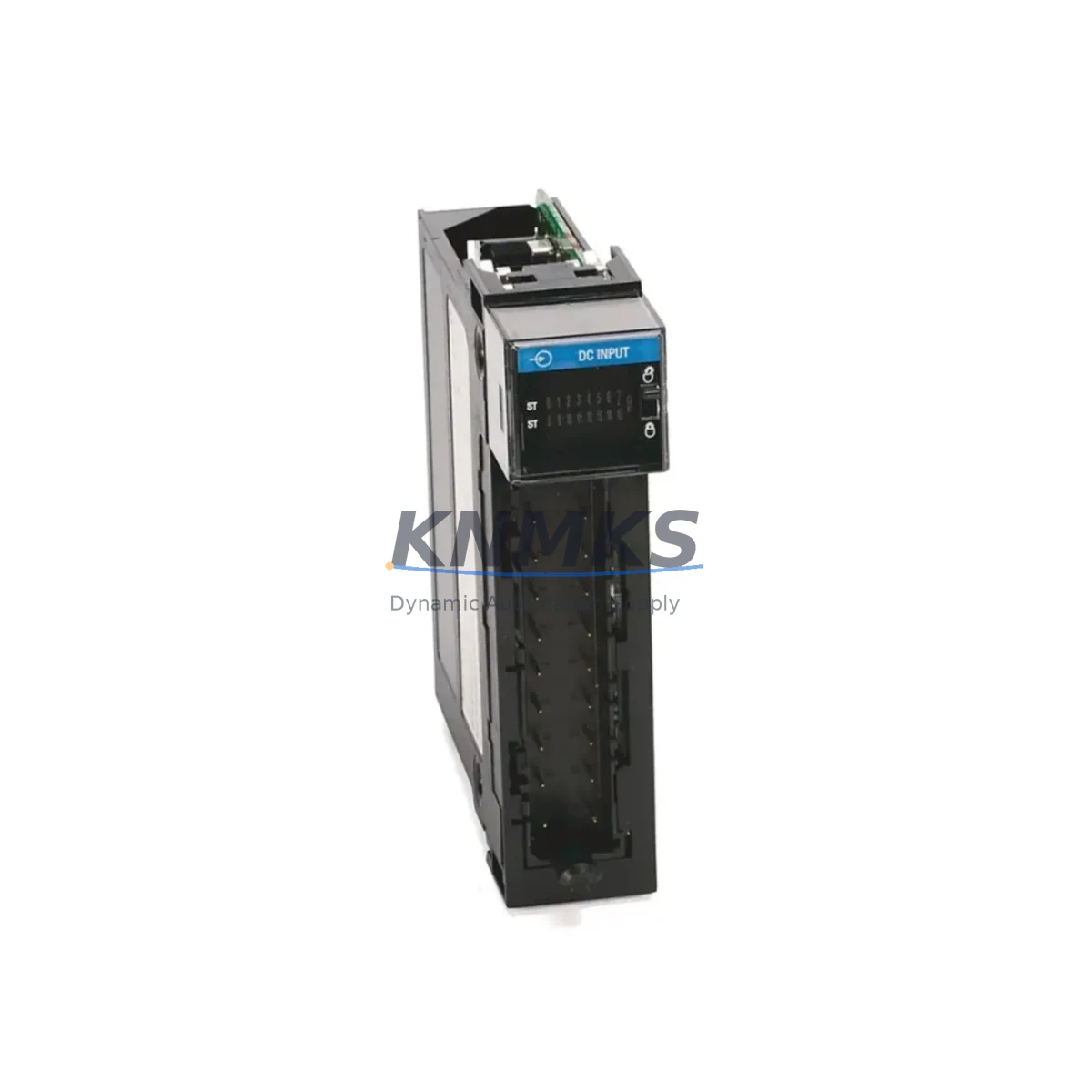
Overview
Allen-Bradley 1756-IG16 Maintenance-Proven Spare Part: Reliable DC Input for ControlLogix Uptime
The Allen-Bradley 1756-IG16 is a 16-point isolated DC input module designed for the ControlLogix 1756 chassis platform. In industrial facilities where production continuity depends on the integrity of the PLC I/O layer, maintaining a verified spare of the 1756-IG16 is a fundamental element of any preventive maintenance programme. Whether you are managing a single control cabinet or a multi-rack distributed control architecture, this module delivers the signal isolation and diagnostic transparency that maintenance engineers rely on during fault isolation, scheduled turnarounds, and emergency recovery events.
KNMKS supplies the 1756-IG16 as an original Allen-Bradley component, sourced through verified industrial channels. Every unit undergoes pre-shipment functional testing and is backed by a support terms confirmed by quotation, giving procurement engineers the confidence to commit to long-term spare parts agreements without exposure to counterfeit or end-of-life risk.
Spare Maintenance Table
| Parameter | Specification |
|---|---|
| Part Number | 1756-IG16 |
| Brand / Manufacturer | Allen-Bradley (Rockwell Automation) |
| Series | ControlLogix 1756 |
| Module Type | 16-Point Isolated DC Input |
| Input Voltage Range | 10–30 V DC |
| Input Current (per point) | Approx. 2 mA @ 24 V DC |
| Isolation | Group isolated (channel-to-backplane) |
| Backplane Compatibility | 1756 ControlLogix chassis (all slot counts) |
| Communication | ControlBus backplane interface |
| Diagnostics | Per-point status LEDs; fault reporting via RSLogix 5000 / Studio 5000 |
| Operating Temperature | 0 °C to 60 °C |
| Relative Humidity | 5–95% non-condensing |
| Mounting | 1756 chassis slot (hot-swap capable) |
| Origin | United States |
| Condition | Original / New surplus |
| Support terms | 12 months from date of shipment |
| Pre-Shipment Test | Functional verification completed before dispatch |
Maintenance Planning for Continuous Operation
When a 1756-IG16 input module is flagged during a routine control cabinet inspection or triggers a fault in Studio 5000, the replacement workflow extends beyond the module itself. A disciplined maintenance engineer will simultaneously verify the integrity of the surrounding electrical circuit to prevent repeat failures and reduce the risk of a second unplanned outage.
Begin with the 24 V DC field power supply feeding the input commons. A degraded or undersized power supply — such as an ageing 1756-PA72 or 1756-PB72 chassis power supply — can introduce voltage sag that causes intermittent input state errors before the module itself fails. Confirm output voltage under load and check for ripple. Next, inspect the terminal blocks and field wiring connected to the module’s I/O connector. Loose terminations, corroded contacts, or undersized conductors are a common root cause of isolated input faults that are incorrectly attributed to the module.
If the 1756-IG16 is installed in a chassis alongside a 1756-L7x or 1756-L8x ControlLogix controller, verify that the controller firmware is current and that the I/O tree configuration in Studio 5000 matches the physical slot assignment after module replacement. A mismatch will prevent the module from going online. For systems using 1756-EN2T or 1756-EN3TR EtherNet/IP communication modules, confirm that the network path to the remote I/O chassis remains intact and that no IP address conflicts have been introduced during the maintenance window.
In multi-rack architectures connected via 1756-RM or 1756-RM2 redundancy modules, a module swap in the primary chassis should be followed by a redundancy status check to confirm that the secondary chassis has synchronised correctly. Additionally, review any 1492-IFM interface modules or pre-wired terminal assemblies connected to the 1756-IG16 — these passive wiring accessories are frequently overlooked during spare parts planning but are essential for a clean, rapid field replacement.
For facilities operating legacy sensor networks, also inspect the signal conditioning and isolation barriers upstream of the input module. Devices such as loop-powered isolators or Zener barriers can degrade over time and produce signal levels outside the 1756-IG16’s input threshold, causing nuisance faults that persist even after a module replacement.
Site Replacement Workflow
Step 1 — Preparation: Download the current controller project from the 1756-L7x/L8x processor using Studio 5000 and archive it before any hardware change. Note the slot number, I/O configuration, and any forced I/O states active on the 1756-IG16.
Step 2 — Safe Isolation: De-energise the field power supply feeding the input commons. Do not rely solely on the PLC program to inhibit field devices. Verify isolation with a calibrated multimeter at the I/O connector before disconnecting wiring.
Step 3 — Module Removal: The 1756 platform supports hot-swap removal. Inhibit the module in the I/O tree within Studio 5000 before physically extracting it to prevent nuisance fault alarms in the controller. Remove the I/O connector, release the module latch, and slide the module out of the chassis slot.
Step 4 — Replacement Installation: Insert the KNMKS-supplied 1756-IG16 into the same chassis slot. Reconnect the I/O connector, ensuring all terminal screws are torqued to specification. Re-energise the field power supply.
Step 5 — Commissioning: Un-inhibit the module in Studio 5000. Confirm that all 16 input points report the correct state. Clear any latched faults in the controller. Verify that the redundancy module (if present) has re-synchronised. Document the replacement in the site maintenance log with the new module serial number and the KNMKS shipment reference for support terms tracking.
This workflow minimises downtime to under 30 minutes for a prepared maintenance team and eliminates the configuration errors that typically extend unplanned outages when spare parts are sourced reactively.
Spare Parts Support FAQ
Q1: Is the KNMKS-supplied 1756-IG16 an original Allen-Bradley component?
Yes. All 1756-IG16 units supplied by KNMKS are original Allen-Bradley components sourced through verified industrial channels. Each unit is individually inspected and functionally tested prior to shipment. A support terms confirmed by quotation is provided from the date of dispatch, covering manufacturing defects and functional failures under normal operating conditions.
Q2: How do I confirm compatibility with my existing ControlLogix chassis?
The 1756-IG16 is compatible with all 1756 ControlLogix chassis variants (4-slot, 7-slot, 10-slot, 13-slot, and 17-slot) and all current 1756-L6x, 1756-L7x, and 1756-L8x controller families. Confirm your chassis series and Studio 5000 / RSLogix 5000 firmware version before installation. KNMKS technical support can assist with compatibility verification prior to purchase.
Q3: What is the recommended inventory strategy for the 1756-IG16 in a multi-line facility?
For facilities with three or more ControlLogix racks, KNMKS recommends maintaining a minimum of one 1756-IG16 spare per five installed modules, with a floor of two units per site. For critical production lines where downtime cost exceeds USD 10,000 per hour, a dedicated hot-spare held in the control room is advisable. KNMKS supports long-term supply agreements of 12–36 months to lock in pricing and guarantee availability.
Q4: Can KNMKS support long-term supply and provide documentation for procurement records?
Yes. KNMKS offers long-term supply agreements for the 1756-IG16 and related ControlLogix spare parts, with lead times confirmed at order placement. Full shipment documentation — including packing lists, test records, and support terms certificates — is provided with every order to support your procurement audit trail and maintenance management system (CMMS) records.
© 2026 KNMKS. All rights reserved.
Original Source: https://knmks.com
Contact: admin@knmks.com | +86 18359268345
Product Identification
- Brand / Ecosystem
-
Allen-Bradley
Allen-Bradley - Model / Series
-
1756-IG16
ControlLogix Series - Product Family
- PLCs & Controllers
- Availability Status
- Available on request after model and quantity confirmation
- Inquiry Type
- B2B RFQ, replacement inquiry and project spare-part request
- Pre-Quote Check
- Exact SKU, brand, series, quantity, nameplate photos and destination country are checked before quotation
System Path
Where this product fits in the KNMKS automation structure.
Specification & Inquiry Focus
- Control platform
- PLC, PAC and modular controllers
- Common needs
- CPU, rack, power and I/O expansion
- Project support
- Replacement, cabinet build and maintenance
Buyer Confirmation
Information KNMKS checks before replying.
- Exact model
- 1756-IG16
- Brand / ecosystem
- Allen-Bradley
- Product family
- PLCs & Controllers
- Application note
- Replacement, maintenance, project build or spare-part list
- Useful photos
- Nameplate, installed unit, cabinet layout or connector side
- Delivery details
- Quantity, destination country and target schedule
Document Support
Files and notes can be confirmed during quotation.
- Product photos or nameplate confirmation when available
- Packing and delivery notes before quotation confirmation
- Support scope and delivery terms confirmed per inquiry
- Export document coordination for qualified B2B requests
Inquiry Support
- Model cross-checking before quotation
- CPU, power, rack and expansion module matching
- Support for replacement and project inquiry
What to Send Us
- Brand and exact model number: Allen-Bradley 1756-IG16
- Quantity and required delivery time
- Application, replacement requirement or nameplate photo
- Destination country and shipping preference
RFQ Preparation
This is a product inquiry page built for RFQ communication.
Fast Model Check
Send this model to KNMKS for confirmation.
Include quantity, destination country and photos if this is a maintenance replacement. The inquiry will be saved with a reference number after submission.
Brand & Compatibility Note
KNMKS displays automation product information for well-known industrial brand ecosystems and compatible replacement references. Brand names are used for product identification and compatibility reference only; final availability and commercial terms are confirmed per quotation.
 Manufacturing
 Machine Tools
 Packaging
 Energy & Power



 HMI & Displays
 Servo Systems
 Variable Frequency Drives
 Sensors