
Overview
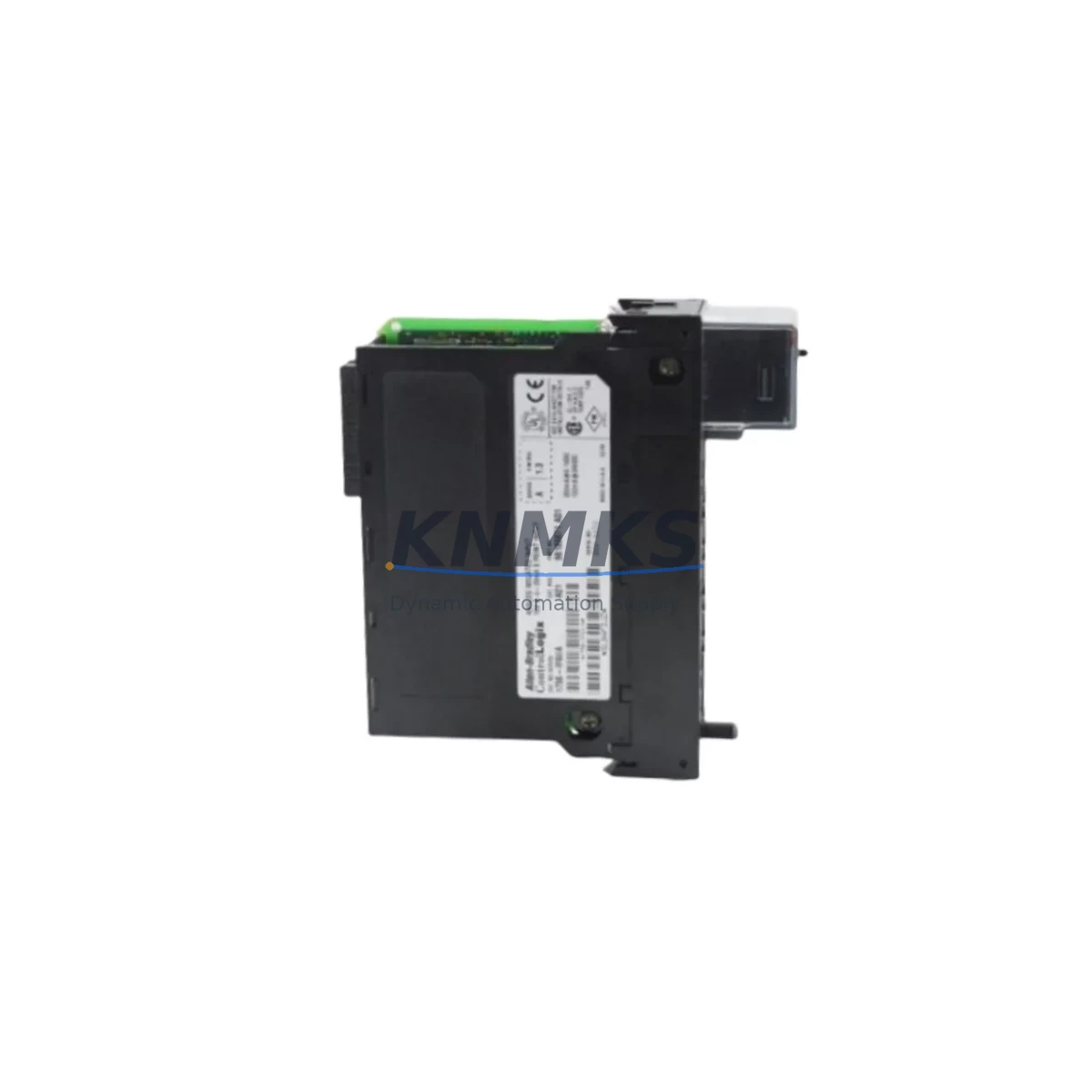
Allen-Bradley 1756-IF6I Maintenance-Proven Spare Part for Factory Uptime
The Allen-Bradley 1756-IF6I is a 6-channel isolated analog input module designed for the ControlLogix 1756 platform. As a maintenance-proven spare part, it supports continuous factory operation by enabling rapid field replacement without system reconfiguration. Each unit is sourced as an original spare, pre-shipment tested, and backed by a support terms confirmed by quotation — making it a reliable choice for maintenance engineers managing critical production lines, process control cabinets, and long-lifecycle automation systems.
Whether you are building a preventive maintenance inventory, responding to an unplanned shutdown, or executing a scheduled annual overhaul, the 1756-IF6I delivers the electrical isolation, signal accuracy, and backplane compatibility required to restore ControlLogix system integrity with minimal downtime. Its 12-bit resolution and per-channel isolation make it particularly well-suited for environments where signal interference, ground loops, or mixed-voltage field devices are common concerns.
Spare Maintenance Table
| Parameter | Specification |
|---|---|
| SKU / Part Number | 1756-IF6I |
| Brand | Allen-Bradley (Rockwell Automation) |
| Series | ControlLogix 1756 |
| Module Type | Isolated Analog Input Module |
| Input Channels | 6 Channels (individually isolated) |
| Resolution | 12-bit |
| Input Signal Types | Voltage (±10V, 0–10V) / Current (0–20mA, 4–20mA) |
| Isolation | Channel-to-channel and channel-to-backplane isolation |
| Backplane Compatibility | 1756 ControlLogix Backplane (all standard chassis) |
| Power Consumption | Backplane powered (no external 24VDC required) |
| Operating Temperature | 0°C to 60°C (32°F to 140°F) |
| Mounting | 1756 chassis slot (any slot) |
| Origin | USA |
| Condition | Original Spare — Pre-shipment tested |
| Support terms | 12 Months |
| Long-Term Supply | Available — contact for 12–36 month agreements |
Maintenance Planning for Continuous Operation
When replacing or stocking the 1756-IF6I as part of a planned maintenance program, maintenance and procurement engineers should evaluate the surrounding electrical environment to ensure a complete and reliable restoration. The 1756-IF6I operates within the ControlLogix 1756 chassis, and its performance is directly influenced by the health of adjacent modules and infrastructure components.
Begin by inspecting the 1756-PA75 or 1756-PB75 power supply module — the chassis power supply must deliver stable, within-spec voltage to all installed modules. A degraded power supply is a common root cause of intermittent analog signal errors that are often misdiagnosed as module failure. Alongside the power supply, verify the condition of the 1756-A7 or 1756-A13 chassis backplane; backplane connector wear or contamination can cause communication faults that mimic module failure.
For field wiring, inspect the 1492-IFM series interface modules or equivalent terminal blocks used to connect field devices to the 1756-IF6I. Loose terminations, corroded contacts, or undersized conductors introduce signal noise that degrades 12-bit resolution accuracy. If the system uses HART-enabled field instruments, confirm that the wiring topology supports HART communication without interference from adjacent 4–20mA loops.
In multi-module ControlLogix cabinets, also assess the 1756-EN2T or 1756-EN3TR EtherNet/IP communication module — network communication health directly affects how the controller reads and processes analog data from the 1756-IF6I. A degraded or misconfigured communication module can cause data latency or missed updates that appear as analog input anomalies.
For systems with mixed analog and digital I/O, review the adjacent 1756-OB16I digital output modules and any 1756-IB16 digital input modules for signs of thermal stress or contact wear. Thermal imaging during operation is recommended for cabinets with high module density. Finally, confirm that all fuse holders and branch circuit protection serving the field device power rails are intact — blown fuses on transmitter supply circuits are a frequent cause of 4–20mA signal loss that is incorrectly attributed to the analog input module itself.
Stocking the 1756-IF6I alongside these associated components as a coordinated spare parts kit reduces mean time to repair (MTTR) and supports a proactive maintenance posture aligned with ISO 55000 asset management principles.
Site Replacement Workflow
Step 1 — Pre-replacement verification: Before removing the existing 1756-IF6I, use RSLogix 5000 or Studio 5000 to export the module configuration, including channel scaling, engineering units, filter settings, and alarm thresholds. Save the configuration file to a secure location.
Step 2 — Safe removal: Place the controller in Program mode to inhibit I/O scanning. Remove the field wiring connector from the module face (the 1756-IF6I uses a removable terminal block, which preserves wiring integrity during module swap). Slide the module out of the chassis slot.
Step 3 — Replacement installation: Insert the replacement 1756-IF6I into the same chassis slot. Reconnect the field wiring terminal block. The module will be automatically recognized by the controller using the stored configuration — no re-programming is required if the replacement module matches the original catalog number and firmware revision.
Step 4 — Firmware verification: Confirm that the replacement module firmware revision is compatible with the controller firmware. If a mismatch is detected, update the module firmware using ControlFLASH before returning to Run mode.
Step 5 — Signal verification: Return the controller to Run mode and verify all 6 analog input channels against known field device outputs. Use a calibrated loop calibrator to inject reference signals (e.g., 4mA, 12mA, 20mA) and confirm that the module reports values within the expected engineering unit range.
Step 6 — Documentation: Record the replacement date, module serial number, firmware revision, and post-replacement test results in the site maintenance log. Update the spare parts inventory to reflect the consumed unit and initiate a replenishment order to maintain minimum stock levels.
Spare Parts Support FAQ
Q1: Is the 1756-IF6I compatible with all ControlLogix 1756 chassis sizes?
Yes. The 1756-IF6I is compatible with all standard 1756 chassis, including the 1756-A4, 1756-A7, 1756-A10, 1756-A13, and 1756-A17. It occupies a single chassis slot and is backplane-powered, requiring no external power connections. Compatibility with the controller firmware version should be verified prior to installation using the Rockwell Automation Product Compatibility and Download Center (PCDC).
Q2: What pre-shipment testing is performed on each unit?
Each 1756-IF6I unit undergoes functional testing prior to shipment, including power-on verification, channel-by-channel signal accuracy testing across the full input range (voltage and current modes), and isolation integrity checks. Units that do not meet original specification thresholds are not shipped. A support terms confirmed by quotation is provided from the date of shipment, covering manufacturing defects and functional failures under normal operating conditions.
Q3: Can long-term supply agreements be arranged for this part?
Yes. We support 12–36 month supply agreements for the 1756-IF6I and related ControlLogix spare parts. Long-term agreements include reserved inventory allocation, priority fulfillment, and fixed pricing to protect against market volatility. Contact admin@knmks.com or +86 18359268345 to discuss your site’s annual consumption requirements and establish a supply plan.
Q4: How should the 1756-IF6I be stored as a spare part?
Store the module in its original anti-static packaging in a dry, temperature-controlled environment (recommended: 0°C to 40°C, relative humidity below 85% non-condensing). Avoid storage near strong electromagnetic fields or in environments with airborne contaminants. Inspect stored units annually for physical damage and verify functionality using a test chassis before deploying to a live system. Rotate stock on a first-in, first-out (FIFO) basis to maintain spare part readiness.
© 2026 KNMKS. All rights reserved.
Original Source: https://knmks.com
Contact: admin@knmks.com | +86 18359268345
Product Identification
- Brand / Ecosystem
-
Allen-Bradley
Allen-Bradley - Model / Series
-
1756-IF6I
ControlLogix Series - Product Family
- PLCs & Controllers
- Availability Status
- Available on request after model and quantity confirmation
- Inquiry Type
- B2B RFQ, replacement inquiry and project spare-part request
- Pre-Quote Check
- Exact SKU, brand, series, quantity, nameplate photos and destination country are checked before quotation
System Path
Where this product fits in the KNMKS automation structure.
Specification & Inquiry Focus
- Control platform
- PLC, PAC and modular controllers
- Common needs
- CPU, rack, power and I/O expansion
- Project support
- Replacement, cabinet build and maintenance
Buyer Confirmation
Information KNMKS checks before replying.
- Exact model
- 1756-IF6I
- Brand / ecosystem
- Allen-Bradley
- Product family
- PLCs & Controllers
- Application note
- Replacement, maintenance, project build or spare-part list
- Useful photos
- Nameplate, installed unit, cabinet layout or connector side
- Delivery details
- Quantity, destination country and target schedule
Document Support
Files and notes can be confirmed during quotation.
- Product photos or nameplate confirmation when available
- Packing and delivery notes before quotation confirmation
- Support scope and delivery terms confirmed per inquiry
- Export document coordination for qualified B2B requests
Inquiry Support
- Model cross-checking before quotation
- CPU, power, rack and expansion module matching
- Support for replacement and project inquiry
What to Send Us
- Brand and exact model number: Allen-Bradley 1756-IF6I
- Quantity and required delivery time
- Application, replacement requirement or nameplate photo
- Destination country and shipping preference
RFQ Preparation
This is a product inquiry page built for RFQ communication.
Fast Model Check
Send this model to KNMKS for confirmation.
Include quantity, destination country and photos if this is a maintenance replacement. The inquiry will be saved with a reference number after submission.
Brand & Compatibility Note
KNMKS displays automation product information for well-known industrial brand ecosystems and compatible replacement references. Brand names are used for product identification and compatibility reference only; final availability and commercial terms are confirmed per quotation.
 Manufacturing
 Machine Tools
 Packaging
 Energy & Power



 HMI & Displays
 Servo Systems
 Variable Frequency Drives
 Sensors