
Overview
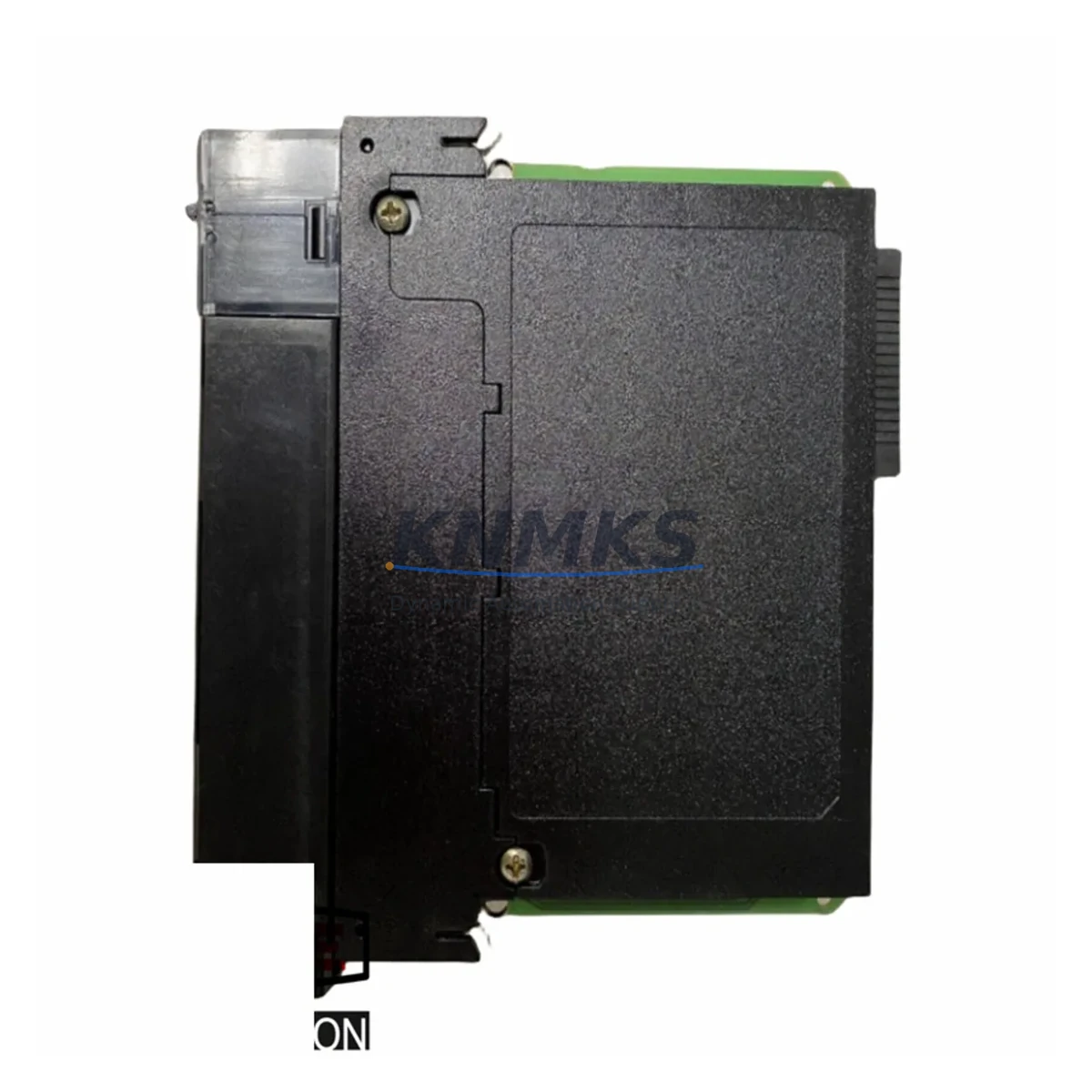
Allen-Bradley 1756-IF16IH Maintenance-Proven Spare Part for Factory Uptime
The Allen-Bradley 1756-IF16IH is a 16-channel HART-enabled analog input module designed for the ControlLogix backplane platform. In process-intensive industries — oil & gas, chemical, water treatment, and power generation — this module serves as the critical interface between field-mounted HART transmitters and the ControlLogix PLC controller. When a 1756-IF16IH fails or degrades, the consequences extend beyond a single I/O card: process variables go blind, alarm management collapses, and unplanned downtime escalates rapidly. Maintaining a verified, pre-tested spare on the shelf is the single most effective strategy for minimizing mean time to repair (MTTR) in HART-intensive control architectures.
Our 1756-IF16IH units are sourced from original Allen-Bradley production runs, individually inspected, and function-tested prior to shipment. Each unit ships with a support terms confirmed by quotation covering manufacturing defects and operational failures under normal industrial service conditions. Global logistics support ensures delivery to plant sites across Asia, Europe, the Middle East, and the Americas — with expedited options available for emergency downtime recovery.
Spare Maintenance Table
| Parameter | Specification |
|---|---|
| Part Number | 1756-IF16IH |
| Brand | Allen-Bradley (Rockwell Automation) |
| Series | ControlLogix 1756 |
| Module Type | 16-Channel HART Analog Input Module |
| Input Channels | 16 (single-ended, HART-enabled) |
| Signal Range | 4–20 mA (HART protocol overlay) |
| HART Revision | HART 5 / HART 6 compatible |
| Backplane Compatibility | ControlLogix 1756 chassis (all slot widths) |
| Power Consumption | Supplied via ControlLogix backplane |
| Operating Temperature | 0°C to 60°C (32°F to 140°F) |
| Isolation | Channel-to-backplane isolation provided |
| Firmware | Compatible with RSLogix 5000 / Studio 5000 |
| Origin | USA |
| Support terms | 12 Months |
| Condition | Original, pre-tested, ready to ship |
| Application | Process control, HART device diagnostics, field instrument integration |
Maintenance Planning for Continuous Operation
A 1756-IF16IH replacement should never be treated in isolation. When this module is pulled from service — whether due to channel drift, communication faults, or physical damage — maintenance engineers must conduct a systematic review of the surrounding electrical and control infrastructure to prevent repeat failures and ensure a clean return to service.
Begin with the 1756-PA75 or 1756-PB75 power supply feeding the ControlLogix chassis. A degraded power supply delivering marginal voltage to the backplane is a common root cause of intermittent analog input errors and HART communication dropouts. Verify output voltage stability under load before inserting the replacement 1756-IF16IH. Similarly, inspect the 1756-A13 or 1756-A7 chassis backplane for bent connector pins, corrosion, or mechanical damage that could cause poor module seating and erratic channel behavior.
On the field wiring side, inspect the terminal blocks and marshalling panels connected to the 16 input channels. Loose terminations, corroded screw terminals, or undersized cable cross-sections introduce loop resistance that distorts 4–20 mA signals and triggers HART communication errors. If the plant uses signal isolators or HART multiplexers between the field instruments and the 1756-IF16IH, verify that these devices are functioning correctly and are not introducing impedance mismatches that degrade HART communication quality.
Check the 1756-EN2T or 1756-EN3TR EtherNet/IP communication module in the same chassis. If the controller is unable to communicate with the replacement module after installation, the fault often lies in the EtherNet/IP module configuration or network topology rather than the analog input card itself. Confirm that the module’s I/O tree in Studio 5000 is correctly mapped and that no inhibited connections remain from the previous fault condition.
For plants running 1756-L7x or 1756-L8x ControlLogix controllers, verify that the controller firmware revision is compatible with the 1756-IF16IH firmware. Mismatched firmware revisions can prevent the module from going online or cause unexpected channel inhibit states. If the plant also uses 1756-OB16I or 1756-OA16 analog output modules in the same control loop, confirm that the output side of the loop is also functioning correctly before declaring the process loop restored.
Finally, review the fuse protection on the field loop power supply circuits. A blown fuse on a 24 VDC loop supply rail will disable multiple HART channels simultaneously, mimicking a module failure. Replacing the 1756-IF16IH without restoring loop power will result in a repeat fault call within minutes of restart.
Site Replacement Workflow
Step 1 — Pre-Replacement Verification: Confirm the fault is isolated to the 1756-IF16IH by checking the controller fault log in Studio 5000. Document all channel configurations, HART device addresses, and engineering unit scaling before removing the module. Export the I/O configuration from the project file as a reference.
Step 2 — Safe Module Removal: The ControlLogix platform supports hot-swap module replacement without powering down the chassis. Inhibit the module in the I/O tree, wait for the status LED to go solid red, then remove the module by pressing the top and bottom locking tabs simultaneously. Avoid touching the backplane connector pins.
Step 3 — Replacement Module Insertion: Insert the pre-tested 1756-IF16IH into the same slot. The module will automatically inherit the slot configuration stored in the controller project. Remove the inhibit flag in Studio 5000 and verify that all 16 channels transition to a healthy state within 30 seconds.
Step 4 — HART Re-commissioning: Use the HART Device Manager or FieldCare to re-establish communication with all field instruments on the restored channels. Verify that HART secondary variables (temperature, pressure, diagnostics) are being received correctly. Compare live readings against the pre-fault baseline to confirm signal integrity.
Step 5 — Documentation and Spare Replenishment: Log the replacement event in the CMMS with the module serial number, fault description, and restoration time. Immediately initiate a purchase order for a replacement spare to restore the on-shelf inventory level. A minimum of one 1756-IF16IH spare per ControlLogix chassis is the recommended stocking strategy for process-critical applications.
Spare Parts Support FAQ
Q1: Is this 1756-IF16IH unit original Allen-Bradley production, or a third-party compatible?
All units supplied are original Allen-Bradley (Rockwell Automation) production modules. We do not supply third-party compatible or counterfeit alternatives. Each unit is traceable to original manufacturing and is individually function-tested before shipment.
Q2: What does the support terms confirmed by quotation cover, and how is a support terms claim processed?
The support terms confirmed by quotation cover manufacturing defects and operational failures under normal industrial service conditions. It does not cover damage caused by incorrect installation, overvoltage events, or physical mishandling. To initiate a support terms claim, contact admin@knmks.com with the module serial number, fault description, and installation date. Replacement units are dispatched within 3–5 business days of claim verification.
Q3: Can this module replace an older 1756-IF16 (non-HART) in the same chassis slot?
The 1756-IF16IH is the HART-enabled successor to the standard 1756-IF16 analog input module. It is physically compatible with the same ControlLogix chassis slot. However, the I/O configuration in Studio 5000 must be updated to reflect the HART-capable module type. Substituting the 1756-IF16IH for a 1756-IF16 without updating the project file will result in a module type mismatch fault. Our technical team can provide guidance on the configuration update procedure upon request.
Q4: What is the recommended long-term stocking strategy for 1756-IF16IH spares?
For process-critical ControlLogix installations, we recommend maintaining a minimum of one 1756-IF16IH spare per chassis and a strategic reserve of two to three units for multi-chassis plants. Given the extended lead times for new Rockwell Automation production orders in current market conditions, holding verified pre-tested spares eliminates procurement risk and ensures same-day swap capability during unplanned outages. We support long-term supply agreements with guaranteed stock reservation for high-volume customers.
© 2026 KNMKS. All rights reserved.
Original Source: https://knmks.com
Contact: admin@knmks.com | +86 18359268345
Product Identification
- Brand / Ecosystem
-
Allen-Bradley
Allen-Bradley - Model / Series
-
1756-IF16IH
ControlLogix Series - Product Family
- PLCs & Controllers
- Availability Status
- Available on request after model and quantity confirmation
- Inquiry Type
- B2B RFQ, replacement inquiry and project spare-part request
- Pre-Quote Check
- Exact SKU, brand, series, quantity, nameplate photos and destination country are checked before quotation
System Path
Where this product fits in the KNMKS automation structure.
Specification & Inquiry Focus
- Control platform
- PLC, PAC and modular controllers
- Common needs
- CPU, rack, power and I/O expansion
- Project support
- Replacement, cabinet build and maintenance
Buyer Confirmation
Information KNMKS checks before replying.
- Exact model
- 1756-IF16IH
- Brand / ecosystem
- Allen-Bradley
- Product family
- PLCs & Controllers
- Application note
- Replacement, maintenance, project build or spare-part list
- Useful photos
- Nameplate, installed unit, cabinet layout or connector side
- Delivery details
- Quantity, destination country and target schedule
Document Support
Files and notes can be confirmed during quotation.
- Product photos or nameplate confirmation when available
- Packing and delivery notes before quotation confirmation
- Support scope and delivery terms confirmed per inquiry
- Export document coordination for qualified B2B requests
Inquiry Support
- Model cross-checking before quotation
- CPU, power, rack and expansion module matching
- Support for replacement and project inquiry
What to Send Us
- Brand and exact model number: Allen-Bradley 1756-IF16IH
- Quantity and required delivery time
- Application, replacement requirement or nameplate photo
- Destination country and shipping preference
RFQ Preparation
This is a product inquiry page built for RFQ communication.
Fast Model Check
Send this model to KNMKS for confirmation.
Include quantity, destination country and photos if this is a maintenance replacement. The inquiry will be saved with a reference number after submission.
Brand & Compatibility Note
KNMKS displays automation product information for well-known industrial brand ecosystems and compatible replacement references. Brand names are used for product identification and compatibility reference only; final availability and commercial terms are confirmed per quotation.
 Manufacturing
 Machine Tools
 Packaging
 Energy & Power



 HMI & Displays
 Servo Systems
 Variable Frequency Drives
 Sensors